7 Free Fake Number Generators For Mobile Verification – When registering on social media, for example, WhatsApp, Instagram, Facebook, line, and other social media, sometimes the cellphone number becomes an obstacle.
7 Free Fake Number Generators For Mobile Verification
Best Free Fake Number Generators For Mobile Verification
It could be that the cellphone number that you have is lost or other conditions. Surely this is an obstacle for you when asked to enter your cellphone number.
Likewise when you want to shop online. No need to be confused because now you can make fake numbers for free.
Fake numbers are no longer a strange thing in this day and age.
Fake numbers themselves are now available for free as well as free fake numbers. If you also want to use this fake number, it can be done from an Android or iPhone computer.
What is even more interesting is that these fake numbers exist in various countries including England, America, Belgium, and even Indonesia.
For work systems that are in this fake number, more or less use a virtual number that has been provided by the website for certain applications.
Do you also need a free fake number? If so.
Here are some websites and applications for creating free fake numbers for verification:
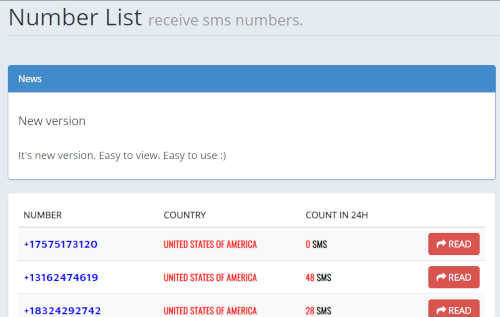
#1. sms.ndtan.net
The sms.ndtan.net site provides virtual fake numbers from various countries in the world, including Indonesian numbers.
You can use this number on sms.ndtan.net for social media verification, for example, Instagram, WhatsApp Facebook, and others.
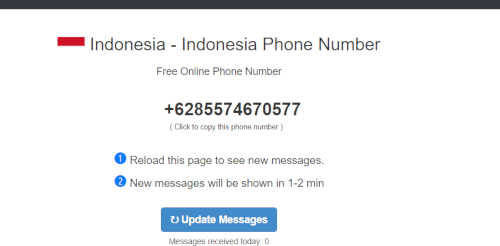
#2. www.receivesms.co/indonesia-phone-number/161/
Another site that also provides free fake numbers is www.receivesms.co/Indonesia-phone-number/161/.
This site provides Indonesian numbers as well as other country numbers. However, Indonesian numbers from this site tend to be limited.
Currently, there is only one number that can be used to receive SMS and telephone calls. If you want to get an Indonesian number, then just copy and paste the site address.
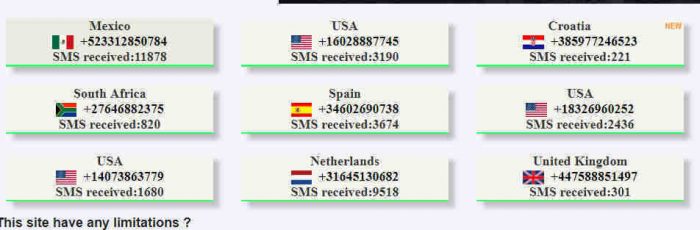
#3. www.receive-sms-online.info
For www.receive-sms-online.info, it tends to focus more on SMS so that it can only be used to receive SMS.
The SMS in question is SMS verification, and registration to SMS with friends. However, www.receive-sms-online.info does not provide Indonesian numbers, so the only numbers available are international.
Take it easy, you can still use it to shop at online stores, you know.
#4. Textplus application
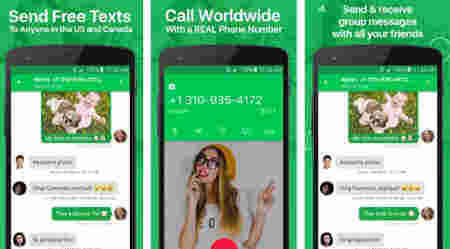
It’s not just websites that provide fake numbers. There is also the textplus application which provides fake numbers that can be used completely from telephone, and SMS to receiving OTP codes.
If you want to get a virtual number, then register your email and your original cellphone number first.
If you don’t have a cellphone number, then later you will get a separate virtual number. However, numbers in this application are only available for international numbers.
#5. Nextplus application
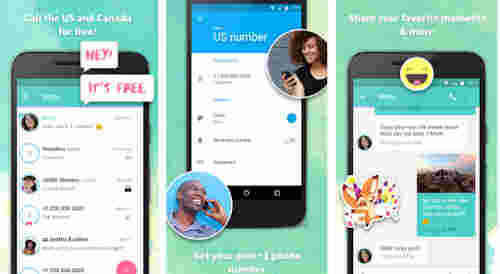
Like Nextplus, this application also provides fake numbers. You also have to register yourself first. Nextplus applications tend to focus more on American numbers and not Indian numbers.
#6. Talkatone application
If you want to get a fake number but an Indonesian number, then Talkatone can be chosen.
Numbers from Talkatone can only receive OTP codes which are usually used for verification and registration, both SMS and telephone.
Burner: Smart Phone Number
Burner: Smart Phone Number is a paid application that provides complete and different features.
For virtual numbers from Burner: Smart Phone Numbers can also be chosen as you like.
#7. Hushed Anonymous Phone Numbers
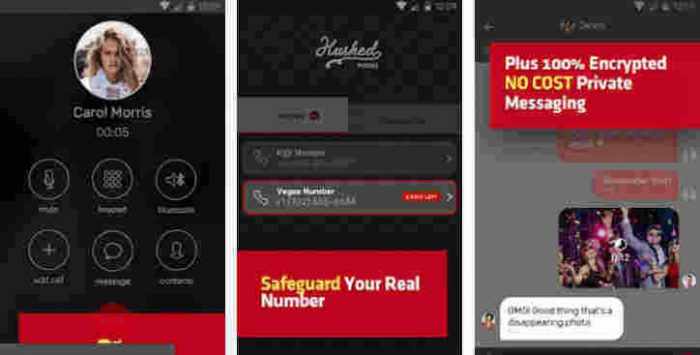
This application not only provides free virtual fake numbers but can also block foreign numbers.
Isn’t that cool? Even Hushed Anonymous Phone Numbers can help you hide your cellphone number when calling other people.
This is the explanation of 7 free fake number generators for mobile verification, Recommendations for free fake number generators for mobile verification, you can use them for various work.
11 Best Apps To Change JPG to PDF Image Files on Android – Along with the rapid development of technology, changing the file format to another form is very easy to do, including converting image format files to PDF.
11 Best Apps To Change JPG to PDF Image Files on Android
How To Change JPG Formats to PDF Image Files on Android
This is quite important to do, considering that when we use a scanning system to convert documents to digital form, the format of the scanning results is usually in the form of images, even though we often need to send documents in PDF format.
Therefore, for those of you who do not know how to convert image files to PDF, you can follow the steps on how to change the JPG to PDF image file in the following review.
#1. Change JPG Formats to PDF Image Files on Android
First of all, you need a PDF file editor application, in this case, I use Microsoft Word 2016
Open the Microsoft Word application that you have
Then select the Insert tab, and select Pictures in the Illustration section
If File Explorer appears, find the location and select the image you want to export to PDF by tapping it twice
Next set the image size and also adjust the page layout from Microsoft Word, whether it’s Landscape or Portrait
When finished setting it up, click File in the upper left corner of the screen
Then select Export and select the Create PDF / XPS Document button in the Create PDF / XPS Document menu
Specify the PDF storage location, write the file name in the File name column and make sure Save as type shows PDF
Last Click Publish
Actually, by using the steps above, you can not only convert JPG to PDF format images, but you can also change images that have other formats whose formats are also supported by Microsoft Word applications.
In addition, you can also use a writing editor application other than Microsoft Word to do this, one example you can use WPS Office which has a pretty similar appearance.
Of course, with this similar look, you can use it to convert image files to PDF with more or less similar steps, with differences in naming or the location of the buttons.
You can also use Smallpdf to do this. You only need to upload the image file you have to the smallpdf.com page and download it in PDF format if it’s finished.
But for those of you who use a mobile device, you can use the CamScanner application to scan your important documents. You can use the application that is free in this application store to change the capture of the camera directly to PDF.
#2. Image to PDF and Sharing Starting
Image to PDF and Sharing Starting
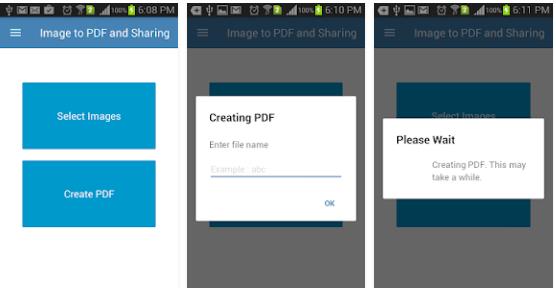
with an application called Image to PDF and Sharing, with this application you can make changes to the format from JPG to PDF format easily. Here, you only need to click a select image to select the image you want to convert to PDF.
After you specify the image you want to change the format to, you can immediately convert it to PDF.
Previously, this application would also provide notifications to change file names. If you want to change the file name, then type the file name in the rename section.
Having finished changing the file name, now is the time to do the conversion and wait a while until Image to PDF and Sharing finish converting your file to PDF. Very easy and simple, right?
#3. JPG to PDF Converter
JPG to PDF Converter
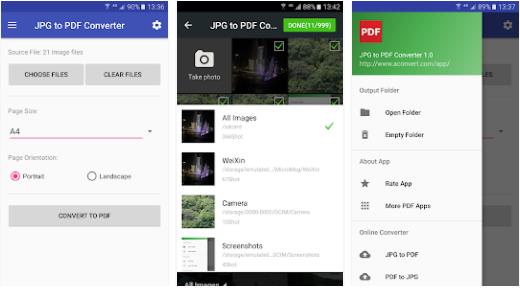
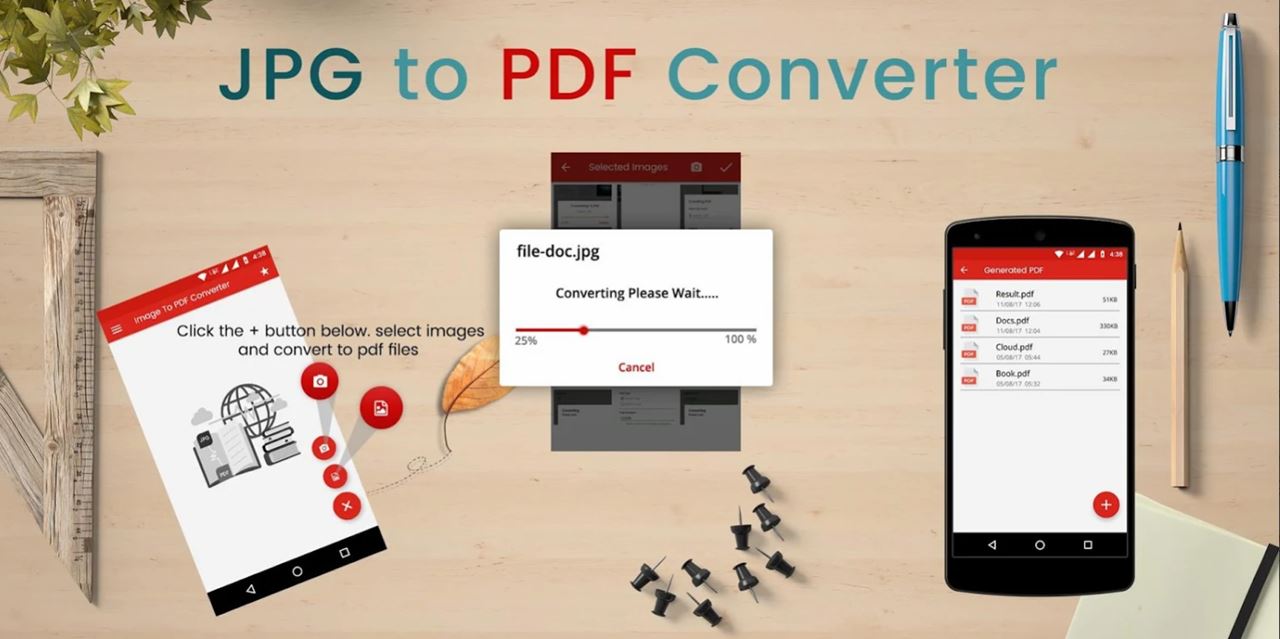
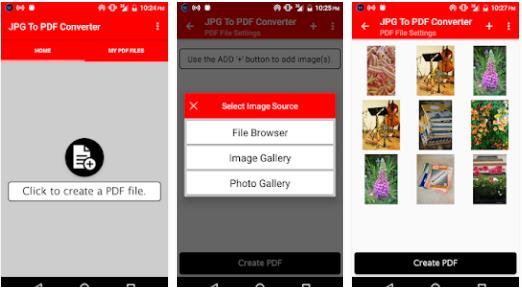
The application to convert JPG to PDF this time came from the developer of Weeny Software. Just as easy as the previous application, JPG to PDF Converter also has a feature that can directly convert your JPG files to PDF format
How? Easy, first, you only need to download the JPG to the PDF Converter application. Then, enter the application. Then, select the image that you want to convert to PDF.
Have you finished? Simply click on convert to PDF and wait a few moments until JPG to PDF Converter finishes the process of converting. How do you want to try using this application?
#4. Image to Pdf Converter
Image to Pdf Converter
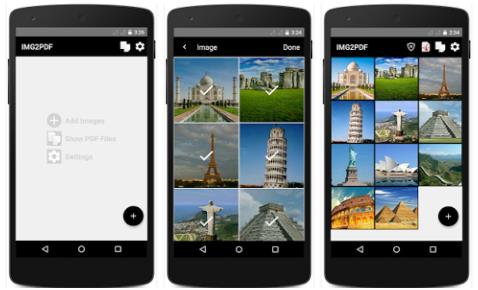
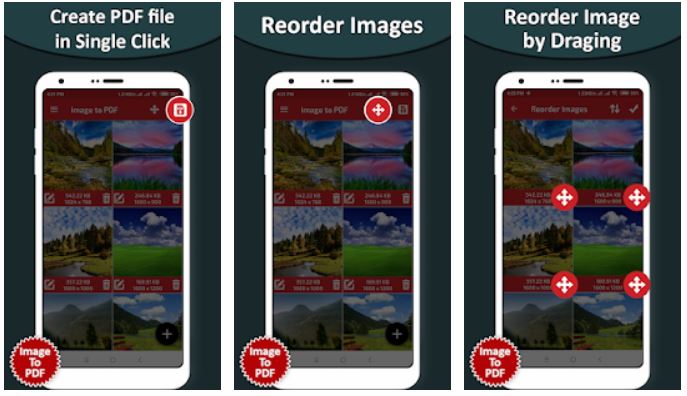
Next, there is an Image to PDF Converter as one of the applications to convert the best JPG to PDF on Android.
This time the name of the application is Image to PDF Converter. This is an application that has a relatively simple interface making it easier for users to use this application.
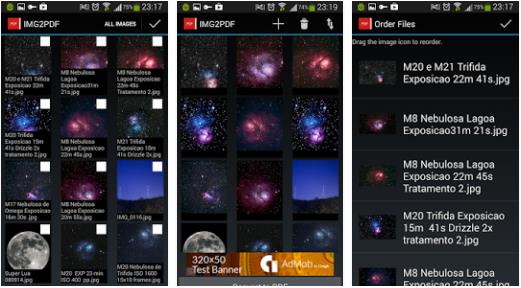
In addition to a simple interface, you will also find it easy to juggle JPG files to PDF in one click. Here, you have to go through the stages of selecting photos that you want to convert to PDF.
After that, with just one click, you can immediately convert your photo files to PDF, and the Image to PDF Converter will save them in your gallery.
5. Convert JPG to PDF and scanner
Convert JPG to PDF & Scanner
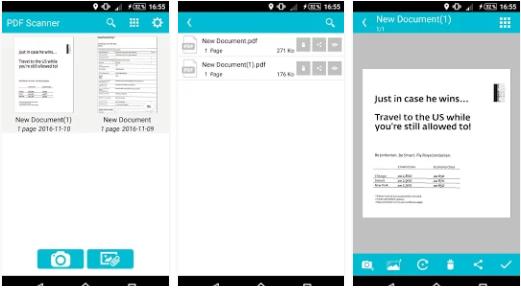
As the name implies, of course, this is an application to convert JPG to PDF. In this application, users will be facilitated in converting JPG to PDF. In fact, you can also directly save the results of the conversion in cloud storage!
Besides being able to convert, this application made by Fun LOL APPS can also be used as a scanner file to be a PDF or JPG format.
You can also save it directly in the HP photo gallery or in cloud storage. If you are interested in using it, you can simply click on this link and get the application, it’s free!
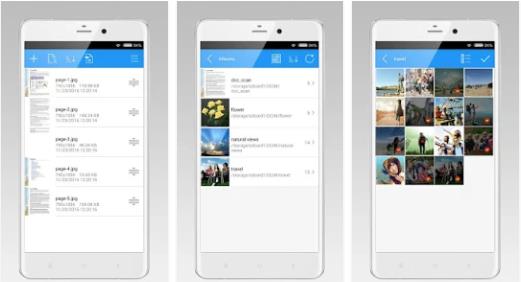
#6. Image to PDF Converter – Infosoft DLM
Image to PDF Converter – Infosoft DLM
Furthermore, you can choose Image to PDF Converter as one of the applications to convert the best JPG to PDF on Android.
Why? Because, with this application, you only need to go through a short stage to make a JPG as a PDF. Simply, select the image and directly convert it to PDF. How, very easy and simple, huh? Want to try too? It can be downloaded here.
#7. Image to PDF Converter – BG Studio
Image to PDF Converter – BG Studio
Not to be outdone by other developers, BG Studio also makes and develops an application that allows you to juggle JPG files into a PDF file easily and practically. Want to know how?
It’s easy, but make sure you already have the Image to PDF Converter application. If you have downloaded it, you can immediately select the image you want to change the format. When done, you can change the file name first, then just convert the file. Easy and not complicated, right?
#8. JPG to PDF Converter Free
JPG to PDF Converter Free
The next application is JPG to PDF Converter Free. In the application, you can use all of its features for free. In addition, the JPG to PDF Converter Free application can also be used offline you know! What’s interesting again, this application also has a passcode feature to prevent others from seeing your files.
In addition to its complete features, JPG to PDF Converter Free also has tools to determine the PDF size.
For example, you want to convert an image file to PDF with Letter, Legal, or A4 size. Oh yes, besides being able to set the file size, this application also supports image formats such as JPG, PNG, GIF, BMP, and others.
#9. Image to PDF Converter – Rectfy
Image to PDF Converter – Rectfy
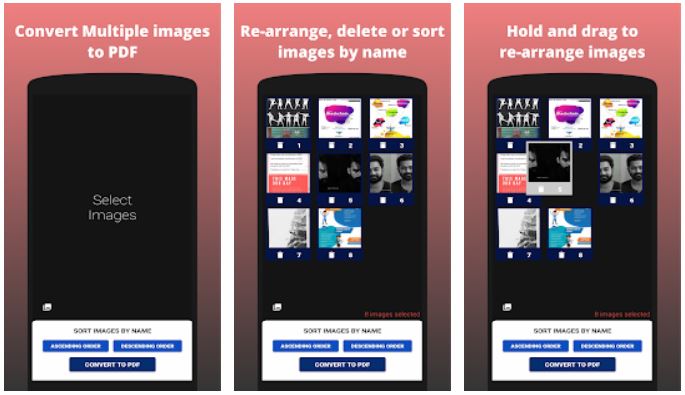
Next, we recommend an application from Rectfy with the name Image to PDF Converter. In this application, you can convert multiple images into PDFs offline.
In addition, how to use this application is also very easy. But, before you know how to use it, you must first download the application Here.
Now, after you have the application, the first step is to choose the image that you want to convert to PDF. After that, you can directly click Convert to PDF. Finally, wait a few moments until the application has finished converting your files
#10. Image to PDF – Social Tools App
Image to PDF – Social Tools App
For the next application, we recommend the Image to PDF application created by Social Tools App.
This application supports various image formats, ranging from JPEG, PNG, BMP, and GIF, to WebP. In addition to supporting many formats, this application can also be used offline so you don’t have to bother connecting to the internet.
In fact, this application can also convert more than two images at once you know. Pretty complete, right? It can be downloaded here.
#11. JPG To PDF Converter – The AppGuru
JPG To PDF Converter – The AppGuru
One more application to convert JPG to PDF. This is an application called JPG To PDF Converter and can easily convert JPG to PDF. You only need to select the image you want to convert to PDF, then let the JPG To PDF Converter work to change it.
In addition to being able to change the JPG format, you can also juggle PNG, BMP, and JPE formats to the PDF format the way before.
Very easy, right? If you want to have this application, then you can download and install it on PlayStore or click Here.
So, Friends, This is the explanation of the 11 best ways To change JPG to PDF Image Files, If you have any queries about this article, then you must comment below.
22 Best Exciting and Challenging Offline Games for PC – In this burgeoning year, many new online-based Multiplayer games have sprung up, with free or paid game alternatives. Of course, all gamers who want to experience online gaming, have to sacrifice a handful of costs just to try to enjoy playing with others.
20 Best Exciting And Challenging Offline Games for PC
22 Best Exciting And Challenging Offline Games for PC
Even so, there are also many interesting offline games to try. From the type of adventure, racing, battle, and others. Who can fill the leisure gamers who do not have an internet connection in their area?
Well, now YaTekno will recommend the best offline PC Game 2024 that should be tried by gamers as well.
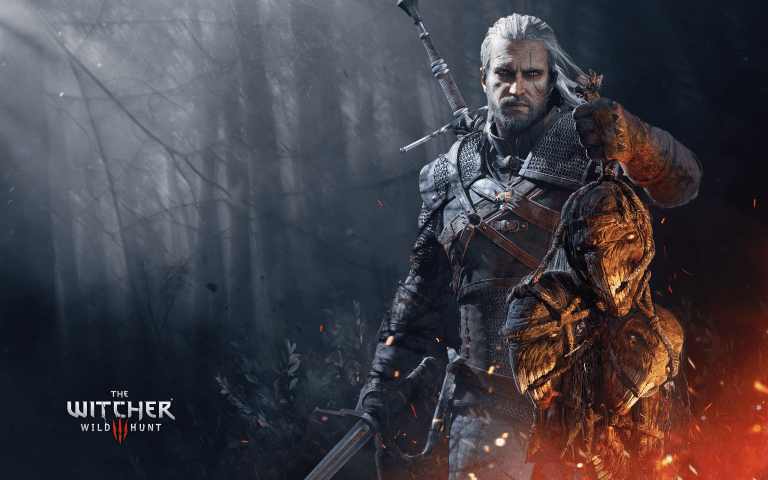
#1. The Witcher 3
The Witcher 3
The most anticipated game with a charm that is difficult to just ignore. With Action RPG as the game base, a myriad of Quests with various difficulty levels, beautiful visuals, and various monsters with cool designs.
With an Open World theme that is filled with a variety of regions and different cultures, Side Quest with every intertwining story is interesting, tactical gameplay with full preparation is there and the character’s story is exciting and full of emotion.
Of course, what can bring it all is the latest game from his latest CD Projekt series, The Witcher 3. A dream RPG game that looks so perfect with a variety of playing experiences on offer.
System Requirements (Minimum)
OS: 64-bit Windows 7, 64-bit Windows 8 (8.1) / 64-bit Windows 10
Processor: Intel CPU Core i5-2500K 3.3GHz / AMD CPU Phenom II X4 940
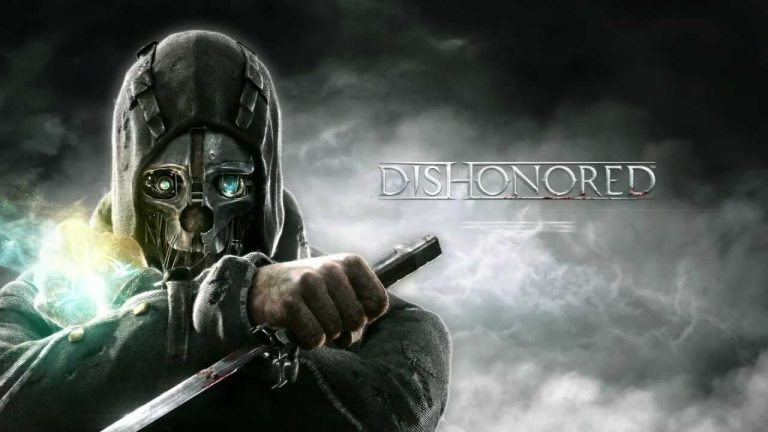
An action game that gamers shouldn’t miss, with its powerful charm and interesting plot with the theme of the exotic and captivating Steampunk world to look at. One of them is the freedom of playstyle, which is one of the selling points of this game.
The game was developed by the famous developer Bethesda in collaboration with Arkane Studios. Spawned a very fantastic game with a variety of special ability elements offered.
Dishonored, with its incredible world design and character, a variety of Magic abilities that can be chosen according to the style of the game, a variant of weapons that can be upgraded, and gameplay gamers that can affect the alternative ending, making this game one of the best action games ever there is.
System Requirements (Minimum)
OS: Windows Vista / Windows 7
Processor: 3.0 GHz dual-core
Memory: 3GB RAM
Video Card: NVIDIA GeForce GTX 460 / ATI Radeon HD 5850 (512MB)
Hard Disk Space: 9 GB
#3. The Legend of Zelda Breath of the Wild
The Legend of Zelda Breath of the Wild
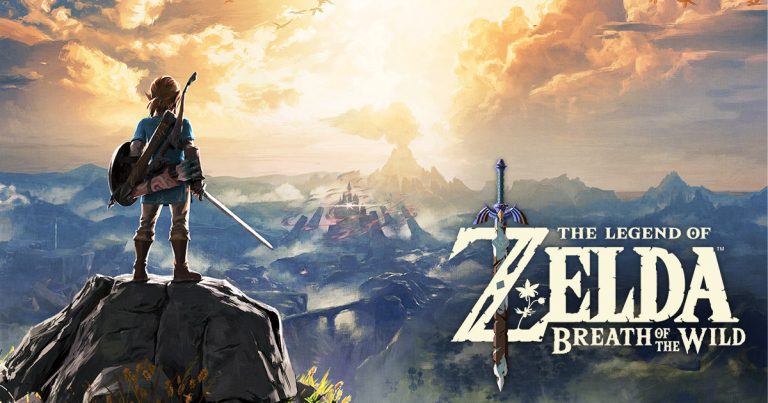
The developer as Nintendo has never held back its existence against the flagship game on this one. Most offline PC game has the most series for decades with a variety of different gameplay mechanics and genres.
The Legend of Zelda Breath of the Wild is after its legendary name among gamers. His new game this one does have qualified visual quality with a variety of interesting worlds of course.
With a tense, fantastic, and emotional story, with exploration that feels like an adventure, with an addictive Open World design that is rich in a variety of surprises. Which on the one hand has some level of difficulty that is adequate and the number of items that can be used for the benefit of the existing playing style?
System Requirements (Minimum)
OS: Windows 10 7 32 and 64-bit / Windows 8 64-bit / Windows 8.1 64-bit
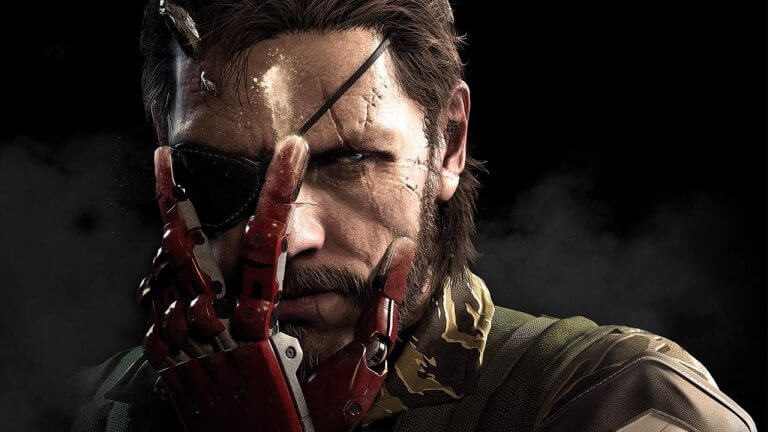
Of all the many series which were inscribed with a massive fanbase. Until the publication of a new sequel that has been long-awaited by the world’s gamers. Which of course with a different taste compared to the previous series, making it a fantastic series that is worth trying.
With the theme of Open World being brought, gameplay mechanics are solved by the gamers’ style of play, new weapon variants with their unique functions, and stories with unexpected endings.
Metal Gear Solid V The Phantom Pain is certainly a sequel that is completely different from the previous series. The brain behind its development Hideo Kojima is indeed brave to try out a new thing with the many innovations that exist. Make it the last series that ends sweetly.
System Requirements (Minimum)
OS: Windows 7 x64, Windows 8 x64, Windows 10 x64 (64-bit)
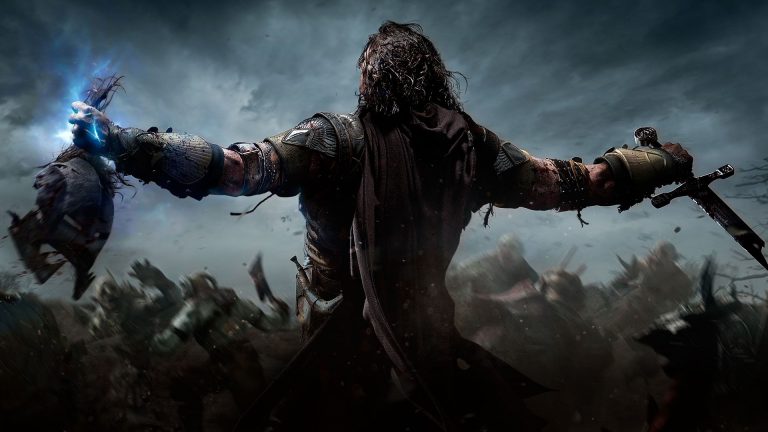
One adaptation of the film “Lord of the Ring” is extraordinary. With the world gripping with terror the Mordors. With a variety of character designs and fantastic enemies, making it the best adaptation game ever.
With a complex Open World theme, interesting side missions, battles between enemies and bosses that are delivered epic, with skill variants that can be upgraded according to play style, and of course, the most interesting of all of them is the story that is told to remain loyal to ala “Lord of the Ring” is thick.
Middle Earth Shadow of Mordor, which was developed by Monolith developers offers a new approach with a different and unique concept. Which of course managed to offer a strong first impression on this offline PC game.
Graphics: NVIDIA GeForce GTX 460 / AMD Radeon HD 5850
DirectX: Version 11
Storage: 44 GB
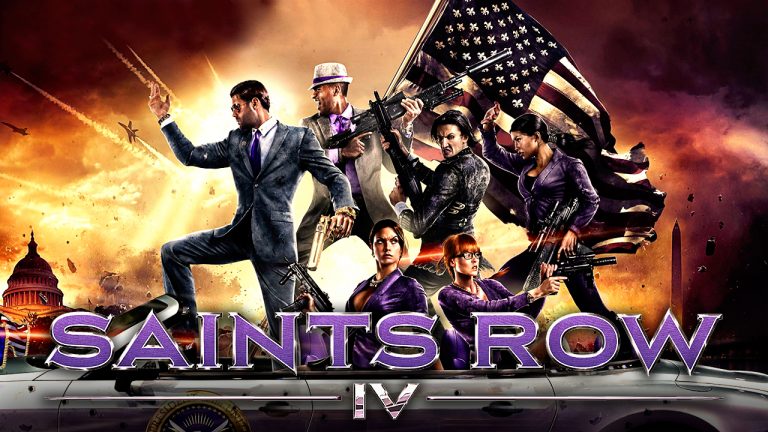
#6. Saints Row 4
Saints Row 4
Success with the previous series on the Saints Row IV market is worth trying as an Action game that cannot be underestimated. With the theme of futuristic war action and its super abilities, it has increasingly strengthened its identity in the game itself.
The developer of Volition, which is powered by Deep Silver, deserves to be appreciated in this game series, like a crazy and exciting game. Which of course worked brilliantly with a unique concept.
By creating an almost absolute character design, with a myriad of weapon variants to defeat the monsters a variety of super abilities it has, and a myriad of challenging side missions, you have to play this offline PC game.
Graphics: NVIDIA GTX 260 / AMD Radeon HD 5800 series
DirectX: Version 10
Storage: 10 GB
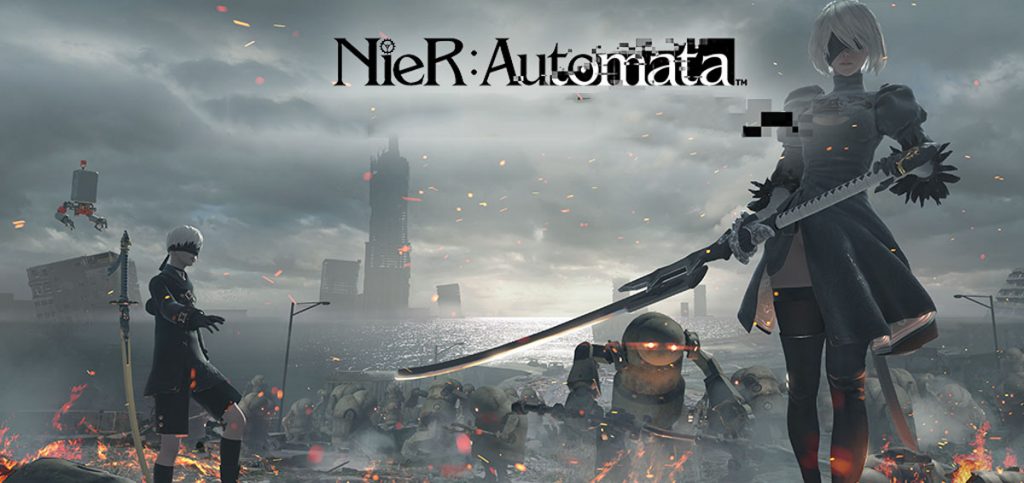
#7. Nier Automata
Nier Automata
An action game with a sensual character and able to spoil the eyes of the beholder, with humanity in the character. Of course, the deeper gamers explore what is happening, the deeper gamers will fall in love with this one action game.
With the theme of Hack and Slash as its main foundation which is melted with 2d format in each stage session that is passed like a classic game in the past, modification of characters with a variety of buffs offered through the chips system, and subdue a variety of enemies with a low level to the highest can be defeated only by mastery existing game mechanism.
The brain behind the development of this game, Yoko Taro successfully concocted a unique action game in every gameplay. Nier Automata indeed offers something that not only sells sensual characters but also something more than gamers imagine.
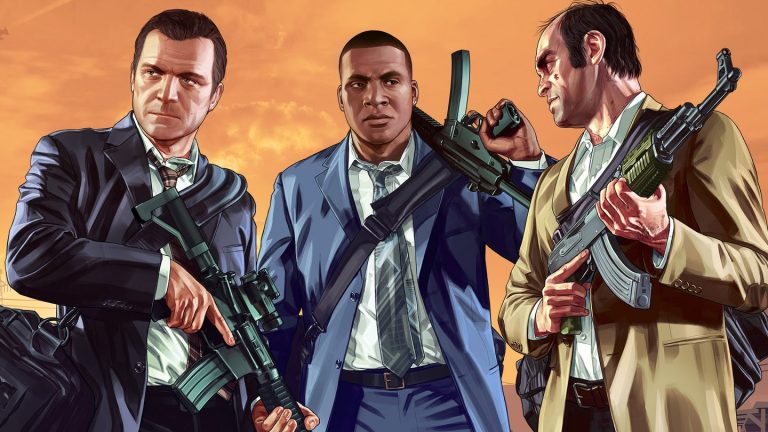
One of the best Open World games with a variety of unique content. Of course, it’s not just a place to be explored filled with various main missions and side missions. However, it contains a myriad of entertainment with a variety of uniqueness in it.
The developer of Rockstar Games with its latest series, Grand Theft Auto 5, is indeed worthy of appreciation for its visual world, which is filled with a myriad of activities it. Until the NPC character in it has a variety of properties that feel more alive.
No less unique is the feature called Rockstar Editor. Where gamers can capture the moments that exist, with a variety of editing creativity like editing a video making it a game that has its satisfaction in it.
System Requirements (Minimum)
OS: Windows 10 64 Bit, Windows 8.1 64 Bit, Windows 8 64 Bit, Windows 7 64 Bit Service Pack 1
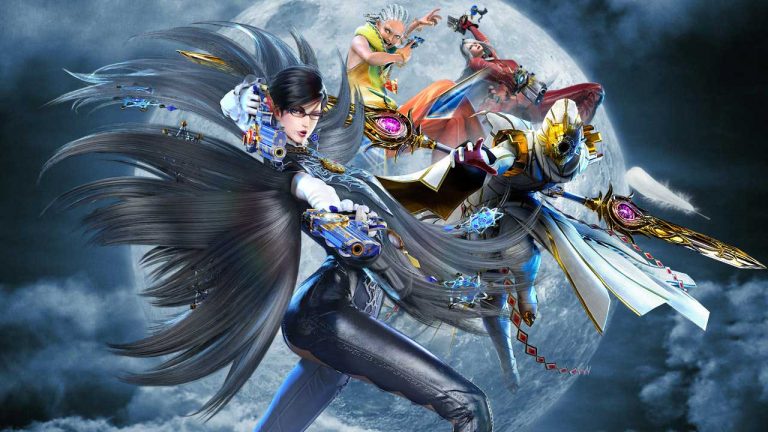
Sexy aunt’s struggle in quelling her enemy is not over. With a famous addictive game with a variety of cool attacks that fascinates. Able to stimulate the adrenaline of gamers who play it.
The Platinum Games developer released a new series that was once successful in the market. Bayonetta 2 with the famous addictive action game with a strong story plot and of course the characters are, ahem sexy and sadistic of course.
A variety of enemy variants and new bosses in each chapter with different attacks make the game not feel monotonous. Attack mode with different combinations, the use of weapons that affect the gameplay, and various cosmetic costumes in each Nintendo franchise are interesting to look at.
Graphics: Nvidia GeForce GTX 570 / AMD Radeon HD 6950
DirectX: Version 9.0
Storage: 20GB
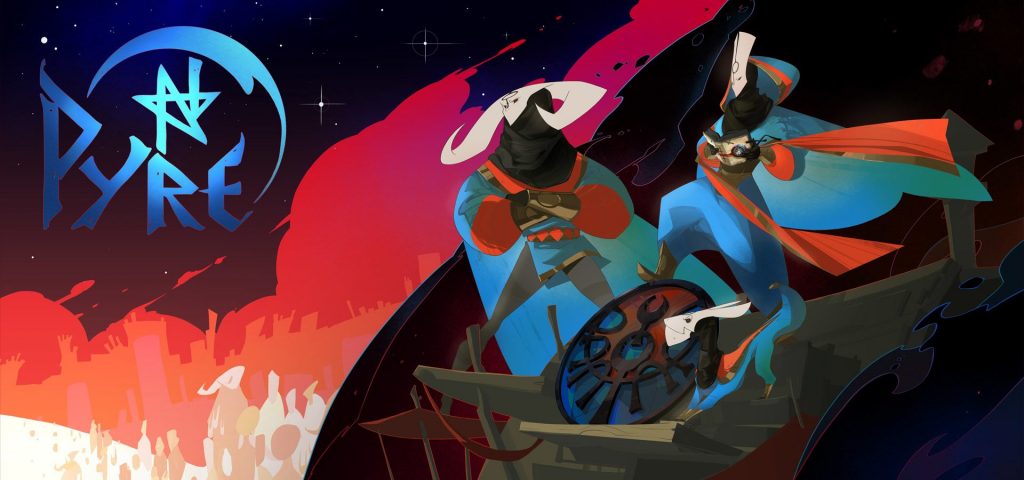
#10. Pyre
Pyre
Make it the most anticipated game with a unique Action RPG game with countless different gameplay mechanics compared to the game first. Developed by experienced indie developers.
Supergiant Games is one of them that dared to give birth to an interesting game, especially in terms of the story. Pyre with cartoon visualization in the picture is so beautiful and detailed with a variety of characters that can attract attention and of course, the world that spoils the eyes in every game there.
With a variety of characters and skill trees that have made it like most RPGs that gamers are familiar with. With a variety of race variations encountered and of course with a variety of characters and different abilities, with RPG battles that are similar to the Sports game, which is certainly unique and interesting to try.
System Requirements (Minimum)
OS: Windows 7
Processor: Dual Core 3.0 GHz
Memory: 4GB RAM
Graphics: 1GB VRAM / OpenGL 2.1+ support
Storage: 9GB
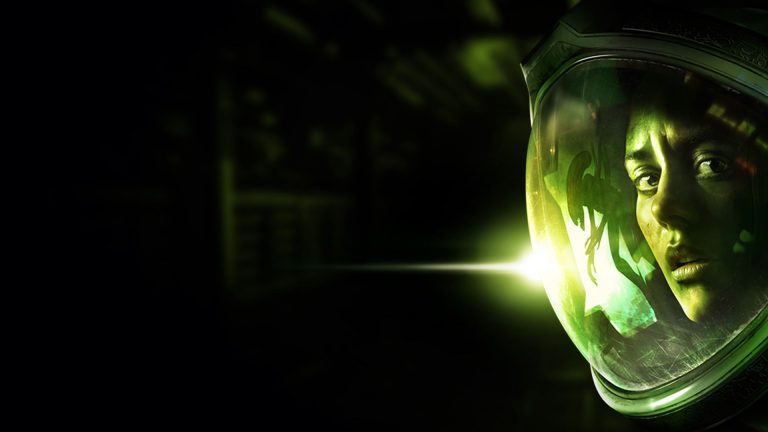
#11. Alien Isolation
Alien Isolation
One adaptation of the famous film in 1979 had surfaced. With the terror, it presents and also the appearance of Survival Horror in it which is getting stronger and more successful in such execution. Making it the most intense Survival Horror game ever.
The Alien Isolation, created by Creative Assembly and Sega, does indeed offer an extraordinary creepy Survival Horror outer space. With countless counter-attack capabilities and the search for a variety of weapons that are difficult to find.
With a variety of enemy variants that can think and adapt, a savepoint that makes gamers be careful in acting, a variety of puzzles that exist in every game, and the atmosphere of the environment that makes gamers worried every time.
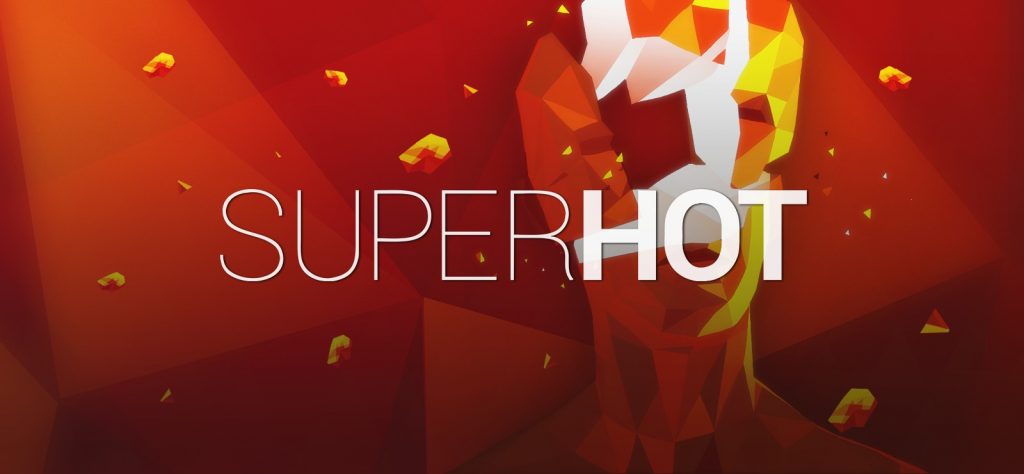
Maybe some gamers will suspect that games in the FPS genre will always lead to a first-person perspective. With a variety of enemies that gamers kill on one screen it ends with similar experiences to each other.
One of these unique FPS games comes with a variety of gameplay that is comparatively interesting. Super Hot, is one of the successful indie games with the most different games from other FPS games.
With a mysterious storyline, enemies with cool visuals, gameplay that is full of strategy with a sense of puzzle in it, and various attack variants that gamers use, looks cool throughout the game.
System Requirements (Minimum)
OS: Windows 7
Processor: Intel Core2Quad Q6600 2.40 GHz
Memory: 4GB RAM
Graphics: GeForce GTX 650 (1024MB of RAM)
Storage: 4GB
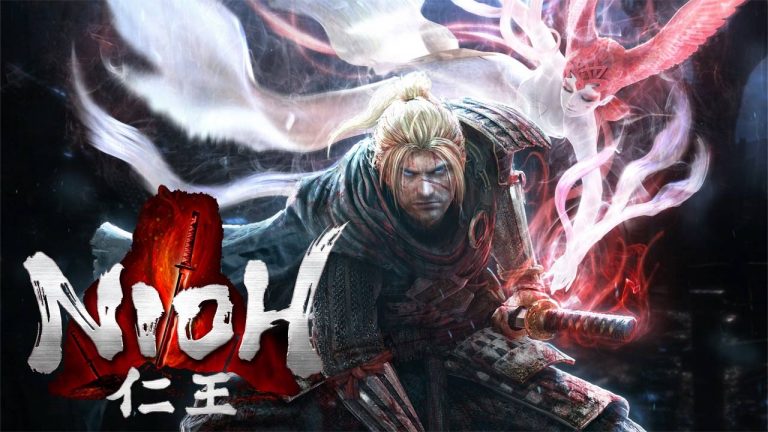
#13. Nioh
Nioh
One game that is similar to the series “Dark Souls” by the gamers of the world, who reap much scorn at the beginning of its release to the public. That this game is just a copycat icon without quality and only takes market popularity alone.
However, such thinking is avoided by the developers Koei Tecmo and Team Ninja. Because in the Nioh game, they prove that this is a game that will give a different approach to the unique impression in it.
Character design and a good world, a variety of attack-style Action RPGs with a variety of existing modes, such as Low, Mid, and High with different abilities as well, an interesting Loot system to be obtained, and the level of difficulty of rational enemies. Making this game a strong identity that is owned by him.
System Requirements (Minimum)
OS: Windows 10 64bit, Windows 8.1 64bit, Windows 7 64bit
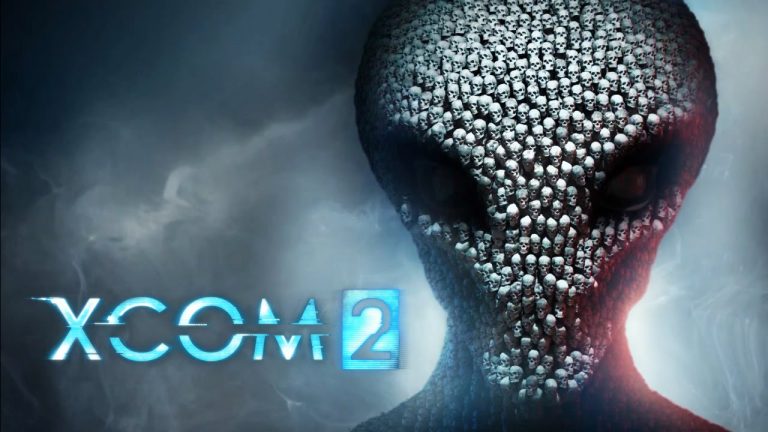
The following offline PC game adopts the theme of war against an alien civilization, which hides around humans. With a variety of ways available, gamers are required to form their troops. Which indeed must be prepared very carefully when fighting an existing enemy.
Full customization of the character of the troops possessed various variants of weapon mods that support the existing game, a world map that contains a mission with the opportunity to get available resources, and of course, a variety of enemy variants with high difficulty they have.
One of those who can provide it all is Xcom 2, which was a success in the first series. Make gamers who like games with RTS themes based on Turn Base, will fall in love at first sight. With a variety of gameplay mechanics that are far more tactical and more brain drain than the previous series.
Graphics: ATI Radeon HD 5770 / 1GB NVIDIA GeForce GTX 460 (1GB)
DirectX: Version 11
Storage: 45 GB
#15. Inside
Inside
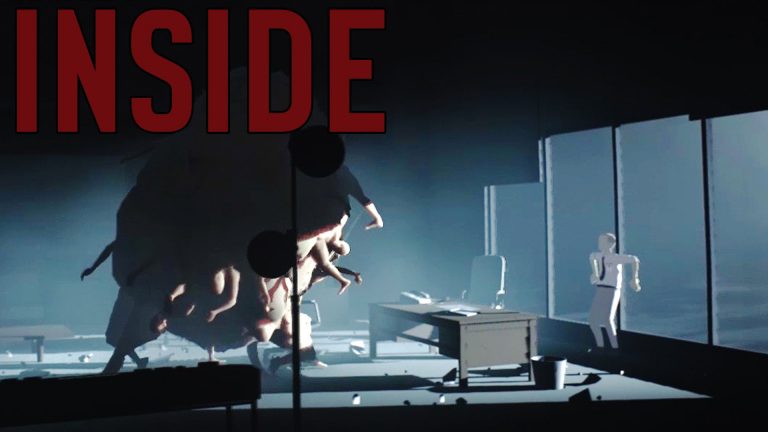
Had success with the previous game “Limbo” which indeed reaped many praises from gamers around the world. This is guided by one of the longtime indie developers of Playdead, who is indeed famous for being unique and interesting in carrying out his mysterious story.
Inside with a game full of mystery and simple visuals with a variety of colors and dark tones, which on one side seems to bring the impression of horror in it. Games that succeeded in making gamers able to wonder – what happened in his world.
For mechanical affairs, the gameplay is almost the same as in the old game. Gamers are only told to walk and jump with a variety of obstacles and a variety of puzzles. With a variety of places full of mystery to explore.
The number of Reboot series that appear on the market today. In addition to attracting new players who have never tasted it at all or also for old players who have never tasted it try again to feel the new sensations offered.
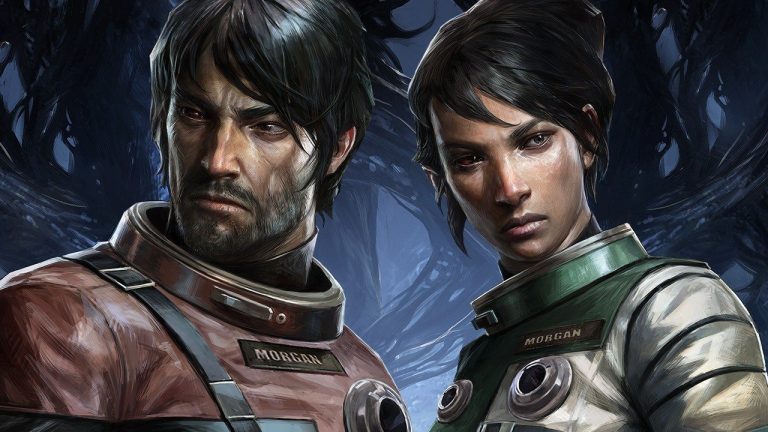
Prey is one of the latest projects from his collaboration with Arkane Studios and Bethesda Softworks. It’s something that the Reboot series is appropriate and new to try. With FPS as its genre with new enemy variants that are gripping and challenging at the same time.
With semi-RPG elements that are carried, a world with a variety of things that can be explored, character selection consisting of 2 options, special powers with weapons that can be implemented to fight the enemies that exist, and a different ending story.
System Requirements (Minimum)
OS: Windows 7/8/10 (64-bit)
Processor: Intel Core I5-2400 / AMD FX-8320
Memory: 8GB RAM
Graphics: GTX 660 2GB / AMD Radeon 7850 2GB
Storage: 20GB
#17. Ni no Kuni II, The Revenant Kingdom
Ni no Kuni II, The Revenant Kingdom
Stories with a fantasy approach that is so powerful with a different approach. Which consistently presents something interesting with a unique approach in each game.
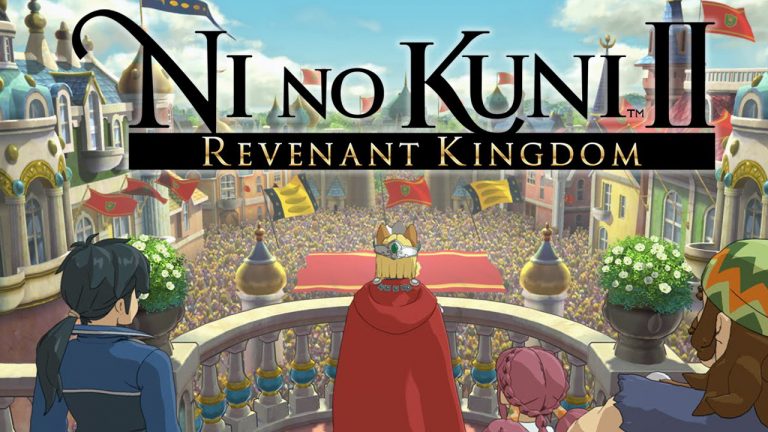
Ni no Kuni II, The Revenant Kingdom, a game with the latest series developed by Bandai Namco and Level-5 offers a more obvious Action RPG game compared to the previous series which was more obvious in the Turn-Based JRPG.
With RPG gameplay that is fast, attacks on enemies that result in the form of random weapons loot, the construction of an empire by recruiting the best members to complete the palace owned, and a game system that is not too complicated in terms of any development.
System Requirements (Minimum)
OS: Windows 7 SP1, Windows 8.1, Windows 10 (64bit)
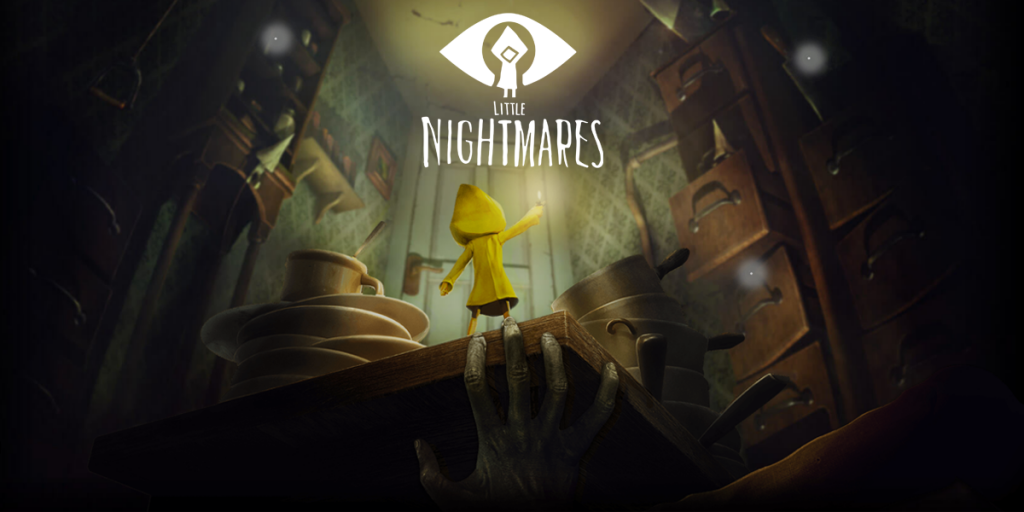
Horror genre games are not always allocated as scary visual games, which seem to only offer jumpscare to feel the impression of fear. However, the horror of simplicity that will have an impact on his character can bring fear and anxiety in it.
One of them is the Tarsier Studios and Bandai Namco games in its new game Little Nightmare which is worthy of appreciation. With a dark atmosphere a cruel world and a gripping game.
With puzzles without a clear clue, creepy enemy designs, a world with a variety of terror around it, gameplay with simple controls, and cool visual quality with accompanying music that seems to strengthen the impression of horror it. This offline PC game is certainly worthy of you!
System Requirements (Minimum)
OS: Windows 7, 64-bit
Processor: Intel CPU Core i3
Memory: 4GB RAM
Graphics: Nvidia GTX 460
DirectX: Version 11
Storage: 10 GB
#19. Tekken 7
Tekken 7
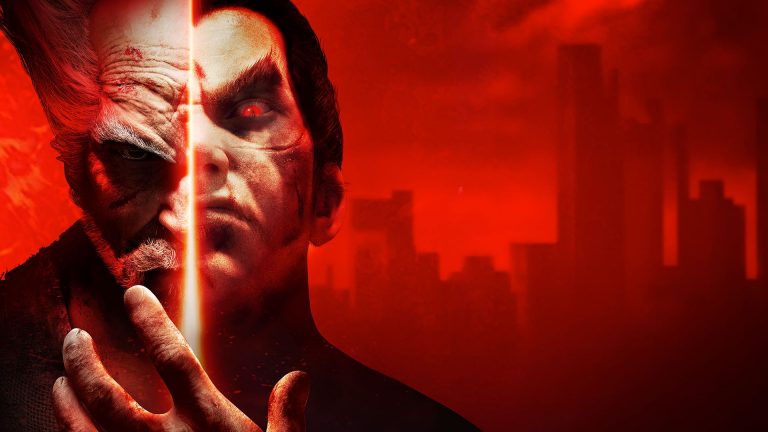
One of the games with the most ungodly main story. About children against their fathers who never ended from the beginning, and finally, their dispute ends in this latest series. With the self-defense skills possessed by each character, with a variety of stances – the mainstay moves, making the game Fighting in this latest series interesting to try.
Of the latest Bandai Namco, Fighting games, there is no doubt about its existence as a game that is already well-known among veteran gamers and laypeople. Tekken 7 with this new series offers a fighting game that is not just interesting but cool in various battles.
With character selection mechanics filled with a variety of unique techniques that are interesting to master, the dramatic effect at each end of the battle is there, and the ultimate consists of 2 parts that are activated by a certain combination of each character.
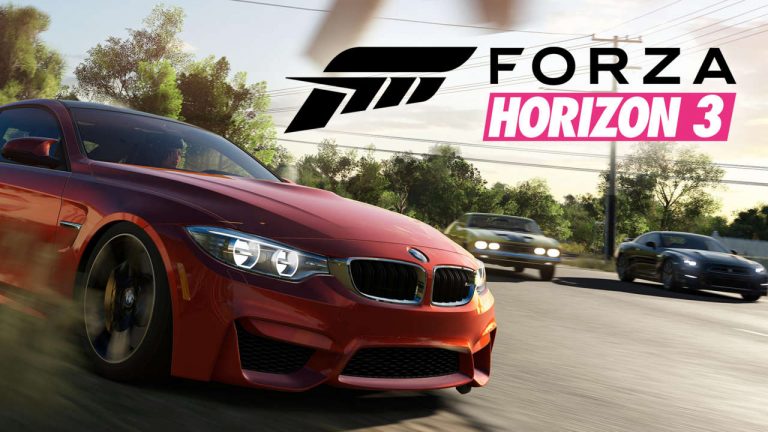
Finally, it is an offline PC game-themed Racing with eye-pleasing visualization, filled with cool cars with the theme of Open World, located on the Australian mainland. The latest series is quite successful as a unique Racing game and is different compared to other Racing games.
Playground Games is one of the developers that is famous for its racing game. By lifting the latest series as well as the latest series Forza Horizon 3, able to make the experience of playing racing games exciting and fun.
With a variety of custom car customizations, maps filled with race missions with a variety of attractive rewards, challenging race tracks in every corner, and thousands of choices of cars with different abilities respectively.
The popular checker-board game has a simple objective: players must move all their checkers into their home board and then bear them off. The first player to bear off all of their checkers wins the game.
The online version is available for free and suitable for desktops and mobile devices.
#22. Minesweeper
A game that has been around since the first computer, Minesweeper has remained relatively the same as far as rules go. The key to the game is identifying all the bombs on the grid without clicking on one. While it sounds simple, it requires a bit of a strategy. The game is available in three difficulty modes, with the grid and bombs multiplying as the levels progress.
Minesweeper is available to play for free on desktop and mobile devices.
So, friends, This is the explanation of the 20 best exciting and challenging offline games for PC,What do you think of the gamers, is there anything interesting to play? If gamers have Offline PC Game recommendations available, don’t forget to write them in the comments section.
Top 10 Best Graphic Design Applications for Beginners – Especially graphic design, has begun to be noticed. Many companies or businesses use this service for various purposes such as branding and marketing.
Top 10 Best Graphic Design Applications for Beginners
Not only for business purposes, but many people have also started to have a hobby of designing. For most people, making designs is easier than using existing applications on the computer.
With the times, there are now many graphic design applications that can be installed and downloaded with smartphones. This method is considered the easiest for junior or novice designers.
In addition to the existing application, you also have to know some principles and elements in designing. Because there’s a science to designing.
What is Graphic Design?
Graphic design is the same as science-oriented to the art of design by requiring the help of tools such as computers for the process of making the design. The design is intended as a means of delivering messages.
So that people who see it can form the same perception of the designer with a combination of several visual elements, shapes, and writings.
Graphic Design Principles
Sensitivity is the most important thing in the world of design. It is used to consider all the principles used in the world of design.
So that the design or work produced can be satisfactory. Although sometimes the works created depend on the tastes of each client, designer, and community.
There are those who say that image A is good, but there are also people who say that image A is not good. Regardless of each person’s taste, there are principles in drawing designs such as:
#1. Balance
Just like the life of a human being must be balanced in work, worship, and rest. All design elements must look balanced, and not highlight one element to make it look harmonious.
A designer must be able to combine elements such as color, text, and images in a balanced way so that one element doesn’t appear that stands out. A balanced design will add aesthetic value and be pleasing to the eye.
#2. Unity
In unitary design is the principle of cohesion, which includes consistency, singleness or wholeness. This principle is the principle of a relationship so that the design looks peaceful.
By adhering to these principles, you can combine elements into a coherent whole so that you can produce a strong, assertive theme, and create a relationship of interrelated elements.
#3. Emphasis
In making a design, of course, it must have a focus that is highlighted. This is done so that it becomes a powerhouse and has firmness in terms of messages to be conveyed from a design.
You can capitalize the letters or give a striking color to the design. So that the work created can be the center of attention.
#4. Rhythm
Rhythm is a design principle that forms a rhythmic design. In addition, it can also be interpreted as repeating or providing variations of design elements continuously. Rhythm can create a movement and form a certain pattern.
#5. Proportion
In the world of graphic design, proportion is an equally important principle. By applying proportions, the artwork will produce harmony.
Proportion is a mathematical comparison between large and small elements. This principle relates the heart between one part to another in one design. This element can form the weight and depth of an object.
For example, a smaller object recedes backward while a larger object protrudes forward.
Elements in Graphic Design
In terms of design, it turns out that there are several factors that will affect the overall design result. Where these elements are combined into one and become a design. The influencing elements are:
#1. Line
The line is the main element in a design. Line elements are connecting elements from one point to another so that they will form a desired image or design.
The line in question is not always a straight line, it can also be a curved line, zigzag, vertical, horizontal, or oval.
#2. Shape
A shape or shape is a formation that has a width and height diameter such as a triangle, box, circle, and so on.
#3. Texture
The texture is an image embodiment whose visualization looks like it has a pattern, rough, patterned, soft, or rough when witnessed. For example, the picture will look like a canvas, cloth, or wooden wall that looks real.
#4. Space
In graphic design, space can be interpreted as distance, which provides distance to interrelated elements.
These elements can be like backgrounds, text, and objects, where if these elements are combined with each other at the appropriate distance, it will definitely produce a design that is very pleasing to the eye.
#5. Size
Size in graphic design is the most important thing. The sizes in question are long, short, high, low, large, and small.
When creating a design, you definitely want to highlight one object to emphasize the message you want to convey. That way you need to adjust other supporting elements so that the results don’t look lame.
#6. Color
Color is an element that is quite important in serving a design. Where in the selection of colors can determine the purpose and message of the graphic design.
In choosing colors, you should choose colors that match the concept or theme and choose colors that can blend together to make it look smooth and pleasing to the eye.
#7. Dark Light
Dark – light or value is an element that gives a visual impression of whether or not the design looks good. The value means the size of the dark and light of an object, background, text color, or so on.
It can be exemplified as green if it is light it will turn light green, and it will be darkened to dark green.
Learn Graphic Design Self-taught
Before pursuing science or something you have to learn the technique first, such as learning to design this. Maybe many of you who are beginners or new to design are confused about how to start a design.
Learning to design, especially graphics, is easy. Anyone can learn even self-taught. Here’s how to learn to design:
#1. Have Strong Intentions
The intention is something that everyone must have if they want something. Likewise, if you want to learn and understand graphic design.
If you don’t have a strong will you will feel bored and hopeless. So you have to keep your intention in your heart.
#2. Using Simple Apps
Choice of software that you think is easy and fun like Adobe and Macromedia. Prioritize one of the software you choose along with the tools you have to learn.
Before you master one software, don’t turn to try other software. The risk is that you will not even master any of the software at all.
#3. Don’t be afraid to try
Start directly diving into the design and ignore the tutorial books. Because it will be easier to learn when practicing directly.
If an error occurs, it will be easier to correct it if you do direct practice and provide more experience.
#4. Create a Simple Object
If you are a beginner or new to graphic design, make an easy design or object first. Like a picture of a TV, refrigerator, or another object if you think it’s easy. Start slowly so that there is no brain crash because it is wrapped in a line hehe.
#5. Join the Community
Joining the community will certainly give you more knowledge that you can apply in graphic design. Which usually often conducts discussions and questions and answers. Join to improve your graphic design skills and knowledge.
Android Graphic Design Apps
For those of you who want to learn to design, there are many choices of graphic design applications that are easy to operate. Now there are many applications that can be used via cellphone or smartphone, you know, such as:
#1. Adobe Photoshop Express
This graphic design application has similarities to the PC version. Making it easier for you to make designs from the smartphone you have.
You can also find features such as noise remover and filters in this application, as well as quite complete tools.
Features: Has many features such as Perspective correction, noise removal, filters, and others.
Pros: Has complete tools and features.
Disadvantages: Requires large storage space.
#2. Canava
Are you a beginner and want good design results? Canava is the solution. This application has many features which are perfect for creating logos or posters.
Using this application you are guaranteed to become a professional in no time. Because this application is very easy to use.
Features: Templates, backgrounds, fonts, colors, formats, duplication, extra content, share, and download.
Pros: Has many professional tools.
Disadvantages: Paid, if you want to add professional features.
#3. Sketchbook
This application is the right choice if you want to make a sketch or want to draw manually. Like drawing anime or cartoons.
This application also has many tools such as various sizes of pens, brushes, and so on.
Features: Pen, Brush, Brush, Eraser, and many others.
Pros: Has a large selection of tools that can be used.
Weaknesses: Only focuses on sketch design.
#4. PicsArt
This application is very friendly to online business people or online shop traders. This application makes it very easy to provide text and combine images which are often done by online shop traders.
Features: Crop, size, curve, text, frame, clone, brightness, contrast, and so on.
Pros: Very easy to use.
Disadvantages: Paid applies to certain features.
#5. Adobe Illustrator Draw
This application is very suitable for learning graphic design for beginners because it has many good features in it.
By having supporting features, this application makes it easy to create designs to your heart’s content and get good results.
Features: Zoom 64 times, Layers, Colors, and much more.
Pros: Easy to use with a variety of tools owned.
Cons: Paid.
PC Graphic Design Apps
Making designs through smartphones is easy and practical. However, using a smartphone has many limitations.
Your movement will be limited to finger movement. Even though sometimes you have to be precise in making designs.
Therefore, many graphic designers, especially those who are already pros, continue to use computers, PCs, or laptops. The following are recommendations for graphic design applications for PC.
#1. Adobe Photoshop
Adobe Photoshop is the most popular software for photographers and graphic designers. Various types of designs can be made such as banners, stickers, logos, and others.
Features: Change the background, change the tone, and merge photos.
Pros: Can be used for various types of designs.
Cons: Too many layers are used.
#2. Corel Draw
Corel Draw is graphic software for creating vectors that are still in great demand for beginners and the printing world. This software is often considered a competitor of an illustrator who has the same concept of vector design.
Features: Tool Box, Tool Bar, Menu Bar, Property Bar, Docker, Rulers, Status bar, Drawing Page, Color Palette
Pros: Easy to use, better vector image results, has more import and export formats.
Disadvantages: Files are very large, have differences such as colors when printed, not suitable for photo editing.
#3. Adobe Illustrator
Adobe Illustrator has something in common with Corel Draw, which is the same as vector design software. This software is also a favorite choice for designers to create designs, you know.
This software is also very suitable for sketching, and complex typography. Because it is supported by its features in it.
Pros: Complete toolbar, able to load files above 50MB, when printed the colors are not much different.
Disadvantages: Requires high PC specifications, images are not realistic when displayed, and complicated when making layouts.
#4. Adobe Indesign
This software is often used as an option for printing programs for publishing a book, magazine, or brochure.
But you can also use this software to create e-book designs, for example by formatting them and giving typographic effects that will definitely look cool.
Features: PDF Forms, Content Collector, Grayscale Previews
Pros: Can open PMD files, redraw logos, images, or objects, can create tables.
Disadvantages: When using MathType moving process is very difficult, Layout is limited.
#5. Xara Designer
This software may still be rarely heard by designers, especially beginners. This software also has the same vector design concept carried by CorelDraw and Illustrator.
Features: Illustration graphic design, web design, 3D animation design, layout, and many others.
Pros: Requires little storage space, not too many tools, can make edits directly to files.
Disadvantages: The lack of tutorials because the users rarely become less attractive.
Conclusion:
So, friends, This is the explanation of the top 10 best graphic design applications for beginners. If you don’t have a device such as a PC, laptop, or computer, just download the graphic design application from your smartphone. These ten applications are very suitable for both beginners and advanced users.
7+ Best Photo Opening Apps For Windows 10 PC – Users who have recently migrated to Windows 10 mostly find the default photo opener application in Windows 10 less comfortable to use and tend to be heavy, that’s why they look for other better alternative applications.
7+ Best Photo Opening Apps For Windows 10 PC
Best Photo Opening Apps For Windows 10 PC
There are many alternative photo opener applications for the Windows operating system, you can find them easily on the internet and try them one by one, but this will take some time.
To make it easier for you to find the application that best suits your needs, here we have compiled some good and lightweight photo-opener applications for Windows 10.
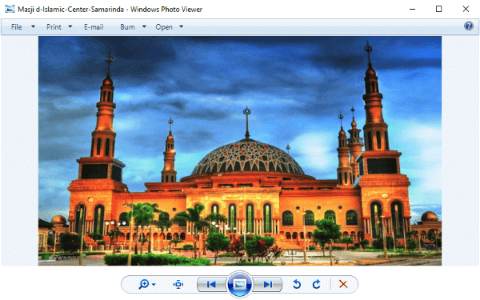
#1. Windows Photo Viewer
Windows Photo Viewer
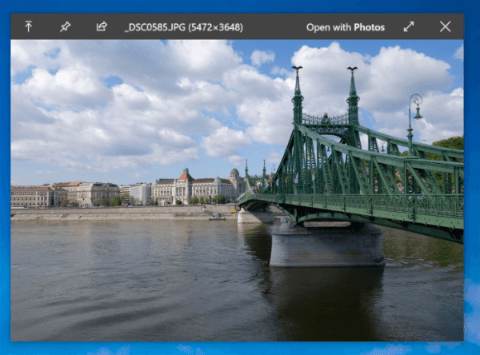
The first best photo-opener app for Windows 10 is Windows Photo Viewer. You may be familiar with this application which is the default application in Windows 7.
Many users agree that Windows Photo Viewer is the best photo-opener application ever on Windows. The app is very light, looks simple, navigation is easy to use, and rarely has problems. Unfortunately in Windows 10, this application is replaced with Microsoft Photos.
For those of you who want to use it again, there is one possible way to bring this application back, because this application still exists in Windows 10 only in an inactive state. To activate it we only need to modify the system registry.
We’ve made a complete step-by-step tutorial here, please follow if you want to use Windows Photo Viewer as a photo opener application in Windows 10.
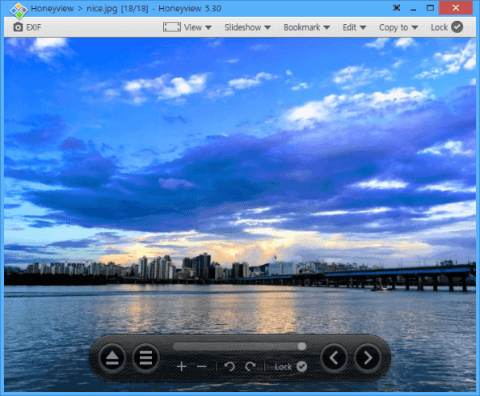
The next best photo opener application on Windows 10 is Honey View from Bandisoft. This application is also very light and looks very simple. For those of you who only need a photo-opening app, then this is the best alternative to Windows Photo Viewer.
Honey View is a freeware that can be used for free. In Windows 10 this application can run well and can open photos quickly. There are no other features that are not important so it is very light to run.
One of the advantages of this application compared to the default photo opener in Windows 10 is that it supports more formats, namely:
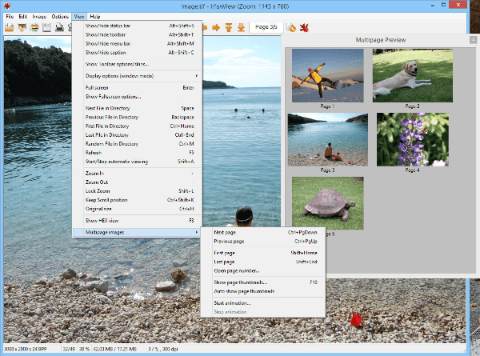
The third recommendation for those of you who are looking for a light and fast photo-opening application on Windows 10 is IrfanView. This application is also freeware that can be used for free.
IrfanView supports a fairly complete photo format, you can use it to open all popular photo formats such as BMP, GIF, JPEG, JP2 & JPM, PNG, TIFF, RAW, ECW, EMF, FSH, ICO, PCX, PBM, PDF, PGM, PPM, TGA, Flash, and Ogg.
Aside from being a photo opener, this application is also equipped with editing tools that you can use to make basic edits such as crop, resize, and adjustments.
If you’ve ever used macOS then there’s a feature in that operating system that allows users to open images by pressing a single key on the keyboard. In Windows, we can also do this with the help of the QuickLook application.
This application is quite useful for previewing image files quickly without having to open them with other applications. Not only image files but several other formats such as PDF, Txt, to PSDs you can preview quickly using QuickLook.
You can set the keyboard keys that will be used to preview, you can use the Space key to make it the same as macOS.
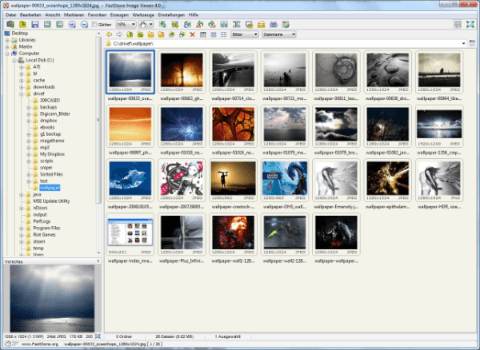
FastStone is a software developer that creates several free applications that are quite powerful and useful. These include FastStone Resizer for cropping and resizing multiple photos at once, FastStone Capture for screenshots, and FastStone Image Viewer for opening photos.
For those of you who still don’t feel like you’ve found the best photo opener app on Windows 10 that fits your needs, you can try this app.
FastStone Image Viewer displays all photo files in a directory as a gallery, you can move from one folder to another easily using the directory navigation in the left pane.
The advantage of this application is in its feature that can rename and convert a large number of photo files at once. For those of you who work to process a lot of photos, this application is perfect for trying.
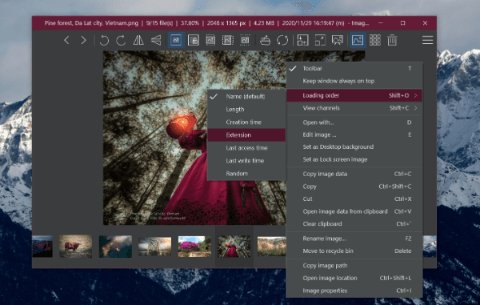
The next lightweight and fast photo-opening application for Windows 10 is ImageGlass. This is a minimalist application that is suitable for those of you who don’t like heavy applications with long loading when opening photos.
ImageGlass is a freeware that can be used for free. Its minimalist UI design makes the screen look cleaner and wider so that photos can be displayed on a semi-full screen with neatly arranged menus on the top bar.
When opening a collection of photos stored in the same folder you can display them in the form of a slide show using this application. The supported file formats are also quite complete, ranging from popular formats such as JPG, GIF, BMP, TIFF, WEBP, and more than 72 other formats.
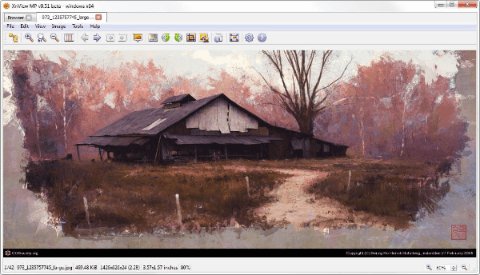
XnView is an open-source photo opener that was created for Unix systems, but now you can use it on Windows 10.
Similar to the FastStone Photo Viewer that we discussed earlier, this application is also an image organizer, editor, and viewer combined in one application.
The advantage of this application is that its format support is very complete, arguably the most complete among other applications that we have discussed. XnView supports popular formats such as JPG, BMP, GIF, PNG, TIFF, Raster, and more than 500 other formats.
Not only for photos but XnView can also be used to open several audio and video formats.
The last recommended best Windows 10 photo opener application is 123 Photo Viewer. You can get this application directly from the Microsoft Store for free.
123 Photo Viewer can be used to open various photo formats ranging from JPEG, GIF, PNG, WEBP, and other popular formats. You can also display photos in one folder in the form of a slide show.
This application is also equipped with a basic editor feature that can be used to crop, resize, and rename multiple photo files at once (batch renaming). This application is also specially designed for Windows 10 so it is very light and can open photos quickly.
Conclusion:
Those are some of the recommendations for the best photo-opening applications on Windows 10 that you can try. Hope it inspires you.


 Graphic design is the same as science-oriented to the art of design by requiring the help of tools such as computers for the process of making the design. The design is intended as a means of delivering messages.
 Sensitivity is the most important thing in the world of design. It is used to consider all the principles used in the world of design.
 In terms of design, it turns out that there are several factors that will affect the overall design result. Where these elements are combined into one and become a design. The influencing elements are:
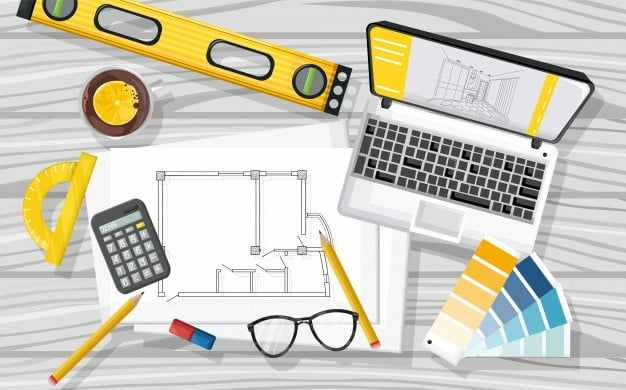 Before pursuing science or something you have to learn the technique first, such as learning to design this. Maybe many of you who are beginners or new to design are confused about how to start a design.
 For those of you who want to learn to design, there are many choices of graphic design applications that are easy to operate. Now there are many applications that can be used via cellphone or smartphone, you know, such as:
 Making designs through smartphones is easy and practical. However, using a smartphone has many limitations.