How To Fix IDM Fake Serial Number Error – In this article, We will guide you to repair IDM that has been registered with a fake serial number or fake serial number. Internet Download Manager (IDM) is the most popular download manager for Windows.
Table of Contents
How To Fix IDM Fake Serial Number Error (4 Easy and Effective Ways)
The only difference between IDM and other popular download managers is that IDM is paid software which means you have to buy it to use it.
- How To Integrate IDM With Mozilla Firefox
- How To Fixed IDM errors (not working) on Google Chrome
- Best 8 Ways to Activate IDM in Chrome: Just Drag and Drop
- How to Enable Dark Mode for Google Chrome
If you have purchased IDM, you can cause several problems such as “IDM has been registered with a fake serial number or the serial number has been blocked”.
Or you may have used a trial version of IDM crack before but you have already bought a new IDM but still, you get the same error message when you try to register with your official serial number.
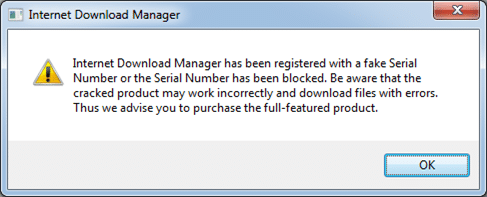
Here are some solutions that you can try before contacting the IDM support team.
By the way, this IDM support page lists some problems and possible solutions, but this is not enough to get you out of this situation. You can also try our solutions first.
#1. Tweaking IDM files
We need to change some IDM program files to stop them from displaying fake serial number error messages.
Let’s go through the following steps:
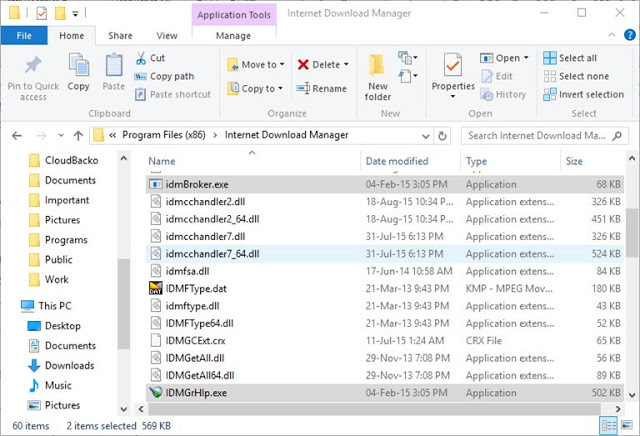
- Go to C: \ Program Files \ Internet Download Manager or C: \ Program Files (x86) \ Internet Download Manager on 64-bit computers
- Search and delete the file called IDMGrHlp.exe
- Now copy the idmBroker.exe from the same folder and paste it in the same folder and rename it to IDMGrHlp.exe
- Restart the system for the changes to take effect
If you are still having problems and an error message appears, you can deactivate the IDM automatic update function using the following methods:
#2. Disable automatic updates on IDM
You can turn off IDM updates automatically using the Windows Registry
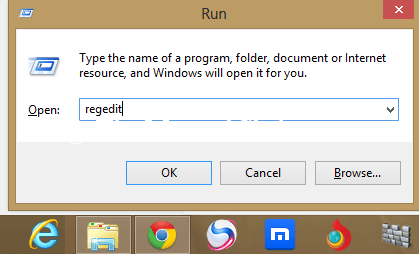
- Go running -> Regedit
- Go to HKEY_CURRENT_USER \ Software \ DownloadManager
- On the right panel, select CheckUpdtVM and edit the value to 0
#3. Editing Host Files to block IDM updates
- Explore C: \ Windows \ System32 \ drivers \ etc \
- Open the hosts’ file using a text editor like Notepad
- Copy and paste this line at the end of the HOSTS file:
127.0.0.1 tonec.com
127.0.0.1 www.tonec.com
127.0.0.1 registeridm.com
127.0.0.1 www.registeridm.com
127.0.0.1 secure.registeridm.com
127.0.0.1 internetdownloadmanager.com
127.0.0.1 www.internetdownloadmanager.com
127.0.0.1 secure.internetdownloadmanager.com
127.0.0.1 mirror.internetdownloadmanager.com
127.0.0.1 mirror2.internetdownloadmanager.com
127.0.0.1 mirror3.internetdownloadmanager.com
Please note that this will deactivate the Internet Download Manager update function. You must download the latest updates manually.
#2: With Cleaning Regedit
First, run open (Press “Windows Key + R” together from your keyboard to open the run dialog box.) Now type “Regedit” without quotation. If it shows a message, then click the “YES” button.
Now, open (HKEY_CURRENT_USER >>> Software >>> Download Manager), then you see “CheckUpdtVM” or “StlmmMsg“. Double-click on this message and change the value from 1 to 0.
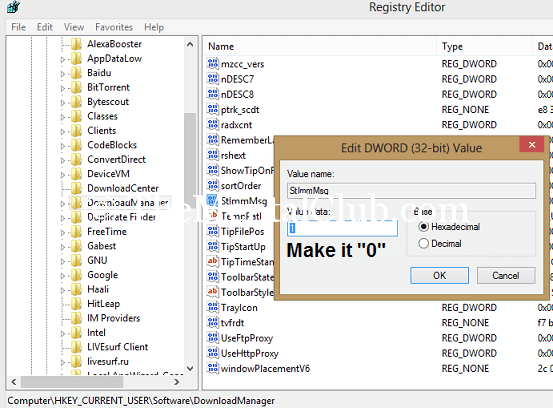
Note: If “CheckUpdtVM” does not exist, then create a new “String Value” named “CheckUpdtVM” and set the value = 0.
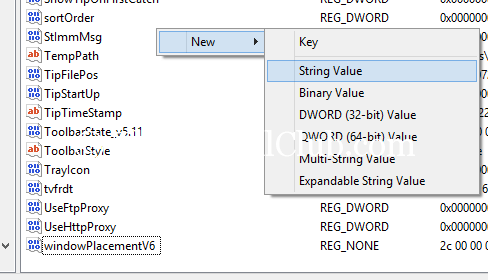
Now restart “IDM” or restart your PC.
#3 Rename File
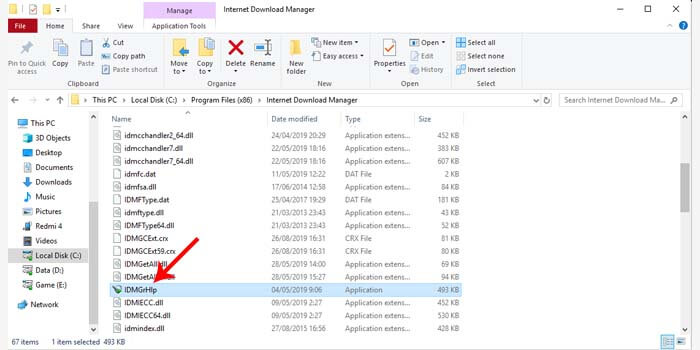
The renaming file is the first method that is quite simple. You only need to change the name of one of the files contained in the Internet download manager / IDM folder on your laptop or PC.
How to fix IDM detected using a fake serial number:
- Open the system tray (lower right corner) on your laptop or PC.
- Then right-click IDM> Exit.
- Go to C: \ Program Files \ Internet Download Manager.
- Rename the IDMGrHlp.exe file to idmhelp-old.exe.
- Next, restart the laptop or computer.
- After that reopen the IDM installation folder.
- Change the name of the idmBroker.exe file to IDMGrHlp.exe.
- The final step is to restart your laptop again.
After your laptop or PC is restarted, IDM will change to the full version. You do not need to worry about any more fake serial number warning messages appearing on IDM.
#4. Remove IDM Fake Serial Number
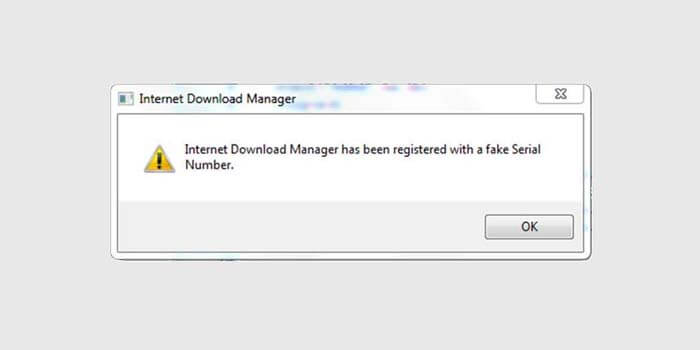
If the first method fails to resolve the fake serial number on IDM, then you should try the second method. This method proved to be effective enough to get rid of fake serial numbers.
How to get rid of the latest Fake Serial Number IDM:
- Make sure IDM is in the latest version.
- Then download the IDM Activator file.
- Then turn off the antivirus first.
- Extract the file that has been downloaded to the IDM installation folder.
- Next, follow the instructions in the text file.
After you have followed the tutorial by the instructions, your IDM is certainly in the full version. Now the fake serial number warning will not reappear.
Read more:
- How To Open a Blocked Site on Google Chrome
- How To Delete Browser Cache And Cookies
- Bypass Samsung Google Account Verification (FRP Lock)
Conclusion:
If you still get an error, the best way is to download Internet Download Manager from the Tonec website again, uninstall IDM that was previously installed, and reinstall IDM using the newly downloaded installer.


Leave a Reply to SIMON Cancel reply