Category: Games

Games – Here you can find Games-related updates, Online Games, offline Games, Multimedia Games, Games, technology information, and more.

  • How To Fix Black Screen In PPSSPP Android Emulator 2024

    How To Fix Black Screen In PPSSPP Android Emulator 2024

    How To Fix Black Screen In PPSSPP Android Emulator – Maybe you like playing PPSSPP games? PPSSPP is a PC / Android emulator that allows us to play PSP games comfortably.
    How To Fix Black Screen In PPSSPP Android Emulator
    How To Fix Black Screen In PPSSPP Android Emulator

    How To Fix Black Screen In PPSSPP Android Emulator

    For now, there is a lot of game support. Plus it is also suitable for computers/gadgets with not so high specifications.

    Read more:

    For how to use the emulator, we only need to install it, and then boot it up so the game can run.

    Normally so. But sometimes there are also other issues, such as the one experienced PPSSPP Black screen or black screen (no pictures).

    Causes of PPSSPP Black screen

    Several causes of black screens can occur, namely:

    • First, maybe PPSSPP data is corrupt. I don’t know if it’s installed incorrectly or for some other reason.
    • It could be that the game data you want to play is corrupt
    • The system specifications are too low or you have the wrong graphics settings

    And this black screen or blank is divided by 2. There are no pictures shown, and secondly, no picture appears and there is no sound.

    Well, here we will discuss some tips to overcome it, so you see the explanation below carefully.

    To be an effective solution.

    How to Solve PPSSPP Black screen / Blank on Emulator

    #1. Reinstall PPSSPP
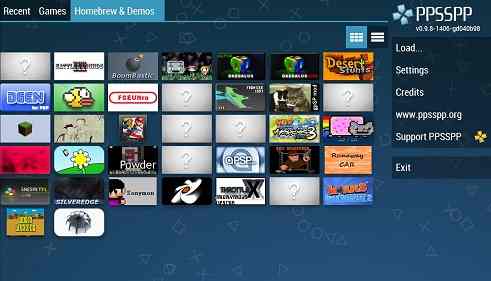
    Reinstall PPSSPP
    Reinstall PPSSPP

    You Try reinstalling PPSSPP. This can help to deal with corrupted data.

    This corrupt data comes from a failed installation, for example when the system process time is unstable and so on. So the effect is that the data installation is not correct.

    It’s easy to reinstall. If on Android, just re-download it from Playstore. If the PC can go directly to the official PPSSPP website.

    It is recommended to all update to the latest version. This may improve compatibility in certain games.

    #2. Restart PPSSPP
    Restart PPSSPP
    Restart PPSSPP

    Black screen game problems can sometimes disappear by restarting PPSSPP.

    The trick is to open the Game. When the screen is blank > Tap the Back button > Exit PPSSPP then open it again.

    This is generally caused by an error when PPSSPP is loading the game (Failed to load) so that the game does not display any images.

    Restart the goal so that the game can be reloaded.

    #3. Maybe the Gadget Specs Are Inadequate
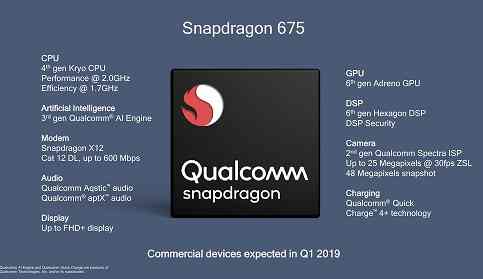
    Maybe the Gadget Specs Are Inadequate
    Maybe the Gadget Specs Are Inadequate

    Each game that PPSSPP runs is different in weight. So it can’t be made equal. For example, you play game A  smoothly and there are no problems.

    Then you try to play game B. But the only way is the sound, but the picture is not there. Now, this could be because the specifications of the gadget that is used are not strong.

    The easiest solution is to replace the gadget. Don’t forget to also check the game data, because it could be corrupted exactly as we said earlier.

    #4. PPSSPP Graphic Settings
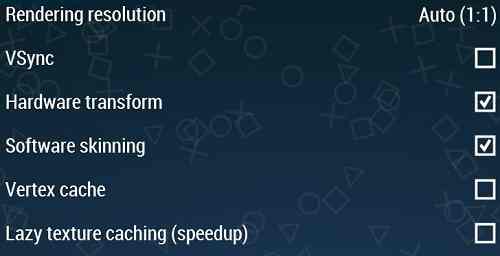
    PPSSPP Graphic Settings
    PPSSPP Graphic Settings

    If you don’t have the money to replace a good gadget, you can also try resetting PPSSPP graphics. Many do not know if several graphic settings can be tried.

    This can help to optimize the game so that it can run normally, stably, and smoothly. Especially in games with HD quality.

    For settings you can do:

    • Rendering Settings:  OpenGLBuffered Rendering
    • Frame skipping: Off
    • Rendering Resolution to 2x

    It’s just the basic settings. Many other settings can be done and may vary depending on the gadget used.

    Read more:

    Conclusion:

    5 setting steps can be tried, and each step has other parts that can be adjusted.

    PPSSPP Black screen can be solved only by applying the solution above. The point is, first, let’s check whether the data is corrupt (Game or PPSSPP).

    If it’s safe, then we try restarting. And if you can’t, then try to check the settings again until you get the most suitable one.
  • 13 Best Website To Download PSP / PPSSPP Game Free 2024

    13 Best Website To Download PSP / PPSSPP Game Free 2024

    13 Best Website to download PSP / PPSSPP Game Free – PSP or PlayStation Portable can now be played on Android and PC without using a console. Well, to get the PSP game, you can search the PSP game download site.

    13 Best Website to Download PSP / PPSSPP Game Free
    13 Best Website to Download PSP / PPSSPP Game Free

    Here Are The 13 Best Website To Download PSP / PPSSPP Game Free

    Don’t forget, you have to know how to download PSP games on Android. Because, some use emulators, similar to  PS2 game emulators on Android.

    Read more:

    So, what is the PSP / PPSSPP game download site? Are you curious? Come on, just take a peek.

    #1. Romspedia

    Romspedia
    Romspedia

    Romspedia is the safest website to download ROMs and emulators according to our standards. The website offers direct downloads without any sketchy schemes or hookups.

    Using this website is pretty straightforward and they have fewer advertisements than almost all of the competitors. The download speed can’t get any better unless you want to download the ROMs in the form of torrents.
    Visit:- Website
    Simply visit www.romspedia.com and download your favorite retro games for free.

    #2. Emuparadise

    Emuparadise
    Emuparadise

    The first PSP game download site is Emuparadise. This site provides a collection for you to download PSP ISO games, ROMs, and also emulators.

    In addition, this site also provides video game downloads, music gaming, and video game TV shows. Well, this site also provides PS2 games that can be played on Android tablets.

    Visit:- Website

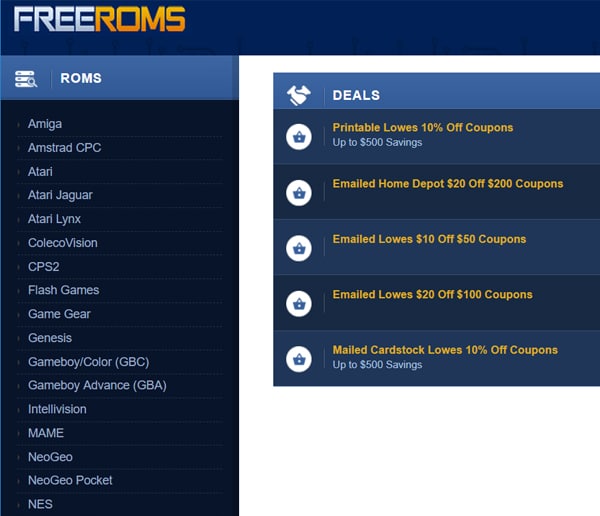
    #3. Free Roms

    Free Roms
    Free Roms

    Free Roms. Many games are available on this site. Moreover, this site also provides games for you to play on a PC.

    But still, you can play the games available on this site by using the game console emulator on Android. So, you don’t need to be complicated anymore using a PC to be able to play PSP games.

    Visit:- Website

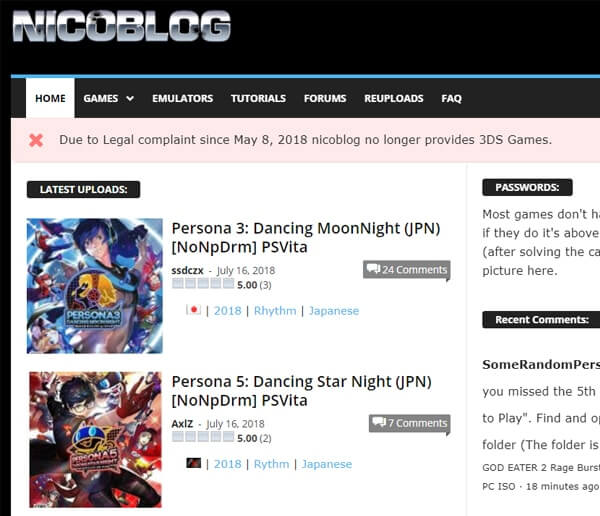
    #4. Nico Blog

    Nico Blog
    Nico Blog

    Nico Blog. Well, this site provides the complete download of ISO game PSP games and of course various sizes.

    In addition, this site also provides tutorials on how to update PSP games and how to play PSP2 on a PC without connecting the controls. This site is also available for those of you who are still confused about how to use PSP games.

    Visit:- Website

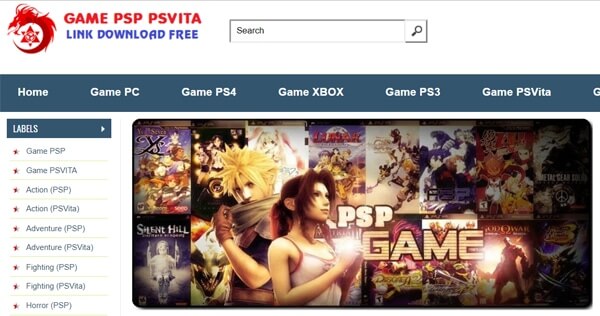
    #5. Download PSP Games

    Download PSP Games
    Download PSP Games

    PSP Game Download. Well, this site is also not incomplete with other sites. Many PSP games are available on this site.

    Besides PSP games, you can also download PC games, PS4 games, PS3 games, PSVita games, XBOX games, and WII games. PSP game updates are also available, it’s guaranteed all the latest games.

    Visit:- Website

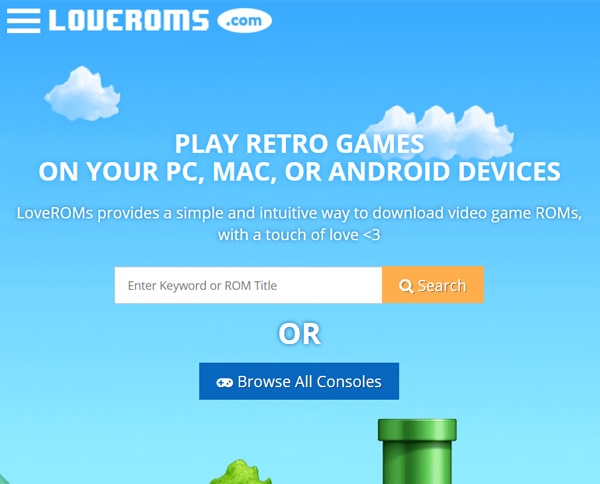
    #6. Love Rooms

    Love Rooms
    Love Rooms

    Love Rooms. The site has a look that is unique and interesting but still simple.

    There are many PSP games available on this site. Not just a game, you can also download emulators and Roms on this site easily and certainly more completely.

    Visit:- Website

    #7. PSP Share

    PSP Share
    PSP Share

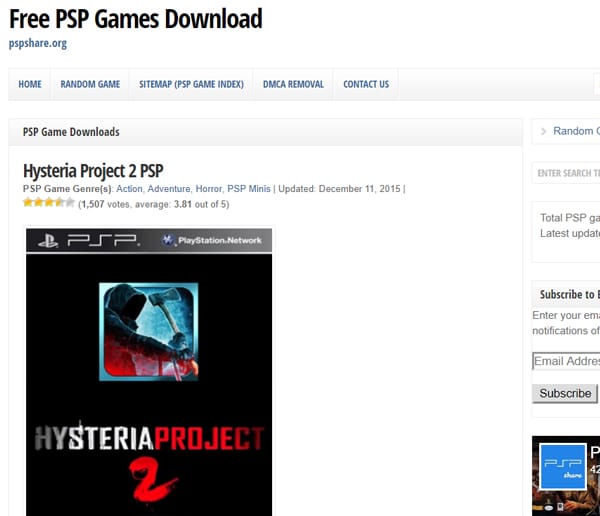
    PSP Share. For those who are looking for PSP games, you can go through this site. Because this site provides a complete PSP game Index.

    In addition, there are also random game features that you can download on this site. Well, you can also get the latest game information on this site.

    Visit:- Website

    #8. Cool Room

    Cool Room
    Cool Room

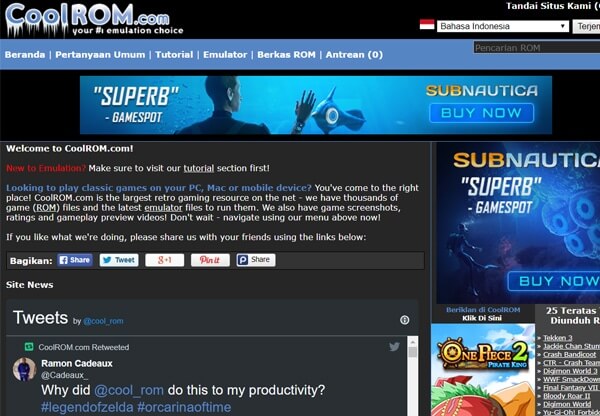
    The ninth PSP game download site is Cool Room. Well, this site also provides a variety of PSP games complete with ROMs.

    In addition, it is also available for you who want to download PSP game emulators. There is also a PSP game tutorial for those who are still new to playing games.

    Visit:- Website

    #9. Portal Roms

    Portal Roms
    Portal Roms

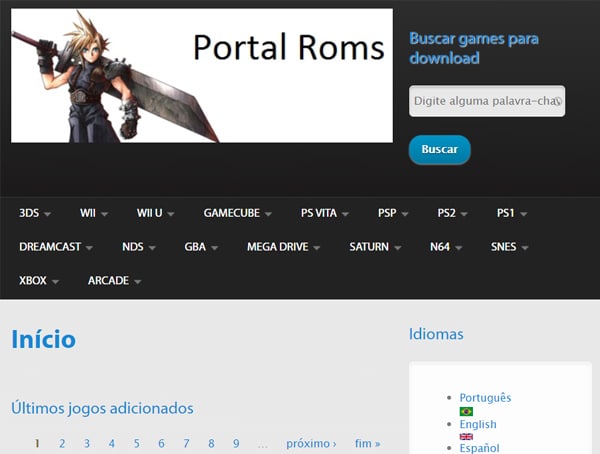
    Portal Roms. Well, this site is no less complete than other PSP game download sites. Many games along with ROM and ISO are available on this site.

    An example is PS VITA, PS2, PS1, Dreamcast, NDS, GBA, Mega Drive, XBOX, and others. Unfortunately, this site only has 3 foreign languages ​​namely Portuguese, English, and Spanish.

    Visit:- Website

    #10Romance CD

    Romance CD
    Romance CD

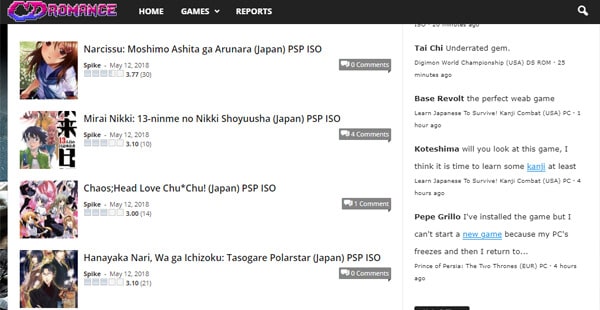
    Romance CD. This site provides services for downloading PSP ISO games that are quite complete. Moreover, this site displays the rating of the game.

    Many games are available on this site. Oh yeah, there are also anime games in the form of PSP ISO games. Oh yeah, not only PSP ISO is available, but there are also PSX ISO games, PS2 ISO, GB ROM, GBC ROM, GBA ROM, and others.

    Visit:- Website

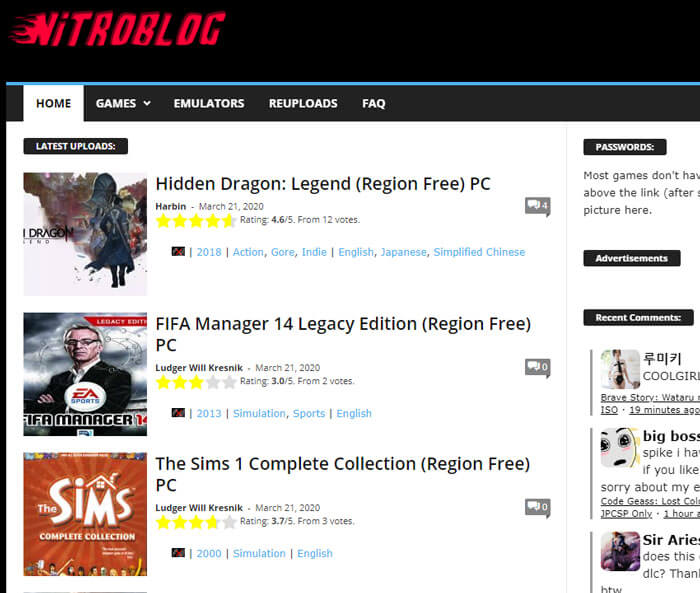
    #11. NitroBlog

    NitroBlog
    NitroBlog

    NitroBlog. On this site, you can search and choose PSP games that you like easily because this site is quite complete and also available in various sizes. You can adjust and choose the size according to the capacity of your PC.

    For those of you who are a newbie in the world of PSP games, this site provides tutorials on how to upgrade PSP games and how to play them too. So, you won’t be confused even though you are just about to try to use PSP2 games.

    This site was originally addressed at nicoblog.org but has now moved to nblog.org under a different name.

    Visit:- Website

    #12. PS2Gamer

    PS2Gamer
    PS2Gamer

    PS2Gamer. This site provides games from various genres ranging from RPG, action, and adventure to survival.

    Various emulators are also available on this site. What is unique, this site also provides instructions and explanations on how to cheat the game. Even so, you shouldn’t have to play cheats!

    Visit:- Website

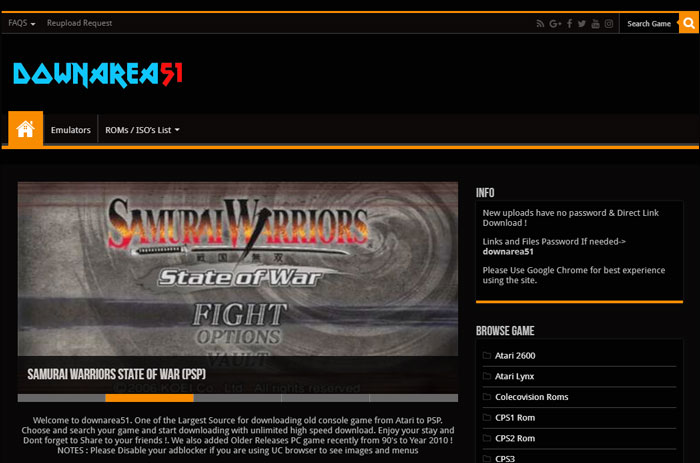
    #13. DownArea51

    DownArea51
    DownArea51

    Downarea51. The contents of the game available on this site are also quite complete you know guys.

    Visit:- Website

    Read more:

    Conclusion:

    So, friends, This is the explanation of the 13 best websites to download PSP / PPSSPP games free, In addition, the names of the games on this site are also available alphabetically which makes it easy for you to search.

    Some of the ISO PSP games on this site include Sims 2, Assassins’ Creed, and there is also Avatar The Legends of Aang, and other PSP games.

    Besides providing ISO PPSSPP games, Downarea51 also provides downloads for PES, PS1, and other Android games.

  • How to Download PSP Games on Android and PC 2024

    How to Download PSP Games on Android and PC 2024

    How to Download PSP Games on Android and PC – Before you know how to download PSP, of course, first you must know PPSSPP. PPSSPP is a PSP  ( Playstation Portable ) game emulator for playing portable console games at Sony.

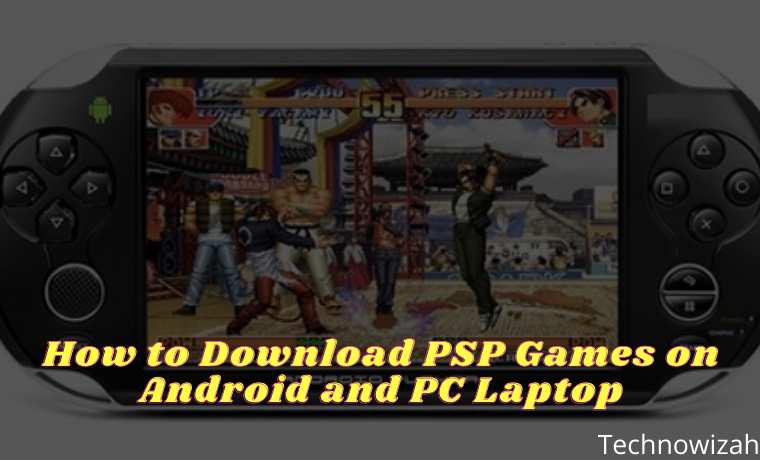
    How to Download PSP Games on Android and PC Laptop
    How to Download PSP Games on Android and PC Laptop

    How to Download PSP Games on Android and PC Laptop

    Launched in 2004, where PSP is a concept game released by Sony to rival the Boy from Nintendo game.

    Read more:

    PPSSPP emulator for PSP games

    For a game console, of course, it has a usage age limit. Therefore, the existence of the emulator itself is needed by PSP game lovers.

    The emulator that is often used is PPSSPP to play PSP games with the type of iSO. If the ISO is not suitable, of course, it will not be able to do the installation/installation.

    PPSSPP consists of 2 types, including ordinary PPSSPP and PPSSPP Gold. Both types of PPSSPP are available on Google Playstore, only the paid Gold type.

    If you want a free PPSSPP emulator, get it on Google. Then, if you have downloaded PPSSPP, usually there is only an emulator in it and not including the game. So we have to download it separately.

    How to Download PSP Games?

    Before you follow the tutorial on how to download PSP games, of course, you must know the specifications of the device used to download this game first. You only need a smartphone or computer connected to the internet to be able to install PSP games for free.

    However, to download it on Android, we must have a smartphone with a minimum OS specification from Android 2.3 Gingerbread +. The minimum RAM capacity of mobile phones that we have to download games PSP is 2GB with storage of 5 GB.

    For the minimum specifications RAM used on PC, devices is 2GB. So if you force yourself with a lower quality RAM, it can make PC devices often experience lag. So, try to use a PC or laptop with 2GB of RAM capacity with 5GB of storage for ROM and PPSSPP. With OS Windows XP, Windows 8.10, Windows 10, and Windows Vista.

    If your device meets the specifications allowed above, now is the time to follow the tutorial on how to download PSP games below!

    How To Download PSP Games on Android and PC Laptop

    How To Download PSP Games on Android and PC
    How To Download PSP Games on Android and PC

    Interested in playing PSP games on your Android smartphone? From now on you can play PSP games on an Android phone. How to? You must know in advance how to download PSP games. Listen and pay attention to the following method steps.

    #1. Download PSP Games via CoolROM

    CoolRom is one of the web recommendations that can be used to download PSP games. How do I download ISO game files through the CoolRom website? Pay attention to the following steps carefully.

    • Open the website www.coolrom.com.au using your favorite browser.
    • Search and select your favorite game, you can use the search field or by looking at the Top 25 Downloaded ROMs in the sidebar of the website.
    • For example, we will show downloading the PSP Crash Bandicoot 3 game. Type the keyword “Crash Bandicoot 3” in the search field then press Go.
    • Select one of the games that are displayed.
    • To download the game, you must press/click the Alternative download link at the bottom of the Download button.
    • Wait for the advertisement for 15 seconds.
    • Press/click Download Your File.
    • Save the game files in the form of .zip / .rar / .7z to a folder that is easy to find.

    #2. Download PSP Games through RomsMania

    RomsMania has also become a website that provides various PSP games for Android. Through this site, we can download unlimited PSP games until our memory is full.

    How:

    • Open and visit the website www.romsmania.cc using your favorite browser.
    • Search and select the game you want.
    • For example, we download the game Grand Theft Auto 2.
    • On the game posting page, press / click the More Options button at the bottom of the Download button.
    • Select and click Browser download (slowest).
    • PSP ROM game files in the form of .zip / .rar / .7z will be downloaded automatically through the browser you are using.
    • Wait until the download is complete. Or, to speed up downloads you can use the latest IDM software.

    Well, after the PSP game files (.zip / .7z / .rar format) are downloaded properly. Then we can extract to get the ISO file of the game. Just extract it using File Explorer or WinRAR. After the .zip / .7z file is successfully extracted and gets an ISO file, then pay attention to the next step.

    #3. Download and Install PSP Application

    Have you selected and downloaded a PSP game? The next stage is that we must have the PPSSPP application which can later be used to play PSP games on Android. How:

    • Open the Google Play Store application, then look for the PPSSPP application. To speed up, you can download the PPSSPP application here or there.
    • After the PPSSPP apk file is downloaded successfully, just install the PPSSPP application on your Android.

    After the PPSSPP application is installed it can be used to play previously downloaded games. How to play the game? Check out the next step.

    #4. How to Play PSP Games on Android

    Before you can play PSP games on Android, please note that we must have an ISO game PSP file that was downloaded to Android storage.

    Those who previously downloaded ISO game files via PC / Laptop can directly transfer them to your Android’s internal/external storage.

    Next, pay attention to the steps of playing the PPSSPP game on the following Android.

    • Make sure you have installed the PPSSPP application on your Android smartphone.
    • Open the PPSSPP application.
    • Search for the PSP game’s ISO file according to the folder where you put it in memory.
    • Tap/tap the game to start playing it.
    • You can also set the game Performance so that it doesn’t lag by tapping the Settings menu in the PPSSPP application.
    • Adjust Performance as you wish and the Android spec that you use.

    For PC / laptop users, can you also play this PSP game on your device? Of course, you can bang, the way is also quite simple. Consider the following methods and stages.

    How to Play PSP Games on PC Laptop Desktop

    Before you can play PSP games on a PC or laptop you must have game files that can be downloaded via the RomsMania or CoolROM website.

    Perform the steps to download the PSP game above to download the game file. After getting the ISO game file, you can directly download the PPSSPP application on a PC / Laptop. How to do it?

    • Open your favorite browser, you can use Google Chrome or Firefox.
    • Open and visit the website www.ppsspp.org/downloads.html.
    • Scroll down and find PPSSPP for Windows.
    • Click the Download button that is already available. You can also choose .exe or .zip files.
    • Wait a while until the application/software PPSSPP for Windows has finished downloading.
    • Once downloaded, install the PPSSPP application for Windows to the PC / Laptop that you are using.
    • To be able to play PSP games on a PC, you can do the exact steps discussed in the previous paragraph.

    Recommended PPSSPP Best Games for 2023

    In addition, our team has also compiled a list of recommendations for the best PSP games throughout 2020. This list is adapted from the website sources RoomsMania and CoolROM.

    The list of recommendations for the best and most popular PPSSPP 2023 games is as follows:

    1. Assassin’s Creed – Bloodlines
    2. Bloody Roar II
    3. Brigandine – The Legend of Forsena
    4. Crash Bandicoot
    5. CTR – Crash Team Racing
    6. Digimon World
    7. Digimon World 3
    8. Dino Crisis 2
    9. Dragon Ball GT – Final Bout
    10. Dragon Ball Z – Shin Budokai
    11. Dragon Ball Z – Shin Budokai 2
    12. Dragon Ball Z – Tenkaichi Tag Team
    13. FIFA Soccer 2005
    14. Final Fantasy VII (Disc 1)
    15. Final Fantasy VIII (Disc 1 )
    16. God of War – Chains of Olympus
    17. God of War – Ghost of Sparta
    18. Grand Theft Auto – Vice City Stories
    19. Jackie Chan Stuntmaster
    20. Marvel vs. Capcom – Clash of Super-Heroes
    21. Naruto Shippuden – Ultimate Ninja Impact
    22. NASCAR Rumble
    23. Need For Speed ​​- Most Wanted 5-1-0
    24. Pepsiman (Japan)
    25. Resident Evil 2 (Disc 1)
    26. Spider-Man
    27. Suikoden II
    28 Super Shot Soccer
    29. Tekken 3
    30. Tekken 6
    31. Tenchu ​​2 – Birth of the Stealth Assassins
    32. Twisted Metal 4
    33. Vigilante 8 – 2nd Offense
    34. WWF SmackDown! 2 – Know Your Role
    35. Yu-Gi-Oh! Forbidden Memories

    Read more:

    Conclusion:

    So, friends, that’s above on how to download PSP games with the most complete method that is easy to understand and try yourself at home. Don’t forget to share/share this article with your friends.

  • How To Download PPSSPP Games on Android and PC 2024

    How To Download PPSSPP Games on Android and PC 2024

    How To Download PPSSPP Games on Android and PC – The PPSSPP emulator which is often used to play PSP games on PC / Android does not provide a place to download games on the emulator. Therefore, users are certainly confused when using this emulator application to look for any exciting games that can be played at PPSSPP.

    Download PPSSPP Games on Android and PC
    Download PPSSPP Games on Android and PC

    How to Download PPSSPP Games on Android and PC

    About the PPSSPP Game Emulator

    PPSSPP is just an application that emulates PSP games so that it can run on a PC or Android. Similar to the original PSP device, in the PPSSPP emulator, there are no games. So you have to find the game yourself. Now, PPSSPP can play PSP games with ISO and CSO extensions.

    Read more:

    Then, What’s the Difference between ISO and CSO?

    Both are the same. CSO itself is only a compressed version of the ISO version. Both of them contain games that can be played in PPSSPP.

    Furthermore, if we download PPSSPP but don’t find the game in it, we no longer need to be confused.

    The format of the game PPSSPP is usually a CSO / ISO with different sizes. on Google itself, there are many links to download PPSSPP games that are lightweight or high compresses but when played the screen will blank. So the game can’t run smoothly.

    Therefore, we should download the PPSSPP game in ISO format and not CSO so that the size does not need to be compressed again. In addition, the game file format ISO on PPSSPP itself is very much like the games PES, Naruto, and FIFA until games else we can find.

    How to Play PSP Games on PPSSPP?

    It is very easy, you can follow how to download the game at PPSPP on the internet. You just need to put the game PSP device smartphone, run or PPSPP emulator application installation, and then select the ISO-shaped game earlier. Furthermore, the game can be played easily.

    To download the PPSSPP game on Android itself, we can choose a website that has provided a PPSSPP game emulator file. If you are curious, here’s how to download games on PPSSPP easily via an Android device!

    How to download games on PPSSPP on an Android Laptop PC

    How to download games on PPSSPP
    How to download games on PPSSPP

    Before you can play PSP games on Android, you must first download the ISO-shaped game files through the recommendation website to download PSP games.

    #1. Download PPSSPP Game via CoolROM.com

    The first recommended web that can be used to download PSP games is coolrom.com, how to download ISO game files via the CoolROM site? Check out the following steps.

    • Open the website www.coolrom.com.au using your favorite browser.
    • Search and select your favorite game, can use the search field, or by looking at the Top 25 Downloaded ROMs in the sidebar of the website.
    • For example, we will show you download the Tekken 3 PPSSPP game. Type the keyword “Tekken 3” in the search field then press Go.
    • Select one of the games that are displayed.
    • To download the game, you must press/click the Alternative download link at the bottom of the Download button.
    • Wait for the advertisement for 15 seconds.
    • Press/click Download Your File.
    • Save the game files in the form of .zip / .rar / .7z to a folder that is easy to find.

    #2. Download the PPSSPP game through RomsMania

    How:

    • Open and visit the website www. Romania. cc using your favorite browser.
    • Search and select the game you want.
    • For example, we download the game Resident Evil 3.
    • On the game posting page, press / click the More Options button at the bottom of the Download button.
    • Select and click Browser download (slowest).
    • PPSSPP ROM game files in the form of .zip / .rar / .7z will be downloaded automatically through the browser you are using.
    • Wait until the download is complete. Or, to speed up downloads you can use the latest IDM software.

    Now, after the PPSSPP game file (.zip / .7z / .rar format) is downloaded properly. Then we can extract to get the ISO file of the game. Just remove it using File Explorer or WinRAR. After the .zip / .7z file is successfully extracted and gets an ISO file, then pay attention to the next step.

    #3. Download and install the PPSSPP application

    The next stage is that we must have the PPSSPP application which can later be used to play PSP games on Android. How:

    • Open the Google Play Store application, then look for the PPSSPP application. To speed things up, you can download the PPSSPP application there.
    • After the PPSSPP APK file is downloaded successfully, just install the PPSSPP application on your Android.

    After the PPSSPP application is installed, it can play previously downloaded games. How to play the game? Check out the next step.

    #4. How to Play PPSSPP Games on Android

    Before you can play PSP games on Android, please note that we must have an ISO game PSP file that was downloaded to Android storage.

    For those who previously downloaded ISO game files via PC / Laptop, you can directly transfer them to your Android’s internal/external storage.

    Next, pay attention to the steps of playing the PPSSPP game on the following Android.

    • Make sure you have installed the PPSSPP application on your Android smartphone.
    • Open the PPSSPP application.
    • Search for the PSP game’s ISO file according to the folder where you put it in memory.
    • Tap/tap the game to start playing it.
    • You can also set the game Performance so that it doesn’t lag by tapping the Settings menu in the PPSSPP application.
    • Adjust Performance as you wish and the Android spec that you use.

    For PC / laptop users, can you also play this PSP game on your device? Of course, you can bang, the way is also quite simple. Consider the following methods and stages.

    How to Play PPSSPP Games on a PC / Laptop

    Before you can play PPSSPP games on a PC or laptop you must have game files that can be downloaded via the RomsMania or CoolROM website.

    Perform the steps on how to download the PPSSPP game above to download the game file. After getting the ISO game file, you can directly download the PPSSPP application on a PC / Laptop. How to do it?

    • Open your favorite browser, you can use Google Chrome or Firefox.
    • Open and visit the website www.ppsspp.org/downloads.html.
    • Scroll down and find PPSSPP for Windows.
    • Click the Download button that is already available. You can also choose .exe or .zip files.
    • Wait a while until the application/software PPSSPP for Windows has finished downloading.
    • Once downloaded, install the PPSSPP application for Windows to the PC / Laptop that you are using.
    • To be able to play PSP games on a PC, you can do the exact steps discussed in the previous paragraph.

    Recommended PPSSPP Best  Games for 2023

    In addition, we have also summarized a list of the best PPSSPP Game recommendations throughout 2021. This list is adapted from the website sources RoomsMania and CoolROM.

    The list of recommendations for the best and most popular PPSSPP 2021 games is as follows:

    1. God of War – Ghost of Sparta
    2. Naruto Shippuden – Ultimate Ninja Impact
    3. Tekken 6
    4. Grand Theft Auto – Vice City Stories
    5. Dragon Ball Z – Shin Budokai 2
    6. Dragon Ball Z – Shin Budokai
    7. Assassin’s Creed – Bloodlines
    8. God of War – Chains of Olympus
    9. Need For Speed ​​- Most Wanted 5-1-0
    10. Dragon Ball Z – Tenkaichi Tag Team
    11. Tekken 3
    12. Crash Bandicoot
    13. Jackie Chan Stuntmaster
    14. CTR – Crash Team Racing
    15. Digimon World 3
    16. WWF SmackDown! 2 – Know Your Role
    17. Final Fantasy VII (Disc 1)
    18. Bloody Roar II
    19. Yu-Gi-Oh! Forbidden Memories
    20. Digimon World
    21. Vigilante 8 – 2nd Offense
    22. Pepsiman (Japan)
    23. Final Fantasy VIII (Disc 1)
    24. Resident Evil 2 (Disc 1)
    25. FIFA Soccer 2005
    26. Twisted Metal 4
    27. Dino Crisis 2
    28. Marvel vs. Capcom – Clash of Super-Heroes
    29. Tenchu ​​2 – Birth of the Stealth Assassins
    30. Dragon Ball GT – Final Bout
    31. Suikoden II
    32. Spider-Man
    33. Super Shot Soccer
    34. NASCAR Rumble
    35. Brigandine – The Legend of Forsena

    Read more:

    Conclusion:

    So, friends, That’s the above complete How to download PPSSPP games on an Android PC, along with install methods and tutorials to play very easy games. Do not forget to share/share this article with your friends.

  • 5 Best PS3 Emulators For Windows 10 Laptop PCs 2024

    5 Best PS3 Emulators For Windows 10 Laptop PCs 2024

    5 Best PS3 Emulators For Windows 10 Laptop PCs – Do you want to play PS3 games on your Windows PC? Well, if so then continue reading this article, I will share a list of the Best PS3 Emulators for Windows PCs on 10/8/7. By using this emulator that I will discuss, you can easily enjoy PS3 games on your Windows PC.

    5 Best PS3 Emulators For Windows 10 Laptop PCs
    5 Best PS3 Emulators For Windows 10 Laptop PCs

    5 Best PS3 Emulators For Windows 10 Laptop PCs

    As you know, Sony PlayStation 3 has been a hit since its release. You will enjoy the greatness of this famous console game if you can afford it.

    Read more:

    There are several ways in which you can enjoy the excitement of the PlayStation 3 game on your Windows PC without having to buy it. And one of them with the PS3 Emulator.

    By using the best PS3 Emulator for Windows PCs 10/8/7, you can install and play Sony PlayStation games that you miss when you don’t use PlayStation 3. All the emulators I mentioned in this article are very comprehensive and free to use and have more features than the usual emulator.

    Best PS3 Emulators for Windows 10 Laptop PCs

    So without wasting time, here is a list of the best PS3 Emulators for Windows PCs. Hopefully, this emulator will give you a lot of unforgettable gaming experiences.

    #1. RPCS3

    The first PS3 emulator that you will see in this list is RPCS3. Like other emulators, RPCS3 is also a free and open-source emulator for Sony PlayStation 3 that can be used to emulate the PS3 environment on all types of Windows PCs.

    RPCS3
    RPCS3

    In my opinion, this is the only true PS3 emulator for PC. Developers are still working on emulator debugging, but the emulator’s performance is far above the standard. By using the RPCS3 emulator, you can easily emulate all types of PlayStation 3 games up to 60%. Isn’t that amazing?

    This PS3 emulator is perfect for Windows PCs and will make your gaming experience more enjoyable than ever.

    Download RPCS3

    #2. Mednafen

    Mednafen is one of the best PS3 Emulators for PC which is a portable, multi-performance, and easy-to-use emulator. All emulator settings are pretty good, and easy to use so you can adjust them according to your needs.

    Mednafen
    Mednafen

    All hotkeys you see on PlayStation 3 can be remapped on your controllers such as a keyboard or joystick. You can enjoy virtually all Playstation games on your Windows PC.

    Not only PlayStation 3, but you can also emulate the PlayStation system and other emulators for Nintendo, Game Boy, Game Boy Advance, and Neogen. You can save game clips, and take screenshots in PNG format because it supports the save stats option.

    Download Mednafen

    #3. BizHawk

    The BizHawk emulator is very powerful and easy to use. It focuses on providing a better user experience compared to other PS3 Emulators for PCs. PS3 Emulator BizHawk also supports hotkey mapping, game note support, and Lua scripts.

    BizHawk
    BizHawk

    BizHawk supports major platforms such as Apple, and PlayStation systems including PlayStation 3, Virtual Boy, Nintendo 64, Super Nintendo & Super Famicom, and ZX Spectrum.

    Download BizHawk

    #4. RetroArch

    RetorArch is the best other advanced cross-platform PS3 Emulator for PC that you won’t regret using it. This emulator can work on platforms such as Windows, MACo, and Linux, including other common devices that are used to play games.

    RetroArch
    RetroArch

    RetroArch can also be used on Apple & Android smartphones and other consoles such as PlayStation 3, PS P, Wii, and Wii U. You can directly download RetroArch for mobile phones from the Apple App Store or Google PlayStore.

    RetroArch has many features that support recording and streaming, sorting library applications, and configuring applications according to their respective uses, Shader, and Netplay.

    From the above features, Shader and Netplay make viewing old games efficient and allow you to join or host their respective gaming networks. RetroArch is also equipped with a Retro achievement system that unlocks various types of trophies and achievements.

    Download RetorArch

    Features & Benefits of PS3 Emulator

    As explained above, the PS3 emulator for Windows can be handy when you skip the normal PlayStation console to play. Most emulators support and can emulate the modern game console environment on your personal computer so easily. Some of the game consoles are:

    • PlayStation
    • PlayStation 3
    • Nintendo
    • Gameboy
    • Game Boy Advance
    • Virtual Boy
    • Sega master system
    • Apple 2 / 2+

    PlayStation Pro

    Playstation Pro
    PlayStation Pro

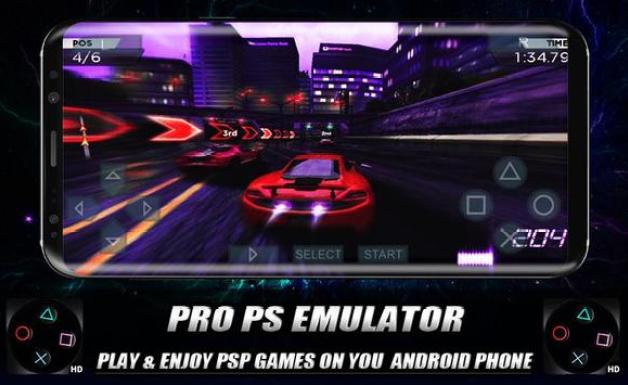
    Sony PS3 emulator is an Android emulator that simulates Sony Play Station games to smartphones. Using it is very easy, just install the application and follow the setup instructions.

    After the settings are finished, you can enjoy the game. However, because this is a cross-platform transformation, it might not work properly even if you have a high-end smartphone. You can download the Sony PS3 emulator APK here.

    With the best emulators above, you can play PS3 games on Android and Windows PCs. The emulator is software that allows one computer system to behave like other computer systems. It stimulates the original system and allows you to access applications or software on different OSes.

    Read more:

    Conclusion:

    Well, that’s the best PS3 emulator for PC (Windows 10/8/7). Please choose which one is best for you. I hope it is useful and thanks for visiting.