Easy Ways To Download PS2 And PS3 Games on PC – how to download PS2 / PS3 games on PC / laptop quickly and easily. Download Your Favorite PS2 / PS3 Games and Play As You Like.
How to Download PS2 And PS3 Games on PC
How to Download PS2 And PS3 Games on PC Laptop Windows
PS is indeed the prima donna as an offline game vendor. The list of games it has is very diverse and varied. Many PS games were later adopted on computers or PCs.
Not only that but some of the games on PS have also been appointed to the screen. Games from the adoption of real-world events such as Moto GP, Soccer, etc. are also here.
Then, how do you download PS2 / PS3 games on a PC? Here’s how you can do it:
How to Download PS 3 Games on PC Laptop Desktop
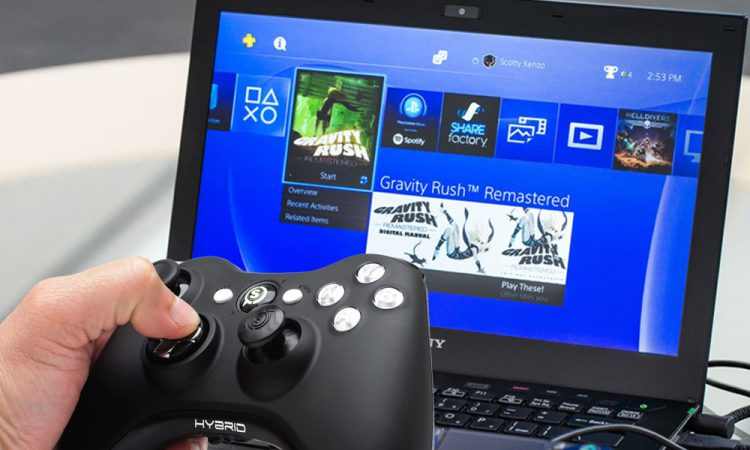
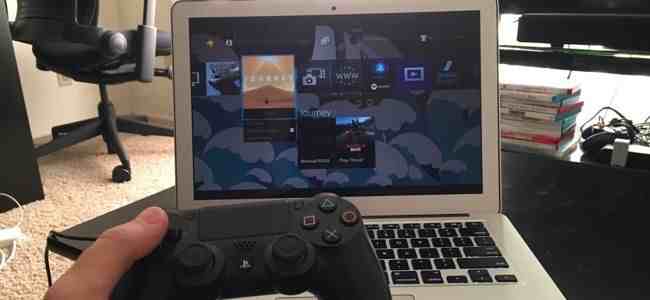
You can play several games from the Play Station (PS) console via a laptop or PC. One of the most popular game consoles today is the PS 3.
Those of you who haven’t had the chance to buy this game console due to cost issues, or don’t have time to have it because it’s run out (because PS4 now appears), can play PS 3 games if you have a capable PC or laptop.
Before downloading PS 3 games, you need a helper application called an emulator. The emulator is an application that allows you to emulate the games on a console such as the Play Station.
The emulator used is the PS 3 Emulator called RPCS3 – Playstation 3.
Steps to download PS3 games on a Laptop / PC
Here is how to download and play PS 3 games on your laptop or PC.
The first step is to download the RPCS3 application. Once downloaded, install RPCS3 on your laptop or PC. You will also need LLE Modules which you can google first (usually in the RPCS3 installation instructions).
If you already have RPCS3 and LLE Modules, what you need to do next is copy the folder named “dev_flash” which is inside the LLE Modules into the RPSC3 folder.
Then open your RPCS3, select the Config menu, then settings. Check 4 files in the window, namely libresc.prx, librtc.prx, libsre.prx, and libspurs_jq.prx.
Switch to the Graphics tab, and choose which VGA card to use. Then click OK.
The next step is to prepare the PS3 game that you want to play on your laptop. You must have game files that are specific to the PS3. Various sites provide PS3 game files that can be downloaded for free.
If the emulator and the Game are ready, then we return to open the RPCS3 application. Usually, the first time you open the application, you will be asked to download the BIOS first. Please press “Yes” only, because later it will be directed to the BIOS link that matches your PC or laptop.
If the BIOS has been obtained then install and make sure the BIOS location is the same as the folder where the PSCS3 file is stored.
If the BIOS has been installed, close the PSCS3 application then reopen it. You can play the game that you downloaded earlier by opening the file and selecting “Load From”. Find the downloaded game ROM, click it, and you can enjoy the game.
How to Download PS 2 Games on PC Laptop
Apart from PS3, you can also play previous versions of games from Play Station, namely Play Station 2 (PS2). Even though it’s past its heyday, there are still many fans of PS 2 and the games in it.
Of course, everyone has different tastes. Likewise in playing games. Some of them are already suitable and comfortable with the PS2.
They still choose PS2 because they feel it is suitable and does not need to adapt anymore to the PS3 / PS4 style play mode which is the latest version and above.
Steps to download PS2 games on a Laptop / PC
For those of you who want to reminisce about playing PS2 games on a laptop or PC, here are the steps:
Just like the PS3, on PS 2 you also need an emulator. The emulator used is PCSX2 –Play Station 2. Download and install PCSX2 onto your laptop first. Also set the PAD (if you play using the keyboard), if you play using a controller or PS2 stick you don’t need to set it.
If you have installed PCSX2, then don’t forget to set the BIOS. Extract the BIOS file that was downloaded earlier. In the Bios selection menu, click browse and then locate the BIOS file. Select the refresh list and use the BIOS you want to use.
The third step is to prepare the game to be played. Make sure you have downloaded the ISO Game PS 2.
There are lots of sites on the internet that provide PS 2 game ISO files, including the CoolROM, RomsMania, and PortalRoms sites. You can download it for free through these sites.
After downloading the ISO PS 2 game that you have specified, reopen PCSX2, select the CDVD menu, then the ISO selector, and look for the game ISO file.
If the ISO for the game has been determined, the next step is to run the game. Select the System menu, then Reboot CDVD (full) or Reboot CDVD (fast). After that, the game will run.
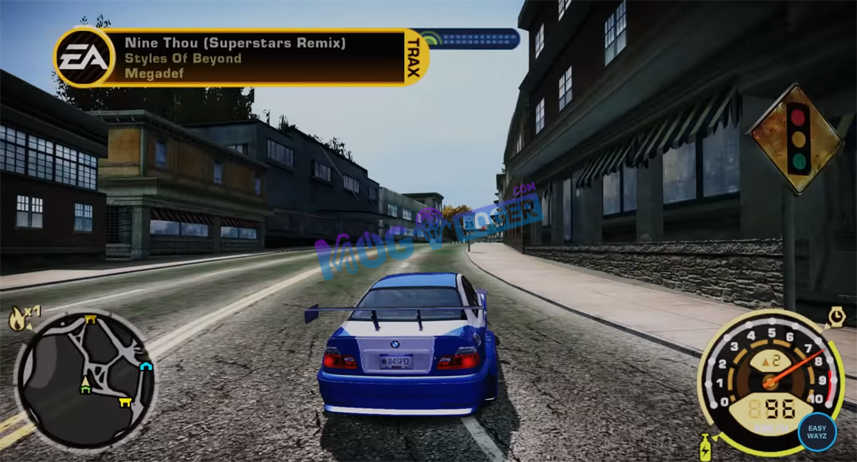
How to Cheat NFS Most Wanted PC Need For Speed – So that you get what you want in this game, you need cheating actions such as cheating in the most wanted PC game so that when you play this game you can play this game more freely because you only need to play it right away without completing any mission or buying it. whatever your friend wants because you can cheat money without running out.
How to Cheat NFS Most Wanted PC Need For Speed
Easy Ways to Download Cheat NFS Most Wanted PC Need For Speed
What is required in the Most Wanted PC cheat? You only need a little help with software called a cheat engine. This software is rarely used for in-game cheating now.
On this occasion, I want to share my experience in how to easily cheat NFS Most Wanted.
By following this Most Wanted PC cheat tutorial, playing Most Wanted will be even more proficient. Please continue reading how to cheat NFS Most Wanted until the end of this review.
Therefore I am here to provide a little tutorial about the Most Wanted PC cheat, the advantages are as follows
Unlimited Money – run out of unlimited money.
Unlimited speed breaker.
Unlimited nos or unlimited nos.
Maximum bounty
Mission accomplished immediately.
Can get all rival king cars.
Unlock all cars.
Modify as well as add (replace) a car with the maximum type and speed (can exceed the normal speed in a game)
Can get all police cars.
Can change the police car at any level.
You can find the codes above in my previous post regarding the most wanted cheat collection.
That way you can directly copy it to Notepad so that next time you can find the code again if you need a PC Most Wanted cheat.
I am here to share my experience with how to cheat the most wanted using the help of the cheat engine application and this method is guaranteed authenticity because I have proven it every day.
But you need to know that this Most Wanted PC cheat does not last permanently but can only be used in one game if you are out, the cheat will automatically disappear too, so just go to how to enter the most wanted PC cheat using the cheat engine.
Download + Cheat Code NFS Most Wanted Black Edition PC
How to cheat need for speed Most Wanted PC or laptop usually requires to cheat engine software.
This software serves as a tool for processing cheat data into the most wanted application.
You need a complete collection of Most Wanted PC cheats to get a cheat code, you can download it below:
Make sure you already have a cheat engine application and already have the 2005 Most Wanted Game.
Make sure again that my friend has copied all the code that I gave in the previous post.
If everyone feels ready, you can immediately open the most wanted game.
Then you have to take the game out, if you use Windows 10, it will be easier because you just need to press the Windows Shortcut (Windows image on the keyboard), and then it will exit itself and enter the desktop menu.
After that, you can immediately open a copy of the document that contains the cheat code to enter the game via the cheat engine.
After opening, friend, first install the engine cheat software.
Then point your cursor to the top left corner icon named Select A Process To Open.
A new window will appear with a display called Process List, here you can choose the game called Speed.exe and then click Open.
Point the cursor to the Memory View menu
Here my friend will find a new window. You can directly select the Tools menu -> Auto Assemble or you can press the shortcut CTRL + A
Later a new window will appear again, here you can copy the cheat code to the auto-assemble column.
Then point the cursor to the Execute menu -> A new window appears -> click Yes -> New song window press OK. Done
If you feel confused, you can see the video below.
PS2 No Software Cheat Code
There are several cheat codes that you can apply to the NFS Most Wanted PS2.
PS2 here does not mean using a PS2 console, but you can also use a laptop (as long as you use a joystick).
The way to use this cheat is that you have to enter the “Press Start” menu and don’t get into the game first.
The following is a cheat code that you can use:
All $ 100,000 Cars
R1, L1, up, down, up, down, up, down
Back Room (transmission, engine, tires, body kits)
R1, L1, L2, R2, up, down, down, up.
Bounty: 5,999,999
L1, R1, up, down, up, down, up, down
Bounty and Milestones are over
down, left, right, down.
up, down, up, down, left, right, left, right.
Castrol Syntec Ford GT
left, right, left, right, up, down, up, down
Unlocks the Ford GT
Up, down, up, down, left, right, left, right
Unlocks the Porsche Cayman
L1, R1, R1, R1, right, left, right, down.
Opens Junkman Engine Part
Up, up, down, down, left, right, up, down
All Open Cars
R1, O, O, O, R1, R2, L2, L1, up, down, L1, L1, L1.
So friends, these are the above methods for cheating NFS, the most wanted PC game for speed, using a cheat engine. This method is quite easy even though you can see and imitate the most wanted PC cheat video without an image.
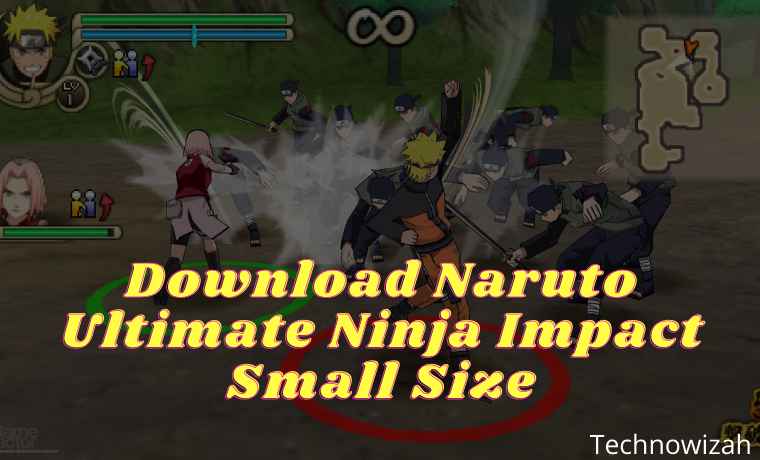
Download Naruto Ultimate Ninja Impact Small Size – Naruto is a very famous anime series by Masashi Kishimoto that has succeeded in entertaining and gaining a special place in the hearts of its fans.
Download Naruto Ultimate Ninja Impact Small Size
How to Download Naruto Ultimate Ninja Impact Small Size
The stories from the Naruto manga series total 700 chapters and for the anime version, there are approximately 500 episodes.
As well as presenting various kinds of stories and adventures that are very entertaining and there are positive values and moral messages in them.
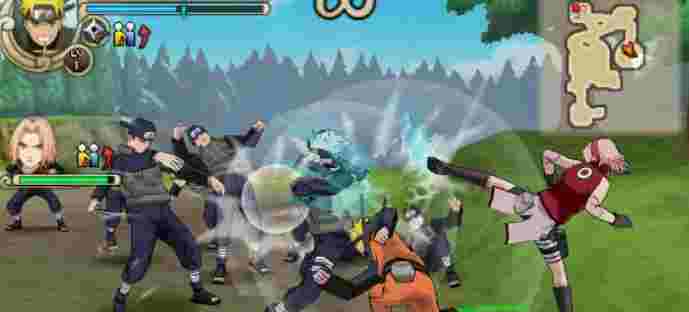
Naruto Shippuden has now made a game version and can be played on various consoles such as Playstation (PS), Nintendo, PSP, and PC / computer.
And what’s even greater is that games that can only be played on PSP can now be played on an Android smartphone, of course, this becomes more effective.
Use the default Chrome browser/web browser for downloads
Note:
Just choose one of the ISO or CSO files from the download link above. If there is a broken link, you can tell us via the comments column so we can fix it immediately.
Download Naruto Ninja Impact 70 MB (High compress)
For small high compressed ISO files, you can get them via the download link below:
ISO High Compress file [70 MB]
An alternative link, if you experience an error, can be downloaded here
Note:
For the High Compress, the game is still in Japanese. If you want to use the English one, you can use the CSO file which has a smaller size (536 MB) than the original version.
How to Install Naruto ISO on Android
Select one of the ISO or CSO files that you will use in the link above
For ISO or CSO files, just move them to your Android storage either on an SDcard / External or Internal memory
For files in the form of RAR, you have to extract them first, then move them to the Android device you are using.
Then extract the saved data file
Move the RULES Folder to Internal storage / PSP / Savedata / move it here.
If so, just open and run the PPSSPP Emulator which is already installed on your Android phone
Then select the Naruto gameplay
Enjoy.
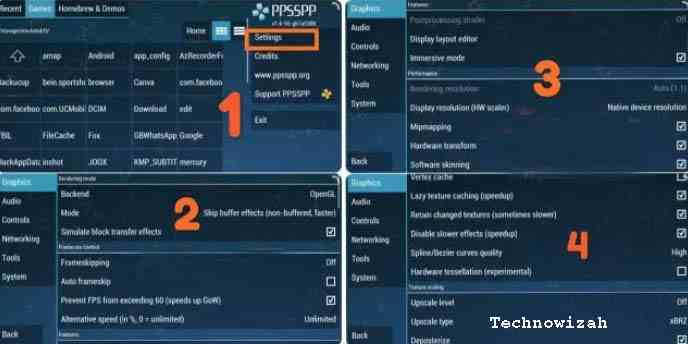
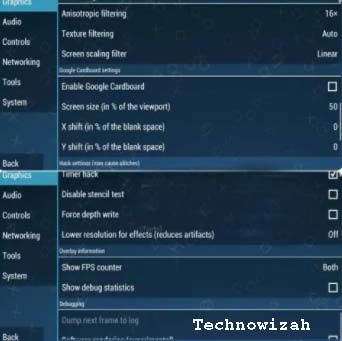
Settings So as Not to Lag & Crash
When you first open and play this game, usually on some Android phones there will be a lag and when you start the mission it will come out on its own.
So that this problem does not occur, you should change the settings on the PPSSPP emulator as shown below.
For more details about how to install you can see the following video. Even though the name of the game is different, the way to install it and how to play it remains the same.
Naruto Ninja Impact PPSSPP is included in the action genre game, so many gamers like it, especially if they are fans of the Naruto anime.
This game can be played on a computer and can also be played on an Android smartphone.
If you want to play this Naruto Battle game, of course, you have to use a PC emulator and an Android emulator when playing on an Android device.
The Naruto Shippuden Ultimate Ninja Impact game already has a very good graphic display and its characteristics.
This game is a series of the last Naruto games released by Bandai or NGBI around 2011.
Although this game was released last for the PSP series, it is guaranteed in terms of quality and gameplay.
There will be many exciting and interesting things that you will find in the Naruto Ninja Impact game.
The storyline of this game starts from a rescue mission for the kazekage (Gaara) to a meeting with the five Kage.
Apart from the small-size Naruto Ninja Impact game series that the admin has explained above, there are still more exciting series that you must try.
DMCA:Technowizah.com complies with 17 U.S.C. * 512 and the Digital Millennium Copyright Act (DMCA). It is our policy to respond to any infringement notices and take appropriate action. If your copyrighted material has been posted on the site and you want this material removed, Contact us.
This is an explanation of how to download Naruto Ultimate Ninja Impact in small size, about the PPSSPP Naruto Ninja Impact ISO high-compressed game for Android, complete with a Google Drive link to download it.
11 Best Google Hidden Games You Can Play on PC – A browser is software that may be currently very needed by most people Internet users. Yes yes yes, if no browser how do we browse here and there? here are the best Google Hidden Games for you.
11 Best Google Hidden Games You Can Play
11 Best Google Hidden Games You Can Play on PC
But of the many browsers I know, for example, Internet Explorer, Mozilla Firefox, Google Chrome, Opera, Safari, Baidu Spark Browser, etc.
Only Google Chrome provides the best features and facilities. And Google Chrome also does not take a lot of RAM so it does not make your laptop/computer is not too heavy to run.
For the Year 2015, it seems Google Chrome is the best browser in terms of convenience in use, but Mozilla Firefox is still victorious with the number of plugins it has.
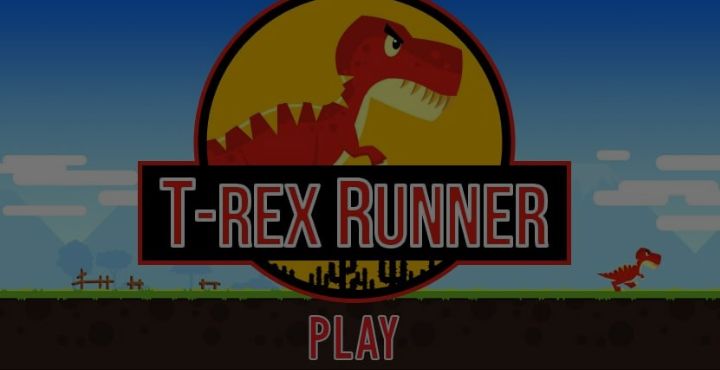
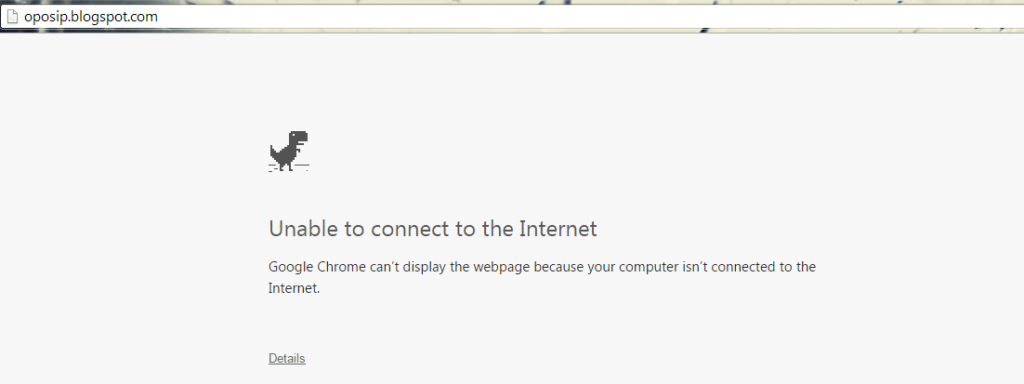
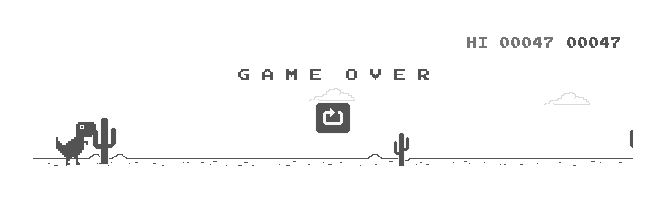
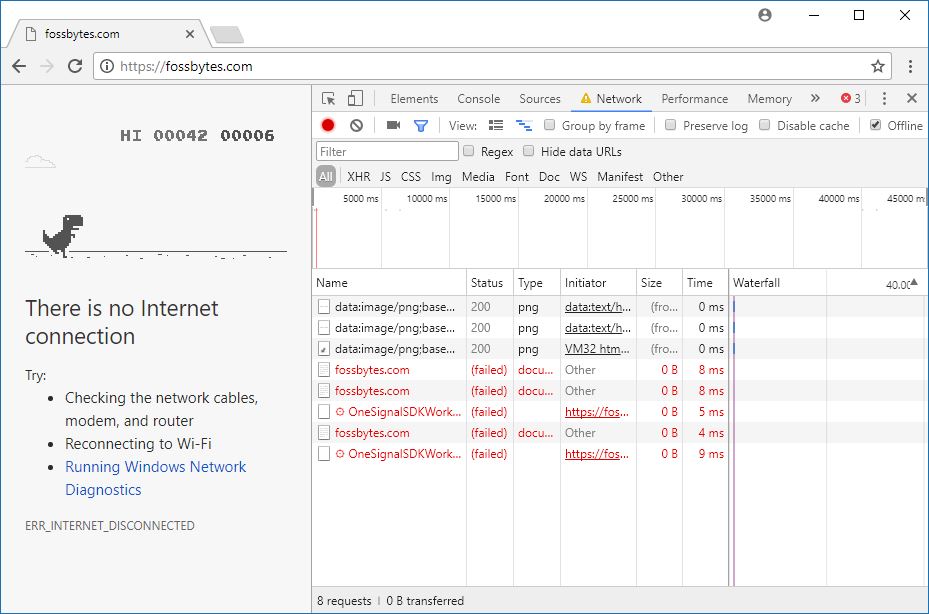
Google Chrome does not stay silent, now Google Chrome is a game called T-Rex Runner when we want to open a web / URL address but we have no internet connection. Or usually, there is writing Unable Connect to the Internet if you use the Google Chrome India version.
Best Google Hidden Games You Can Play on a Laptop PC
#1. How to play this T-Rex Runner Game?
Make sure you have installed Google Chrome Browser first if you
Then enter the URL in the address bar and click Enter, eg http://Infomint.net/
Then there will be the words “Unable to connect to the Internet”
or if you use the Google Chrome India version of his writing “Can not connect to the internet”. 5. To play the game T-Rex Runner NYC, you simply press the PASI or Up Arrow key from your keyboard.
And the game you’ve played, to jump can use/press the PASI or UP Button
#2. Play the Chrome T-Rex runner online game, taken from Chromium
Because Chromium is an open-source browser and T-Rex runner games also function there, the source code game parts have been extracted and are available for download. You can access it here. Because this is entirely JavaScript, there is a way to install this on the disk and start playing.
To play the Chrome Dinosaur game while online, you can simply visit this GitHub page and play the game… This game was created using the same Chromium source by a Chinese developer named Wayou Liu.
Not only that. Besides T-Rex, some games have been made that you can enjoy in your free time. Access them here:
#3. Play the Chrome Dinosaur Game written in Scratch
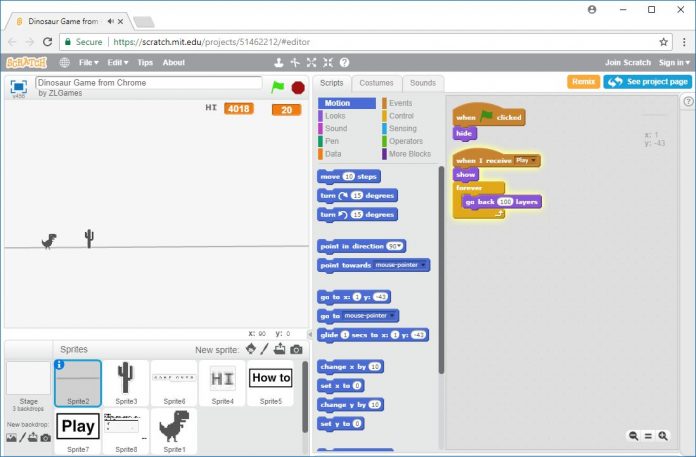
There are many versions of the Chrome Dinosaur game on the web. They are made by various game developers and coders. However, I have chosen to share the version written in the Scratch programming language because you can access the code (yes, I like open source) and see how it works. Play here. Please note that you need Flash support to play dinosaur games using this link.
By using “See Inside” in the upper right corner, you can access this Google game code, modify it, and download it.
4. Play the game when the computer is online without turning off the WiFi
If you don’t want to visit some external websites and play endless dinosaur games without turning off the internet, there are ways for that.
Simply press Ctrl + Shift + I to open the Developer Tools panel. There, visit the Network tab and look for the Offline option next to Disable Cache. Checkmark the Offline option and you are ready to go. Now, you can play the T-Rex game by trying to access any website.
#5.Tic Tac Toe
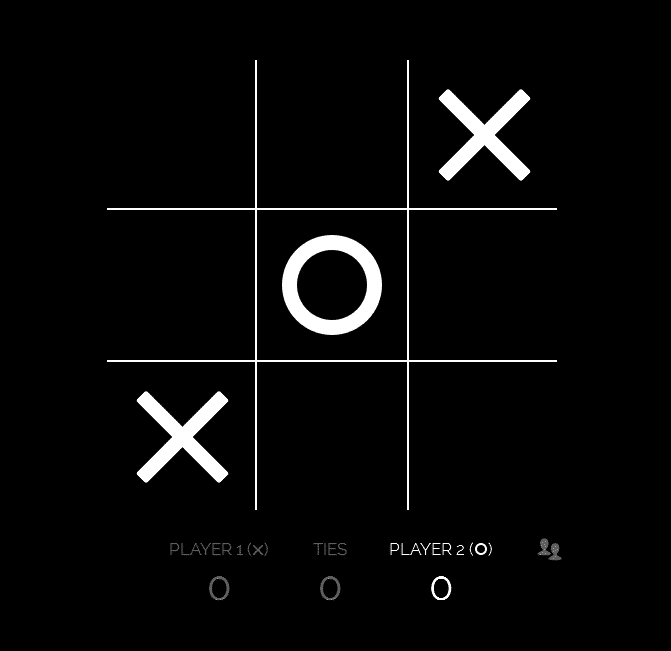
The first hidden game is Tic Tac Toe, the name of the game is less popular in Indonesia because we more often call this game by the name of XOX or SOS. This game was very popular when I was educated in elementary school, of course when I knew this game with the name SOS.
This game system is very easy, that is, we only need to write “crosswise” on a board that has a varied field (generally it is 3 × 3).
For those of you who want to be nostalgic about the game, you can access it through Google.com by typing the keyword “Tic Tac Toe” in the Google.com search field. Besides playing alone, you can also fight your friends by choosing the player mode you know.
#6.Atari Breakout
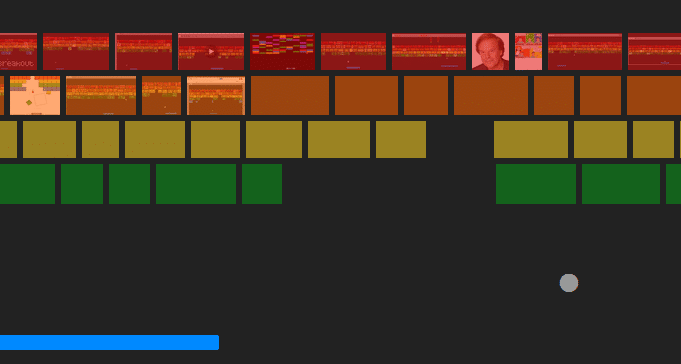
The second hidden game is Atari Breakout which is also a game made by Atari. If you are confused as to what this game is like, actually this game is similar to Game House’s Magic Ball where your job as a player is to bounce the ball by moving the board. So that the ball bounces and destroys the blocks above Google Hidden Games.
This game is very exciting to play to fill your spare time, especially when you are bored, or hit by confusion when accessing the Internet.
If you are interested, you can visit the Google site and write Atari Breakout in the search field to start playing the game.
#7. Pacman
Pacman, who doesn’t know Pacman ?. Yup, the game developed by Namco was first released in Japan in 1980. But Pac-Man never seems to die and continues to be popular until now, even its development has made Pacman released on many other gaming platforms such as Game Boy, SNES, and so forth.
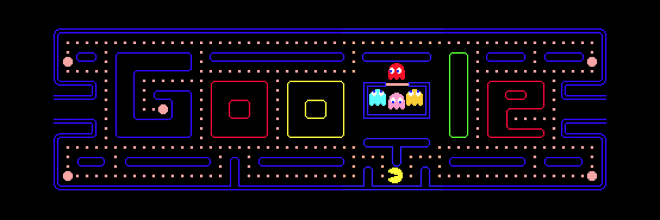
In the Pac-Man game, you are required to move the yellow tokok, and carry it around the twisting aisles while eating small dots and other objects that you find while traveling through the hall. However, at the same time, you will be confronted by four ghosts who also wander around the clearing with the task of catching Pac-Man.
Well, for you Pac-Man game lovers or just miss playing it again. You can play it by utilizing Google’s hidden game features that you can access by writing the keyword “PacMan” in the Google site’s search field. In addition, Google itself released the Pacman game in 2010 to coincide with the 30th anniversary of the release of the PacMan game.
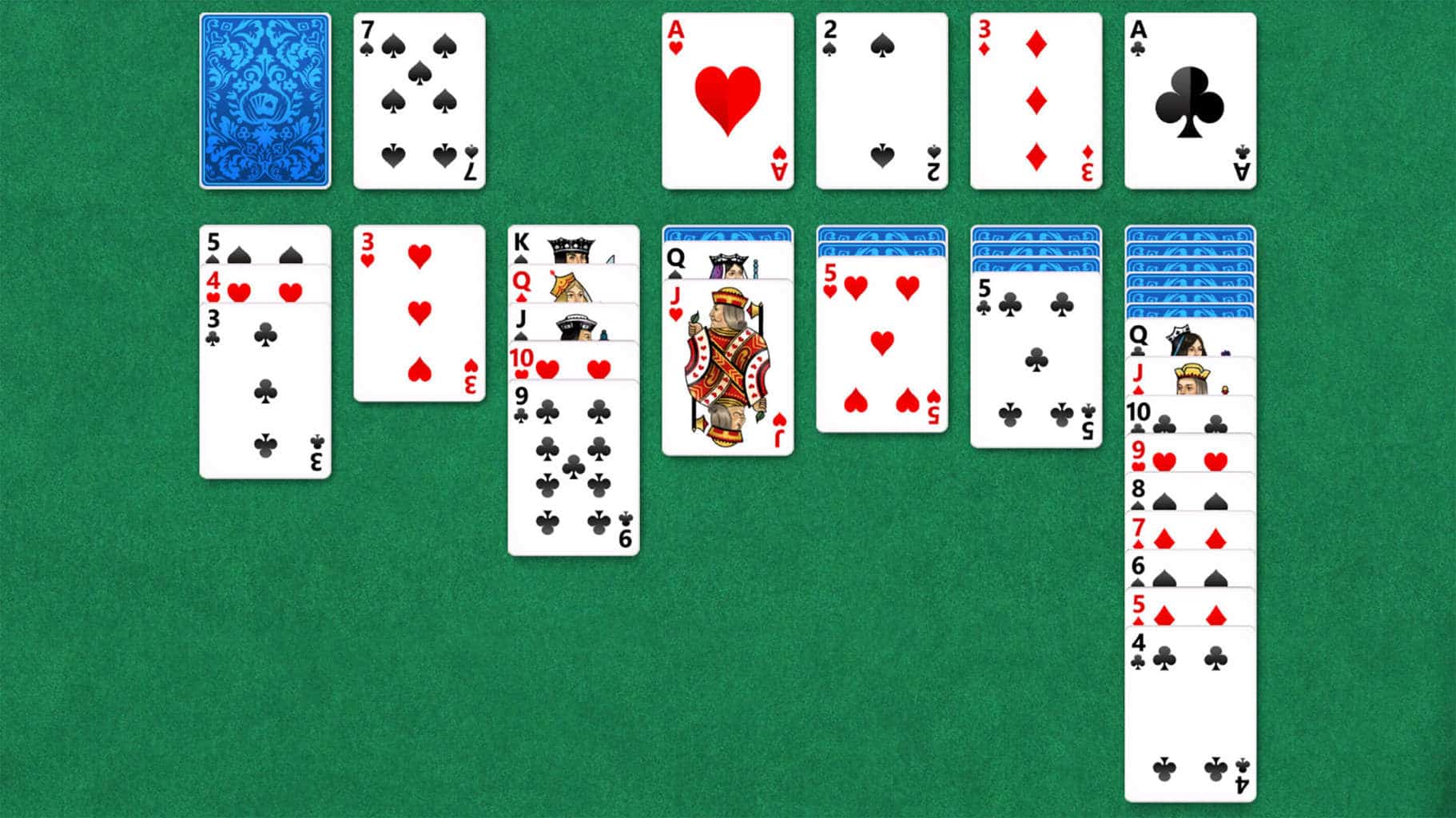
#8. Solitaire
For your card lovers, of course, you are familiar with this game. Solitaire is a game that exercises the patience of the players. Played with 52 standard game cards, you must arrange and stack each type of card, using a sequence that starts with the US card and ends with a King card.
You can play this game on Google by using the keyword “Solitaire” in the Google.com search field
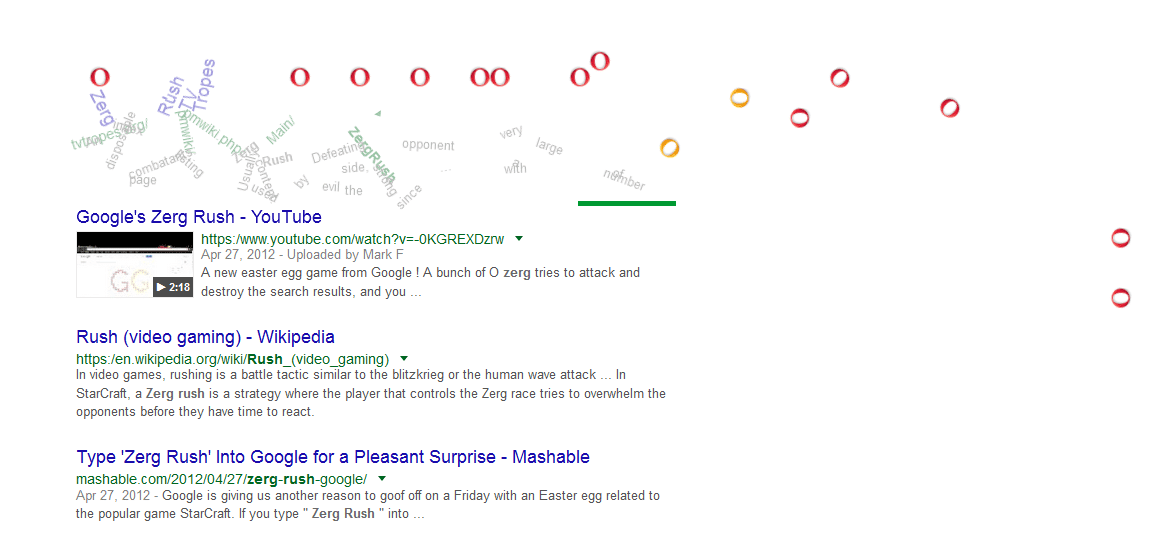
#9. Zerg Rush
Zerg Rush is a joke presented by Google, but not the same as other jokes that have been released by Google. Zerg Rush itself is a game produced by Google itself Google Hidden Games.
If you have played StarCraft, you should already know the true meaning of these keywords. Google might produce the game inspired by a tactic called Zerg Rush found in StarCraft.
If you are confused about what this game means, how to play it is quite modest. In this game, you are assigned to kill the letter “O”, which eats and eats away your search keywords by pressing the letter “O” with your cursor. You can also see the life of the letter “O” that you are fighting, and also the life of the search keywords that you must protect.
To play this game you can write the keyword “Zerg Rush” in the Google search field. Furthermore, the letters “O” will soon fall on the computer screen, and you too are ready to fight them.
#10. Basketball 2012
This game is very suitable to fill the time when bored accessing the internet. Taking Google’s hidden basketball game theme is very exciting for you to play Google Hidden Games.
How to play this game is fairly easy, where your job is just to press the spacebar to throw a basketball held by the character in the game.
To play this hidden game, you can write the keyword “Basketball 2012” in the Google search field. After that, you too are ready to play this game that is no less fun.
#11. Slalom Canoe
The last game I will discuss is a game called Shalom Canoe. In this game, your job is to move the canoe to pass obstacles around the river. You can use the directional buttons on your keyboard to move the canoe, and this game is more suitable if it is likened to white water rafting in the real world huh?
To play this unique and cool game, you can write the keyword “Shalom Canoe” in Google’s search box.
So, friends, These are the 11 best Google hidden games you can play, Although seemingly trivial, these games may be able to bring joy. Or maybe as a means to fill in spare time when we are bored and confused in accessing the internet. How, interested in playing it?
22+ Most Played Online Games in the World – The number of active players in a game can vary greatly from year to year. For this list, we turned to platforms like Steam and developer websites to find out what were the world’s most played and popular online games in 2023.
Image: unb.com.bd
22+ Most Played Online Games in the World
We collect relevant data such as estimated active players and the number of registered accounts of the most played games.
#1. Fortnite
One of the most popular and well-known games worldwide, Fortnite launched in 2017 and attracted 125 million players in its first year of debut alone. Currently, there are two game modes, Fortnite: Save the World and Fortnite: Battle Royale.
In both game modes, you have to collect materials such as wood, bricks, and metal to build your fort. In addition, there are weapons available for you to complete missions or be the last player on the map.
Approximate players: 350 million registered accounts Genre: Battle Royale and missions Game mode: Multiplayer Platforms: Microsoft Windows, iOS, Android, Mac OC, Playstation 4, Xbox One, Nintendo Switch
#2. Minecraft
The basic idea of this crowd-conquering game is building blocks. Competitors need to pool resources so they can survive, creating environments in creative ways. The game has several different modes, but the main one is “Survival”. In it, the goal is to pass through different stages, each more complicated, until reaching the final battle, with the Ender Dragon. The first version of Minecraft was released in 2009 and in Brazil, the game is at the top of the list with the most views on YouTube Gaming.
Estimated player: 112 million registered players Genre: Sandbox Game mode: single-player and multiplayer Platforms: Microsoft Windows, macOS, Linux
#3. Free Fire
In this classic battle royale, fight until you are the last survivor on the island. When released, Garena Free Fire became the Best Popular Vote Game by Google Play and attracted millions of gamers who became adventure lovers.
In the game, you have the possibility to fight with up to 50 players, explore the island, and get weapons and other equipment to be the winner of the match.
Estimated players: 50 million active daily Genre: Battle Royale Game Mode: Multiplayer Platforms: iOS, Android
#4. League of Legends
Known as LOL, League of Legends is a favorite among gamers, a real fever in the online gaming world! The objective of the game is to enter the enemy’s field with so-called “Champions” – who have different powers –, overcome obstacles, reach the Nexus (the heart of each team or competitor’s base), and destroy it. The League of Legends has huge international competitions, bringing fans from all over the world together. The main LOL event in Brazil is the Brazilian League of Legends Championship (CBLoL).
Estimated Player: 8 Million Simultaneous Daily Genre: Multiplayer Online Battle Arena (MOBA) Game Mode: Multiplayer Platform: Microsoft Windows, macOS
#5. Call of Duty: Modern Warfare
Here’s a brand-new version of one of the most beloved episodes of this addicting franchise. The new version, new story: this time, you are an elite soldier who must do everything to stop terrorists from using chemical weapons and, in addition, to prevent the imminent world war. Are you ready for the most important mission of your life?
Estimated cast: 50 million registered players Genre: shooter First-person game modes: player and multiplayer platforms: Microsoft Windows, PlayStation 4, and Xbox One
#6. PUBG
PlayerUnknown’s Battlegrounds ( PUBG ) is a battle royale game, a mix of survival and territory exploration. In PUBGS, competitors are hurled onto an island with nothing.
Everything, including their own clothes and weapons, must be conquered within the territory, while players try to overcome obstacles and stay on the island as long as possible. Up to 100 players can be dropped onto the island at once, but there can only be one winner, or one winning team if playing in teams.
Approximate player: 804 million Genre: battle royale Game mode: Multiplayer Platform: Microsoft Windows, PlayStation 4, Xbox One, Android, iOShttps://d2628e4d7c82bc41791dd96720522227.safeframe.googlesyndication.com/safeframe/1-0-38/html/container. HTML
#7. Dota 2
This classic game was released in 2011 and remains popular to this day, with millions of monthly active players. In Dota 2, you can play online or offline and you have to be very good at a strategy to become the champion of the game. The main objective, in any game mode, is to defeat the enemy team.
Estimated Player: 795,000 on Steam Genre: Battle Arena Game Mode: Multiplayer Platform: Microsoft Windows, Xbox One, iOS, Android, Fire OS
#7. Roblox
Explore diverse 3D worlds and create legendary stories and memories. Roblox is a popular game based on an open world, where players can create their own character and virtual universe. In addition, players can make friends in the game and add them to their friend list.
Estimated Players: Peak 164 million monthly players Genre: Sandbox Game Mode: Multiplayer Platform: Microsoft Windows, Xbox One, iOS, Android, Fire OS
#8. World of Tanks
Set during World War II and the Cold War, World of Tanks is a game for those who like combat vehicles and lots of action. In this game, there are 700 vehicles from various countries to choose from, including tanks, battle tanks, medium tanks, heavy tanks, and artillery. In the game, you are placed on a random map and can control your war vehicle and communicate with other players via chat.
Approximate players: 160 million Genres: Multiplayer and other genres Game modes: multiplayer Platforms: Microsoft Windows, PlayStation 4, Xbox 360, Xbox One
#9. CrossFire
Due to its immense popularity in Asia, CrossFire has become one of the most-played games in the world of all time. This game was released in 2007 in South Korea and became the most-played game in the world in 2014. Over the years, this first-person shooter has remained very popular all over the world.
Estimated Player: 1 billion Genre: First-Person Shooter Game Mode: Multiplayer Platforms: Microsoft Windows
#10. Underground Fighter Online
Launched in 2005, Dungeon Fighter Online is one of the most played online games in the world today, surpassing the 700 million player mark. This game is a multiplayer action RPG beat them and because of its popularity, it even received anime and manga adaptations from the background.
This game made by a South Korean company is a real phenomenon in Asia, released worldwide only in 2015 when it got more active players.
Estimated Player: 700 Million Genre: RPG, MMORPG Game Mode: Multiplayer Platform: Microsoft Windows
#11. GKART
Strongly influenced by the popularity of games in the Mario Kart franchise, GKART was released in 2010 and gained a lot of popularity in China. The following year, it was officially launched in 13 countries, mostly in Asia, and in 2017 the mobile version attracted more players worldwide.
GKART is a racing game that is greatly simplified for the keyboard, which makes it very dynamic and thrilling.
Estimated Player: 700 Million Genre: Racing Game Mode: Multiplayer Platforms: Microsoft Windows, Android, and iOS
#12. Among US
Among the US Kami was released in 2018, but in 2024 it was liked by the public. The game consists of rooms where the player is given a title at the beginning of each game: cheater or crew member. The swindler (or swindler) must kill the crew or sabotage the ship they are on.
A vote can take place at any time for everyone to vote on who they think is a fraud to kick him off the plane.
Estimated Player: 500 Million Genre: Social Reduction Game Mode: Multiplayer Platform: Windows, Android, iOS, Nintendo Switch, Mac, Xbox
#13. Crazyracing Cartridge
This racing game which is very popular all over the world is part of the Crazy Arcade franchise. The game offers various game modes, also based on the purchase or purchase of items that can make you stand out in each race.
A large number of active players is linked to the game’s success in Asia. By 2024, half of the Korean population and 45% of the Taiwanese population have signed up for the game.
Approximate players: 380 million registered accounts Genre: racing Game mode: multiplayer or single-player Platform: Microsoft Windows
#14. RuneScape
This multiplayer fantasy role-playing game was released in 2001 and continues to enjoy great popularity worldwide. The story of the game takes place in the world of Gielinor, a fantastic medieval world with various kingdoms and cities.
Players can travel through locations via various mobility. Challenges, quests, and monsters can be found along this fantastic journey.
Approximate players: 280 million registered accounts Genre: MMORPG Game mode: Multiplayer Platforms: Microsoft Windows, macOS, Linux, Android, and iOS
#15. Apex Legends
In this battle royale game, you have to be very smart, fast, and accurate to get better. Each Legend available for the game has its personality (some are soldiers, others are bandits) and has unique abilities that, if properly explored by you, can lead your troops to victory. Winning the Apex Games means wealth, glory, and fame. Are you ready? The game is available for free on Steam.
Approximate players: 2 million across all platforms Genre: battle royale Game mode: Multiplayer Platforms: Microsoft Windows, PlayStation 4, Xbox One
#16. Hearthstone
The creators of Hearthstone: Heroes of Warcraft call it “easy to learn and impossible to put down”. It works like this: players must choose cards to build a deck, which is nothing more than a collection of weapons and spells. Each competitor’s deck is represented by a hero, who has unique powers. The strength of each hero is evident on the battlefield where the strongest survive. The game idea is simple and available for free and in Portuguese.
Estimated Player: 100 Million Genre: Online Strategy Card Game Game Mode: Single Player & Multiplayer Platform: Microsoft Windows, Mac OS X, iOS, and Android
#17. Supervise
In this virtual battle, two teams of six components compete for victory. Each player must choose a hero who can fulfill three different roles: damage, tank, and support. In the first role, the hero is responsible for attacking the enemy.
Second, he must fight and destroy the opponent’s defensive position. In the latter case, the hero must support his team, protect and ensure its survival. There are multiple game modes and levels ranging from 1 to 5, with 1 being the most basic and 5 being the most advanced.
Estimated player: 50 million Gender: First-person shooter game mode: Multijogador Platform: Microsoft Windows, PlayStation 4, Xbox One, Nintendo Switch
#18. Valorant
Valorant is a 5X5 tactical shooter. The group that completes the mission first (which can detonate a bomb or disarm it) wins or eliminates all players in the opposing group.
The cool thing about this game is that each character has a unique special power. To win, you must use these skills well and know how to combine them with your team’s strategy. This game is available for free!
Estimated players: 2 million daily players on average Genre: First-person shooter Game Mode: Multiplayer Platform: Microsoft Windowshttps://d2628e4d7c82bc41791dd96720522227.safeframe.googlesyndication.com/safeframe/1-0-38/html/container.html
#19. Counter-Strike
What’s good never goes out of style, right? The wildly popular Counter-Strike, released in 1999, is an excellent example of this. Available since 2012 with the Global Offensive ( CS: GO ) version, this game is one of the most traditional in the gaming world.
Players compete in teams and position themselves as terrorists (T) and against terrorists (CT). Player T must plant bombs on enemy terrain, while CT must deactivate them, destroying enemies and protecting potential victims.
There are several world championships organized for fans of the game, such as the so-called Majors. The competition has a prize pool of nearly 4 million reais and several Brazilian names have made history by taking home the prize.
Approximate players: 1.3 million on Steam Genre: First-person shooter Game modes: single-player and multiplayer Platforms: Microsoft Windows, OS X, PlayStation 3, Xbox 360, Linux
#20. Rainbow Six Tom Clancy: Siege
Rainbox Six: Siege is part of the Ubisoft series of games inspired by the books by author Tom Clancy. Competitors take on roles in teams that are trained to stop some terrorist plots and are divided into Attack and Defense.
The offensive team must work to defuse the bomb, while the defensive team must ensure that the opponent does not reach their goal. The game requires a strategy to build a team, as well as a good understanding of the map where the battles take place.
Estimated player: 50 million registered players Genre: First-person shooter game mode : Multiplayer platform: Microsoft Windows, PlayStation 4, Xbox
The popular card game is available for free in three difficulty modes: easy, standard, and pro. The objective is for players to score points through a variety of card combinations until one reaches 121 points.
The fast-paced game can provide entertainment for players of all skill levels as it also comes with a rule book and popular strategies.
One of the most recognizable games of all time, Hearts’ objective is to have the lowest amount of points through a series of card-swapping rounds. The game relies on a sound strategy and a bit of luck.
The game is available in single-player and multiplayer modes and a rule book where tips and the game’s history are available.