How to Disable Sleep Mode on Mac Computer Laptop PC – Mac computers and MacBooks are put into sleep mode (Sleep Mode) after a certain period to save laptop battery power. However, if the Sleep Mode feature interferes with work, you can turn it off. Here’s how to disable sleep mode on a Mac using System Preferences and via third-party apps.
How to Disable Sleep Mode on Mac Computer
How to Disable Sleep Mode on Mac Using System Preferences 2024
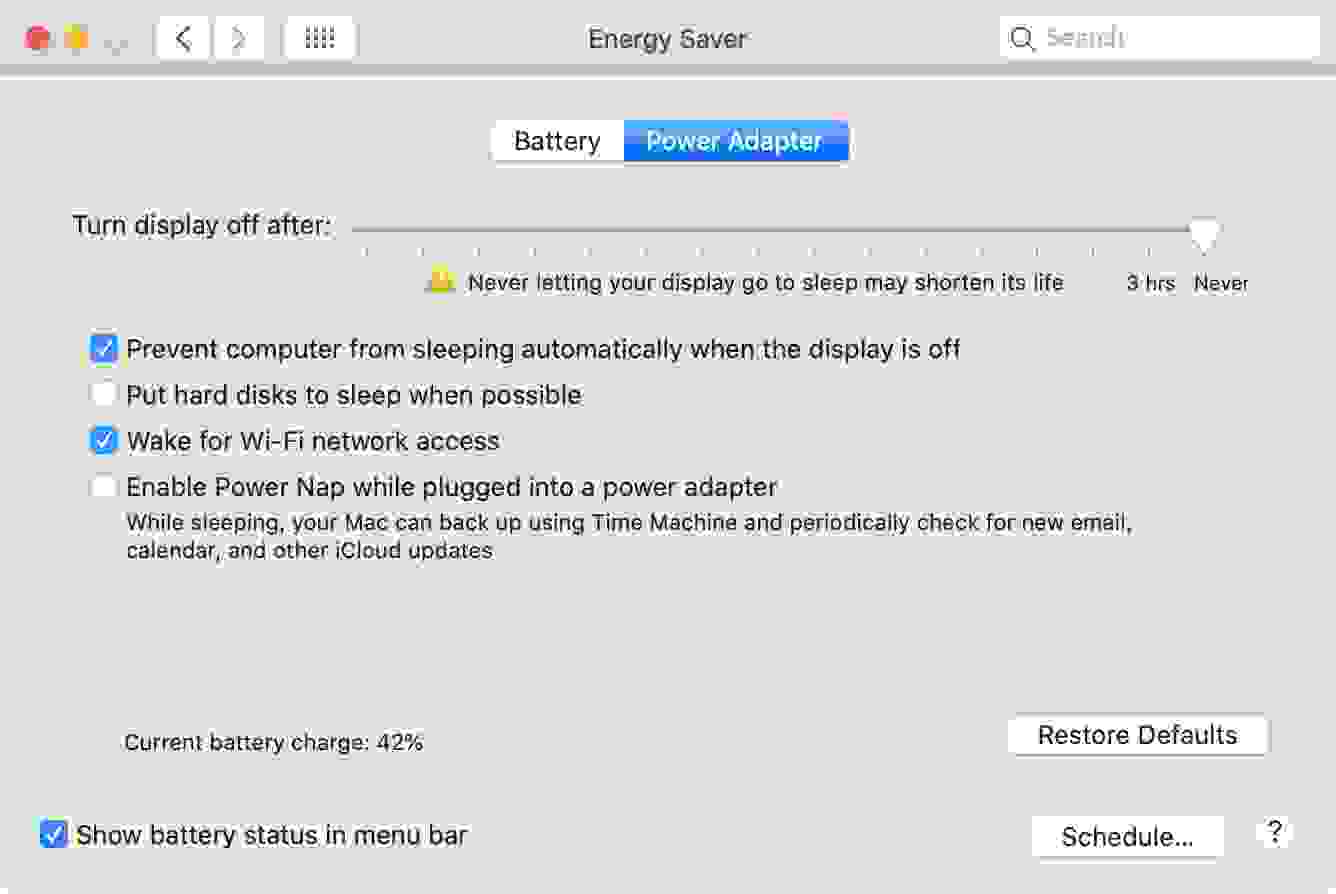
To disable sleep mode on a Mac, go to System Preferences > Energy Saver. Then check the box next to Prevent the computer from sleeping automatically when the display is off and turn the display off after to Never.
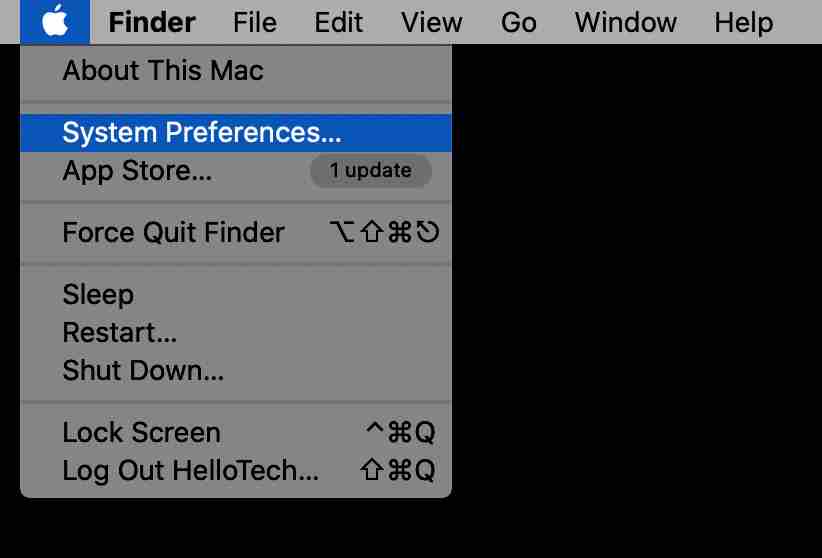
1. Open the Apple menu. You can click the Apple icon in the upper left corner of your screen.
2. Then select System Preferences.
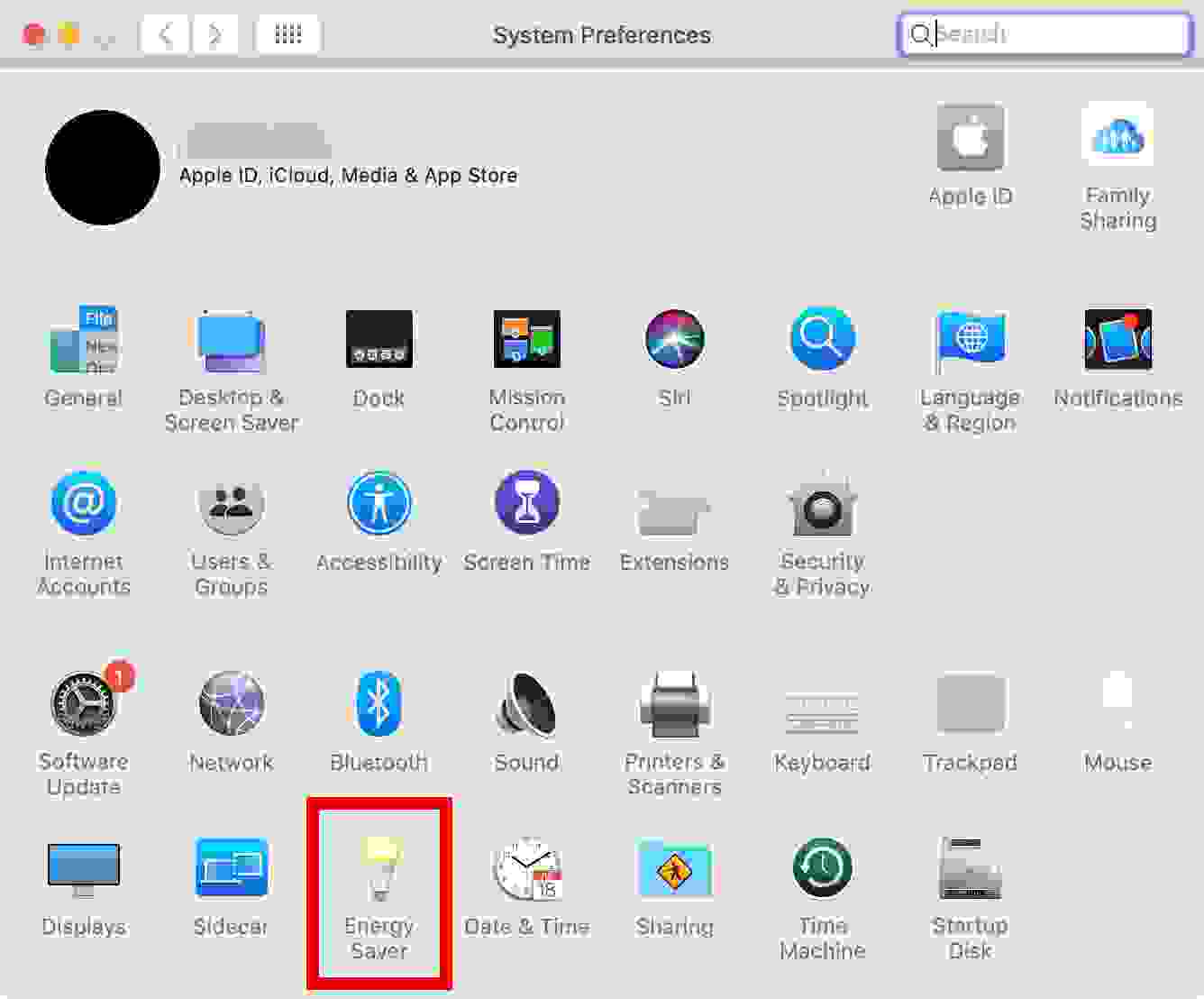
3. Next, select Energy Saver. This is an icon that looks like a light bulb.
4. Check the box next to Prevent the computer from sleeping automatically when the display is off.
5. Then uncheck the box next to Put hard disks to sleep when possible.
6. Finally, drag the Turn display off after the slider to Never.
How to Disable Sleep Mode on Mac Using Applications
Apart from using System Preferences to disable sleep mode on a Mac, there are third-party apps that let you more easily set sleep mode on a Mac or MacBook.
#1. Amphetamine
Amphetamine
Amphetamine is an application designed to keep your Mac awake by using triggers. Amphetamine is the coolest keep-awake app ever made for macOS. Amphetamine can optionally keep your Mac awake via a very simple on/off switch, or automatically via an easy-to-configure Trigger.
#2. Owly
Owly
If you want to control your Mac’s sleep mode preferences with a simple interface, then the Owly app is the best choice. This application displays a small icon located in the Menu Bar at the top of the screen. Owly makes sure your Mac screen never goes dim, no screen saver pops up, and your Mac doesn’t go into sleep mode.
By right-clicking the Owly icon in the menu bar, the application can activate/deactivate. When the icon is red, Owly is active and will keep your Mac awake. When the icon is black, the app no longer actively ensures your Mac doesn’t go to sleep.
Conclusion:
Owly is useful when you want to keep certain information on the screen when you may not be actively using the keyboard/mouse.
Top 12 Best List Of Live Station Alternatives for PC – LiveStation is a global stage for streaming TV directly on the web. This centers on news channels around the world. The direct TV channel index combines all-important news that governs the world such as Aljazeera, BBC International, and so on.
Top 12 Best List Of LiveStation Alternatives for Laptop PC
Top 12 Best List Of LiveStation Alternatives for Laptop PC 2024
Administrations are allowed to use, and most directing in inventory can be accessed with the hope of being poured free, there are several channels that you need to pay, but costs are also less ($ 2 per month).
The interface is easy – the administration also has applications for Android and iOS clients. LiveStation presents you with the best live video news from around the world.
You can find many news channels and a large number of people who broadcast live. You can even communicate alone using the LiveStation Application.
You can find communication that is tilted far and wide now or peruse reading and recording substance by area.
When you observe directly, you can communicate with the telecaster through conversation. Also, if you need to watch out when someone goes to live only their tail (App as if).
The world is the main place and there is always something interesting happening somewhere.
Whether it’s headlines, social incidents, or events nearby – the LiveStation gives you the position of the front column. if you need to watch out when someone goes live only their tail (App as if).
The world is the main place and there is always something interesting happening somewhere. Whether it’s headlines, social incidents, or events nearby – the LiveStation gives you the position of the front column.
if you need to watch out when someone goes live only their tail (App as if). The world is the main place and there is always something interesting happening somewhere. Whether it’s headlines, social incidents, or events nearby – the LiveStation gives you the position of the front column.
#1. Sofa Tuner
Sofa Tuner
Couch Tuner does not have any videos or transfer media documents found here. This site only contains a combination that directs you to different websites (eg Vodlocker.com, allmyvideos.net, vidbull.com, youwatch.org, exashare.com, allmyvideos.net, putlocker.com, and others).
So the Tuner Couch is not risky for any copyright, validity, or other parts of the connected local that is determined. If you have a legitimate complaint, please contact …
Visit:- https://www.couch-tuner.ag/
#2. SideReel
SideReel
SideReel seems to be one of the best and most original free TV stacking administrations that are worth thinking about alongside a significant TV link system.
This webpage brings you to complete TV, movie, and web scenes from various classifications including activity, experience, toon, comic drama, reality, high school, and more. SideReel has everything, allowing you to channel through the latest scenes from this week, debut, and …
Visit:- https://www.sidereel.com/
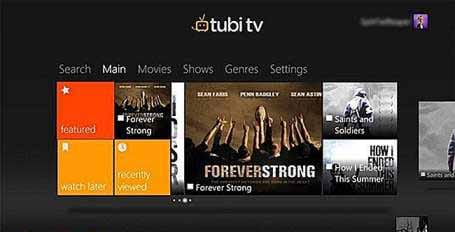
#3. Tubi TV
Tubi TV
Tubi TV is a new player in the world of online TV that plans to deliver free programs to viewers, and yes – they work legally through permit approval (not at all like most other small local TVs out there).
It even combines videos and movies. It doesn’t exactly have a hefty portion of new and current shows like the ones you find from …
Visit:- https://tubitv.com/
#4. TVMuse
TVMuse
TVMuse is a European website for video content. This is a European website located for European clients. This is the structure of every famous program, with each season and with every scene.
It shows more than 2,000 individual television program titles with 100,000+ scenes. This list contains data, footage, clips, comments, and news from more than 30,000 videos and films. Site Guide collects rundowns, positions, and ratings of more than 2000 videos …
Visit:- https://tvmuse.cc/
#5. WatchSeries
WatchSeries
Individuals are indeed unique! All of you realize what they say: various blows for various people. Possibly, about watching your most loved TV shows, you all need easy things. Cool and fast, but basic! So, there are sites that can be used by everyone. You can without much stretching to TV shows you need, you …
Visit:- https://watchseriesfree.co/
#6. Cucirca
Cucirca
Cucirca.eu- is one of the best websites where you won’t find images and lots of shadows but at the same time look fun.
The design is well organized, and will first see the lattes scenes entered by date, and below are all TV settings that are orchestrated in sequence.
The TV Series database is very large You can find 100 titles from the first to the last scene here. The nature of the video shifts from stream to stream so …
#7. HBO GO
HBO GO
HBO GO is phenomenal for HBO fans, giving access to most HBO substances for your mobile.
HBO GO is HBO’s response to TV turmoil, giving its clients profitable access to HBO content for most of its endorsers. This is an amazing administration for HBO fans who need to attend their most loved HBO events while traveling from iPad, iPhone, or …
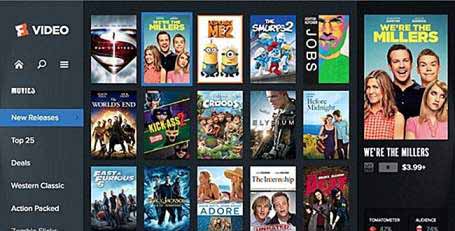
#8. FandangoNOW
FandangoNOW
With a somewhat larger development, this shed administration can compete with the more established online TV goals. The most up-to-date participants in the TV that emits and markets videos and films are M-GO.
This administration, the result of Technicolor and DreamWorks stimulation, guarantees the most convenient online TV page. After finishing in mid-2013, FandangoNOW was only good with some brands. Accessibility of the application depends …LiveStation Alternatives.
Visit:- https://www.fandangonow.com/
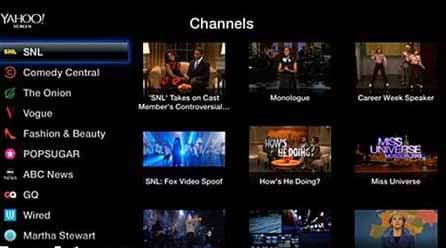
#9. Yahoo TV
Yahoo TV
This site combines the “Beyond the Episode” area that offers a picture-in-picture display, so you can continue watching while browsing Tumblr.
This site will link clients with Tumblr’s authority for shows and in addition to their fan groups, where they can sort through workmanship, change, and GIFs and that’s just the tip of the iceberg. This area can also produce square substances that can reveal spoilers, Yahoo said. In…LiveStation Alternatives.
Visit:- https://www.yahoo.com/entertainment/tv/
#10. Yidio
Yidio
Yidio is the premier cross-platform display and disclosure application for TV Shows and Movies on your smartweb, phone, tablet, or television. Yidio is an online video manager that allows you to see and find more than 1 million TV and Film Shows effectively through many free and paid premium substitution administrations like Netflix, Hulu, and Amazon all in one place. It can be accessed both on iOS and …LiveStation Alternatives.
Visit:- https://www.yidio.com/
#11. USTV Now
USTV Now
USTV Now is an amazing support for watching free TV channels on the web. The government is for US military personnel who live outside the US or US citizens who live abroad.
Therefore, the stage never approaches you for any adaptation or data regarding your nationality. The administration is legitimate and supports many standard gadgets like iPhone, iPad, Roku, Android, and so on …LiveStation Alternatives.
Visit:- https://www.ustvnow.com/
#12. YuppTV
YuppTV
Yupptv is a newly launched administration to watch TV directly for free on the web. The administration offers Indian local and national channels for direct spills but also has a few English language channels such as HBO, History TV, and so on.
The administration is payment for groups of viewers of the United States and other North and South American countries but for Indian meetings … LiveStation Alternatives.
3 Ways to Record Whatsapp Calls on Android – WhatsApp is the number one application for messaging and it is becoming quite popular for voice calls. Now, one might want to record the WhatsApp audio call if they are in an important meeting or conversation.
Best Ways to Record Whatsapp Calls on Android
But WhatsApp does not natively support voice call recording so you cannot do that. But rest assured as we list here 3 easy ways that you can record your WhatsApp audio call on an Android smartphone.
#1. Voice recording app
Most modern Android smartphones come with a voice recording app, which can be used to record conversations.
This is an easy and elegant solution. The default voice recording app on most Android smartphones is Google voice recorder. If it is not present in your smartphone, then you can simply download it from the play store. Let’s see how it works.
Start your WhatsApp call and turn on the speaker.
Put the call in the background and open the voice recorder app.
Press the record button on the voice recorder app and start your conversation.
This method needs your phone to support multitasking, but most phones from the last 3 years support this feature.
The recording quality may be a bit worse as it records from the speaker’s phone and picks up the surrounding noise. But this method does the job of recording WhatsApp calls easily.
Some smartphones may block voice recording while you are on the call. If your Android phone does that, then you can use a different device to record the voice call while you are conversing.
I know this is a bit tedious and most people don’t have two smartphones. But trust me as this is the easiest way of recording WhatsApp calls. If you can not record using this method, you can try third-party mods like gbwhatsapp, which supports an inbuilt call recording feature.
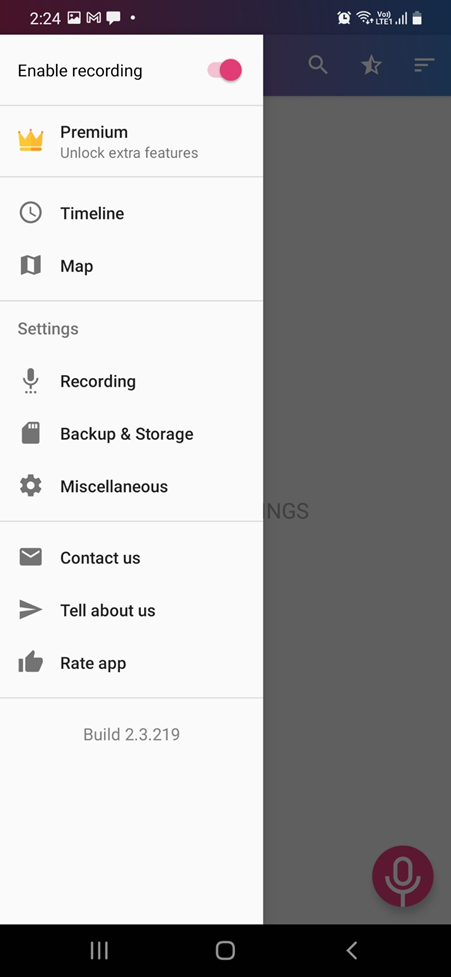
#2. Third-Party Recording applications
As WhatsApp doesn’t have a native voice-recording feature, there are tons of WhatsApp voice recording 3rd party apps present in the play store. But you have to be careful in choosing the perfect app as some may leak your sensitive data.
You also have to check the legitimacy of the app by viewing the developer, privacy policy, app reviews, and other details. We recommend that you get the “Cube ACR” application from the play store.
Cube ACR is a call-recording app that records your WhatsApp call and Normal voice call. It is a free-to-use app with less-intrusive ads. It can automatically start recording your voice call when you get it. This application works on different applications.
You also get numerous features with this application such as cloud backup, shake to mark important moments, and silent mode.
The “Shake to mark” is a useful feature that captures important moments in your conversation with just the shake of the phone. You can visit those moments in the conversation later. This app also comes with a widget option for you to control features straight from it.
If you want a sure and reliable way of recording your WhatsApp call, then a good 3rd party app such as “Cube ACR” is the way to go.
Note: Make sure that you give only the necessary permission to the 3rd party apps, so it doesn’t get access to your sensitive data.
#3. Native call recording feature
Before you go and try out the above-mentioned feature, you should check if your phone has a native call recording feature. It is not a sure option but some Android manufacturers give the option to record voice calls.
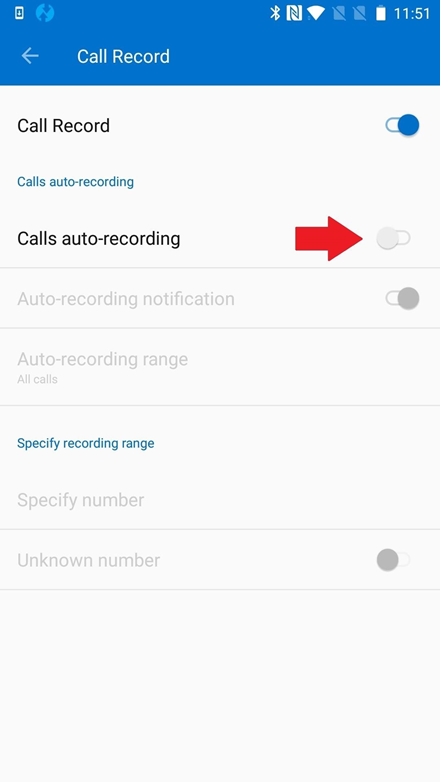
Manufacturers like Huawei, Samsung, and OnePlus bake this option in their software. Users of OnePlus smartphones will find this option in the settings section of their native voice call app.
Likewise, Samsung users too can find this option on the settings page of their native call application. You can choose auto-recording or manual recording among many other features. When choosing between auto-recording or manual recording, we suggest you choose auto-recording.
You may never know when you will get important or spam calls that need recording so auto-recording is the best option. After a certain amount of calls, you can delete these recordings to save space. You can see the previously recorded call on the call recording settings page itself.
This native call recording feature is nice to have, and I hope other manufacturers along with Google make this happen on their software.
Unlike iOS, Android is way more open to making this call-recording feature happen even if it doesn’t support natively on WhatsApp. iOS doesn’t allow 3rd party apps to access the phone application and microphones at the same time, so you won’t find a good recording app.
Conclusion:
Luckily on Android, we do have the option of using a native or 3rd party voice recording app to record our WhatsApp call conversation. We hope the methods listed here help you in easily record the WhatsApp call on your Android smartphone.
3 Quick Ways to Remove Old Windows on PC Laptop – Have you recently upgraded your computer but the drive on your system is immediately full? Usually, this is because the old OS is still stored. In this article, I will guide you, on how to delete old windows on your laptop, which can be a solution to fix this.
3 Quick Ways to Remove Old Windows on PC Laptop
How to Remove Old Windows on PC Laptop 2024
Some people are often wrong in overcoming problems like this. They overcome this by deleting unnecessary data on the computer or uninstalling unused applications.
While doing so may leave a bit of space on the drive, it’s less effective. The reason is, the problem is the old Windows or Windows. old files that are still stored.
What Is Old Windows?
Old Windows is a folder that contains old Windows system files before you upgrade. Generally, this folder is deleted automatically after a while after you start using a new OS.
As is generally known, windows have a fairly large size. That’s why this old Windows folder can make the drive on the system fill up fast.
Windows. old is created automatically when you have upgraded the system. Its purpose is to create a backup of the old system so that it can be used for restoration if needed.
For example, if you are not satisfied with Windows 10’s performance after being upgraded, then you can restore it or downgrade it to the previous Windows using the help of this old Windows folder.
And vice versa, if you feel at home with Windows performance after upgrading, then you can delete the old Windows folder which is still stored on the computer drive.
How to Remove Old Windows on a Laptop PC
Delete old windows by direct delete, sometimes it doesn’t apply. So that the old Windows folder can be deleted, there are some special steps to do it.
But don’t worry because the method is quite easy to do. Several different ways can be alternative options.
Delete files from the old Windows folder can be done in Windows 10, 8, and 7 permanently and is proven safe.
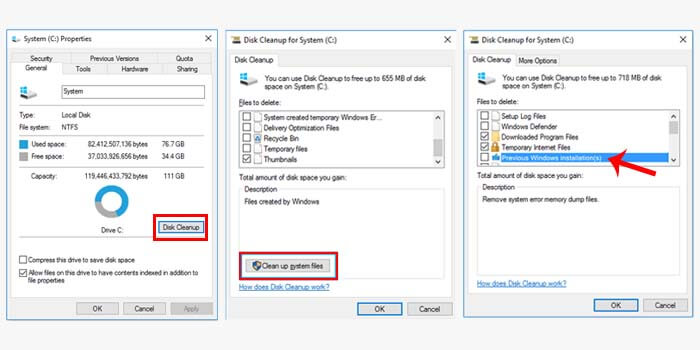
#1. Disk Cleanup
Disk Cleanup is a feature of Windows that functions to clean the drives on the computer. Generally, this feature is used to safely delete junk files including the old windows folder.
Here’s how to safely remove old windows:
Open a file explorer on your laptop or PC.
Then right-click the drive (C :).
Then select the Properties option.
Click the Disk Cleanup button.
Then click Clean Up System Files.
Check the Previous Windows Installations box then OK.
Click Delete Files then select the Yes option to accept.
After that, wait for the process to complete.
The length of time it takes to delete the old Windows folder depends on its size. When it’s finished, don’t forget to restart your PC or laptop.
#2. Using CMD
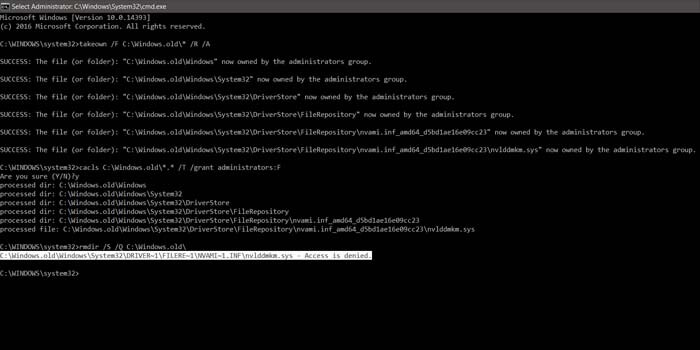
Command Prompt or often referred to as CMD is a program in Windows that is capable of executing commands. You also delete old windows by giving this command in CMD.
How to delete old windows with cmd:
Press the Windows key + R then type CMD and click OK.
Then the CMD window will open.
Type the command takedown /FC:Windows.old* / R / A
Then press the Enter key on the keyboard.
Then type cacls C: Windows.old . / T / grant administrators: F
Hit the Enter key then type Y and hit Enter again.
Next, enter the command rmdir / S /QC: Windows.old
Press Enter to apply the command.
Now you just have to wait for the process to finish, and then restart your computer or laptop. Deleting the old Windows folder using CMD can be a pretty good solution.
#3. With CCleaner
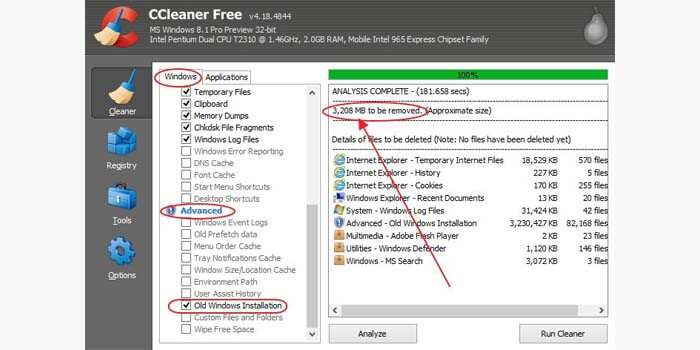
CCleaner is a popular and proven cleaning software for Windows. CCleaner has a feature to permanently delete the old Windows folder and its contents.
How to remove old windows with CCleaner:
Run CCleaner on your PC or laptop.
Then enter the Cleaner menu.
Check the Old Windows Installation box.
Usually, this option appears in the Advanced List section.
Now click the Analyze button to start scanning.
Then the size of the old Windows folder will appear.
Click the Run Cleaner button and wait for CCleaner to finish removing old windows from the PC.
Done.
Although CCleaner can be used free of charge, it provides significant benefits for PCs and laptops. Some people even consider this software a must-have for every computer.
So, friends, This is the explanation of 3 quick ways to remove old windows on a PC Laptop, those are some ways you can delete the windows. old folder and its contents are permanent until it is clean on Windows 7, 8, and 10 safely.
List of 8 Best Spotify Alternatives You Should Try – Well, nowadays hundreds of music streaming services are available on the web. However, out of all of them, Spotify stands out among all of these apps. Spotify has premium sound quality and a huge music database compared to every other music streaming service.
List of 8 Best Spotify Alternatives You Should Try
List of 8 Best Spotify Alternatives You Should Try 2024
However, Spotify is a premium service and it costs more than other services of the same category. This is the only reason music lovers have started looking for Spotify alternatives. So, if you are among those who are looking for the best free Spotify alternative or an affordable subscription price, then you are reading the right article.
In this article, we are going to share some of the best Spotify Alternatives for streaming music. Most of them are free and they have a huge music collection. So, let’s check out some of the best alternatives to Spotify.
#1. Google Play Music
Google Play Music
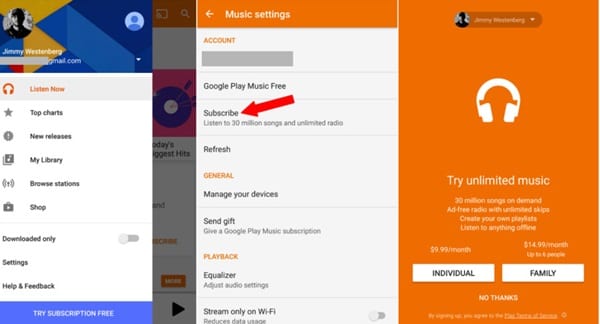
Today there are billions of users captured by Google Play Music and we hope you guys will be familiar with this app for a very long time. This app is free for you to download on Google Play Store and provides users with ad-supported radio, how they feel or what they want to hear, and many things you will know after trying this cool app on your device.
#2. SoundCloud
SoundCloud
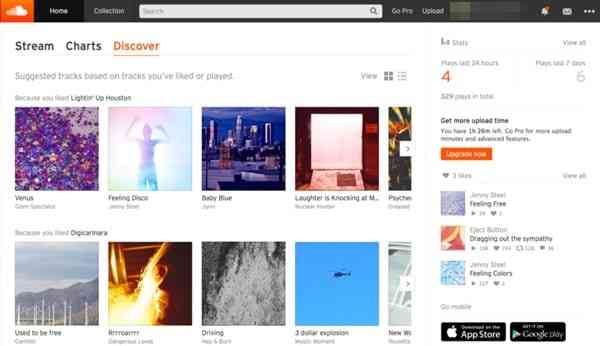
SoundCloud has a lot of features compared to other similar apps. So, we have placed it in our list of the second-best alternatives to Spotify. Apart from that, the interface of the app is quite addictive and you can find almost every new music in this app. The servers are updated from time to time and you can easily find your favorite music.
#3. Deezer
Deezer
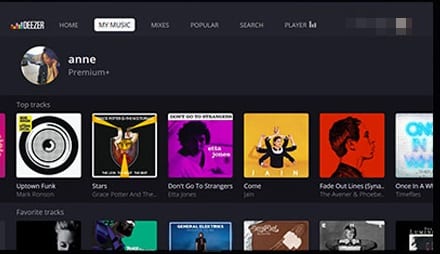
Many of you must have seen this name for the first time, but it is an application that has attracted a large number of users in a very short time and you can see this number of downloads increasing day by day. The great interface of this app helps users find and play music from different categories and you can easily stream your favorite music in this app.
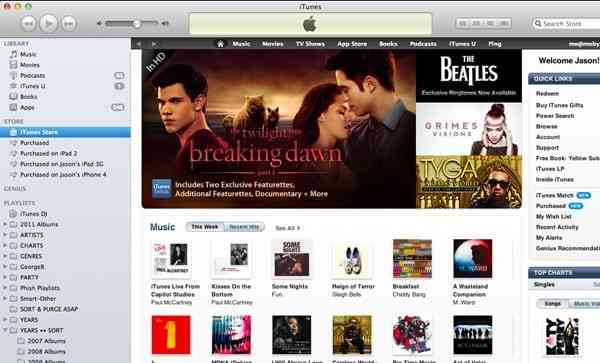
#4. iTunes Music Store
iTunes Music Store
All iPhone users should know this. This is Google Play iPhone music which provides several features to stream music on your device. Apart from that, it provides many options for grouping music. So you should try it.
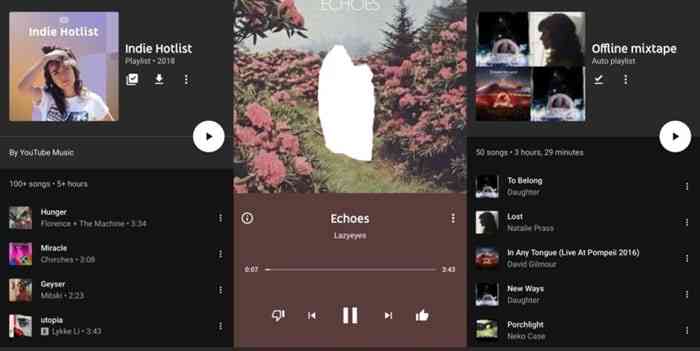
#5. YouTube Music
YouTube Music
This is one of the best services you should ever use. This is an app featuring top songs and popular hits from various genres that you should love. You can get it easily from the Play Store and app store for your Android and iOS respectively.
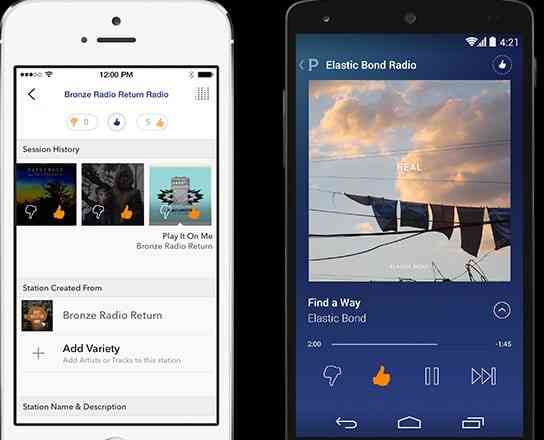
#6. Pandora Radio
Pandora Radio
This is another great service which is a dedicated radio station rather than a jukebox where users create “stations” based on stylistic similarities between songs and artists, and then Pandora’s algorithm. So, try this app on your device and you will definitely like it.
#7. Tidal
Tidal
This is the first music service with high-definition sound quality. Yes, you read that right. In the free version, there is an option to stream music in superior sound quality. All you need to do is create a playlist and add your favorite music there. So must try this app.
#8. Amazon Music
Amazon Music
Well, Amazon Music formerly known as Amazon MP3 is another best Spotify alternative on the list that you can consider. The best thing about Amazon Music is that it allows users to upload, download, and access thousands of digital music in the cloud. Guess what? Amazon Music has about 30 million songs in its library.
So above is the list of the 8 Best Alternatives of Spotify that you should try. Thank you for visiting Technowizah.com. To find other interesting articles.