Author: Nazrul Islam

  • 7 Android Games Like Harvest Moon for Android 2024

    7 Android Games Like Harvest Moon for Android 2024

    7 Android Games Like Harvest Moon for Android – Harvest Moon is often a comparison to the simulation games that are currently out on the market.
    7 Android Games Like Harvest Moon
    7 Android Games Like Harvest Moon

    7 Android Games Like Harvest Moon for Android 2024

    This is because Harvest moon is one of the most popular game legends by many people, so it is not surprising that there are so many “similar” games that have been made.

    Read more:

    Not only for PCs and consoles, especially for Android mobile, there are also lots of “Harvest Moon-like” games appearing.

    So, curious about what kind of harvest moon-like games you can play on Android, just see the article below.

    #1. Harvest Town
    Harvest Town
    Harvest Town

    Harvest Town itself is a gardening simulation game with a pixel style that will present RPG elements in it.

    So besides you have to care for and take care of your plantation, this game will also present elements of grinding skills, and exploration, as well as battles against monsters in real-time.

    Interestingly, this game also includes quests and daily quests that will help increase your character’s base level. The base level in Harvest Town itself will function to open various kinds of skills to skills.

    In addition, the developer also maintains the most important element of the gardening simulation genre game, namely the dating sim, where you must socialize with villagers to share profits, even marrying one of them.

    Download: Google Play

    #2. Stardew Valley
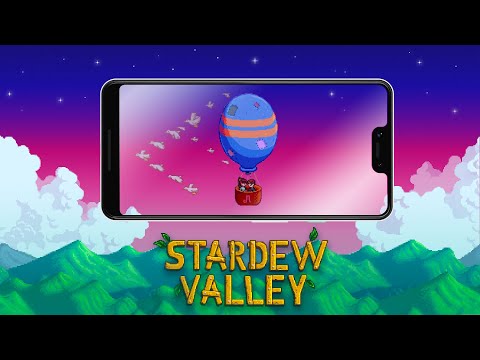
    Stardew Valley
    Stardew Valley

    You could say that this game is the most complete form of a Harvest Moon-style simulation game, even better. Stardew Valley even has some additional unique elements that make it look even more attractive than Harvest Moon.

    Not only gardening and raising livestock, but you can also collect resources and money from hunting monsters. This game gives the same nuance but is different from Harvest Moon.

    Download: Google Play

    #3. Country Life: Harvest Day

    Country Life Harvest Day
    Country Life: Harvest Day

    Country Life: Harvest Day is a Harvest Moon game with a simpler style and graphics. Even so, the gameplay of this one game is no less interesting, with simple controls, players can explore the world of Country Life: Harvest Day by farming, socializing, and of course looking for a mate in this one mobile game.

    The cool thing is, the more often you play this game, players can get exp which can be used to upgrade your character to make it faster and stronger in farming. Interested in playing it? download now!

    Download: Google Play

    #4. Fishing Paradiso
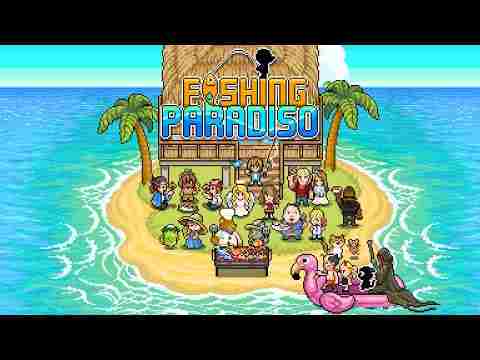
    Fishing Paradiso
    Fishing Paradiso

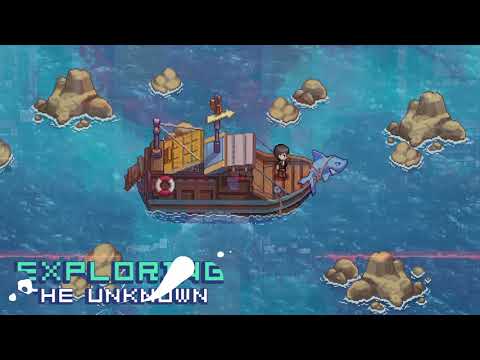
    If the previous list is a game that provides a pure fishing experience. This one game, Fishing Paradiso provides a fishing experience combined with an RPG game.

    Where players will follow the story of a boy trapped on an uninhabited island, to survive, he must fish to find food.

    Over time players will follow the storyline of the game. And how his fishing adventure can make him stronger and survive in the wild.

    This game gives you an experience that is quite similar to the game above, the difference is that instead of farming, players have to catch fish to live and earn money.

    Download: Google Play

    #5. Harvest Master
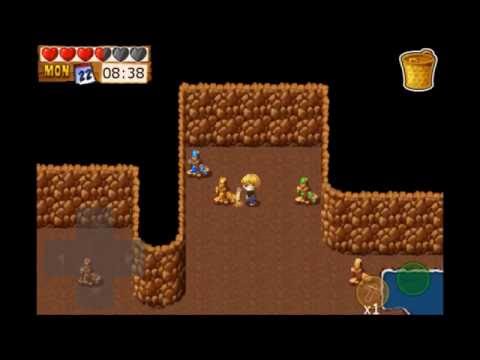
    Harvest Master
    Harvest Master

    For those of you who want to find a simpler harvest moon game, you can try this one game, Harvest Master.

    Where the setting of this story is, your uncle died, and he left you a farm, even though you originally intended to sell the land, you eventually wanted to develop it, but because your uncle was insolent and left a lot of debt.

    So whether you want it or not, you have to pay for it or the land won’t disappear. Well, from that setting, of course, you already know what you have to do, grow crops, and struggle to get a penny and pay off your debts. Oh yes, you can also socialize and find a wife to share the debt, so that your wife is also tortured to pay off your debt.

    Download: Google Play

    #6. Citampi Stories
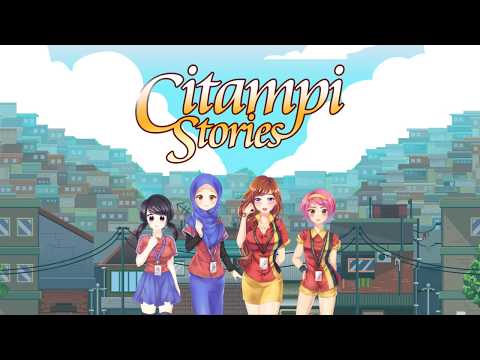
    Citampi Stories
    Citampi Stories

    Citampi Stories: A Love & Life Story, developed by  Ikan Asin Production, tells of a young man whose parents are in debt, and players have 10 weeks to pay it off.

    Where players who can’t pay their debts must marry the loan shark boy who doesn’t have a beautiful face but has liked them for a long time.

    Well, the only way is for you to go to Citampi City and struggle to work sending money to your parents.

    Unlike Harvest Moon or Stardew Valley where players have to grow crops and look after cows. At Citampi Stories, players have to work, looking for various jobs that are suitable for them, from being a school guard to tutoring.

    You can also use the money you get to get a better job by buying certificates, and equipment, and learning to become even more successful people. Well,

    Download: Google Play

    #7. Nature Vile
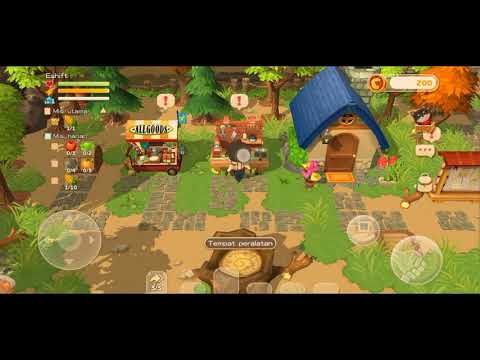
    Nature Vile
    Nature Vile

    Nature Vile is probably the only Indonesian mobile game that is very similar to Harvest Moon, wherein in this game, players will play as a farmer with various missions that can be completed.

    Of course, all of these missions have something to do with farming.

    The player has to use a hammer, scavenge the soil, plant the seeds, fertilize them, and then reap the rewards.

    Even though it sounds complicated, this game is actually quite simple and very addictive. So, are you interested in playing it? Don’t forget to download it right now!

    Download: APKPure

    Read more:

    Conclusion:

    Those are some games like harvest moon that you can play on your Android phone. Of course, the game above is a slick simulation game accompanied by pretty cool and interesting gameplay and storyline.
  • Top 10 Best Old School Games for Android 2024

    Top 10 Best Old School Games for Android 2024

    Top 10 Best Old School Games for Android – You who are the 90s generation must have played old school games when you were a kid. Indeed at that time, the game was not as good as it is now, but it could be quite entertaining at that time.

    Top 10 Best Old School Games for Android
    Top 10 Best Old School Games for Android

    Top 10 Best Old School Games for Android 2024

    So the old-school game that we will discuss here will be perfect for reminiscing or reminiscing about your past. And also those who are bored with Android games with 3D graphics now.

    Read more:

    So now we will give you recommendations for quality and popular old school games at that time. So, please refer to our discussion below.

    Best Old School Games on Android

    There are some recommendations for old-school games that you can play on your Android phone. Check out the following discussion below.

    #1. Brick Game

    Brick Game is a game that can invite you to reminisce by playing this game. And of course, you can get rid of your pesky feeling.

    In addition, this game will be very exciting because it has various levels and different levels of difficulty. And also available 11 very attractive classic themes.

    The games provided are Brick Puzzle Classic, Tank Classic, Racing Classic, Snake Classic, Supplement Shooting Classic, Shooting Players Classic, Brick Breaker Classic, Frog Across River Classic, and others.

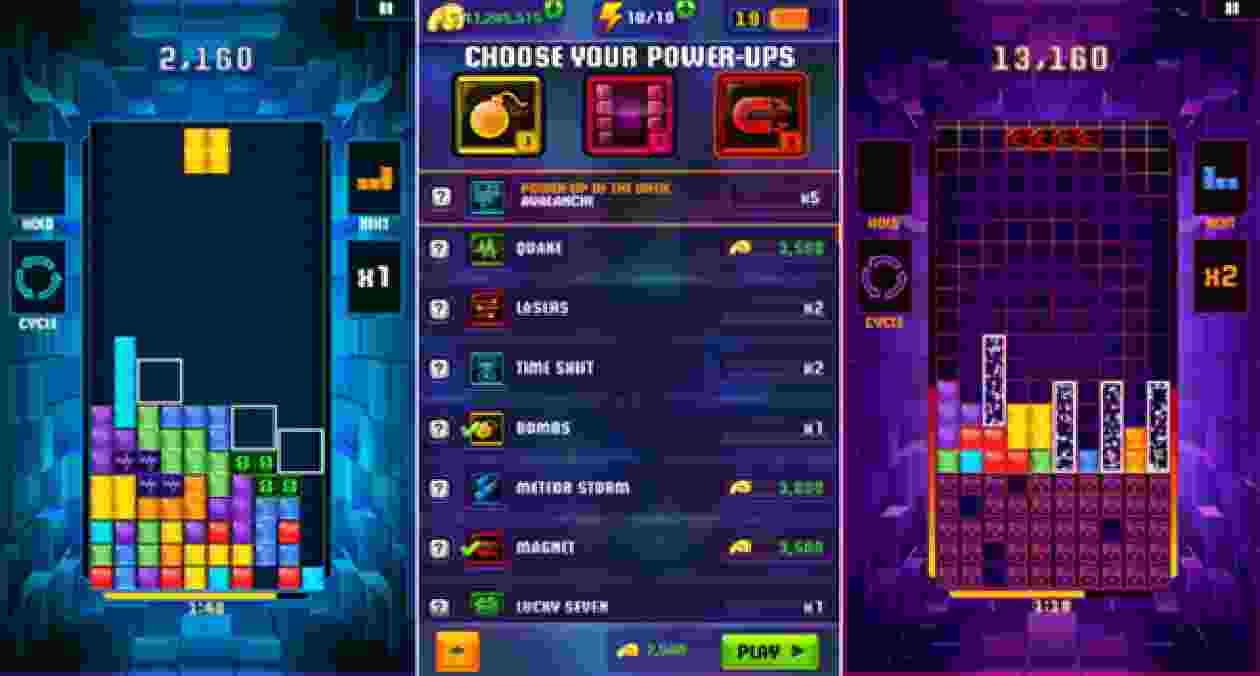
    #2. TETRIS Blitz

    TETRIS Blitz

    Tetris Blitz is a game that has many features to make users more dynamic and can invite you to compete with your friends.

    Also, the objective of this game is that you have to get as many points as possible within the allotted time. And you can increase the value multiplier, and earn extra time.

    Plus, you can challenge your friends, beat their scores, or bully those who exceed yours on the match scoreboard.

    #3. Bounce Original

    Bounce Original

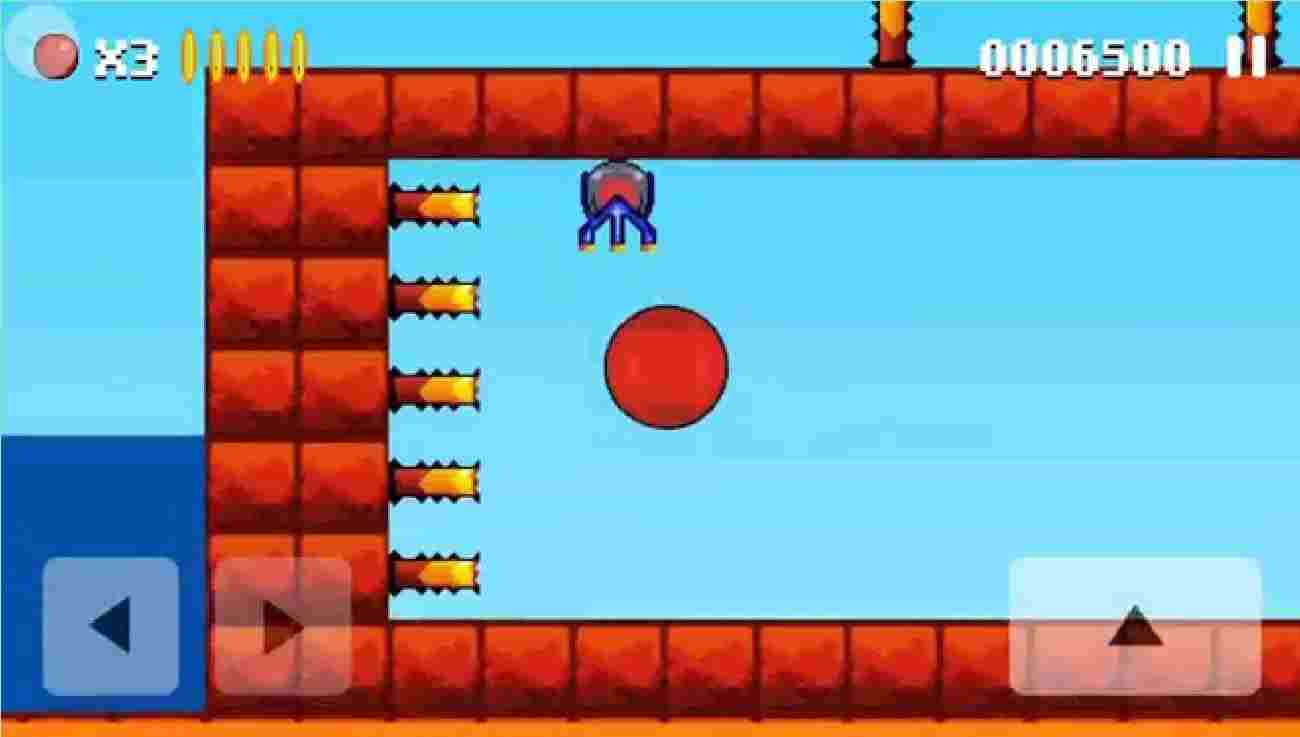
    Bounce Original is a cool game and is often played by 90s children on Nokia phones. This game can also make the players addicted and keep trying.

    In this game, your goal is to have the adventure to find the finish line with a ball. And you have to keep the ball intact and not be punctured by sharp objects around it.

    Plus, you also have to be able to complete several levels that have been prepared in this game, to reach the final goal or finish this game.

    #4. Wildagotchi

    Wildagotchi

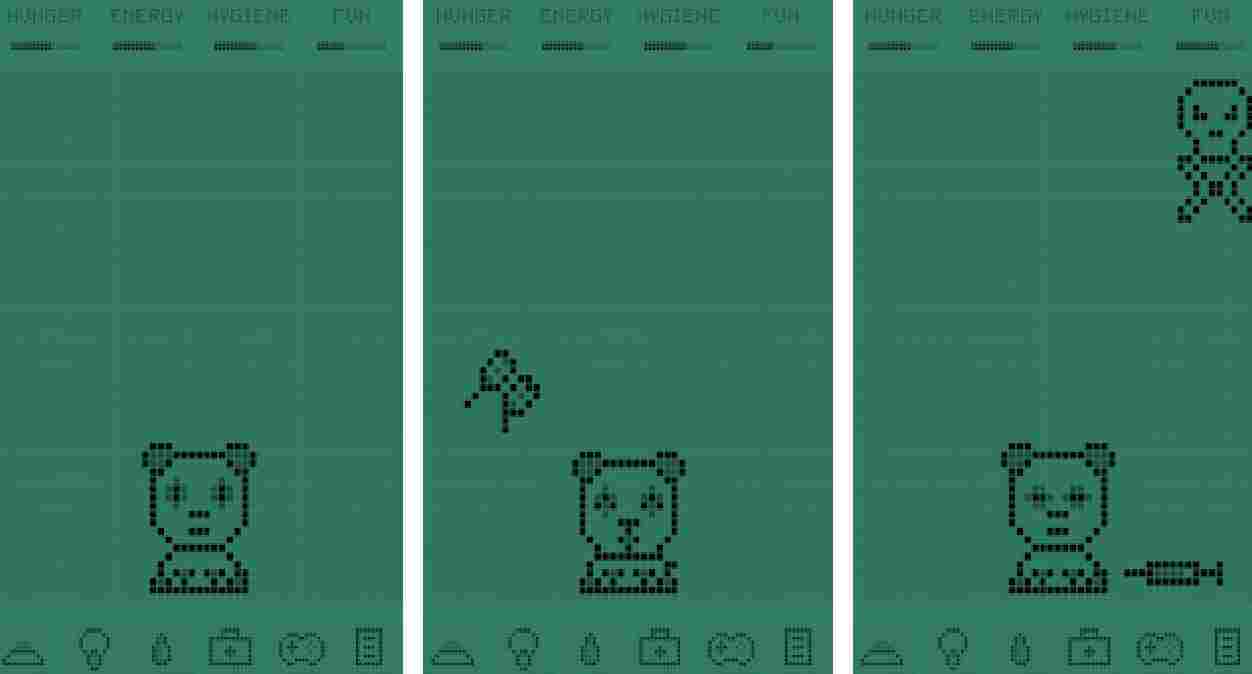
    Wildagotchi is a unique game where you can take care of and play with 12 cute pets.

    The more you take care of the animal, the happier it will be. In addition, happy pets will be able to grow quickly.

    So you have 3 cute pets to choose from. For every 2 pets that have reached the adult stage, the other 3 are unlocked.

    #5. Snake Xenzia Rewind 97 Retro

    Snake Xenzia Rewind 97 Retro

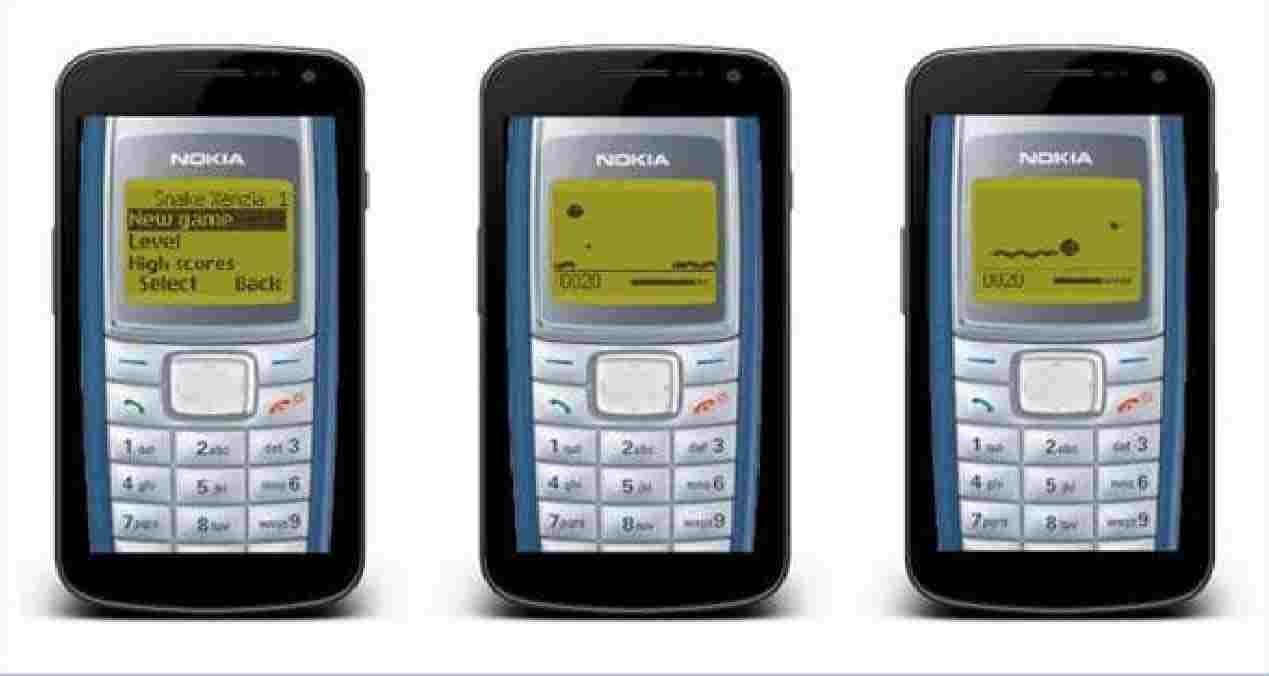
    Snake Xenzia Rewind 97 Retro is a very popular game and is often played by 90s children. Because this game is really fun to play.

    So your goal in this game is that you have to be able to eat the available food until the snake grows longer and has a large size.

    If you are curious about this one game and want to try to play it. You can just download this game on the Playstore on your cellphone.

    #6. PAC-MAN

    Pac-man is an old-school game that you could play on console games like Nintendo. And can fill your spare time.

    However, take it easy now you can play this game again using only an Android smartphone. Of course, it will be very easy for you without buying a Nintendo.

    In addition, this game has a design or graphics that is the same as the old PAC-MAN game. So if you want to try it, you can download it on Playstore.

    #7. Bricks DEMOLITION

    Bricks DEMOLITION

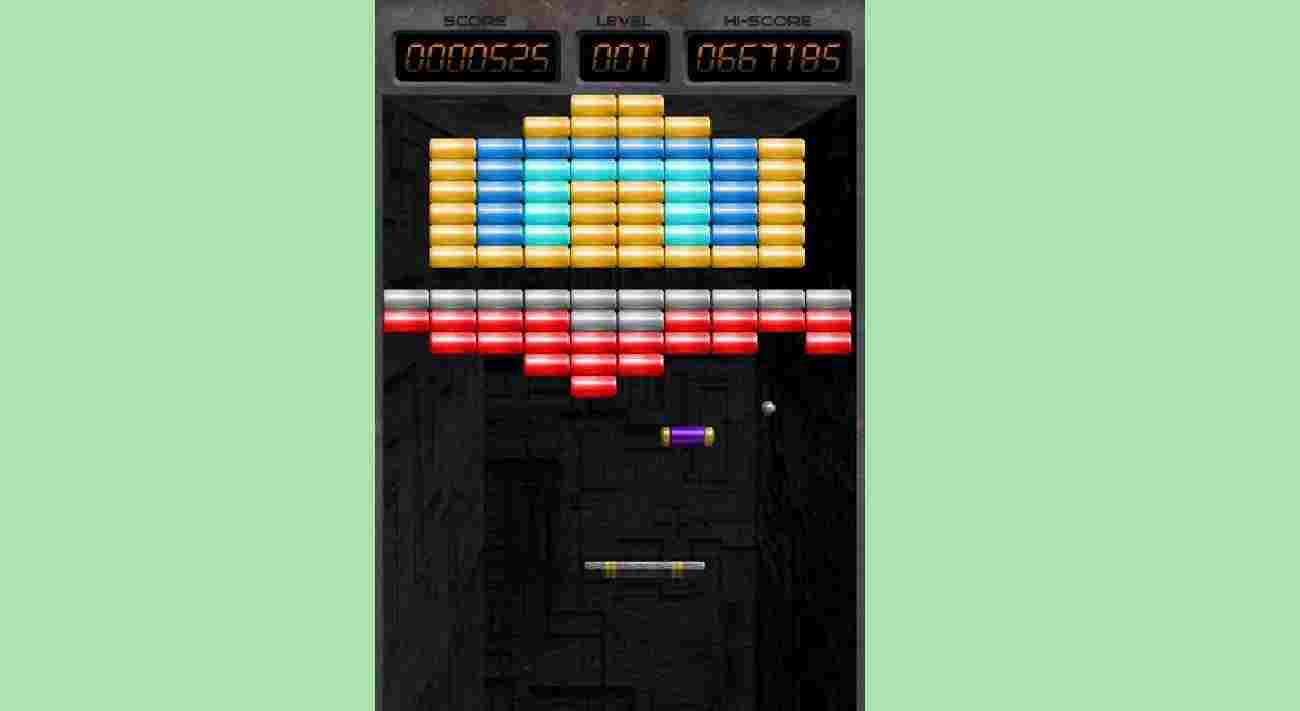
    Bricks DEMOLITION is one of the old games that can take you to reminisce about when you were little and can fill your time of confusion.

    So, in the game Bricks DEMOLITION, your goal is that you destroy or destroy every block that is at the top.

    Also, you have to keep the ball that broke the block from falling. Control the blocks at the bottom and bounce the ball that will destroy the blocks above.

    #8. Snakes & Ladders King

    Snakes & Ladders King is one of the classic games of all time, snakes and Ladders, which is now available to play on Android devices easily.

    In addition, in this game, you can play against other players around the world without having to carry a game board and dice everywhere.

    So, this one game will be able to take you to reminisce by reminiscing about when you were a child and when you played with friends of the same age.

    #9. Golden Ax Classics

    Golden Ax is one of the beat ’em up games from the late ’80s, developed by SEGA and released on multiple platforms. But now you can play it on Android.

    The game places you in a medieval fantasy world where Death Adder, an evil tyrant, conquers the nation of Yuria with the help of an evil army.

    When you start the game, you will choose one of three mystical heroes: the barbarian, the dwarf, and the Amazon. Each character is different from the others.

    #10. Yu-Gi-Oh! Duel Links

    Yu-Gi-Oh! is an anime that tells of a battle using cards that were very popular among children in ancient times.

    Even though this game was adapted from an anime, you can now play the game again by downloading the Yu-Gi-Oh! Duel Links on playstore.

    In addition, this game has also presented battles using cards. And of course, will be able to make you feel addicted when playing this game.

    Read more:

    Conclusion:

    Thus a discussion of a collection of old school games that we have recommended for you to remember your childhood. So for that, you can choose one of the games that we have collected above which you think is the best.

  • 7 Best Drawing and Painting Apps for Android 2024

    7 Best Drawing and Painting Apps for Android 2024

    7 Best Drawing and Painting Apps for Android – Nothing can change the touch of a brush on canvas, but we can’t deny that we live in an age where digital art is highly valued. As evident from the popularity of posters and infographics, digital art is in high demand these days.

    7 Best Drawing and Painting Apps for Android
    Image: techviral.net

    Best Drawing and Painting Apps for Android 2024

    There are lots of drawing apps for Android to help you draw ideas and boost your creativity. If you have a large-screen Android device with stylus support (your finger works too), this app can be much more powerful. Whether you’re a pro or a budding artist, take a look at this list of the best Android art apps and choose the one you think is best.

    #1. Adobe Illustrator

    Adobe Illustrator Draw is an award-winning drawing app on Android. It offers various drawing features along with various essential tools. It comes with several types of customizable brushes, five different pen tips, multiple drawing, and drawing layers, undo/redo buttons, etc.

    Once done, you can post your work on social networks and get feedback from other app users. You can also import designs from Adobe Capture CC or export your images from Illustrator CC on the desktop.

    This app is free and ad-free,  one of the best drawing apps for Android. You can get an optional Cloud subscription for additional features.

    #2. ArtFlow

    ArtFlow is an Android drawing app suitable for both kids and adults. It comes with more than 70 brushes and tools, color settings, undoes redo buttons, etc. Including. Also, this Android drawing app offers up to 16 layers with 11 different blend modes.

    You can import images from a gallery or camera and convert your images to PSD, PNG, or JPEG files. It has an intuitive and user-friendly interface. This app aims to replace physical sketching and become a  universal Android sketching app. It’s also free and contains no ads.

    #3. PaperDraw

    PaperDraw aims to emulate real-life drawing experiences as closely as possible. Different types of brushes, rulers, erasers, etc. It offers the necessary features that include.

    It allows you to import an image and set it to transparent mode. Then you can trace the original image and draw on it. Thanks to this feature, it’s a good idea to learn to draw right away.

    Apart from that, other features include adding text, custom covers, graphic tools, etc. Countable. This is one of the best Android art apps for newcomers to try. This app is ad-free and free as there are in-app purchases.

    #4. Ibis Paint X

    Ibis Paint has lots of fun features. One of its distinguishing features is that it gives you the ability to record the screen as you draw and can also broadcast the drawing process.

    In addition, it can be used with fountain pens, felt-tip pens, digital pens, airbrushes, etc. It includes 142 different brush types. It also includes various brush parameters, layer functions, and area selection functions.

    The free version of this art app is available on the Play Store and contains ads. It also has a paid version available for in-app purchases.

    #5. MadiBang Paint

    MadiBang Paint is a lightweight digital painting and comic book creation app perfect for comic artists. It has cross-platform support and is available for mobile, Mac, and Windows.

    It includes more than 100 free brushes, various colors, textures, backgrounds, and comic creation tools. You can access cloud storage and efficiently manage, back up, and share your work.

    #6. SketchBook

    SketchBook is an award-winning Android drawing app available for beginners and creative professionals. It comes with ten customizable brushes along with six blending modes and up to three different layers.

    You can also open and export PSD files while preserving layers and blend modes. You also get unlimited undo options. The free version is ad-supported and includes all the basic features.

    There’s also a pro version available as an in-app purchase, offering over 160 customizable brushes with dozens of other advanced features. What’s more, by upgrading to the professional version, you get a professional-grade digital drawing tool perfect for serious artists.

    #7. Master Sketch

    Sketch Master is a light and simple drawing app for Android designed for every user. It offers several drawing tools and has a simple user interface.

    Seven different brushes, three different layers, and 3000% so you can get the zoom. You can also import photos from your photo library, or camera, and save and share images on social networks.

    This app offers all the features available in its free version without any in-app purchases. Sketch Master is ad-supported.

    Read more:

    Conclusion:

    So, friends, This is the explanation of the 7 best drawing and painting apps for Android. Did we help you choose a drawing app? Don’t forget to show your thoughts and recommendations in the comments section.

  • 5 Ways To Ping Google To Check Internet Connectivity 2024

    5 Ways To Ping Google To Check Internet Connectivity 2024

    5 Ways To Ping Google To Check Internet Connectivity – A simple way to test your internet connection is to ping Google.com – the Ping network command is available on all versions of the Windows operating system.

    How To Ping Google To Check Internet Connectivity
    How To Ping Google To Check Internet Connectivity

    How To Ping Google To Check Internet Connectivity 2024

    This command tests whether you can reach a particular website – Ping also measures the interaction time or time round to receive a reply from that website.

    Read more:

    Ping is the ideal way to check for errors with your internet connection – but keep in mind that problems with your internet connection are not always due to your broadband connection, it could be a problem with your web browser.

    When reporting errors to your broadband provider or internet service provider ( ISP ), you may be asked to ping Google to test whether or not you have internet access – so it’s a good idea to know how to ping Google.

    #1. Ping Google to check the internet connectivity

    The ping command is run from a Command Prompt window – to open it:

    • XP – Click ‘Start’ then ‘Run’ and type CMD into the ‘Open:’ text box then press ‘OK’ to open a Command Prompt window.
    • Windows 10, 8, 7, and Vista – Click the Start button (not required in W10) and type CMD into the ‘Search’ text box then click on the program/desktop program ‘cmd.exe’ or Command Prompt ‘ at the top of the results search to open a Command Prompt window.

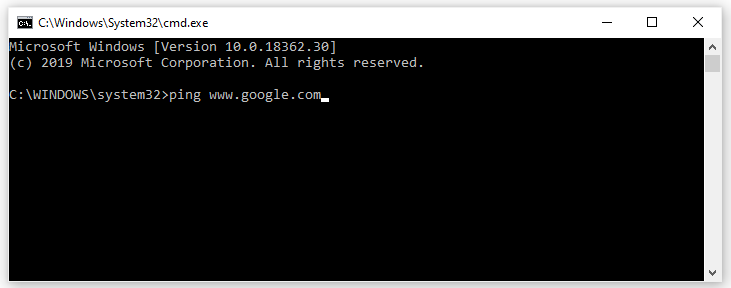
    Type ping www.google.com then press Enter to ping Google (you can ping any other website in the same way).

    Note that you can use ping www.google.com or ping google.com.

    Ping Google to check the internet Connectivity
    Ping Google to check the internet Connectivity

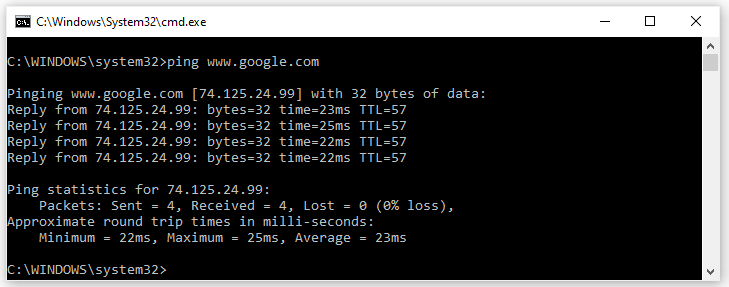
    After a few moments, you will see several responses, similar to this:

    Ping Google to check the internet Connectivity
    Ping Google to check the internet Connectivity

    #2. What Do the Ping Test Results Mean?

    The ping command sends 4 small ‘packets of data to Google – each packet asks Google to send it back if Google accepts it.

    We can see in the example from the image above that all 4 requests made it to Google because we got 4 Replies from Google – so we know our internet connection is working.

    These are summarized at the bottom of the results: Sent = 4 (packets sent by us), Received = 4 (received by Google), Lost = 0 missing (0% missing) i.e. no packet was lost on the way.

    The test also shows how long it takes for each packet to reach Google and get a reply back. The ‘time =’ value next to each reply is measured in ms (milliseconds) and a lower number means better (faster).

    These are summarized at the bottom of the results: Minimum = 22 ms, Maximum = 25 ms, Average = 23 ms.

    The response time ’round trip time’ or ’round trip time’ is often referred to as ‘lag’ and is very important to gamers (when super fast responses can be useful).

    Times 20ms to 60ms is very fast (broadband is good), over 250ms are slow (typical of satellite internet), and over 1000ms are very slow – not suitable for gaming but common with slow mobile broadband.

    #3. Ping Google.com constantly

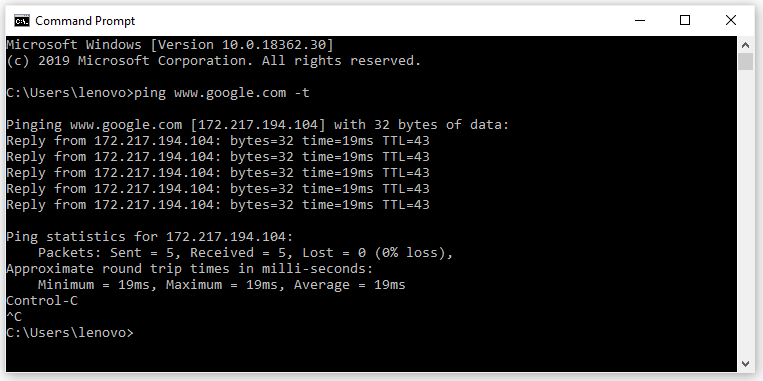
    Instead of pinging just once (which sends 4 requests to the website), you can run a continuous ping by simply adding a space followed by -t to the end of the original command:

    Type:

    ping www.google.com -t

    Then press Enter.

    This command will send Google continuous ping requests (not just 4 requests) so you will receive a constant stream of Replies scrolling down the window.

    This is especially useful for rigorous testing if your internet connection is intermittent:

    ping www.google.com -t
    ping www.google.com -t

    Keep an eye out for error messages and also check that the ‘time’ in ms remains fairly consistent (it should be done if your internet connection is good).

    Press CTRL and C when you want to stop the continuous ping Google.com.

    Tip: It’s not good to keep pinging a website for hours as it will use up the resources of that website. We are using Google in this example because Google has enormous resources so your ping is fine for them, but if you apply to a small site, it will affect the performance of their site.

    #4. Usual Ping Test Error Messages

    Since 4 requests are sent to the website, you may see this error message repeated up to 4 times – once for each request.

    • “Request timed out” – your network/internet connection is wrong or the website you are pinging is having problems.

    Try pinging some of the other sites to test if the problem is with that particular website or with your network/internet connection.

    • “Ping request could not find host www.google.com… etc” – either your network/internet connection is wrong or you are pinging the wrong website name or there is a DNS error (see next section below).

    Check the spelling or try another website for example ping www.yahoo.com.

    #5. Ping IP Address

    It’s also possible to ping IP addresses instead of website names – this is a good way to get rid of DNS (Domain Name System) errors.

    Choose one of the Google Public DNS servers – 8.8.8.8 or 8.8.4.4 as they will most likely always be available. In the Command Prompt window:

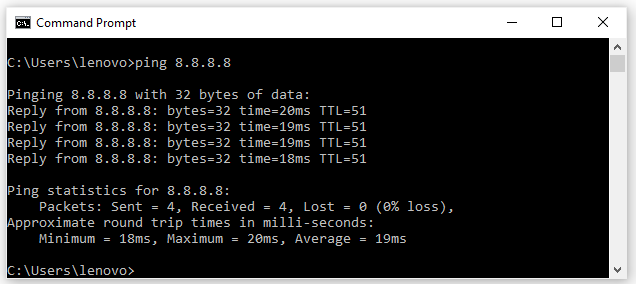
    Type ping 8.8.8.8 then press Enter to ping the Public DNS server.

    Ping IP Address
    Ping IP Address

    If you’re still getting the error then it’s not a DNS error and you’re in a no-access situation – most likely your network/internet connection is wrong.

    Try resetting Windows internet settings to fix network configuration errors.

    So, What Can You Do with Ping?

    Now that you know how to use the ping command, here are some interesting things you can do with it:

    • Ping a URL (such as www.google.com) or IP address to see if you can reach your internet destination. If you get a successful response, you know that all network devices between you and the destination are working, including the network adapters on your computer, your router, and any devices on the internet between your router and the destination. And if you are interested in exploring further routes.
    • Ping, a URL to resolve its IP address. If you want to find out the IP address for a specific URL, you can ping the URL. The ping function shows you right above where the IP address goes.
    • Ping, your router to see if you can reach it. If you can’t successfully ping an internet location, you can try pinging your router. A successful response tells you that your local network is functioning properly and that the problem is reaching an internet location is out of your control.
    • Ping your loopback address (127.0.0.1). If you can’t successfully ping your router, but your router appears to be up and working, you can try pinging what’s known as a loopback address. That address is always 127.0.0.1, and pinging it successfully lets you know that the network adapter on your computer (and the network software on your OS) is working fine.

    Ping is a useful first step in troubleshooting any possible ‘internet’ problem – if you receive error-free replies from various websites, then you know that your internet connection is working properly.

    Read more:

    Conclusion:

    So, If your internet connection is good, but you can’t surf, then the problem with web browsing is more likely due to the web browser you are using (try changing browsers) or perhaps a firewall problem (temporarily disable it).

  • Download GCAM Redmi Note 10 / Pro and MAX 2024

    Download GCAM Redmi Note 10 / Pro and MAX 2024

    Download GCAM Redmi Note 10 / Pro and MAX Latest Version – Before sharing the Google Camera Redmi Note 10 / Pro, first read about this cellphone.

    Download GCAM Redmi Note 10 Pro and MAX

    Download GCAM Redmi Note 10 Pro and MAX 2024

    The Redmi Note 10 Pro is one of the most anticipated launches of 2024. Indeed, the acclaimed Redmi Note lineup got a massive upgrade in terms of cameras and displays.

    Read more:

    The company upgraded the camera sensors on all three phones of the Redmi Note 10 series. The vanilla Redmi Note has a 48MP camera, while the Redmi Note 10 Pro and Pro Max (Indian variant) are equipped with 64MP and 108MP sensors.

    One of the coolest is, that the newer Redmi Note 10 series phones support the Pixel 5 Camera app (aka the GCam Mod port). Here you can Download Google Camera for Redmi Note 10 Pro and Note 10 Pro Max.

    What is Google Camera (GCAM)?

    Google Camera   (GCam)   is the official camera app on Pixel devices. This is a highly optimized camera app that gives Pixel phones an edge over every existing device. Now, GCam can be ported to other supported devices as well.

    GCam Mod brings the Google Camera app to multiple smartphones and ensures that all features work with it.

    There are several versions of GCam. Some versions are for multiple Android smartphones, while others are made specifically for a single smartphone.

    Download GCAM Redmi Note 10 Pro dan Pro Max

    Xiaomi’s tenth-generation Redmi Note 10 series phones support the Camera2 API out-of-the-box along with RAW support.

    You can simply sideload one of the GCam ports listed below from the Pixel 5 on your Redmi Note 10 lineup phone.

    Here we attach the latest GCam 8.4 ports by BSG and GCam 7.3 by Urnyx05 both ports are compatible with Redmi Note 10, Redmi Note 10 Pro, and Redmi Note 10 Pro Max (Indian variant).

    The best thing about the collection below is, that we will continue to update this article in the future and add new ports, so stay connected with us.

    GCam 8.4 does not require any changes but, if you are using GCam 7.3 on your Redmi Note 10 series phone, then you can apply the settings listed below for better results.

    How to Install Google Camera (GCam) on Redmi Note 10 Pro and Redmi Note 10 Pro Max

    1. First, Download the GCam Mod from the link above.
    2. Once downloaded, install the Google Camera APK on your Redmi Note 10, Note 10 Pro, and Note 10 Pro Max.
    3. Then, open the app & grant the required permissions like Camera, Mic, Storage, and Location.
    4. There he is.

    Now you can start using GCam on your Redmi Note 10 Pro Max with features like Night Sight and Astrophotography Mode.

    Recommended settings

    For  GCam 7.3

    1. First, download this configuration file on your smartphone.
    2. Now create a new folder with the name GCam.
    3. Open the GCam folder and create another folder named configs7.
    4. Now paste the configuration file inside the configs7 folder.
    5. Once done, Open the Google Camera app and double-tap on the black blank area placed next to the shutter button.
    6. Tap on the settings shown (with rnote10-config.xml), available in the popup & hit the restore button.
    7. Go back to the app drawer and then open the app again.

    Disclaimer: All forms of download files on the Technadvice.com site are just for educational purposes only.

    DMCA: Technadvice.com complies with 17 U.S.C. * 512 and the Digital Millennium Copyright Act (DMCA). It is our policy to respond to any infringement notices and take appropriate action. If your copyrighted material has been posted on the site and you want this material removed, Contact us.

    Conclusion:

    This is the explanation of how to download GCAM Redmi Note 10 / Pro and MAX, There is no need to make any changes to the latest GCam 8.1 mod port, although you can make some changes as per your requirement from the settings section.