How To Install TWRP Advan I5C Without a PC – If you are someone who likes Android Oprek and often installs custom ROMs without the help of a PC, surely the media used is TWRP.
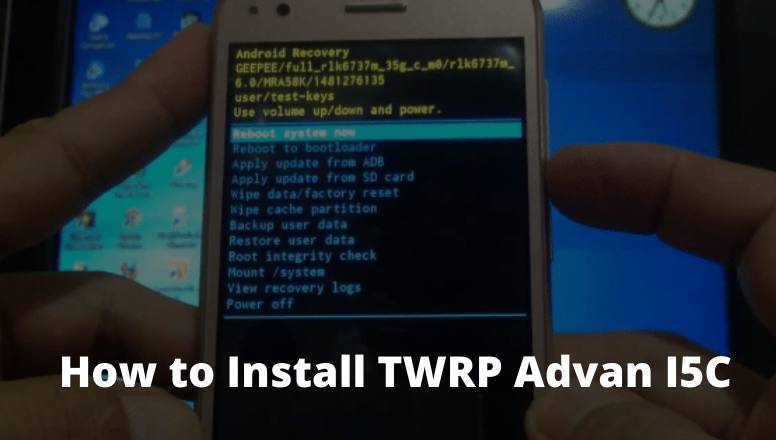
How to Install TWRP Advan I5C
How to Install TWRP Advan I5C: Best and Quick Ways 2024
If the Android phone has TWRP installed, then you can easily customize the Android phone, starting from installing a custom ROM, root, installing applications and even re-flashing can be done via TWRP.
Using TWRP is also relatively easy, besides that, it has a more complete menu.
Thus the flashing process using TWRP will be more efficient because there are already various options needed when the flashing process takes place.
Every brand and type of Android phone has different methods and files when it is flashed.
So in cases like this, we specifically provide a tutorial on how to install CWM / TWRP on Advan I5c Marshmallow, and of course, you don’t need additional devices or you could say without a PC.
If you are an ADVAN i5C user but your cellphone is not yet installed with TWRP, then now is in the right place.
Because in this post the admin will share a tutorial on installing TWRP Advan I5c Marshmallow without a PC.
The way to do this is arguably very easy, but with the condition that your cellphone must be rooted first.
How to Install TWRP Advan I5C without PC
If all the conditions are met, just follow the tutorial on how to install TWRP on the following phone Advan i5C:
If so, just open the Rashr application, then after the application opens, the option to root will appear.
Just choose grant / allow.
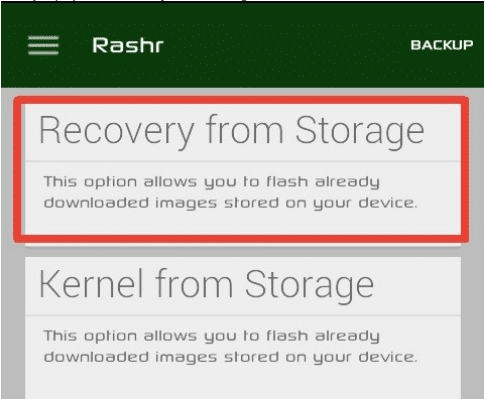
Next, select the option “Recovery From Storage”.
How to Install CWM TWRP Advan I5c Marshmallow
Then navigate to the TWRP file that you downloaded.
select “RECOVERY.IMG” followed by YES.
If the process is complete then select Reboot To Recovery.
After that, your cellphone will restart automatically.
How to enter Advan I5c Recovery Mode
Turn off your phone Advan i5c.
Then press the volume up button and the power button simultaneously.
After the Android logo appears, press the power button but keep the volume up button pressed.
Apart from the method above, it turns out that there are still other ways to enter the advanced i5C recovery mode, namely using the Terminal Emulator. Check out the following tutorial:
Use the Terminal Emulator application which you can download here.
Open the application, then type the command SU and press enter
Then type the command reboot recovery and continue by pressing. enter again.
Just wait a few moments your cellphone will restart and go straight to TWRP.
How to Hard Reset Advan I5C
Through the Settings Menu
Enter your smartphone’s settings menu.
Then select the option to back up and reset.
If you have selected Erase everything.
Wait for the process for a while until your cellphone restarts.
Done, and your phone feels lighter like new.
Through Recovery Mode
Make sure your phone battery is above 50%.
Next, turn off your ADVAN I5C.
If it’s dead, just press the power + volume up button simultaneously until it enters recovery mode.
If you have entered, select the Wipe data/factory reset option (you can use the volume button to navigate up and down and the power button to OK).
Then select Yes – delete all user data.
After that, the hard reset process starts and the data erase process. take place, just wait until the process is complete.
When it’s finished you can select the Reboot System Now option.
Then your cellphone will restart automatically.
The explanation of how to install TWRP Advan I5c Marshmallow that the admin has described above is a method that is very simple and also very complete.
Advan i5C uses a 5-inch wide array that has a resolution of 720 x 1280 pixels which is combined with IPS LCD screen technology.
With this feature, this smartphone becomes more comfortable when used to play games or watch movies.
In addition, 720 x 1280 pixels is equipped with the main camera on the back with a 5 MP resolution with autofocus and LED Flash features, as well as a 5 MP front camera which will greatly support your selfie activities.
Advan i5C already uses the Android v5.1 Lollipop operating system and also supports the 4G LTE network, which will make it faster to use the third time for browsing.
So, friends, that’s on above how to install TWRP Advan I5C, Hopefully, the explanation of the tutorial above can be useful for you, make sure you also follow the tutorial without missing a thing.
10 Best Anti-Blocking Browser Apps for Android – The Internet is a place for various kinds of information ranging from useful, and entertaining to containing negative content that hurts users.
10 Best Anti-Blocking Browser Apps for Android
Best Anti-Blocking Browser Apps for Android [2024]
With more and more information circulating on the Internet, the government through the Ministry of Communication and Information is trying to bring the Internet to India with better quality by blocking negative websites and directing them to positive internet pages.
However, in its implementation, not all sites blocked by the government are negative sites, some useful and educational sites are blocked by the government, such as the social networking site Reddit, for example.
To open sites that are blocked by the government is very easy, you just have to install a VPN so that sites that are blocked by the positive internet can be directly accessed.
However, not all VPNs on the internet are guaranteed security, there are lots of cases of personal data leakage and internet banking as a result of using a VPN indiscriminately, if you want to use a secure VPN then you should use a quality VPN but a quality VPN is certainly not free.
For those of you who want to keep accessing blocked sites without using a VPN, there are several ways that you can use, one of which is to use a positive Internet Blocking Browser.
Best Anti-Blocking Browser Apps for Android
On this occasion, we will share the 10 best positive internet anti-blocking browsers for Android and PC that you can use.
#1. Google Chrome
Google Chrome
Not many people know that the Google Chrome browser can be used as an anti-blocking browser which is quite powerful in opening sites that are blocked by the government.
Also read: How to fix Xiaomi cellphone hangs and can’t be turned off
By default, the Google Chrome browser can’t open blocked sites, but by slightly changing the Chrome browser settings, you can become an Anti-Blocking positive internet site browser.
#2. Tor Browser
Tor Browser
Furthermore, there is the Tor browser which is the browser with the highest rating on Google playstore, the tor browser allows you to access the internet through the Tor network.
With Tor VPN you can use a VPN at no cost and your privacy and data security are guaranteed.
However, it should be noted that accessing the internet using the Tor network will be slightly slower than using the regular network.
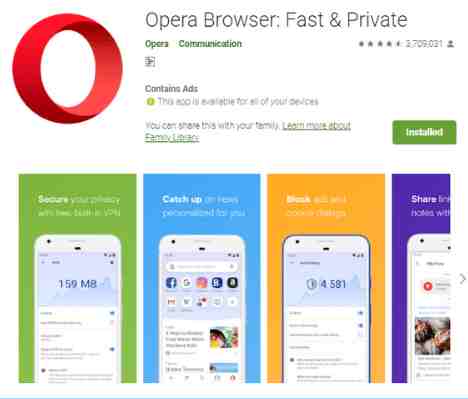
#3. Opera Browser
Opera Browser
The browser, which has been popular since before the Android operating system was developed, must be familiar to your ears.
Opera Browser is the next most popular Android browser, with more than 100 million users, this browser offers various advantages from an elegant, lightweight user interface has an adblocker feature, and of course, comes with a built-in VPN.
Opera’s built-in VPN allows you to access a wide variety of blocked sites using a secure free VPN network with various server locations for you to choose from.
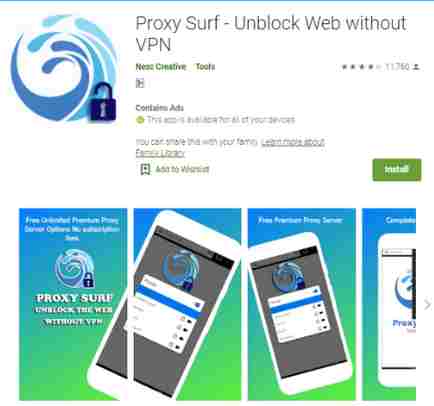
#4. Proxy Surf
Proxy Surf
The next best anti-blocking browser for Android is Proxy Surf, this browser application has been downloaded by over 500 thousand Android users with a pretty good rating.
As the name suggests, Proxy Surf relies on proxies to open government-blocked sites so you can browse safely and smoothly at no cost and without the need to install any additional VPN.
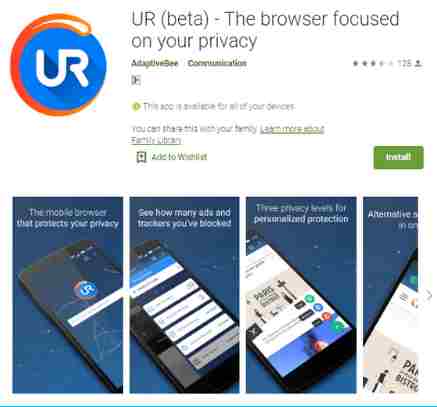
#5. UR Browser
UR Browser
The slogan Fast, Private, Secure, of course, can explain how the ability and quality of this Anti-blocking browser.
Also Read: How To Crack Wifi Passwords Without Applications
UR Browser uses a 2048-bit RSA encryption key and SSL certificate, so you can transfer data securely. In addition, UR Browser is also equipped with an ad blocker and tracker so that user privacy is maintained.
In addition to the Android version, UR Browser is also available in a PC version that you can install on your laptop or computer.
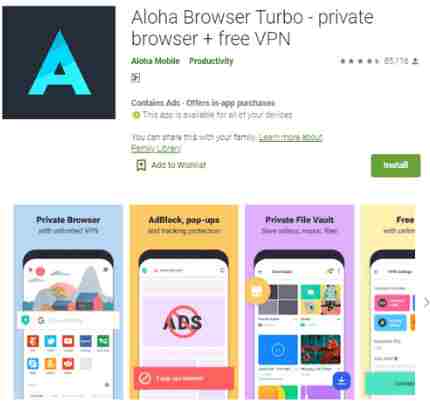
#6. Aloha Browser Turbo
Aloha Browser Turbo
The Android anti-blocking browser application that you can try next is Aloha Browser, this browser has a very good reputation and has been downloaded more than 5 million times on Google playstore.
Aloha browser has a myriad of amazing features for a browser, ranging from Unlimited VPN, AD Block, VR Player, Download Manager, Wifi File Sharing, and many other premium features that you can enjoy for free.
With its Unlimited built-in VPN, you can access all government-blocked sites safely and without any problems.
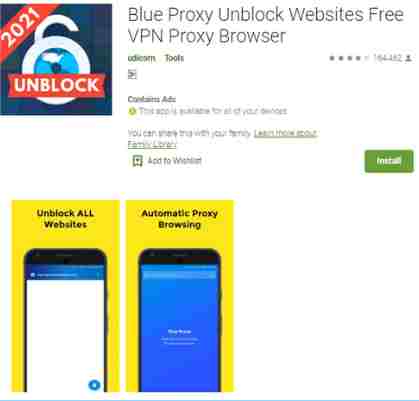
#7. Blue Proxy Browser
Blue Proxy Browser
If you think the browsers we share above are pretty cool, then you should try Blue Proxy Browser, one of the best anti-blocking browsers in the world today.
With several users of more than 10 million with a rating above 4.2 when this article was written, of course, it has explained how the quality and reliability of this browser.
This browser offers unmitigated user security and privacy and uses a proxy and built-in VPN. You don’t have to worry about your data being leaked on the internet because you will be browsing anonymously using this browser.
With a simple appearance, this browser also guarantees access speed for its users, blue proxy also offers unlimited VPN bandwidth so you can surf calmly without thinking about running out of VPN bandwidth.
#8. Vegas Browser
Vegas Browser
With a size of only 5.1 MB, this anti-blocking browser made by an Indian developer is worth a try and is considered an alternative anti-blocking browser that you can use.
Vegas browser offers a simple UI and a powerful speed to encourage users, equipped with a built-in VPN proxy this browser can be used to access sites that are blocked by the government safely.
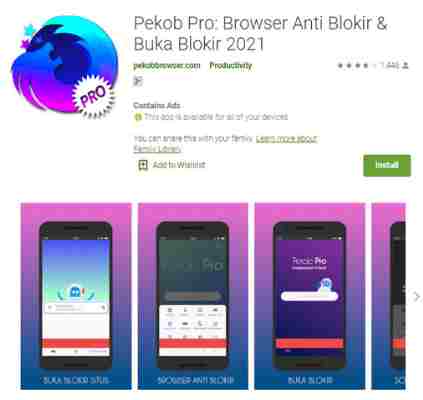
#9. Pekob Pro: Anti-Block Browser
Pekob Pro Anti-Block Browser
Pekob Pro is not much different from the previous mini browser, only 3.8 MB, but offers features that are no less interesting, especially for opening blocked sites.
Pekob Pro is perfect for those of you who don’t want to install a browser with a large size so you can save memory but still get the anti-blocking browser feature.
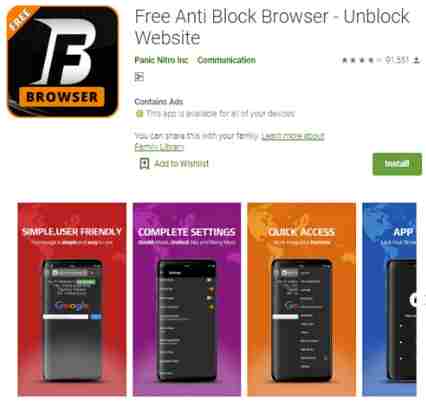
#10. BF Browser
BF Browser
The last best anti-blocking browser is BF Browser, it has been installed more than 1 million times on Google playstore, making this browser one of the most popular anti-blocking browsers in the world.
This browser does not explain many advantages on its website, but BF Browser claims that they are different from other anti-blocking browsers, yes BF Browser offers browser speeds in VPN networks that are rarely found in other anti-blocking browsers which will slow down when accessed using a VPN network.
This browser does not have many features, but that is the advantage, with a simple interface, of course, it will provide maximum speed for browsing on the Internet.
Those are the 10 best anti-blocking browsers that we have summarized that you can use as a reference as the main browser on your Android smartphone.
Please use the anti-blocking browsers above wisely and responsibly, if you are already using one of the browsers above you can try other browsers to find the most appropriate browser for your internet activities.
How to Turn Off Antivirus on Windows 10 PC -Defender is the default antivirus application from Windows 8 and 10. Although it is quite useful for protecting our computers from dangerous viruses, which can make laptops slow. But there are still those who want to turn off this windows antivirus.
How to Turn Off Antivirus on Windows 10 PC Laptop 2024
Maybe because Windows Defender often misunderstands files and applications that it might think of as a virus. Though those applications and files may be very important.
Not only that, but Windows Defender often stops the installation process of games and applications. So we have no other way to choose to turn off this antivirus either temporarily or permanently.
For those of you who want to turn off the antivirus and don’t know how here are the steps to temporarily turn off Microsoft’s defense antivirus and windows security. But if you do it may be your device will be vulnerable to virus attacks.
To be able to turn off this software is actually not too difficult, because we can try it in various ways, namely as follows.
#1. Windows Security
Windows security is the name of the latest version of windows defender. Well, first you have to turn off windows security/defender first through the antivirus feature itself. This method is used to turn off the antivirus temporarily.
For example, when windows defender considers viruses in normal applications. Or it could also consider important files as dangerous viruses. Then you have to turn off this antivirus temporarily until you really finish working on activities related to the file/application.
Here‘s how to turn off Windows Security or Windows Defender via its own antivirus for a while. Don’t worry, this can be reactivated!
Open the windows defender/windows security application, via the start menu. Type windows security/windows defender
Select the option “virus and threat protection, on the main menu of this feature”
On the virus and protection page, you have to look for the “manage settings” toolbar, it’s below
Here you will be faced with 2 toggles that are both shifted at the words “ON”. To be able to temporarily disable windows defender, you have to slide the option on “Real-time protection” from ON to OFF
Because the default antivirus from Windows 10 is very sensitive, surely you will immediately receive a pop-up regarding device changes. Then, in the options given you just click “yes”
Done, now windows security/windows defender has been temporarily disabled
If at any time you want to turn this antivirus back on, just follow these steps up to step 4 you just need to shift the toggle from off to on.
#2. Registry Editor
If you want to turn off this antivirus permanently you can use this feature. Where all Windows OS databases are stored in this registry feature, without exception Windows defender. Come on, here are the steps:
Open the menu, press the “Windows key + R” then type “Regedit” in the search field, wait for this registry editor application to appear then click
If a pop-up appears regarding the confirmation of the registry editor application, just click “yes” so that you can immediately proceed to the next page.
Copy and paste the link below on the “address Barr” then press enter HKEY_LOCAL_MACHINE/Software/Policies/Microsoft/Windows defense
You have entered the Windows Defender page. Then right click on the renamed folder. Then click the new option and then select the DWORD (32-bit) value.
Click the name “DisableRealtimeMonitoring” or “DisableAntiSpyware”
Right-click on the file that was named just now, and select the “Modify” option.
Delete and then write the number 1 in the “value data” column to disable the Windows Defender feature on Windows 10 permanently. Then click OK
Done
Reboot your device, and windows defender has been successfully shut down
Be careful turning off the antivirus by using the registry editor, it can cause problems/errors on your device. But if you do it right it won’t be possible to do anything.
#3. Local Group Policy
This is also a built-in feature of Windows 10 which is used to view, create and modify group police. But that’s not all, local group policy can also be used to permanently disable Windows Defender antivirus. Check out the following tutorials:
Press the “windows+R” keys together, on the keyboard. Type RUN if it’s already open, type “gpedit.msc” then press enter
After that, the local group policy page will open. You should be able to find windows defender antivirus to disable it permanently
Click computer configuration, then click Administrative templates, select windows components, click windows defender antivirus
If you are already on the windows defender antivirus page, find the “Turn Off Windows defender antivirus” menu
Double click on that option, then select “Enable” to be able to disable the antivirus. If you are finished, click OK and restart your laptop/computer
Done Windows 10 antivirus has been turned off
#4. Defender Control
If the 3 ways above, the Windows 10 antivirus still can’t be turned off, try turning it off via a third-party application. It is an application that can control the antivirus with just one click. Here are the steps
You have to download the defender control application via google first
Open the app
If windows defender is active then the application will be green. You can turn it off by clicking the “Disable Windows Defender” option.
Automatically the antivirus feature will turn off and the defender control application will change its color to red
If you want to turn it on again, click the “Enable Windows Defender” button, it’s easy, right?
Conclusion:
This is the explanation of how to turn off antivirus on windows 10, With the emergence of Windows Defender, there were pros and cons in the beginning. Maybe this is all the guide I can convey regarding how to turn off the antivirus on Windows 10. Thank you for visiting, I hope this article is useful for all of you.
17+ Places to Download Lightweight Games for PC – Are you a fan of PC games? If so, maybe you’ve experienced the time when you have to use a DVD or CD to play it, right?
17+ Places to Download Lightweight Games for PC
17+ Places to Download Lightweight Games for PC Laptop 2024
Now, there are applications and sites for playing PC games on the internet. You can freely play your favorite games offline or online only via PC or Android.
In the following section, the Technowizah team will present a reference to where to download PC games as well as how to download them. Are you ready to play your favorite PC game, guys?
Best Places to Download Lightweight Games for PC Laptops
Want to know where you can download free PC games? There are tons of places to get this game. There are legal sites that are quite popular such as:
Not only the names above but there are also still lots of places to download pirated laptop games. Given that some AAA games cost quite high, reaching IDR 500 – 800 K, so many pirated game sites have sprung up, for example:
Hienzo
Ova Games
Skidrow
Ocean of Games
Cracked Games
Apunka Games
Giga Purbalingga
etc.
In full, you can see the descriptions of several selected recommended sites from the Panuwun team in the following description.
#1. Acid Play
The site, which was founded in 2002, is one of the most popular free pc game sites in the world.
Acid Play offers more than 1000 games of various genres. Starting from the retro arcade genre, simulation, role-playing games, adventures, and many more.
Access to the game is quite easy, namely through the official Acid Play website. On the main page, you are immediately treated to a list of games and short reviews, ratings, and genres.
Some of the game collections that can be found on this site are Sonic, Super Mario, Maplestory, and others. You can download all available games for free.
Website Link: Acid Play
#2. Apunka Games
The alternative to the next free pc game download site is Apunka Games. This pirated game site is quite worth it to visit.
Apunka Games offers a collection of next-generation games, RIP, and a full version for PC or laptops. What makes this site reliable enough?
First, Apunka Games offers lightweight game files. Second, this site has good download speeds.
This is because the storage used is Mediafire. In addition, visitors are also given tutorials on downloading games in written and video form.
Website Link: Apunka Games
#3. Blizzard
Do you like Overwatch and World of Warcraft games? Blizzard is the place to be.
This free download site with a very large server offers several popular games. It’s just that Blizzard only provides their games.
So there are not enough game variants offered by this site. However, some of Blizzard’s games are enough to make you satisfied remembering your time playing at an internet cafe. The bad thing is:
Starcraft
Hearthstone
Diable
Overwatch
WOW
etc
Website Link: Blizzard
#4. Cracked Games
As the name suggests, Cracked Games provides download links for cracked games. Not only games, this site has a wide selection of other cracked software.
All games and software available on this site are free and light. Interestingly, there is a chat feature that can connect you with Discord.
Another advantage of this site is that it looks quite user-friendly with the addition of a catalog.
It’s just that, on this Android game download site there is still a pop-up ads display which sometimes disturbs the comfort of visitors.
Website Link: Cracked Games
#5. Epic Game Store
Epic Game Store
Epic Game Store is a place to download pc games that offer premium services. But don’t worry, because this site also opens access to free downloads of some games.
There is a special program once a week, where the Epic Game Store opens free download access for premium games.
For Fortnite game lovers, you must visit this site. Because the Epic Game Store is one site that provides free download links for these popular games.
Website Link: Epic Game Store
#6. Game Jolt
Want to reference old games to the latest from various genres? The Jolt game is a platform that must be tried.
This game site made by indie developers offers free and paid game download services. The advantage of Game Jolt is that it offers games with easy filter features.
You can also easily access games from the genre, rating, and OS categories. Curious? Is there your favorite gae here? Please check the site via the following lines.
Website Link: Game of Jolt
#7. GOG
If you want to reminisce, GOG can be the best alternative. This site has a complete collection of old and up-to-date games that are light and free.
Another advantage of the GOG Galaxy free PC war game download site is the DRM-free feature. Coupled with a distribution system similar to the Steam game site.
Not only that, but GOG also offers offline gaming services. You can play unlimited games without connecting to the internet.
One more thing, most of the games on GOG are perfectly compatible with Linux operations. This system is quite rarely offered by most PC gaming sites.
Website Link: GOG
#8. Hienzo
PC game lovers must try to explore Hienzo’s collection. Why? This place to download free lightweight offline PC games is one of the most complete storehouses of the most popular games.
Interestingly, you can download the full version of the game collections they offer without paying/being free.
Hienzo provides game links with various file hosting, including macro creator, tusfiles, etc. This is quite a hassle because it will be a little difficult when downloading it.
But you don’t need to worry because Heinzo complements his website with tutorials to download the files they have. There are instructions and guides to install on the device.
There is also a contact to contact the admin if you have problems accessing the site.
Website link: Hienzo
#9. Itch.io
Itch.io is one of the special platforms for quality and free indie games. Various games on itch.io can be played with laptop devices, either Windows 7/8 or 10.
Many indie game developers distribute their work here.
There are about 50,000 game titles that you can get on this site. Itch.io also provides a name filter from AZ to make it easier for users when access the site.
If you’re curious, let’s get your favorite indie game on the following link.
Website link: itch.io
#10. Microsoft Store
As the name implies, the Microsoft Store is a special platform for Windows system users.
In addition to Windows and Microsoft Office OS products, this page also provides access to download games belonging to Microsoft.
On the Microsoft Store page, you can find a collection of games that can be obtained for free or paid for.
There are many game options here, from simulais, shooting, war, racing, strategy, and others. Here are some game titles that you can find on the Microsoft Store:
Forza Horizon
Asphalt 9
Website Link: Microsoft Store
#11. Ocean of Games
The place to download the next free pc game is Ocean of Games. Here you can get a large selection of RIP games and the full version for free.
Ocean Software’s platform also offers a website that pampers its users. There is a community forum feature as a means of communication for players.
You can use it to chat with users, even while playing games.
Another advantage of this PC gaming site is that it has very few ads on its website. This certainly provides its own comfort value.
Website Link: Ocean of Games
#12. Ova Games
The place to download the next legendary PC game is Ova Games. This site provides a super complete collection of pirated games from various genres.
You will be offered a variety of PC action games and visual novels that can be downloaded offline and online.
Even though it’s fairly old, Ova Games still has millions of loyal customers. One of the factors is that Ova Games has a Facebook fan page.
This feature makes communication and interaction between users or the site admin easier.
From this site, you can also get a guide when installing a game.
Website Link: Ova Games
#13. Origin
One of the big sites that are very popular among gamers is Origin. This site is a special portal for game distribution owned by EA (Electronic Arts) and several other developers.
On the Origin platform, you will find many game variations ranging from UFC, FIFA, The Sims, AAA, and many more.
It’s just that, the number of free games available on this site is limited. Some of Origin’s free game titles are:
Star Wars The Old Republic
Command and Conquer Tiberium Alliances
APEX Legends
Although there are not as many games available as Steam, the Origin server is no less capable than the platform.
Website Link: Origin
#14. Rockstar
Some of the portals mentioned above may be familiar to you. But not with this one platform.
Yups, Rockstar is quite new to the gaming world. Even so, Rockstar is quite brave because it gives GTA San Andreas free for users who download it.
In addition, Rockstar only provides their games and the number is very limited. It looks like you have to be a little patient if you use this platform.
You can count on several promos that are often shared by Rockstar for a certain period.
Website Link: Rockstar
#15. RG Mechanics Games
If you are a woman, this site is highly recommended for your favorite game reference. RG Mechanics Maker Games provides a variety of anime-related games.
This site is also very up-to-date, so you can find the latest games that won’t be found on other sites.
So, what are you waiting for? Find interesting anime games in RG Mechanics Maker!
Website Link: RG Mechanics Games
#16. Steam
Want to be able to download Windows 7 offline PC games? You can visit the most popular gaming platform called Steam.
On this platform, there is a database of thousands of games and software for all your needs.
This Valve release site offers a collection of original games with legal licenses. The quality of the games on the Steam site is also guaranteed quality and can be downloaded online.
You can get both the games and software available here for free or paid.
So, can you download all the games without paying? Of course not, here are some games that can be downloaded for free.
Dota 2
Counter-Strike
World of Warships
etc
Oh yes, Steam has a special website to share free game giveaways to access a number of their games.
Website Link: Steam
#17. Skidrow
Game lovers are highly recommended to try to visit the best and most complete download place for PC games on this one. Skidrow is a paid platform that provides games of various kinds. ‘
From full version games, RIP, online and offline games, and reloaded everything is here. Skidrow also provides games with various genres, from war to action to simulators.
Unfortunately, Skidrow is not updated enough so some new games may not appear on this site yet. In addition, you may find lots of pop-up ads on the site.
Website Link: Skidrow
Several sites for downloading pc games above do provide access to free games. However, you should use the legally licensed version of the game.
This will be safer and more comfortable to play on your device. By doing so, you also help the developers to support their creativity.
Well, that was the recommendation for where to download PC games that can be used as a reference. You can access the site and download your favorite games to fill your free time.
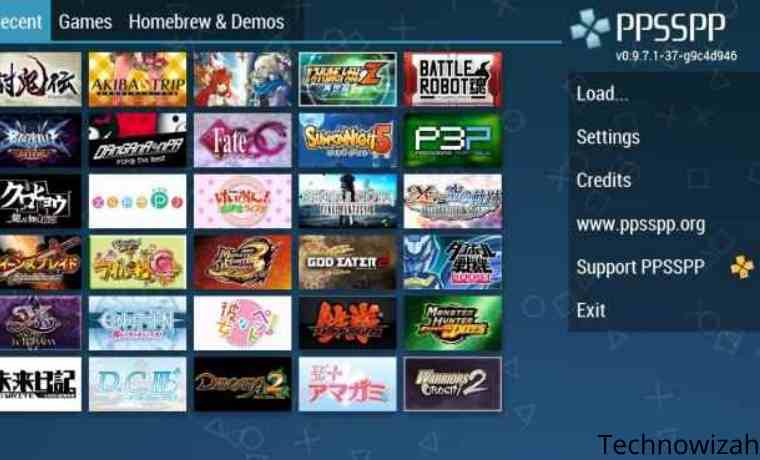
12 Smooth Collection of PPSSPP Android Games – Now it is not impossible to play PSP games on Android devices. The development of technology also makes smartphone users more creative.
This is perfect for those of you who used to like playing games, especially the fun games on the PSP.
PSP games do have their own character compared to mobile games in general.
Currently, there are a lot of PPSSPP ISO games circulating on the internet. In addition, many sites provide download links for free.
You also need to know that not all PSP games can be smoothly played using an emulator.
There are some games that lag when played. Therefore, you cannot choose the wrong game before downloading it.
Best Smooth Collection of PPSSPP Android Games Small Size
So that you have no trouble choosing the PPSSPP Android game that is smooth when played.
The following are recommendations for PPSSPP Android games with small, High compress HD quality that can be played smoothly according to Technowizah.com
#1. Tekken 6
Tekken 6
With the PPSSPP emulator now you can play Tekken 6 games on Android phones.
Although Tekken 6 is a little different from the PS 3 game, the characters and gameplay are not much different.
Even though just playing Tekken on an Android cellphone, won’t reduce the fun. Because it is more practical, it allows us to play Tekken anywhere.
In the Tekken 6 series, the main enemy is Azazel, who is believed to be able to eliminate Devil Gene from Jin Kazama.
Because Naruto Ultimate Ninja Storm 4 PPSSPP gets additions in several interesting features.
The graphics and gameplay are no doubt because they are good and fun to play.
Coupled with the existence of a jutsu that is exactly the same as the anime.
Like Naruto’s Rasengan, Sasuke’s Cidori, Rock Lee’s Ura Renge, Itachi’s Mangekyo Sharingan, and many others.
This Naruto game can be said to be quite complete, because almost all the characters in the Naruto Shippuden series are in this game, including Akatsuki.
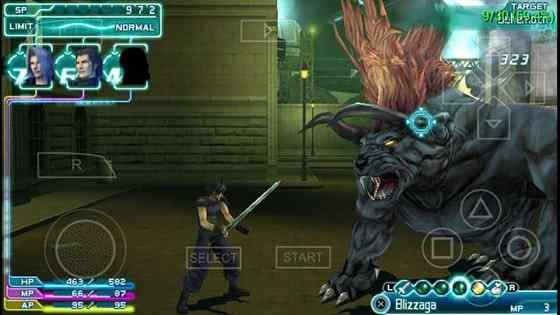
#3. Final Fantasy VII
Final Fantasy VII
Many people already know about Final Fantasy. Because this one game was already very popular on the Playstation.
Because you don’t want to be outdone by PC and PS games, finally the PPSSPP version of the Final Fantasy VII game appears in the form of an ISO file.
Although the PSP version of the graphics of Final Fantasy VII is not in doubt because it is arguably comparable to the PC version, it is very cool and real.
Final Fantasy VII PPSSPP game size is also very light. So it will still be smoothly played on potato cellphones though.
Download Final Fantasy VII
Password: richichannel
#4. Assassin’s Creed: Bloodlines
Assassin’s Creed Bloodlines
This one game is arguably a Legend game because from the era there was no android that already existed.
The admin himself used to play Assasins’s Cred: Bloodlines while still using Nokia Symbian
Indeed, the game Assasins’s Cred: Bloodlines is very cool, has a good storyline plus exciting and challenging gameplay.
If in the past the HP Symbian version was good, surely the PPSSPP version of Assasins’s Cred Bloodlines was even more exciting.
Both in terms of more amazing graphics and gameplay that will make the adventure in the game feel more real.
Download Assasins’s Cred: Bloodlines
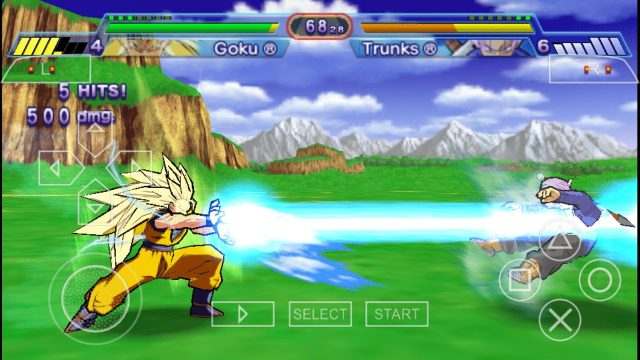
#5. Dragon Ball Z: Shin Budokai
Dragon Ball Z Shin Budokai
If you are a child in the 90s, you must watch Dragon ball first.
Even now there are still many who like this series, especially Dragon Ball Z.
Not only good in the anime series, but the game Dragon Ball Z: Shin Budokai is no less exciting because the gameplay is very similar to the one in the film.
By playing the PPSSPP Dragon Ball Z: Shin Budokai game, you can choose the various characters that you like.
Like Bejita, Krilin, Goku, Gohan, Grandpa Tortoise, Mom, Mr. Satan, and many other figures.
The points in this game are very similar to those in the anime. From the way of fighting, mainstay moves like Kamehameha.
For those of you who like Dragon ball, you must play this game
The Harry Potter films have been very popular and are now in a game version.
Harry Potter And The Order of The Phoenix has exciting graphics and gameplay, in this game you will become Harry Potter. So you can become a wizard in a game.
The admin has tried this game and the results are very smooth to play on an Android smartphone.
Football fans must be familiar with PES. This game is the game most often played in PS rentals.
It’s not just the PS version that is fun, the PSP version is just as fun, and both from the graphics to the gameplay are equally good.
The PPSSPP version of Pro Evolution Soccer (PES 2021) has a relatively small size so it will play smoothly.
You don’t worry, because every year there will be the latest transfer updates at every change and mid-season which is adjusted to the conditions of the world leagues.
Even now, it has followed the transfer update for the 2020/2021 season, where Morata moved to Juventus, Vidal to Intermilan, Suarez to Atletico Madrid, and transfer updates for other players.
Updates in eFootball PES 2021
Update Recent Transfers.
Renew New Hair.
A new team that was promoted to the world’s top five leagues.
500+ real faces.
Fixed UCL kit bugs.
Update player age, height, and rank.
HD Stadium.
20/21 Club and Country Kit season updates.
Repairing the fixtures of the teams promoted at UCL.
Added Spanish commentator.
The new national team kit.
The face of the HD player looks more real.
Ultra HD grass.
Download link:
Game Pes 2021 Normal Camera File [457MB]
PS4 Camera File [1MB]
Textures [53MB]
Savedata [1MB]
Note: We have repaired all files and no longer use passwords.
How to Install eFootball PES
Make sure you have downloaded all the game files above.
Some of the games we describe above are PPSSPP Android games that are smooth to play.
Just choose the game that you think is the most exciting. If you want to download, you can immediately click the download button at the end of each game review.
Don’t forget to bookmark and always visit every day Technowizah.com because you can find here the latest Tech Computer Android games How-to Guide Tips&Tricks Software Review etc, Which we update every day.


![How to Turn Off Antivirus on Windows 10 PC [2024]](https://technadvice.com/wp-content/uploads/2022/07/How-to-Turn-Off-Antivirus-on-Windows-10.png "How to Turn Off Antivirus on Windows 10 PC [2024] 3")