Tag: Game

  • Best Settings For PPSSPP on Android (100% Working) 2025

    Best Settings For PPSSPP on Android (100% Working) 2025

    Best Settings For PPSSPP on Android (100% Working) – In this post, I will share the best PPSSPP settings so that when playing PSP games on Android it can run smoothly without the broken sound that usually occurs on low-spec cell phones.
    Best Settings For PPSSPP for Android Not Complicated
    Best Settings For PPSSPP for Android Not Complicated

    How to Best Settings For PPSSPP for Android

    When talking about the PPSSPP game, I remember when I first played racing games on PS1 which at that time I was playing Championship Motocross. It is a very pleasant thing where we can play with friends and duel in a motorcycle race.

    Read more:

    In contrast to the past, if we want to play the game PS1, ps2, or PSP now it can already be done with only Android phones, assisted by the PPSSPP and gold emulator application.

    However, many users complain that they experience lag when playing games, broken sound, cracked images, and others like that.

    Therefore here we will provide the best ppsspp settings that you can use to play PSP games smoothly and smoothly.

    Newest Anti-Lag PPSSPP Settings
    Newest Anti-Lag PPSSPP Settings
    Newest Anti-Lag PPSSPP Settings

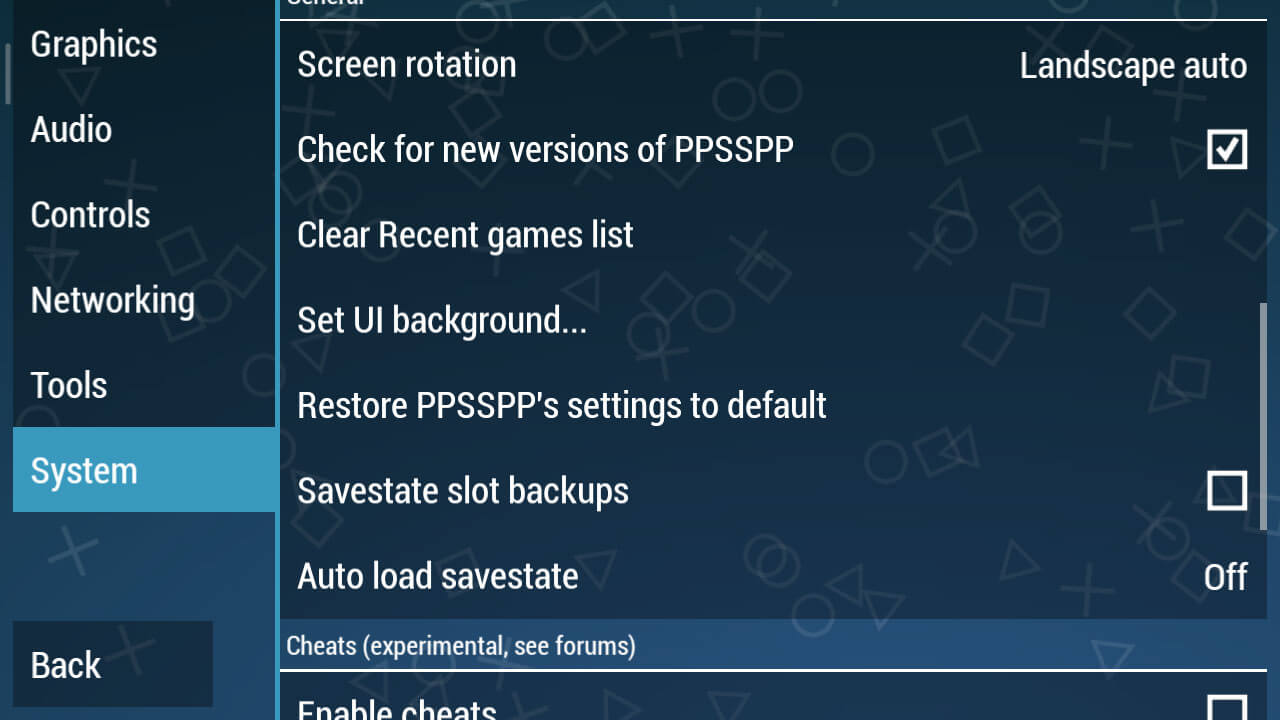
    If already installed, now enter PPSSPP then go to the Settings section or Settings. Choose System > General and select Restore PPSSPP’s settings to default so that we can make settings from the start.

    Graphic Settings
    Graphic Settings

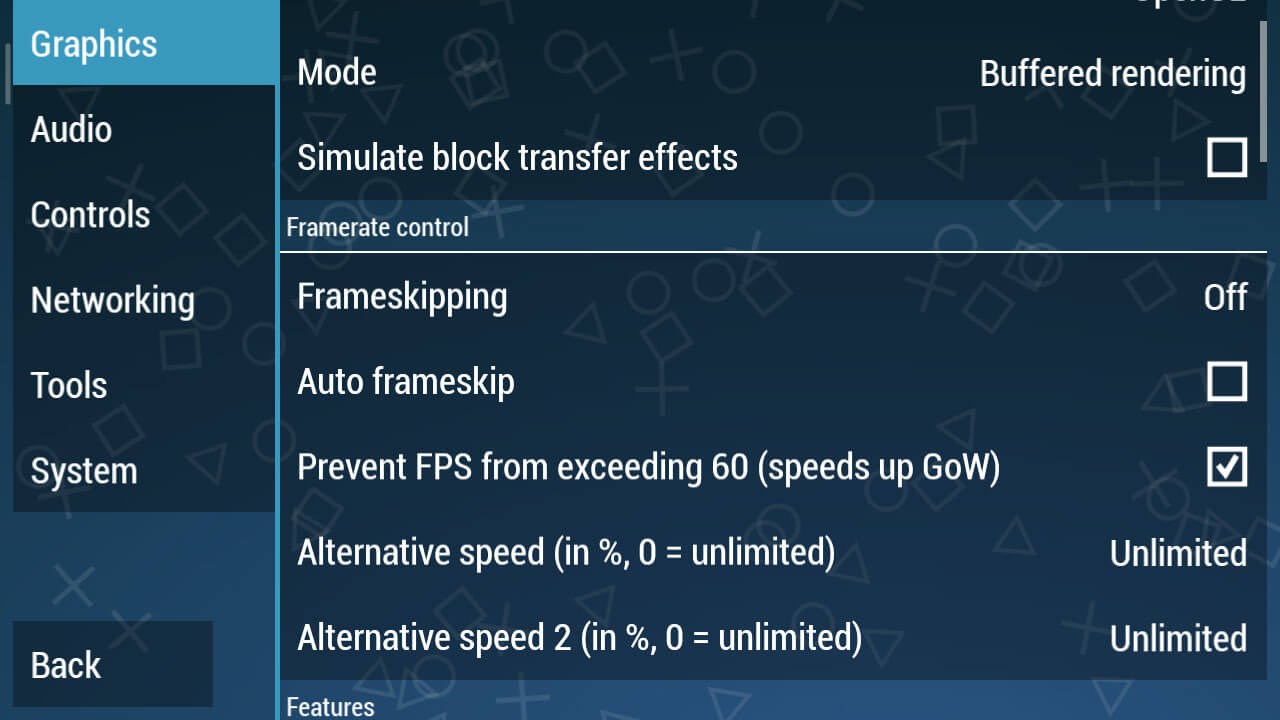
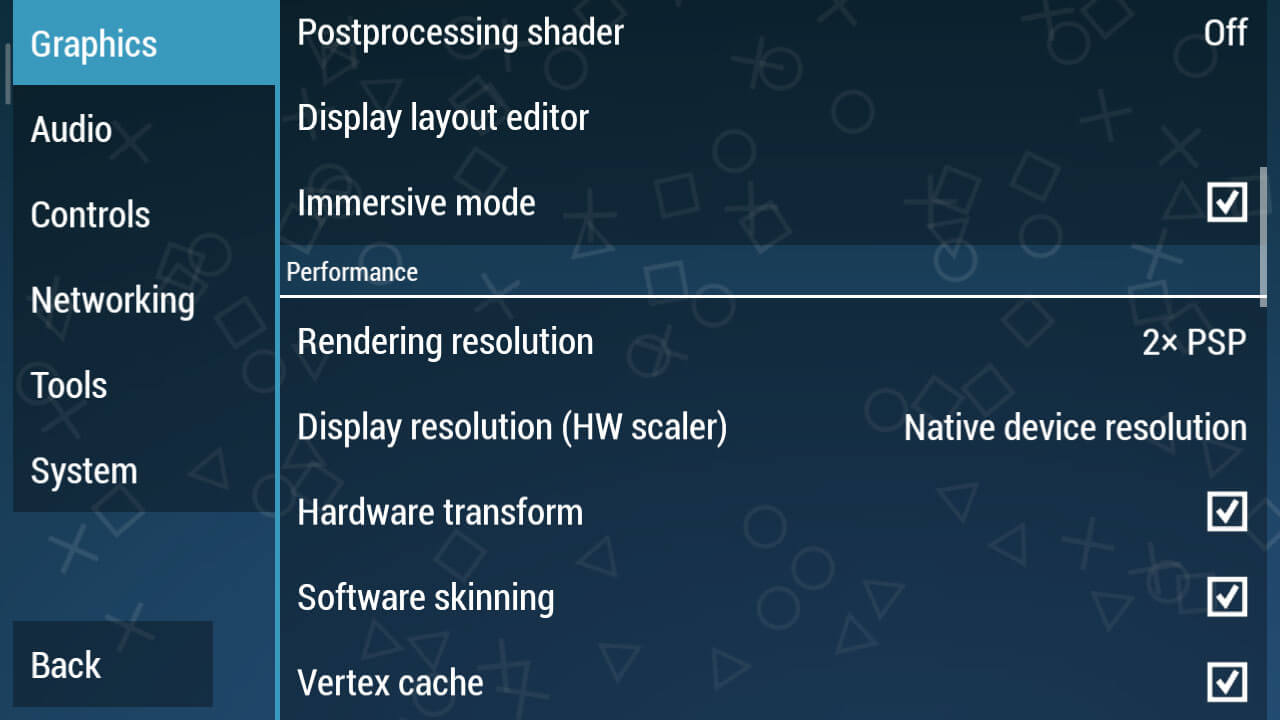
    Continue to the Graphics Settings option, this is the primary key so that a game can run smoothly and not lag. Moreover, problems often arise such as lag, broken, and black screen if you do the wrong graphic settings.

    • In Backend, select OpenGL
    • In Mode, select Buffered
    • Simulate block transfer effects, don’t check

    For more details, please see the screenshots above. As for the Buffered rendering, make sure you choose Buffered because it does match some skip-buffered games like the Naruto PPSSPP game, but other games will immediately black screen if you use that mode.
    Graphic Settings
    Graphic Settings
    • Immersive mode => Check
    • Hardware transform => Check
    • Software skinning => Check
    • Vertex Cache => Check
    Graphic Settings
    Graphic Settings
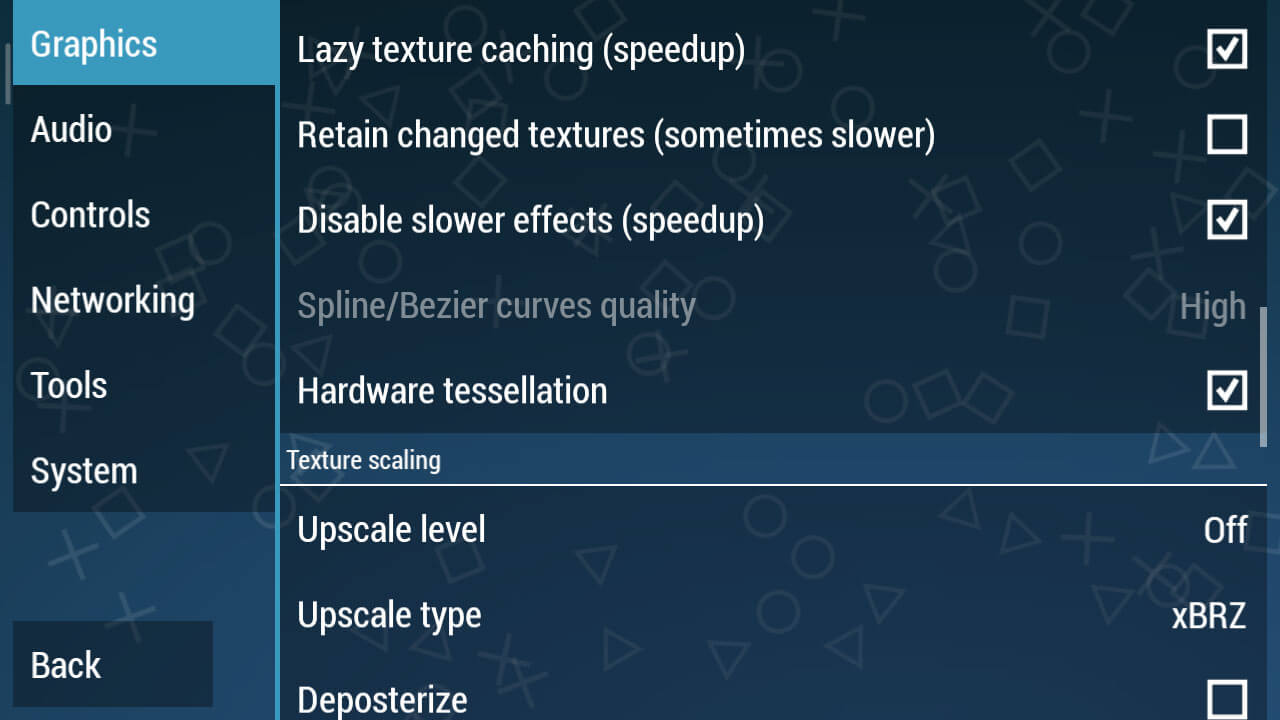
    • Lazy texture caching (speed up) => Check
    • Disable slower effects (speed up) => Check
    • Hardware tessellation => Check
    Graphic Settings
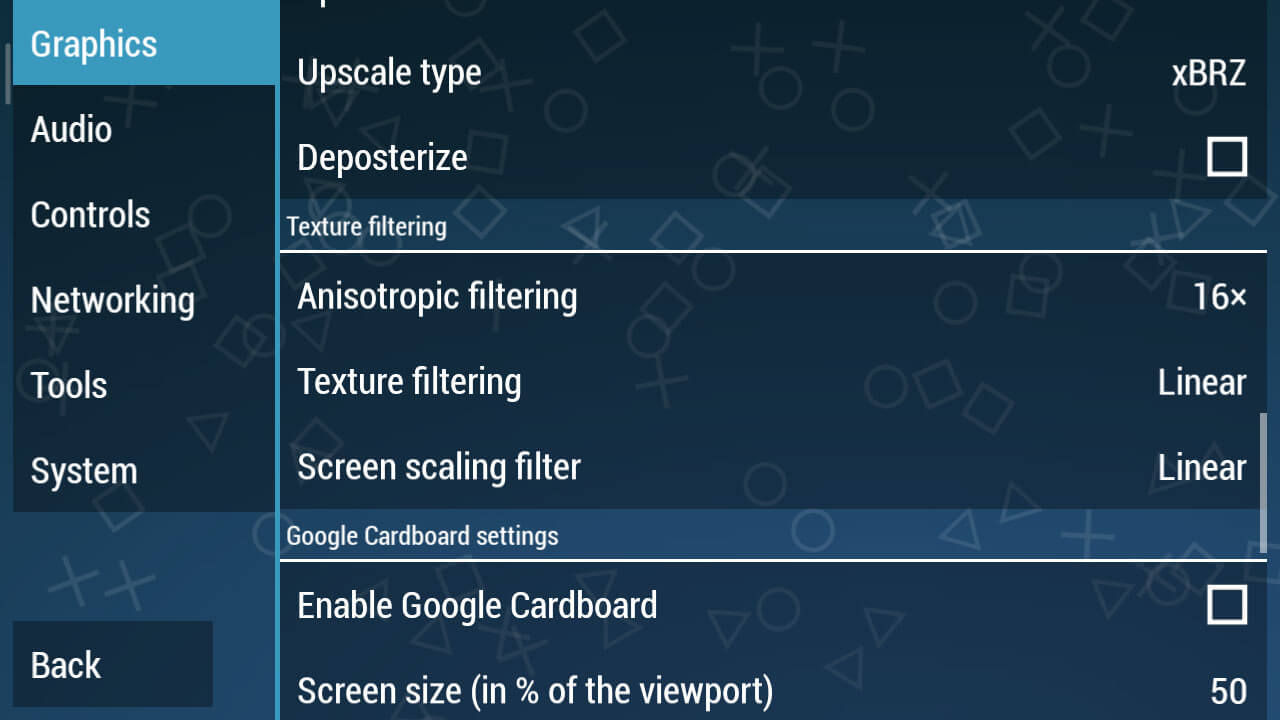
    • Change Texture Filtering to Linear
    • Screen Scaling Filter change to Linear
    Graphic Settings

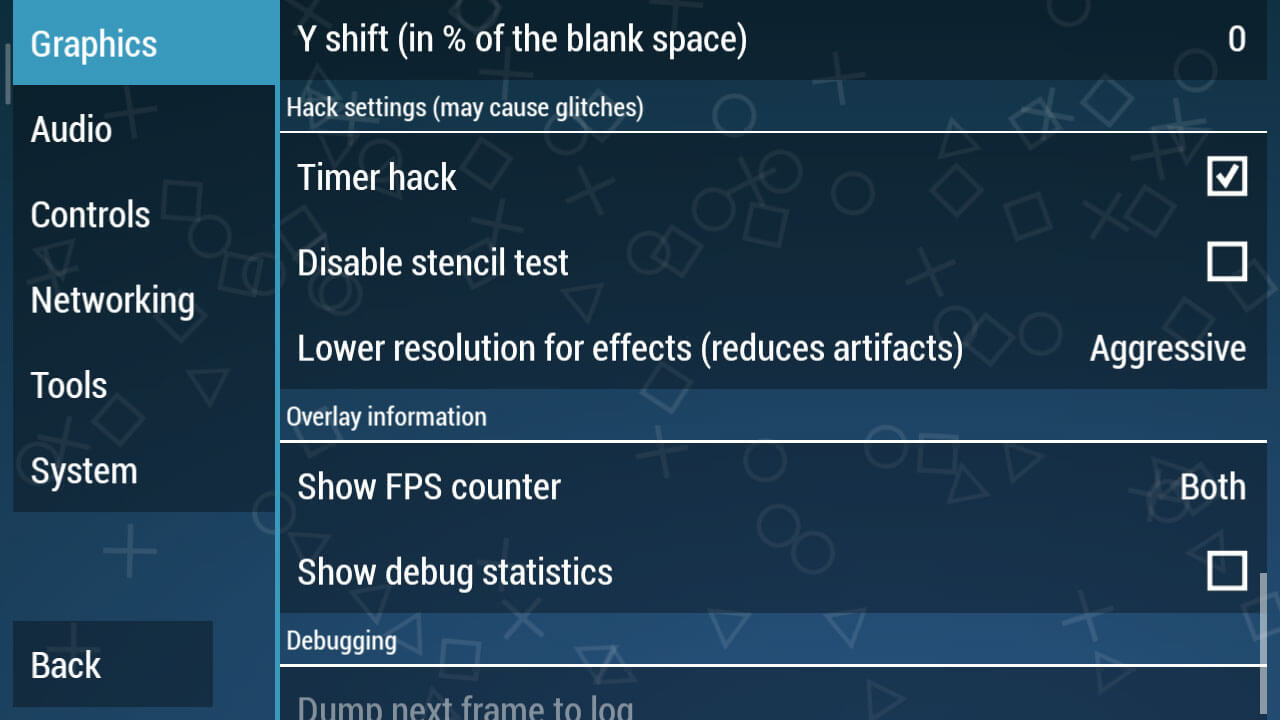
    This is the most crucial part, going into the Hack Settings Settings. Check the Hack Timer box, this is a must because this is only in PPSSPP version 1.7.5.

    Next, change the Lower resolution for effects (reduces artifacts).

    Audio Settings
    Audio Settings

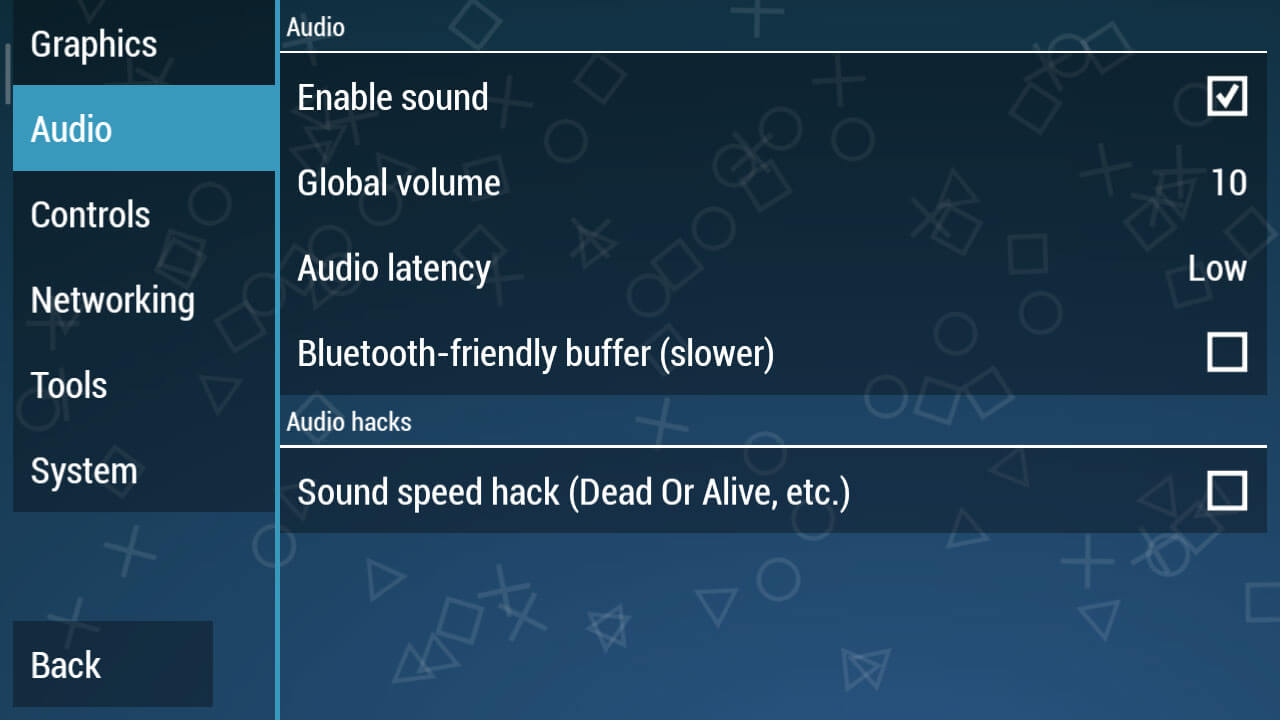
    You can just change the Audio Latency to Low. It looks simple, but if this setting has been applied it will clear up the sound of the game being played later.

    System Settings
    System Settings
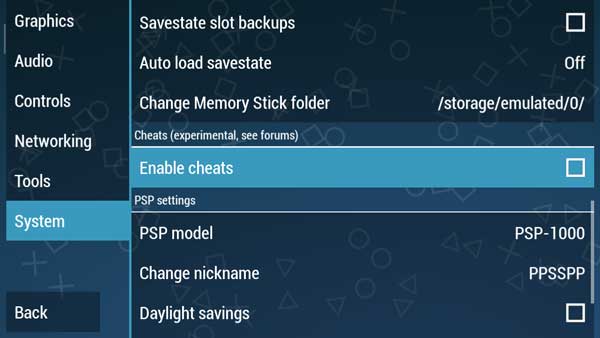
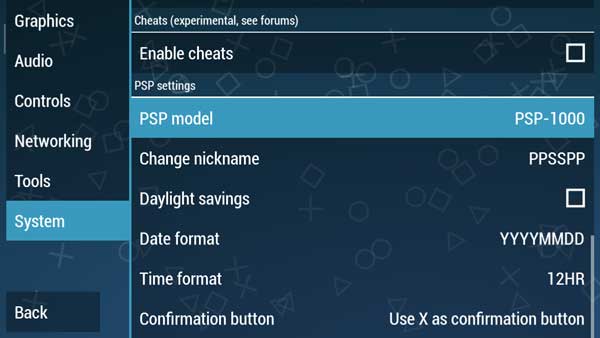
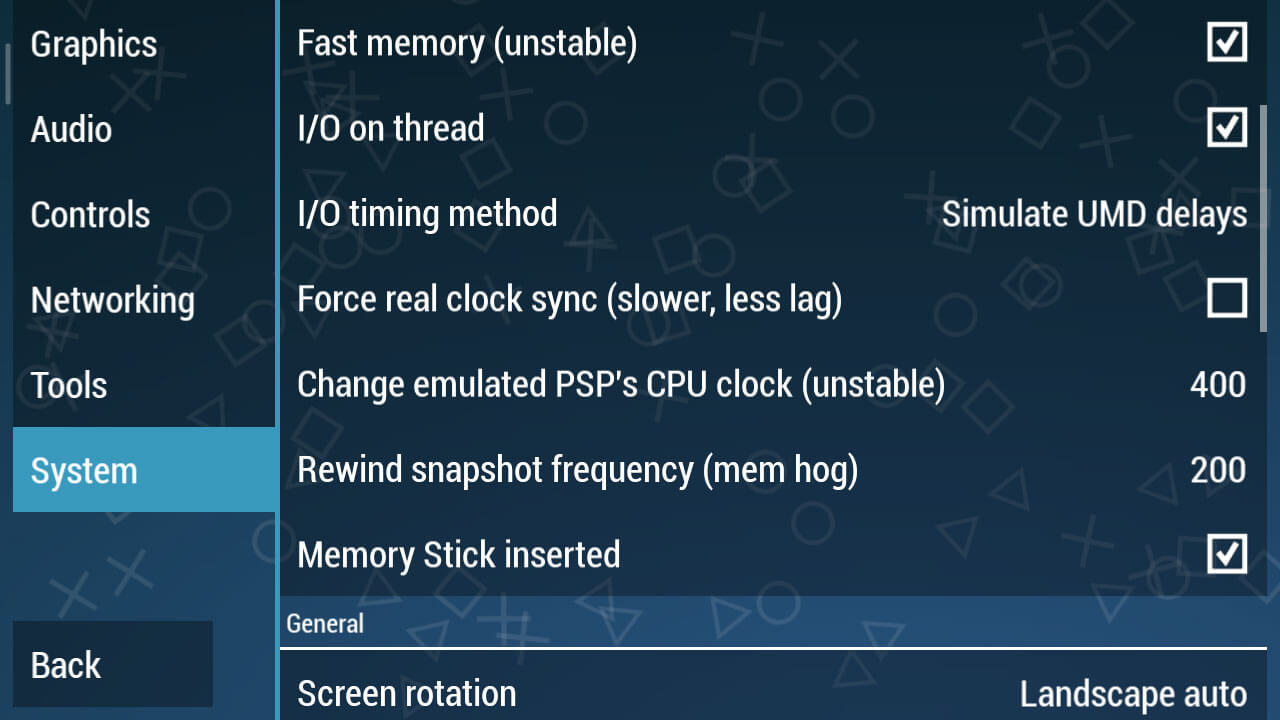
    • I / O timing method changes to Simulate UMD delays.
    • In the Change emulated PSP’s CPU clock (unstable) section, change it to 400.
    • Then in Rewind snapshot frequency (mem hog) change it to 200.

    As for you PPSSPP Gold users, for the settings, you can see below:

    Best PPSSPP Gold Settings To Play Smooth Games

    Here I prefer the Gold version of PPSSPP over the regular version because this is a premium application that we can buy at the Play Store, of course in terms of features it is also more complete than the usual version.

    For PPSSPP Gold, you can download it from the Play Store.

    # Step 1 – Graph Settings

    In the graphic settings, this is the most important part, because this will adjust to the device you are using.

    Here we will provide the best possible settings so that all types of mobile phones ranging from low to medium specs can run PSP games smoothly.

    In Rendering Mode, change the Mode to Skip buffer effects (non-buffed, faster)
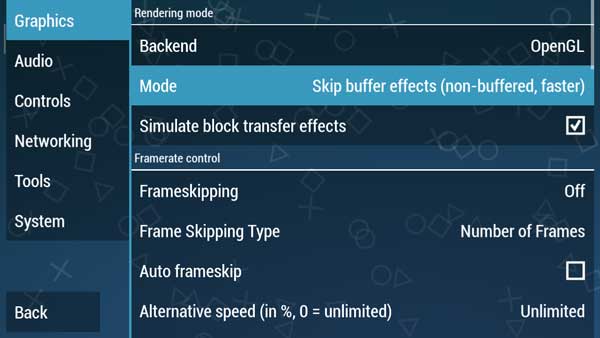
    Step 1 - Graph Settings
    Step 1 – Graph Settings

    We continue to the Performance section
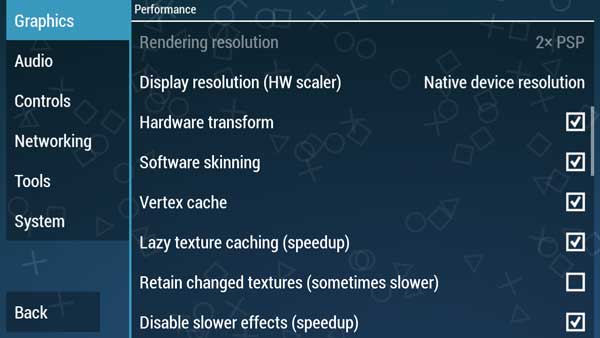
    Step 1 - Graph Settings

    Check Lazy texture caching (speedup) and also Disable slower effects (speedup)

    And in the Hack settings (may cause glitches)
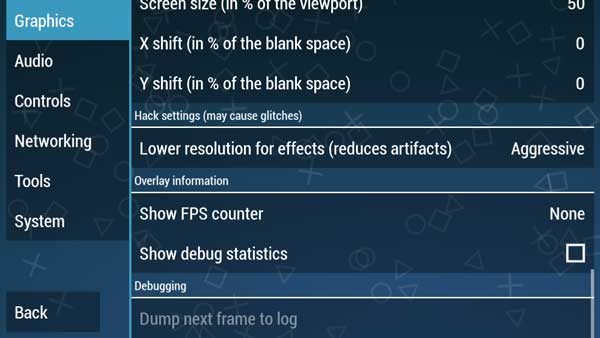
    Best PPSSPP Gold Settings To Play Smooth Games

    Lower resolution for effects (Reduces artifacts) we make Aggressive

    # Step 2 – Audio Settings

    In this audio section, we usually complain that we always experience broken sounds and also not smooth.

    This is not happening in the Audio settings but occurs in graphics or tools settings that cause game settings to be slow.

    For audio settings, we just need the settings below.
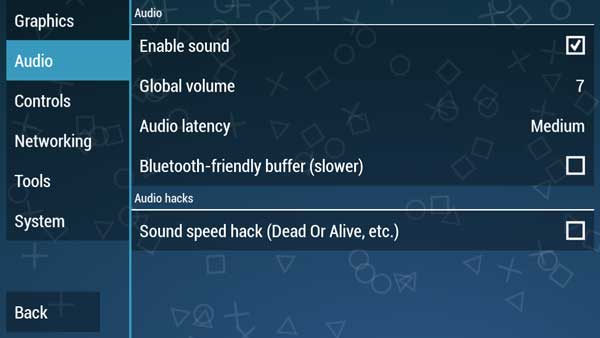
    Step 2 - Audio Settings
    Step 2 – Audio Settings

    # Step 3 – Setting Tools

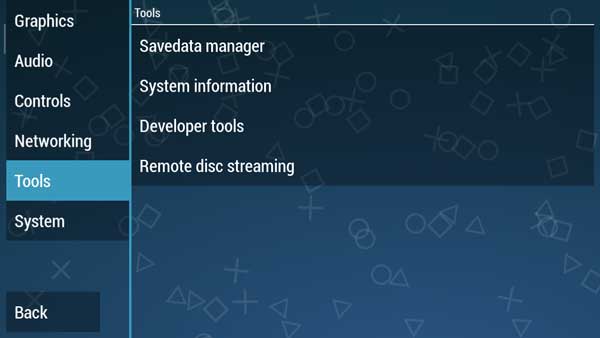
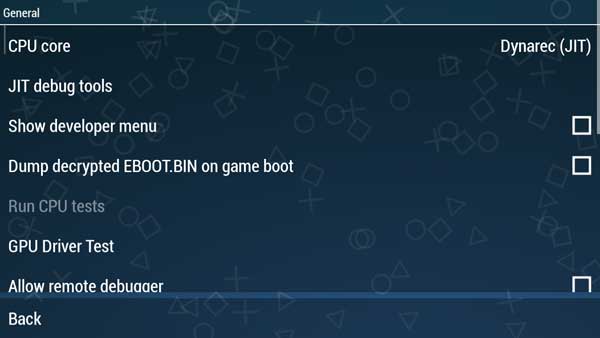
    For this part, you just need to make sure whether the CPU core is in Dynarec (JIT) mode or not, how do you please refer to the steps below.
    Step 3 - Setting Tools
    Step 3 - Setting Tools

    On the Tools menu, select Developer tools, and in the CPU core section make sure it’s Dynarec (JIT).

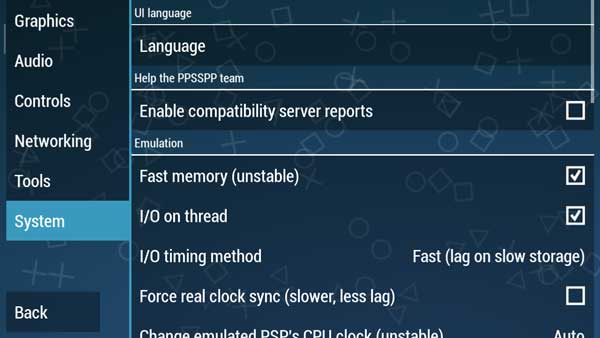
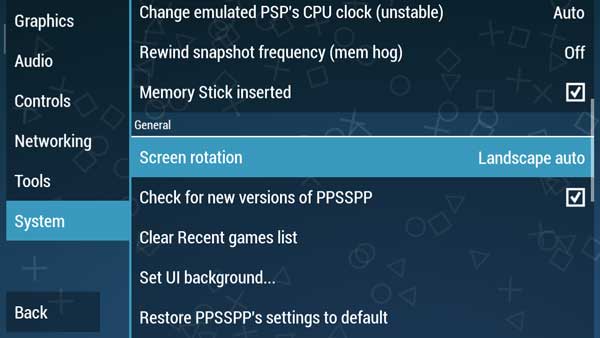
    # Step 4 – System Settings

    And in the System section we don’t need to make any changes, just look at the pictures below to adjust your PPSSPP Gold settings.
    Step 4 - System Settings
    Step 4 - System Settings
    Step 4 - System Settings
    Step 4 - System Settings

    Please adjust the settings in your PPSSPP.

    PPSSPP Gold is a more optimal version than the usual PPSSPP version. So actually in this version, we don’t have to change a lot of settings.

    However, on certain devices, especially old-school phones with low specs, sometimes it requires optimal settings to stay smooth when playing PSP games.

    Read more:

    Conclusion:

    So, friends, these Above the best settings For PPSSPP for Android, which we recommend to play PSP iso games on Android so that it runs smoothly without lags. But sometimes there are still many who complain about slow games.
  • Top 10 Best Offline Warship Games on Android 2024

    Top 10 Best Offline Warship Games on Android 2024

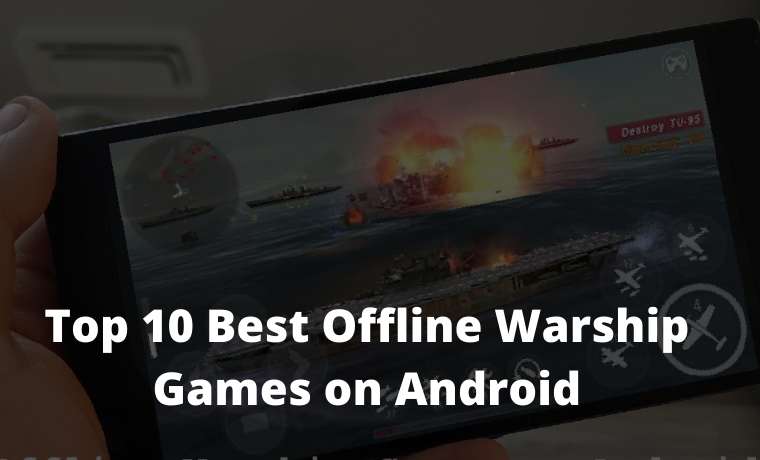
    Top 10 Best Offline Warship Games on Android – There are currently a lot of games provided by the Play Store. Various game genres that you can download such as FPS, MOBARPGPPSSPP, MMORPG, and others.

    Top 10 Best Offline Warship Games on Android 2021
    Top 10 Best Offline Warship Games on Android

    10 Best Offline Warship Games on Android

    Not only that anyway, but there are also online and offline games provided by the Google Play Store. Talking about games that are popular right now are PUBG MobileMobile Legends, and Free Fire. Isn’t that right?

    Read more:

    However, the game can only be played online. But just calm, down because this time we will recommend an offline game that you can play without having an internet quota.

    Well, if you want a war game, this is perfect! The thing is, here are some recommendations for the best offline battleship game on Android that you can play!

    If you want to play other war games, there are also things like royal war games, robots, and zombies. However, this time we only discuss warship games, guys.

    #1Battle of Warships: Naval Blitz

    Battle of Warships Naval Blitz
    Battle of Warships Naval Blitz

    The first offline battleship game on Android is the Battle of Warships: Naval Blitz. Oh yeah, this game can’t only be played offline, guys. But, it can also be online if you have enough internet packages.

    In this game, you are ordered to destroy enemy ships using the weapons available on the ship. If you manage to destroy the enemy ships, you will get points.

    The warships provided were also various. Moreover, you can ask for help jet or fighter to destroy the enemy. This game should also be included in the list of fighter war games.

    Game Name Battle of Warships: Naval Blitz
    Download Size 89MB
    Download link

    #2World of Warships Blitz: Gunship Action War Game

    World of Warships Blitz Gunship Action War Game
    World of Warships Blitz Gunship Action War Game

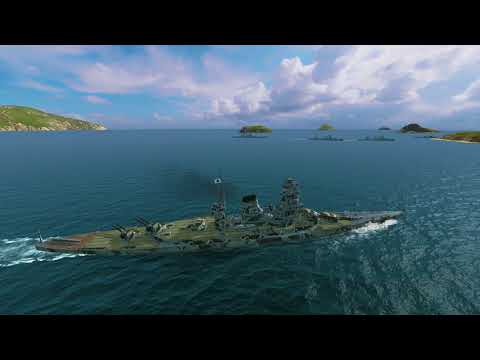
    The second offline battleship game is the World of Warships Blitz: Gunship Action War Game. This game that uses 3D graphics can be played simultaneously with your friends, it’s similar to a multiplayer game. But, the condition is you have to be online.

    Even so, you can still play offline in this game if you play alone. This warship game tells about world war 2 in the navy.

    So, you have to do battle using warships that already have weapons available. If you manage to destroy and sink the enemy, then you are a very formidable navy.

    Game Name World of Warships Blitz: Gunship Action War Game
    Download Size 1GB
    Download link

    #3World Warships: Atlantic Battleships Blitz

    World Warships Atlantic Battleships Blitz
    World Warships Atlantic Battleships Blitz

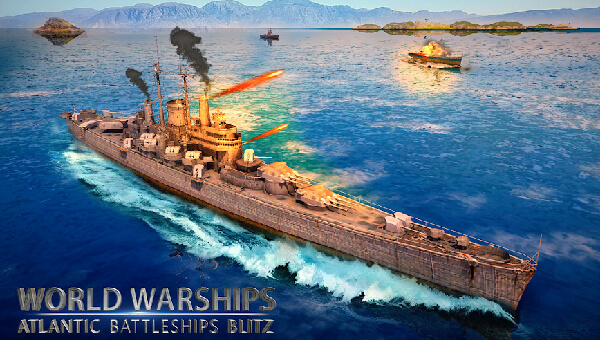
    The third warship game on Android is World Warships: Atlantic Battleships Blitz. This game tells about the war between warships in the ocean. In this game, you are a fleet of battleships assigned to destroy enemy ships.

    Oh yes, you are also required to destroy ships quickly, so that the warship you use does not sink and can continue the war with other warships.

    The weapons used are also missiles and long-range shooters. Yes, although this game is not a 3D sniper game, this game uses a 3D graphic display that is no less real when played.

    Game Name World Warships: Atlantic Battleships Blitz
    Download Size 86MB
    Download link

    #4Sea Battle: Warship (3D)

    Sea Battle Warship (3D)
    Sea Battle Warship (3D)

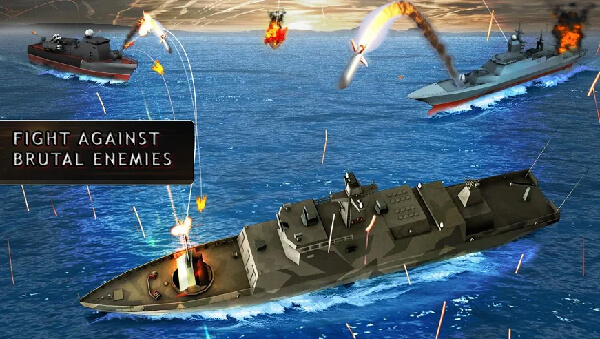
    The fourth best marine battleship game on Android is Sea Battle: Warships (3D). Same as the previous game, in this game, you get a mission to destroy enemy warships to sink.

    As a commander of a cruiser, you also have to adventure in the ocean to find enemies and destroy them. Well, even though it’s not an adventure war game, with this game you feel like you’re adventuring too.

    Oh yes, the types of warships provided in this game also vary with different weapons as well. If you succeed in destroying enemy battleships, you can get points, guys.

    Game Name Sea Battle: Warships (3D)
    Download Size 30MB
    Download link

    #5Warship Attack 3D

    Warship Attack 3D
    Warship Attack 3D

    The fifth offline battleship game on Android is Warship Attack 3D. In this 3D war game, you are a naval captain who is ordered to destroy enemy ships.

    Oh yes, you can also play with friends if you use the online mode. So, this game also includes online games on Android that you must try!

    You also need to know, guys, if there are about 40 battles in the ocean. Although this game is not included survival games. But, you are required to stay alive and avoid enemy fire.

    Game Name Warship Attack 3D
    Download Size 18MB
    Download link

    #6Navy Battleship Attack 3D

    Navy Battleship Attack 3D
    Navy Battleship Attack 3D

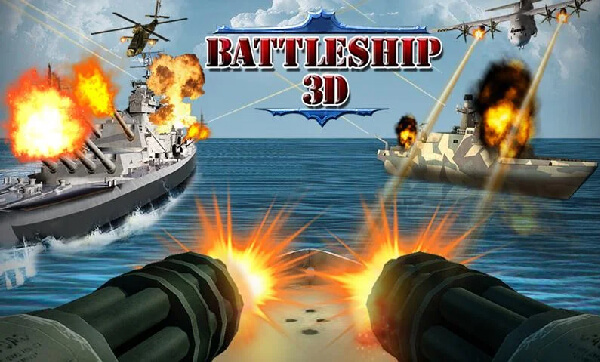
    The sixth offline ship war game on Android is Navy Battleship Attack 3D. In this game, you are a naval soldier assigned to destroy enemy soldiers using weapons available on the ship.

    Yeah, even though this game is not necessarily said to be an army war game. However, in this game, you don’t only fight warships. But, you have to fight against helicopter gunships, war jets, and so on.

    So, the enemy in this game is quite complete in its fleet. Oh yes, this game also has a 3D graphic display that if played will look real so goes. How are you guys, are you interested in downloading this war game?

    Game Name Navy Battleship Attack 3D
    Download Size 33MB
    Download link

    #7Enemy Waters: Submarine and Warship battles

    Enemy Waters Submarine and Warship battles
    Enemy Waters Submarine and Warship battles

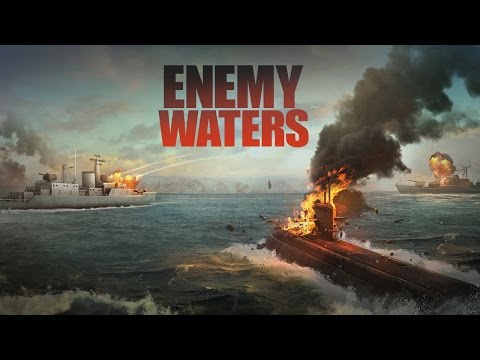
    The seventh-best ship war game on Android is Enemy Waters: Submarine and Warship Battles. In this game, you have to fight pirates who want to steal natural resources such as oil in the ocean.

    Therefore, you must fight with the pirates. Well, you can use battleships or submarines to fight the pirates.

    Even though this game is not an adventurous war game, you also have to keep adventuring in the ocean to continue to search for pirates. If you manage to destroy the enemy ships, you will get points.

    Game Name Enemy Waters: Submarine and Warship battles
    Download Size 72MB
    Download link

    #8Global Warship Battle

    Global Warship Battle
    Global Warship Battle

    The eighth offline battleship game is Global Warship Battle. In this game, you are a navy that has a mission to destroy the warships belonging to the terrorists.

    So you have to destroy the terrorist ship using warships that already have weapons. In addition, you are also required to defend warships in the sea defense line.

    Therefore, you also have to set a strategy to avoid the attacks of terrorist warships games. Although this game has not been entered into the list of war strategy games, this game is very exciting to play in your spare time anyway!

    Game Name Global Warship Battle
    Download Size 51MB
    Download link

    #9Warship War: Navy Fleet Combat

    Warship War Navy Fleet Combat
    Warship War Navy Fleet Combat

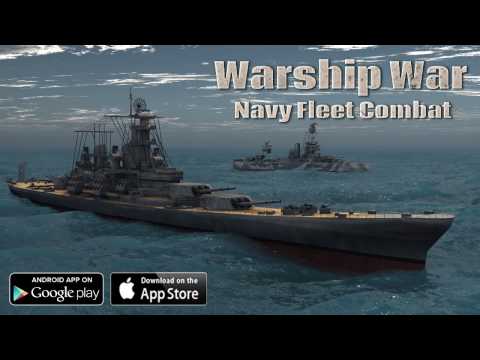
    The next offline battleship game is Warship War: Navy Fleet Combat. This game also tells about the Second World War. However, the war was fought in the ocean.

    Well, in this game you are a naval fleet admiral who must lead a battleship, aircraft carrier, submarine, weapons ship, and so forth.

    So, you are required to guard all the ships against enemy attacks. If your ship is attacked, then you also have to do battle with the enemy.

    You do this by setting a strategy so that you do not fall due to fire on enemies who use weapons ships and tanks. Hemm, it looks like this ship battleship game is one of the offline strategy games that you must try.

    Game Name Warship War: Navy Fleet Combat
    Download Size 256MB
    Download link

    #10Ships of Battle: The Pacific

    Ships of Battle The Pacific
    Ships of Battle The Pacific

    The next offline ship war game on Android is Ships of Battle: The Pacific. In this game, you get a mission to do a big battle in the ocean. Edits, but you also have to be careful with airstrikes.

    Because in this game not only battles between warships just games. But, there are also fighter planes. So, it would help if you continued to defend yourself to fight enemies with available weapons.

    Oh yes, if you succeed in destroying the enemy, then you can upgrade weapons and battleships. Yes, even though this game does not include adventure games, you do not forget to keep on an adventure to find enemy ships and planes.

    Game Name Ships of Battle: The Pacific
    Download Size 230MB
    Download link

    So, how are you, smart buddy? You already know there are no offline battleship games on Android right now. Don’t forget to share this list of offline battleship games with other smart friends.

    Read more:

    Conclusion:

    So they also know what the heck of an offline battleship game is currently on Android. Oh yes, if you have criticism and suggestions regarding the article listing offline battleship games on Android, you can write it in the comments column below right here