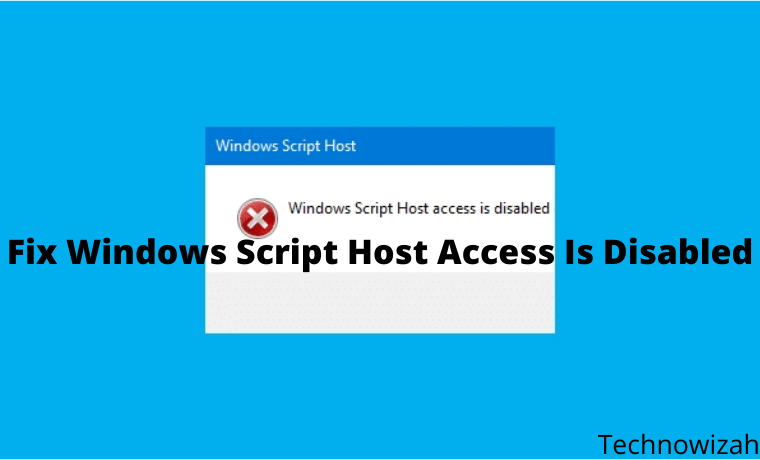
5 Ways To Fix Windows Script Host Access Is Disabled on This Machine – Windows Script Host Access is disabled on this machine. Contact your administrator for details. This message is usually found in Windows 7, Windows 8, and Windows 10.
How To Fix Windows Script Host Access Is Disabled
Antivirus usually causes Windows Script Host or WSH messages. For example Smadav. Maybe you happen to be wearing it too?
Read more:
- 8 Ways to Fix Windows 10 Start Menu Not Working
- 6 Ways to Speed Up Slow Internet Connection in Windows
- 5 Ways To Fix Windows Update Error 0x800703ee on PC
- How to Increase Virtual Memory on Windows 10 PC
I usually encounter this message while browsing. For example, opening a site.
Or also when opening certain applications. The effect is that the application cannot function properly.
What is Windows Script Host?
Just for those who don’t know. Windows Script Host is a Windows feature, to run certain commands related to scripting.
Usually, there are special applications.
To get rid of the message you can use the method I will explain this. I have tested it myself and it works.
#1. Via Regedit
Here we can manage the Windows system via Regedit. Setting so that WSH can be reactivated.
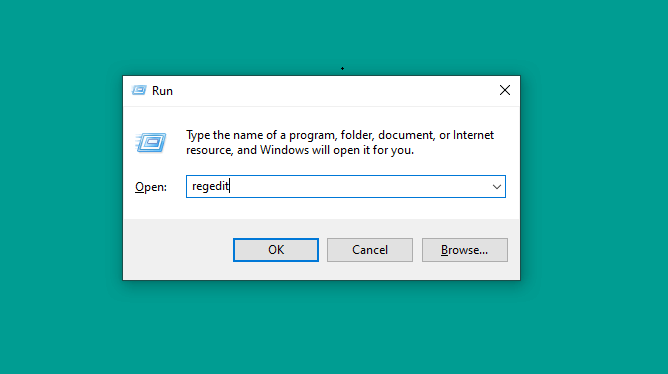
- First please press the Windows key + R > Type Regedit > Then click OK
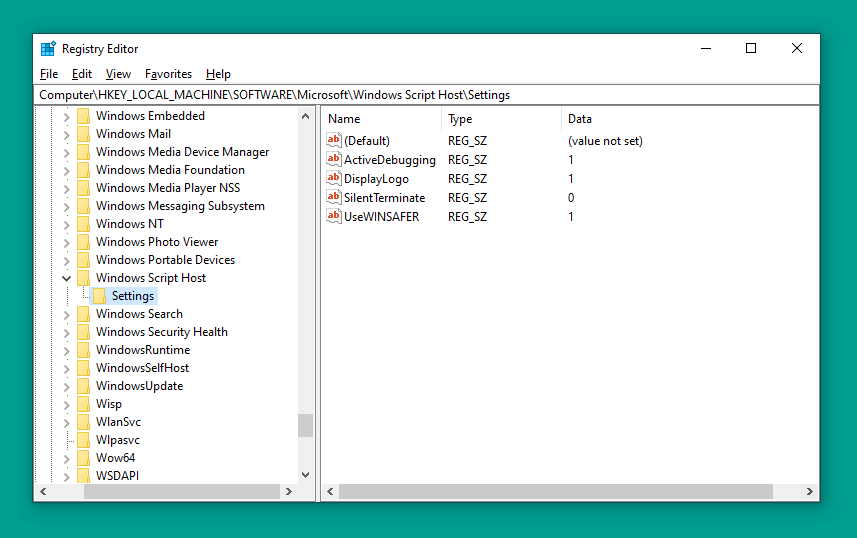
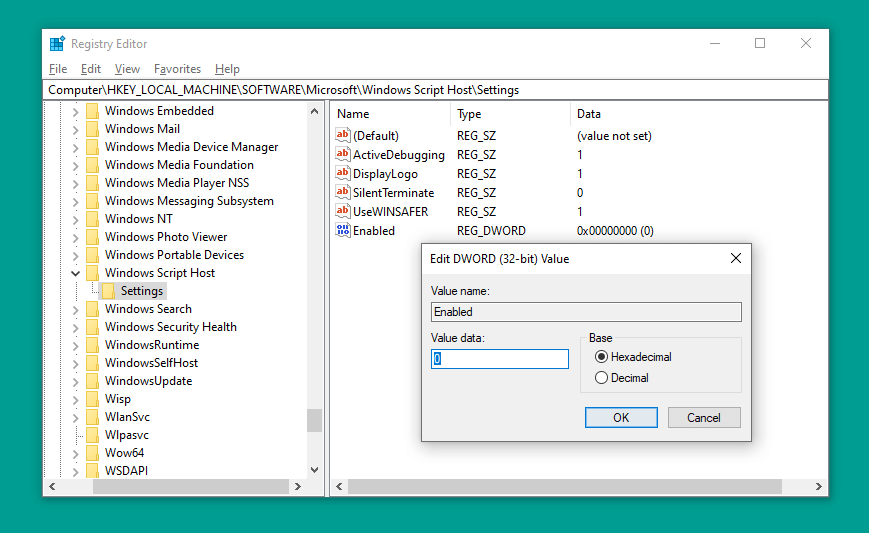
- Next, please go to > HKEY_LOCAL_MACHINE > SOFTWARE > Microsoft > Windows Script Host > Settings.
- Right-click Mouse there > Then select option DWORD (32) bit value
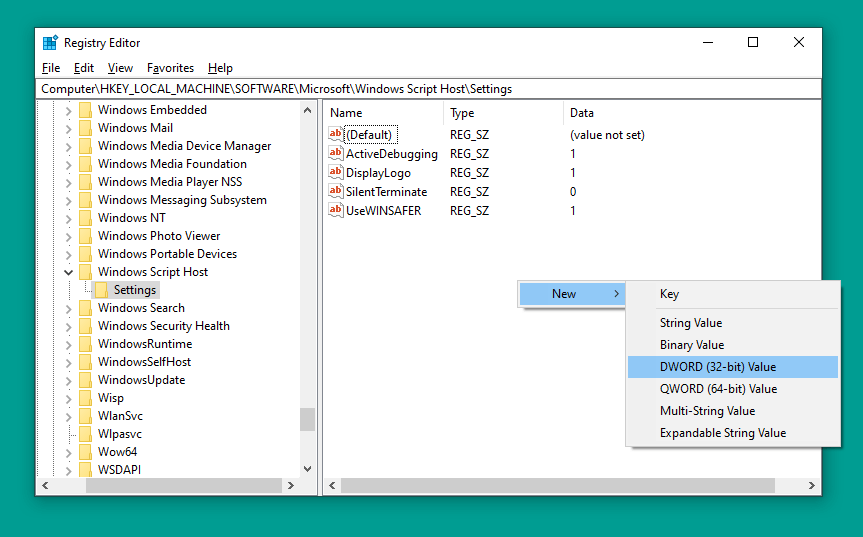
- Double-click the registry > Then set the name to Enabled
- Right-click Registry > Select Modify > Then set Value Data to 0 > Click OK
- Restart the computer if you have one.
It’s done.
Note: If the Windows Script Host Settings already has a registry with the name enabled, you don’t need to create it again.
Just change the Value Data registry earlier, from 0 ( disabled ) to 1 ( enabled ). That way, there will be no double registry later.
#2. If you are a Smadav user
Windows Script Host that initially already exists does not work, usually because it is disabled by the Antivirus. For example Smadav.
Smadav by default doesn’t give access permission on Windows Script Host. Therefore, this will cause notifications to be disabled later.
- Open the Smadav Icon tray (bottom right corner) > Then right-click on the Smadav icon
- Next, please select Allow Windows Script & Office Macro Permanent
- Restart your computer if you have
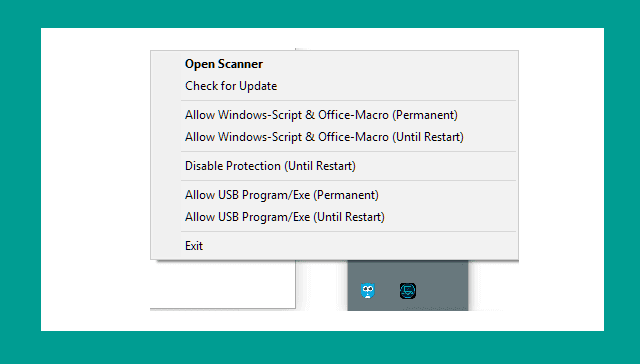
For this step, I made it so that Windows Script continues to be active. If you want to use the Until Restart option, you can. But don’t forget to set it up again when it restarts.
| Permanent | Until Restart |
| Windows Script will always fire (permanently) | Windows Script will run until the restart |
#3. System Configuration
This method is simpler. The steps are more or less the same as those for Regedit. Through Run.
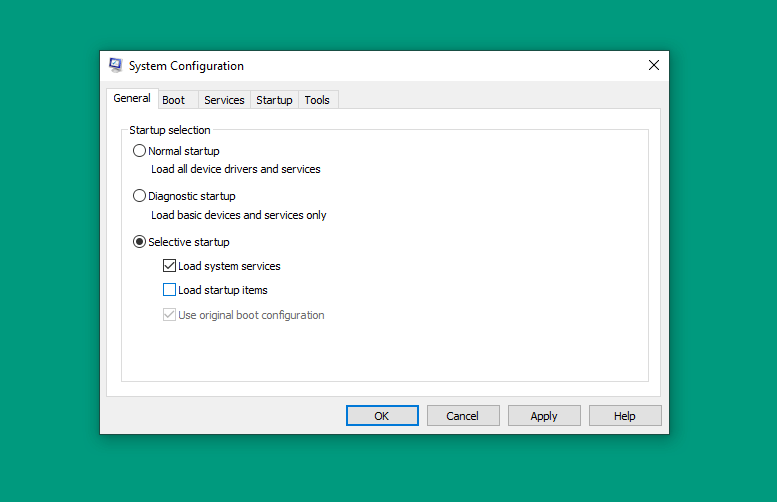
- Click Windows key + R > Type MSConfig > Then click OK
- Next, you uncheck Load Startup Items
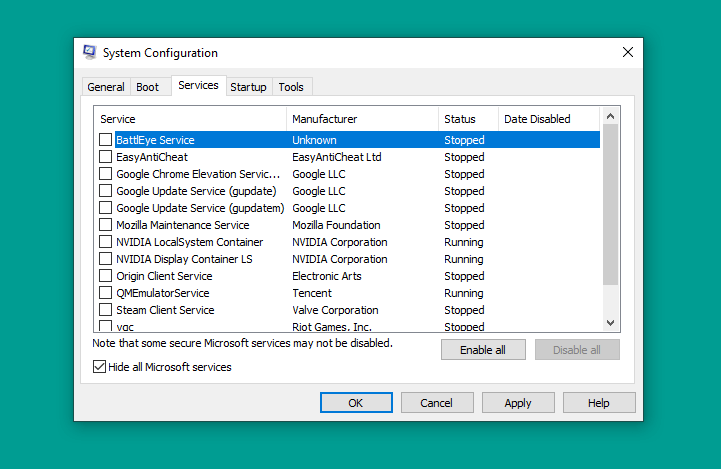
- Continue to open the Service tab > Press Hide All Microsoft Service > Disable All > Then OK
- If so, please restart the computer
#4. Via Command Prompt
Command Prompt or CMD. The goal is the same as before. The difference is that we only need to write a few command lines.
- Press Windows key + R > Type CMD > Then Enter
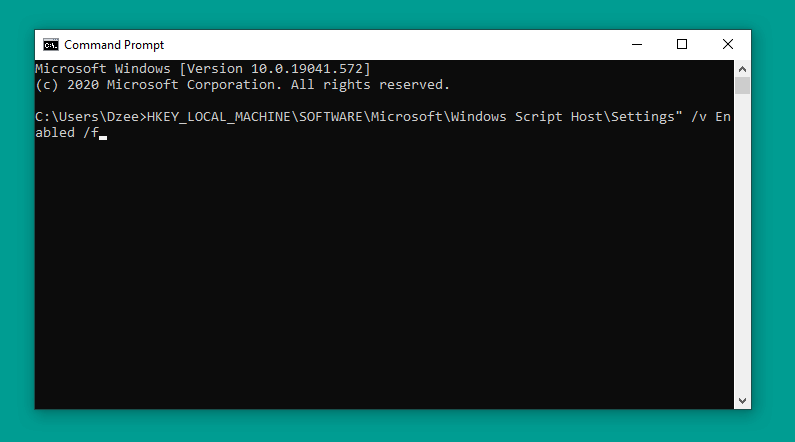
- In CMD > Enter the REG DELETE command “HKEY_LOCAL_MACHINE\SOFTWARE\Microsoft\Windows Script Host\Settings” /v Enabled /f
- If so, please press Enter
Restart the computer as usual. When finished, try the test again.
#5. Delete Registry After Userinit
Back to Regedit. The last way is to delete the registry after the user has initiated it. Intended for Windows Script Host can run.
- Open Regedit the same as before
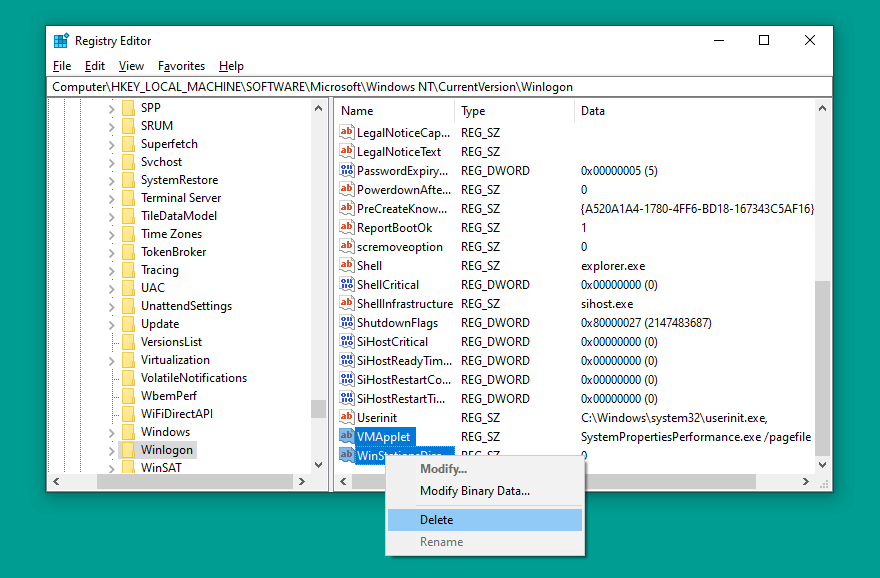
- Then go to HKEY_LOCAL_MACHINE > SOFTWARE > Microsoft > Windows NT > CurrentVersion > Winlogon.
- Under Userinit there is a registry. Please delete everything
If so, close Regedit then try again.
Conclusion:
This is the explanation of 5 ways to fix Windows script host access is disabled on this machine, the host script notification you found has been successfully resolved and does not come out again.