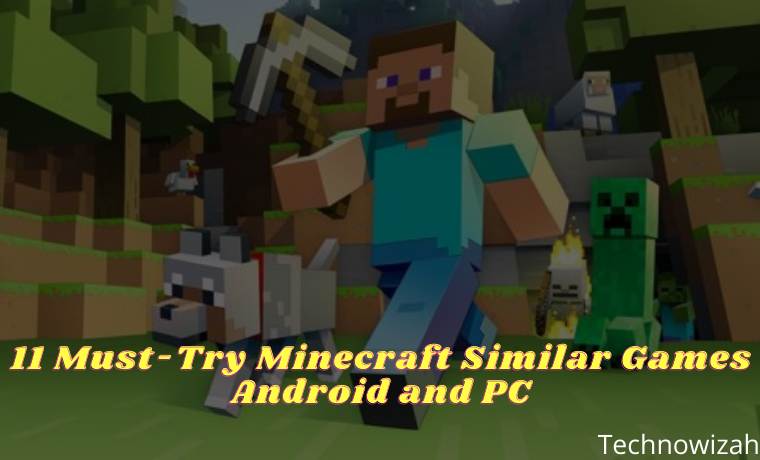
11 Must-Try Minecraft Similar Games Android and PC – The popularity of Minecraft is worldwide, so it is certain that almost no gamers are not familiar with the game created by Markus Persson. Because of its popularity, now many Minecraft-like games are mushrooming to follow its success.
11 Must-Try Minecraft Similar Games Android and PC
11 Must-Try Minecraft Similar Games Android and PC 2024
What does make games that can be favored by many people? Of course, the answer is an interesting storyline, amazing graphics, good sound, and more.
But let’s look at the Minecraft game, this game has graphics that are far from other famous games, the sound can be considered normal like when we played games in the 90s when the Playstation 1 came out.
Currently, there are quite a number of Minecraft-like games that you can find on various platforms, both on PC and mobile on Android and iOS. We will recommend some of them to you.
Well, want to know what games are similar to Minecraft? Check out the summary made by the Technowizah Team below:
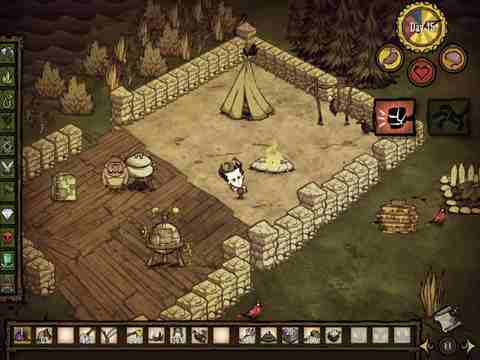
#1. Don’t Starve
Don’t Starve
This Minecraft-like game teaches us to be able to survive in any way such as by collecting resources, making tools, and getting away from the gripping darkness.
You are required to avoid the night because there are wild animals ready to pounce. So in this game, we have to make a place to live before the sun goes down.
#2. Terraria
Terraria
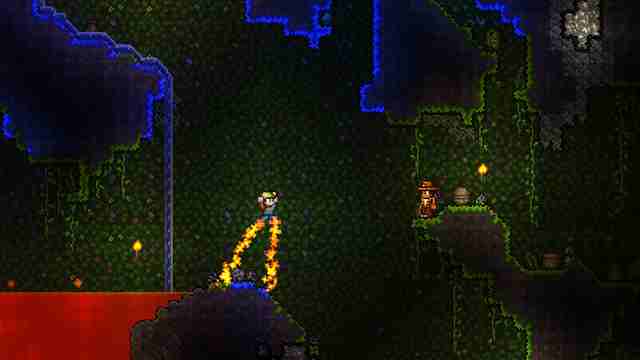
Terraria is a side-scrolling game where most of the storyline is just building things and exploring. To make your character stronger in battle, you have to make weapons, armor, and make potions. So that makes it a game similar to Minecraft.
To make your character more secure from danger, you have to build a house for protection. Games like Minecraft PC are two-dimensional games which makes them easier to use for touchscreen devices.
#3. SurvivalCraft
SurvivalCraft
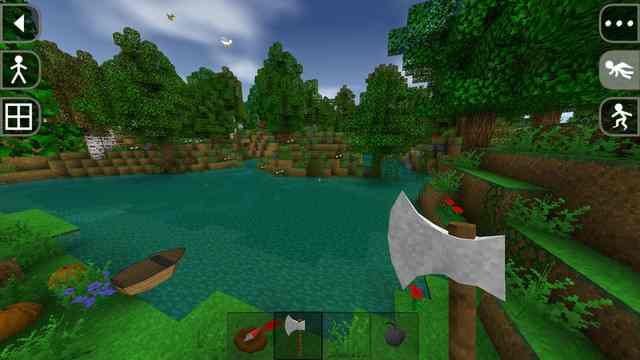
SurvivalCraft is a game similar to Minecraft PC. This game will save your character on a deserted island with all kinds of animals that will “accompany” you.
Like Minecraft, characters will start out empty-handed and must gather resources to craft weapons, tools, and more. The point is very Minecraft.
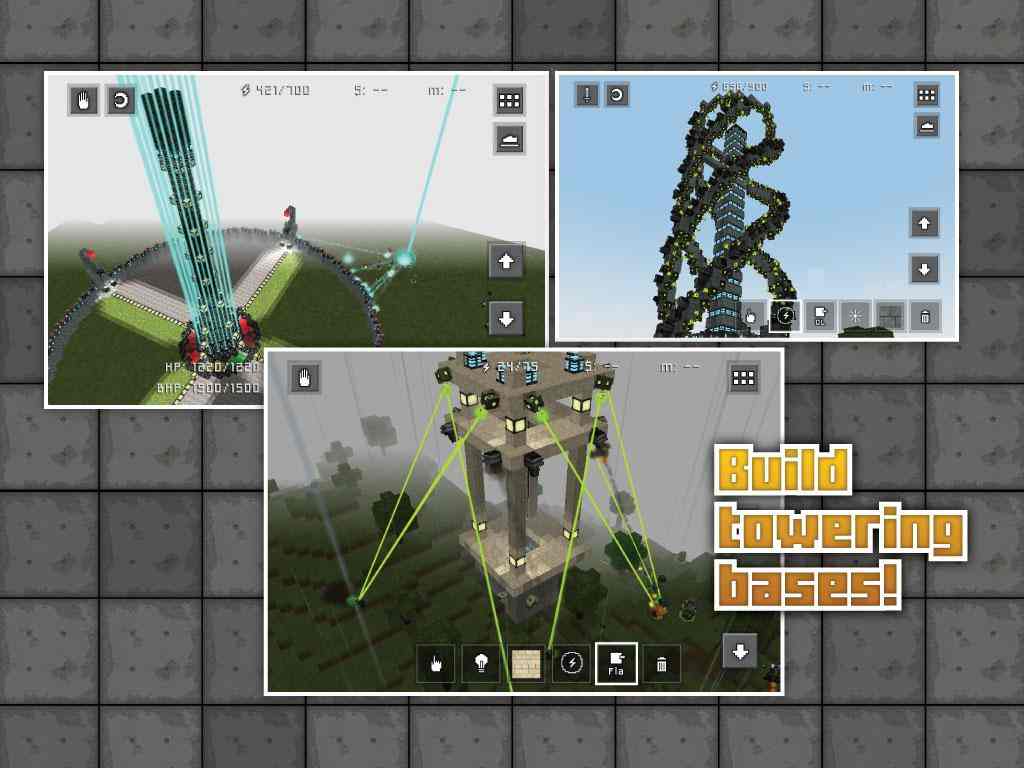
#4. Block Fortress
Block Fortress
This is a version of Minecraft that comes with tower defense. The gameplay is similar to Minecraft, but the difference is that you have to build defensive towers to protect your territory from enemies.
Games like Minecraft can be played by up to 6 people in multiplayer to work together against the bad guys.
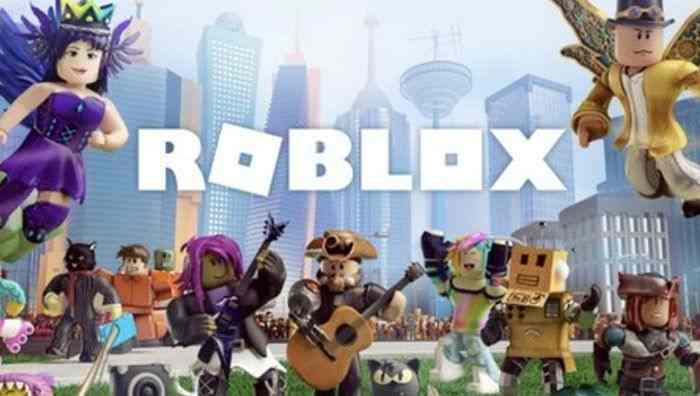
#5. Roblox
Roblox
The next Minecraft-like game is Roblox. In this game, you will be asked to build objects using virtual blocks. This similarity is what makes this game so much compared to Minecraft.
In Roblox, you can create your own world, where you will enter and play in the thousands of other worlds available that have been created by other players. This game, which was released in 2006, is very popular, so it is not surprising that its active users have now reached 70 million users every month.
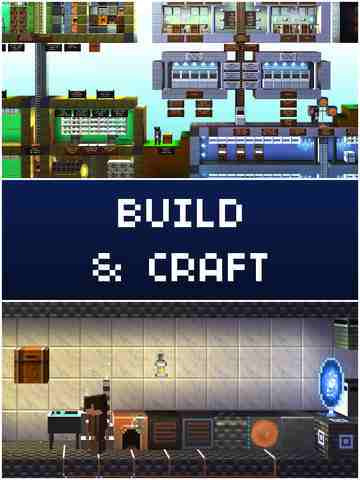
#6. The Blockheads
The Blockheads
This game is indeed similar to Minecraft, the difference is that this game is arranged in such a way as a 2D world that can only move right and left and up and down which makes it easier for users to control their characters collect resources, fight enemies, and explore the wide world.
One more thing, you are free to be creative to build the tools needed for certain conditions. This game also allows us to live a peaceful life by deactivating the enemy.
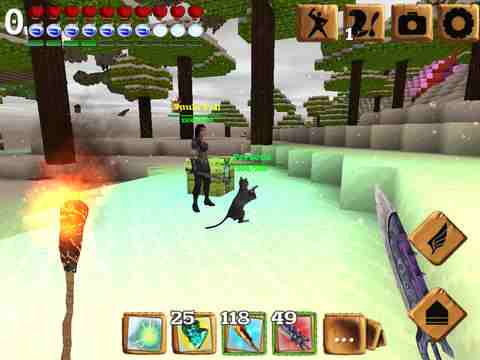
#7. Block Story
Block Story
When some RPG elements have been found in Minecraft, it is different from Block Story which makes users feel the RPG sensation that is very different from before.
The difference is felt through the presence of magic and more choices to make a craft tool. You feel like you own this world because you can explore anything and build anything.
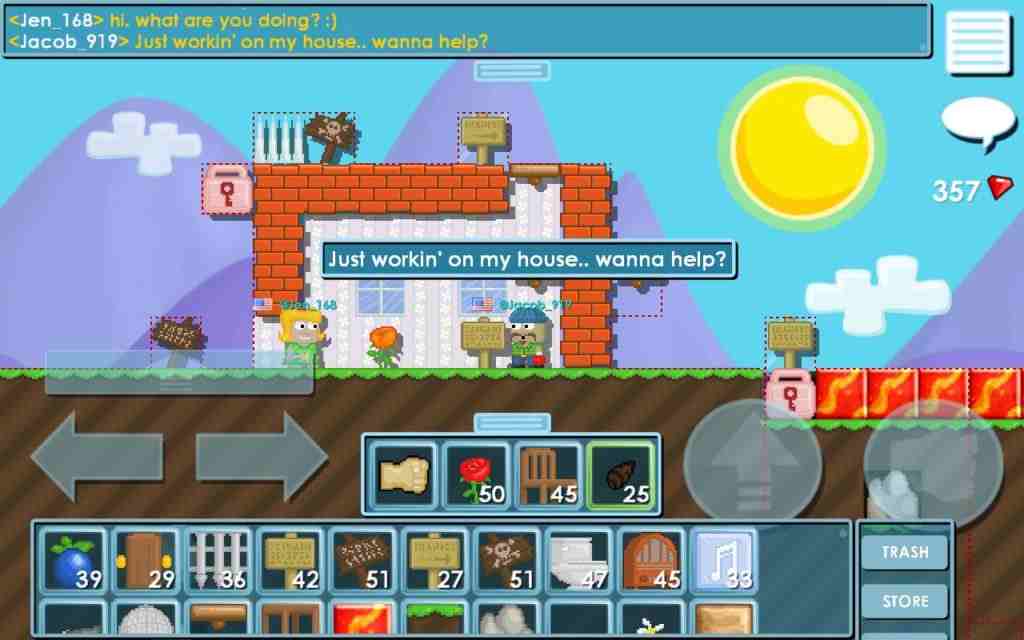
#8. Growtopia
Growtopia
The next game is Growtopia which allows you to play with many other players. Behind the exciting storyline, you can also freely pour your creativity into this game or play mini-games when you compete with other players.
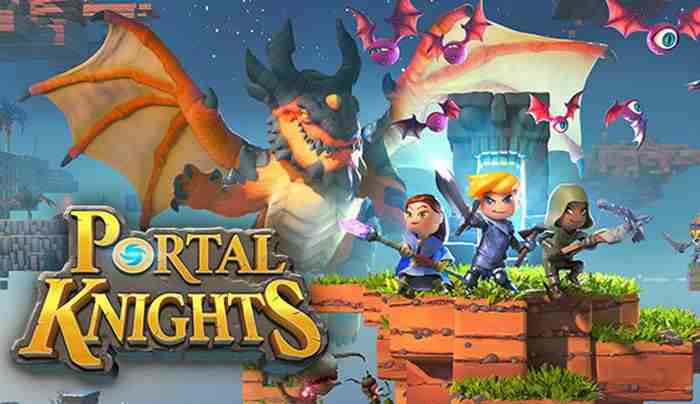
#9. Portal Knights
Portal Knights
The next game like Minecraft is Portal Knights. In this game, you will be faced with several choices, namely to become a fighter, ranger, or magician. You are asked to find a portal that can take you to other floating islands.
In the beginning, the floating islands you visit are small, but as your level increases, the islands will get bigger. You can make the things you need like weapons, armor, sticks, and bows. This game is only available on Microsoft Windows, Xbox One, PlayStation 4, Nintendo Switch, Android, and iOS.
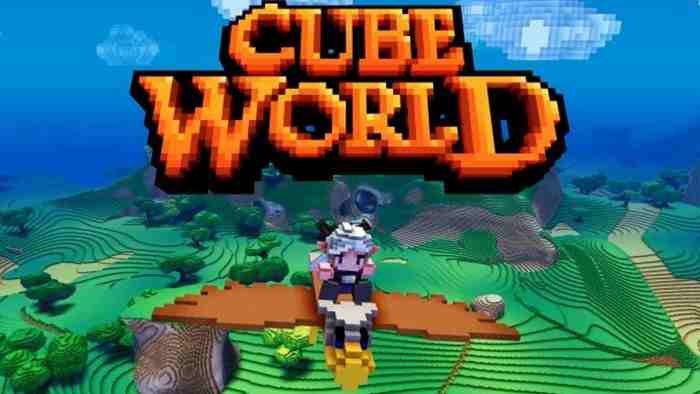
#10. Cube World
Cube World
Next is a game called Cube World, which carries the concept of a combination of sandbox and RPG. Minecraft-like games focus on crafting and character development set in different worlds covered in blocks.
In this game, you can make any adjustments to your characters, such as modifying their armor and other aspects of their appearance. The game which was released on July 2, 2013, is available for the Microsoft Windows platform.
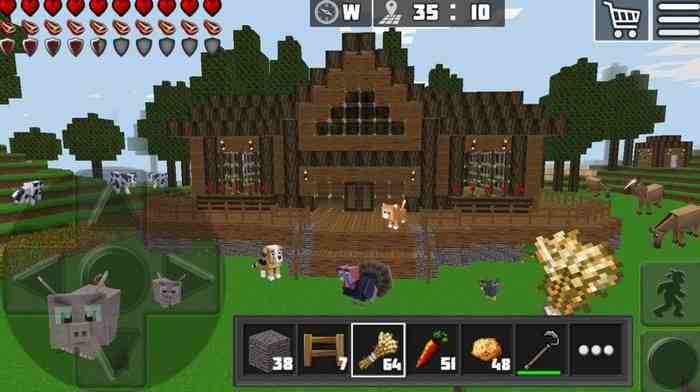
#11. WorldCraft: 3D Build & Craft
WorldCraft 3D Build & Craft
When playing the game WorldCraft: 3D Build & Craft, it will be like playing Minecraft in the mobile version, so similar. In this game, you can explore other players’ worlds or build your own.
You will also have unlimited resources with which to create as many objects as you want. Apart from that, you can also choose a creative mode that can give you a lot of freedom for adventure or use a survival mode which is much more challenging. This Minecraft-like game is very fun to play.
6 Ways To Disable Firewall on Windows 10, 8, 7, Vista, and XP – Windows Firewall is designed to help prevent unauthorized users from accessing files and resources on your computer. firewall must-have if you are worried about the security of your computer.
How to Disable Firewall on Windows 10, 8, 7, Vista, and XP PC
How to Disable Firewall on Windows 10, 8, 7, Vista, and XP PC Laptop 2024
Unfortunately, Windows Firewall is far from perfect and can sometimes do more harm than good, especially if other firewall programs are installed.
Don’t disable Windows Firewall unless you have a good reason, but if you have another security program that performs the same function then feel free. Disabling Windows Firewall is easy and usually takes less than 10 minutes.
Disable Firewall on Windows 10, 8, 7, Vista, and XP
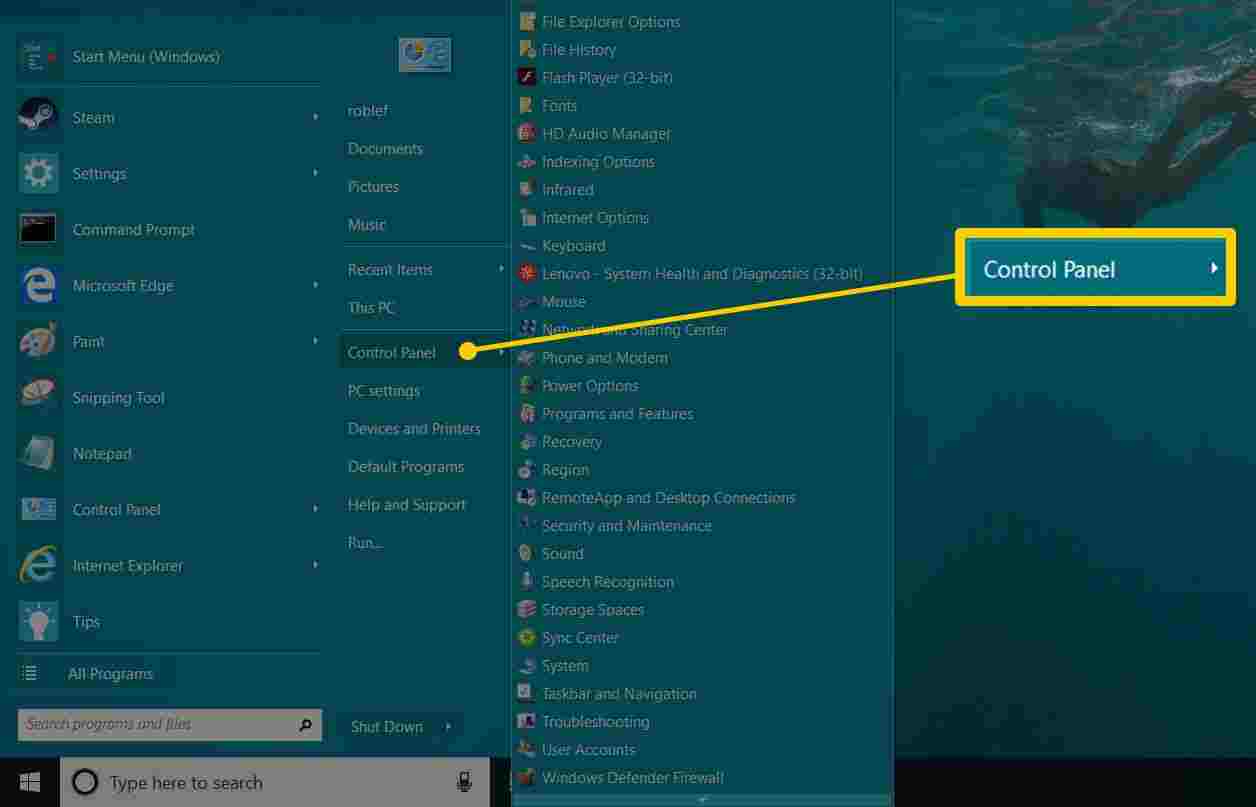
1. Open Control Panel
You can do this in a variety of ways, but the easiest method is via the Power User Menu or Start menu in Windows 7.
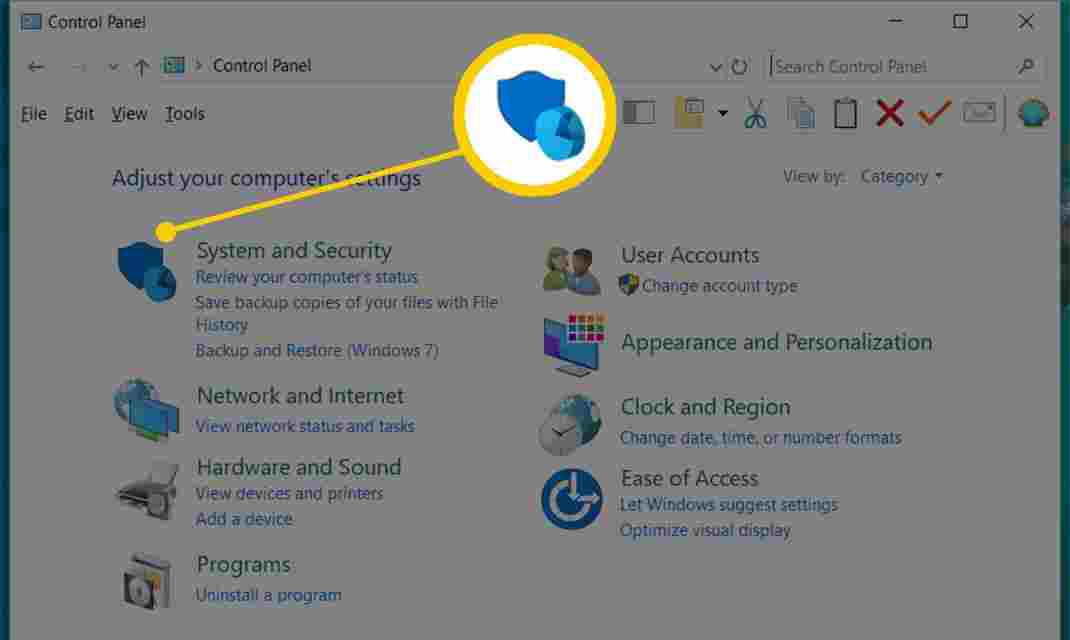
2. Select System and Security.
Links are only visible if you have the “View by:” option set to “Category”. If you see the Control Panel applet in the icon view, just skip to the next step.
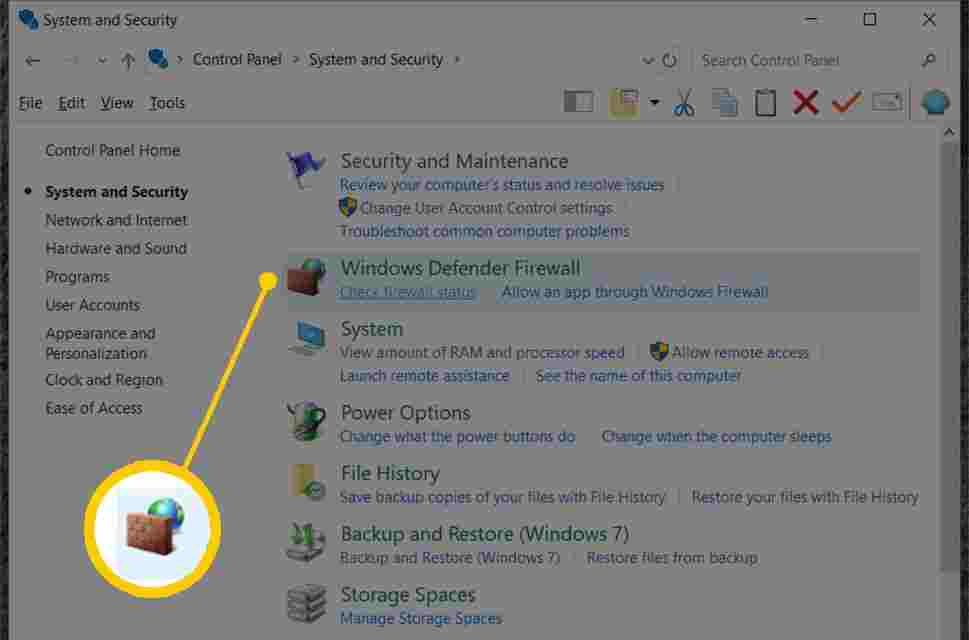
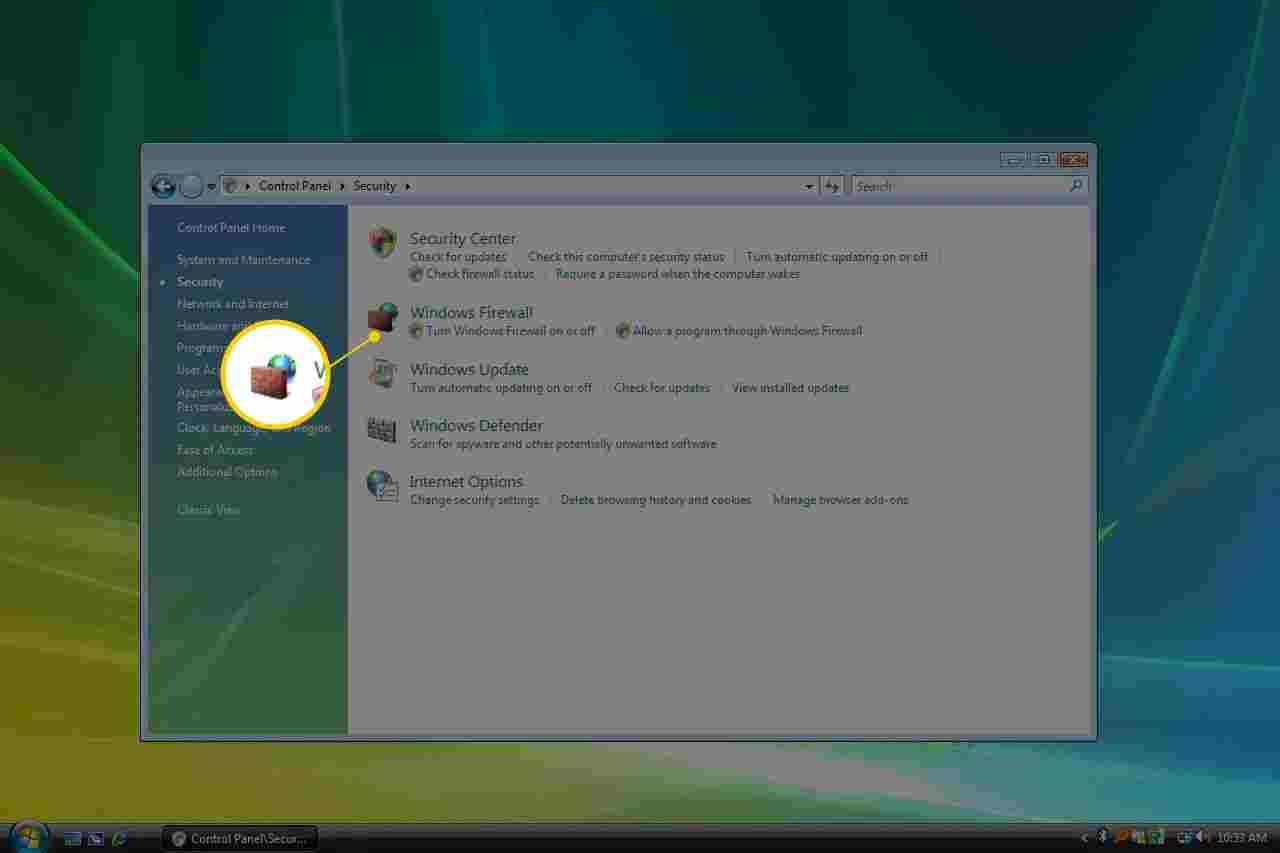
3. Select Windows Firewall
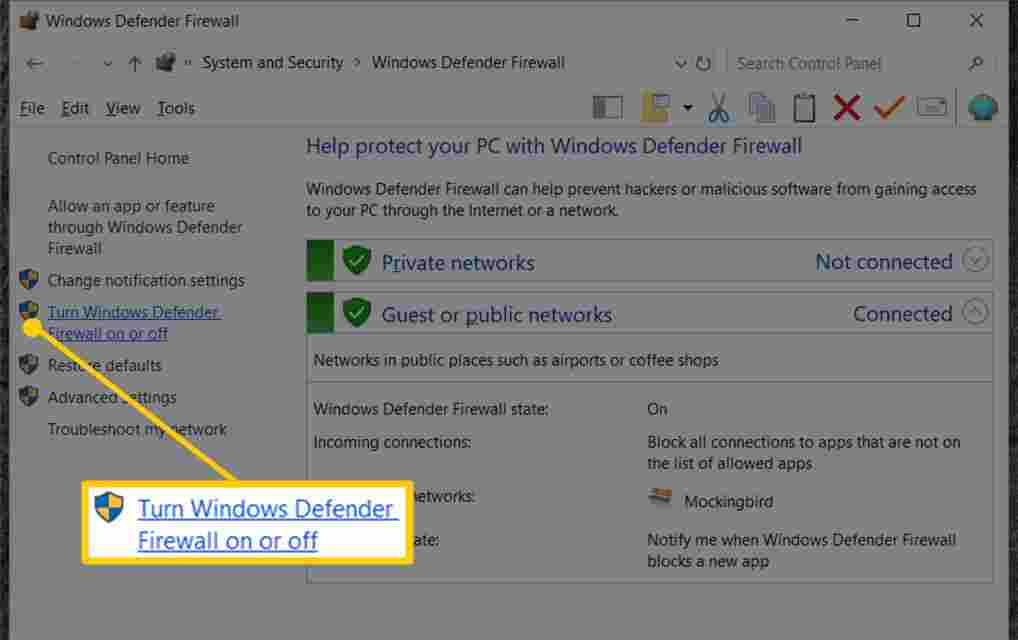
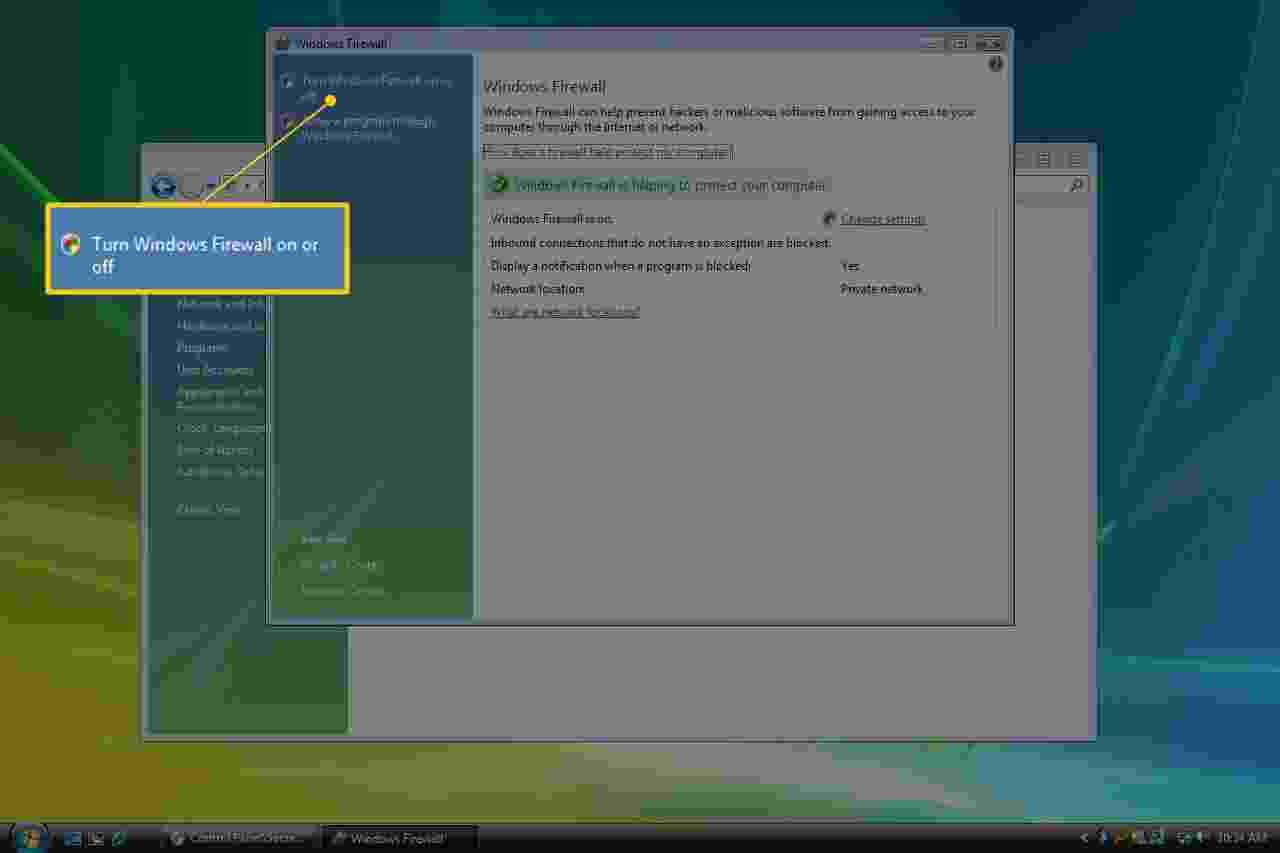
4. Select Turn Windows Firewall on or off on the left side of the screen.
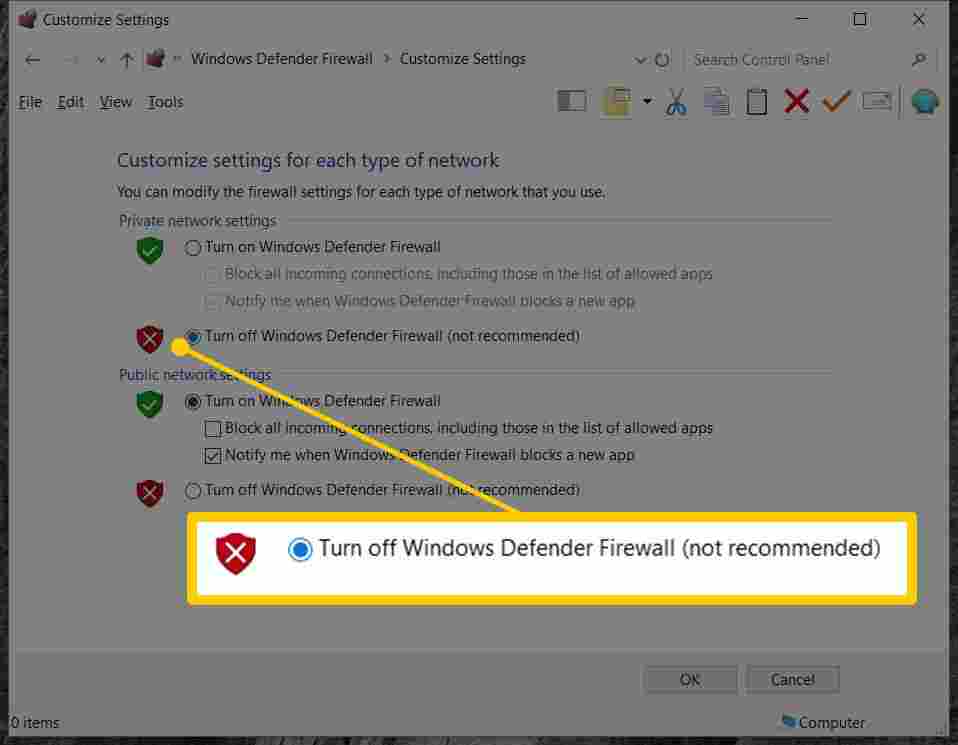
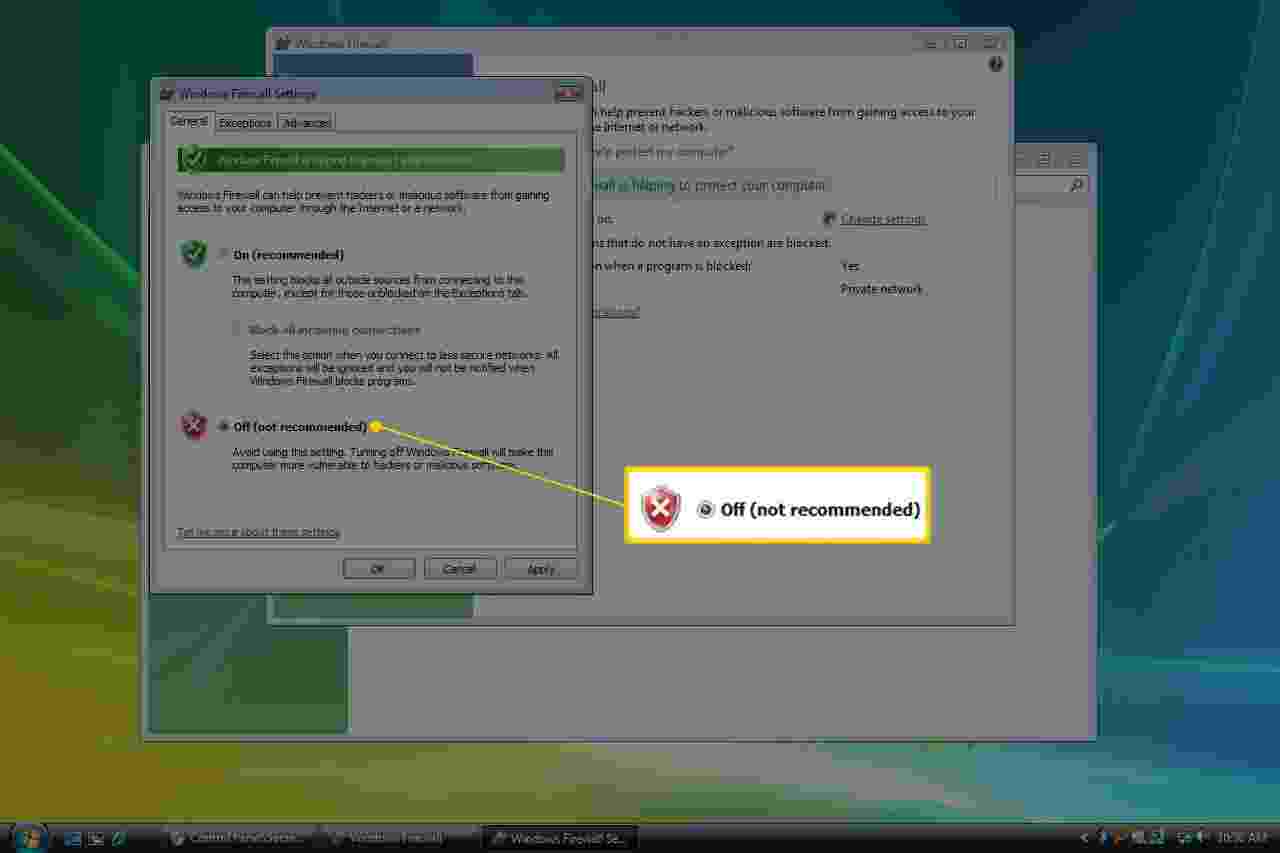
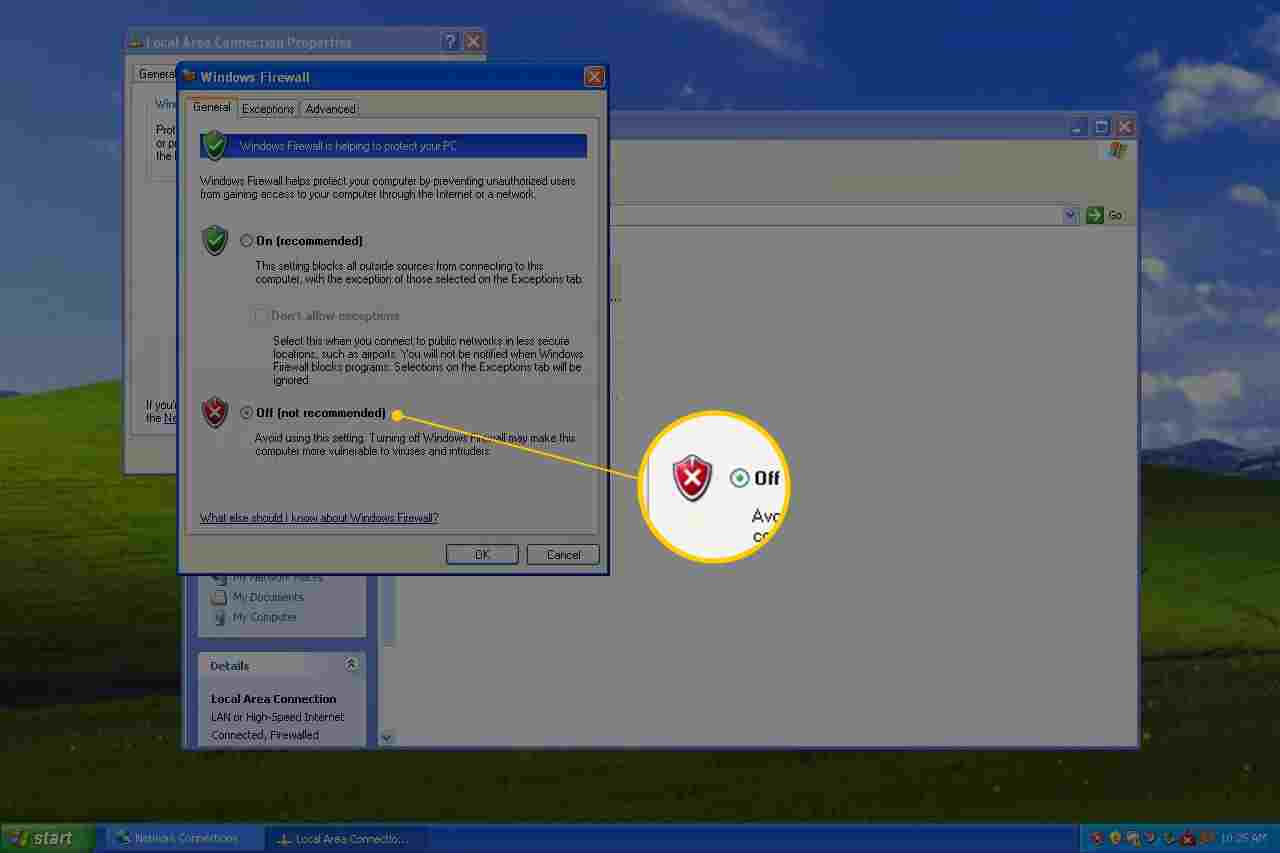
5. Select the bubble next to Turn off Windows Firewall (not recommended).
Note: You can turn off Windows Firewall only for private networks, public networks, or both. To disable Windows Firewall for both types of networks, you must make sure to select Turn off Windows Firewall (not recommended) in the private and public sections.
6. Select OK to save changes.
Now that Windows Firewall is disabled, repeating the steps which caused you to have to disable this option has fixed the problem.
How to Disable Firewall in Windows Vista Laptop PC
Windows Firewall can be turned off in Windows Vista through the Control Panel, similar to that in other versions of Windows.
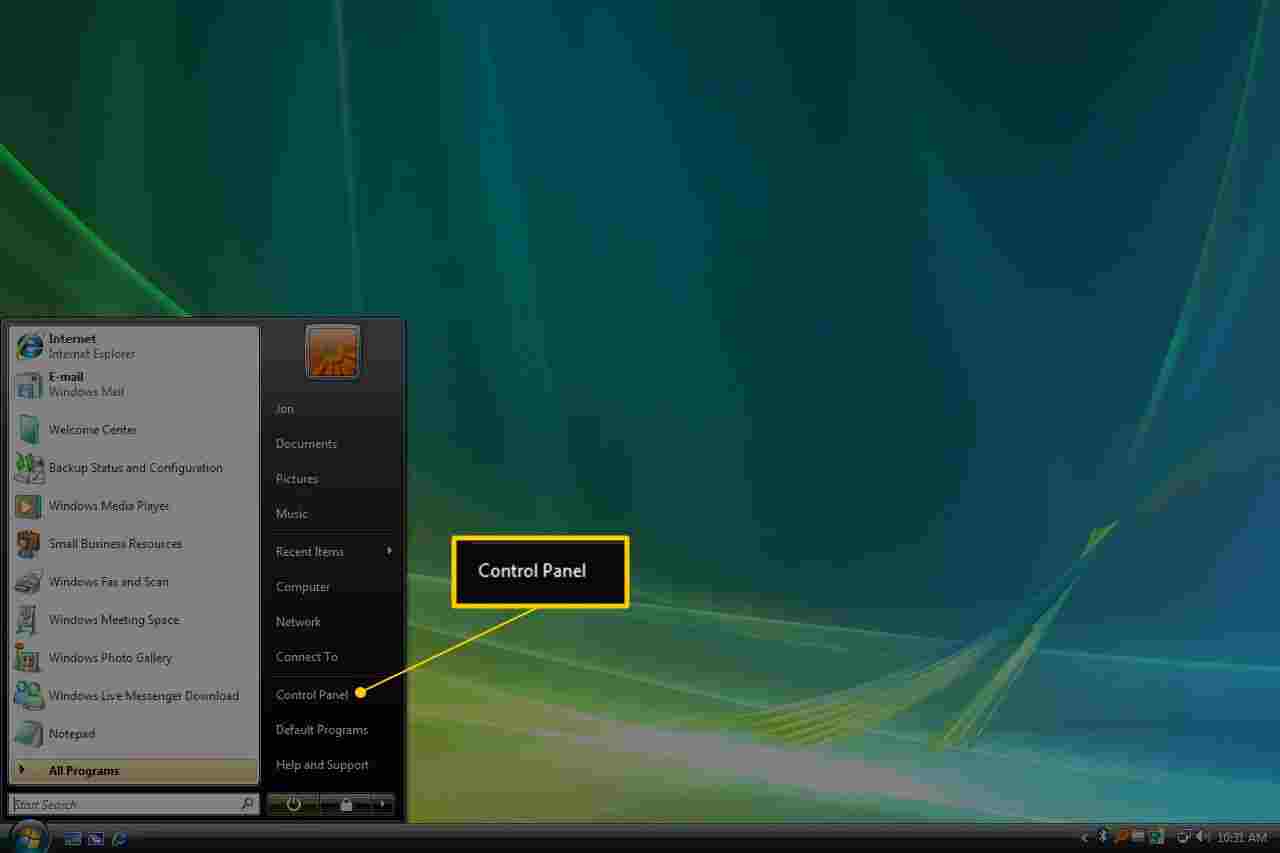
1. Open the Control Panel by selecting Control Panel from the Start menu.
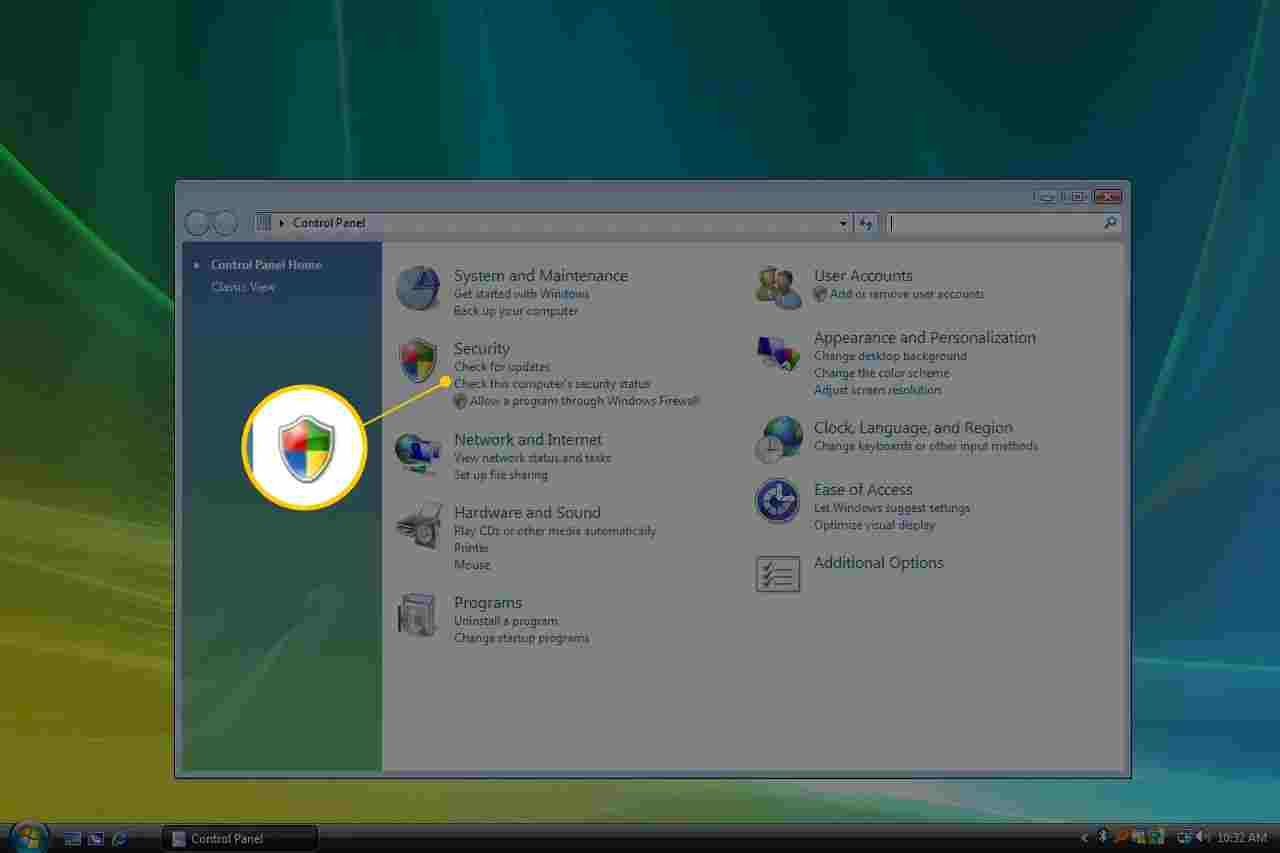
2. Select Security from the category list.
3. Select Windows Firewall.
4. Select Turn Windows Firewall on or off on the left side of the window.
5. Open the General tab and select the bubble next to Off (not recommended).
6. Select OK to apply changes.
How to Disable Firewall in Windows XP Laptop PC
The instructions for turning off the Windows XP firewall are very different from those for newer versions of Windows but are still quite simple.
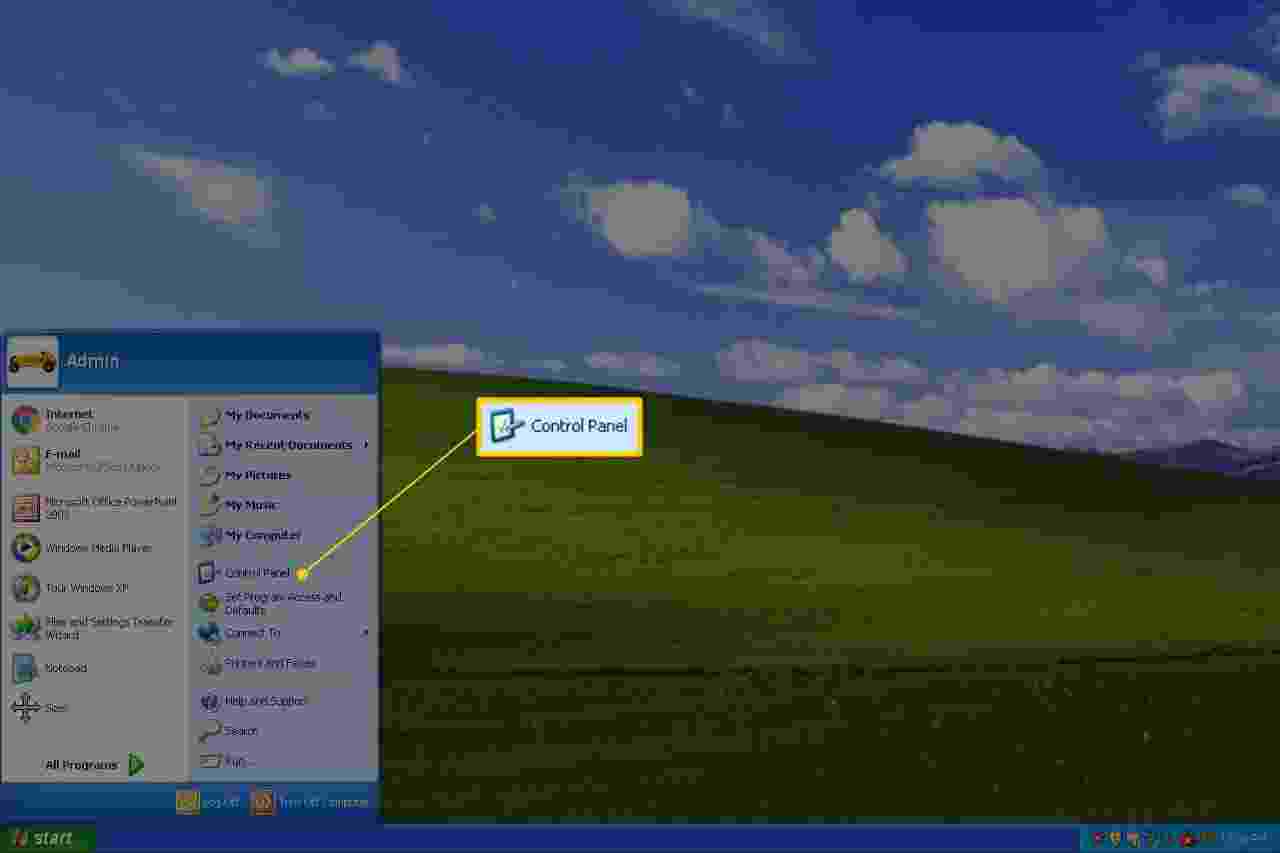
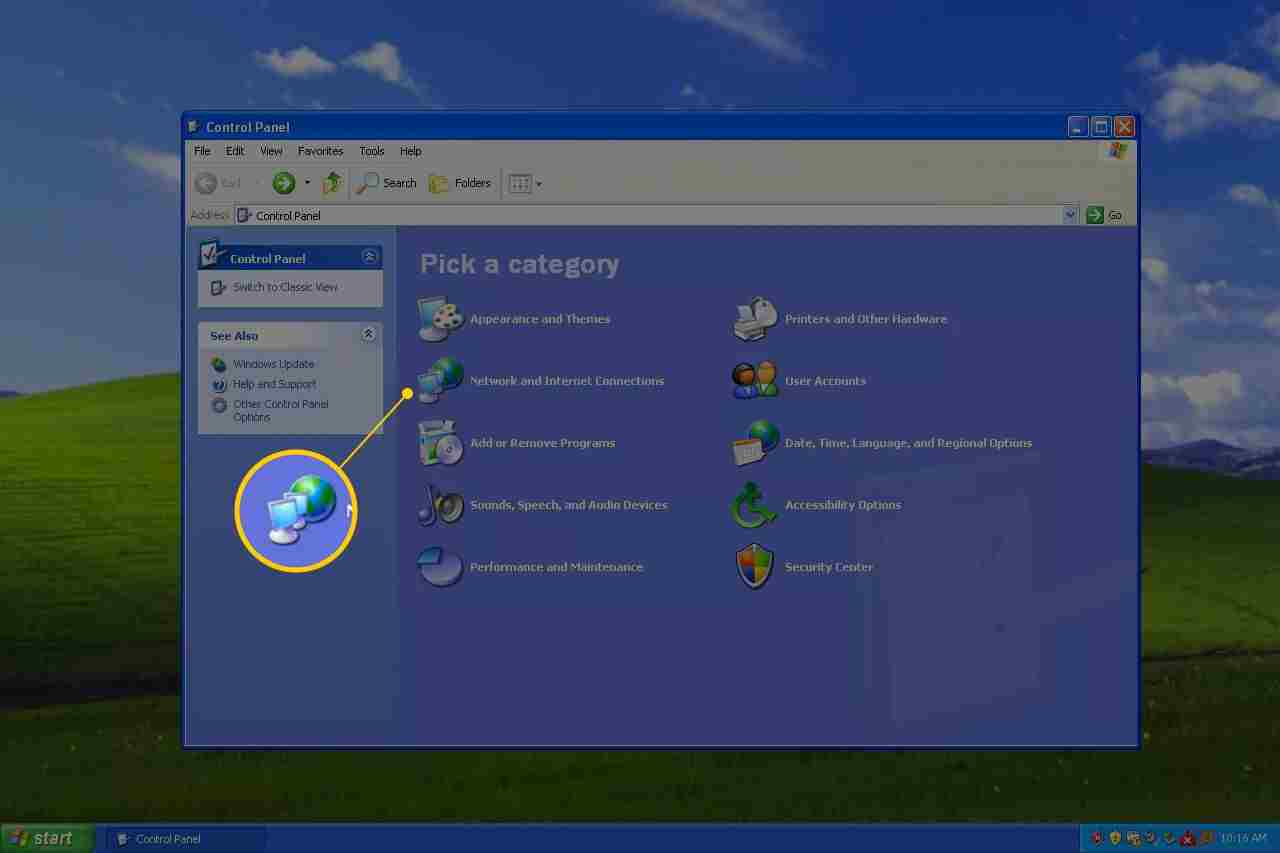
1. Open Control Panel by selecting Start and then Control Panel.
2. Select Network and Internet Connections.
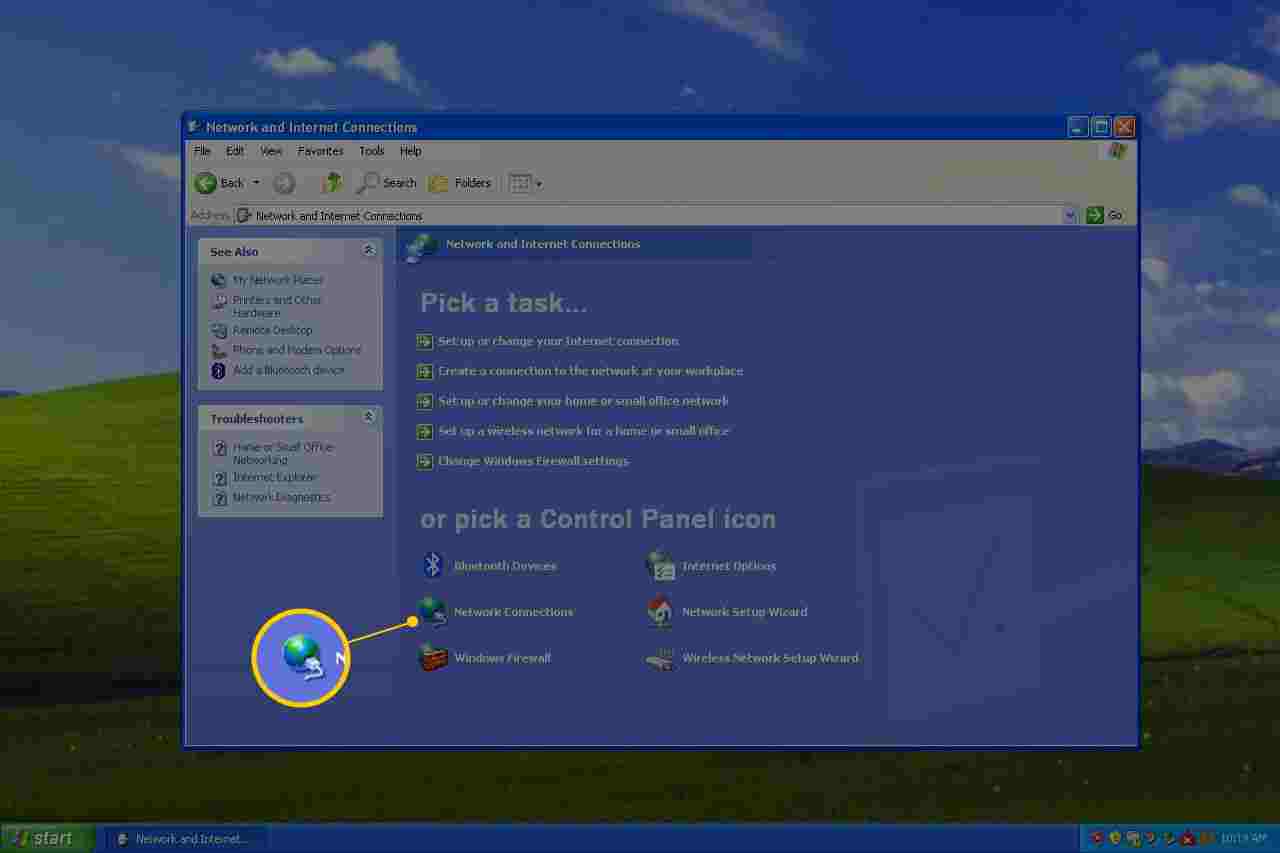
3. Select Network Connections below or select in the section or pick a Control Panel icon
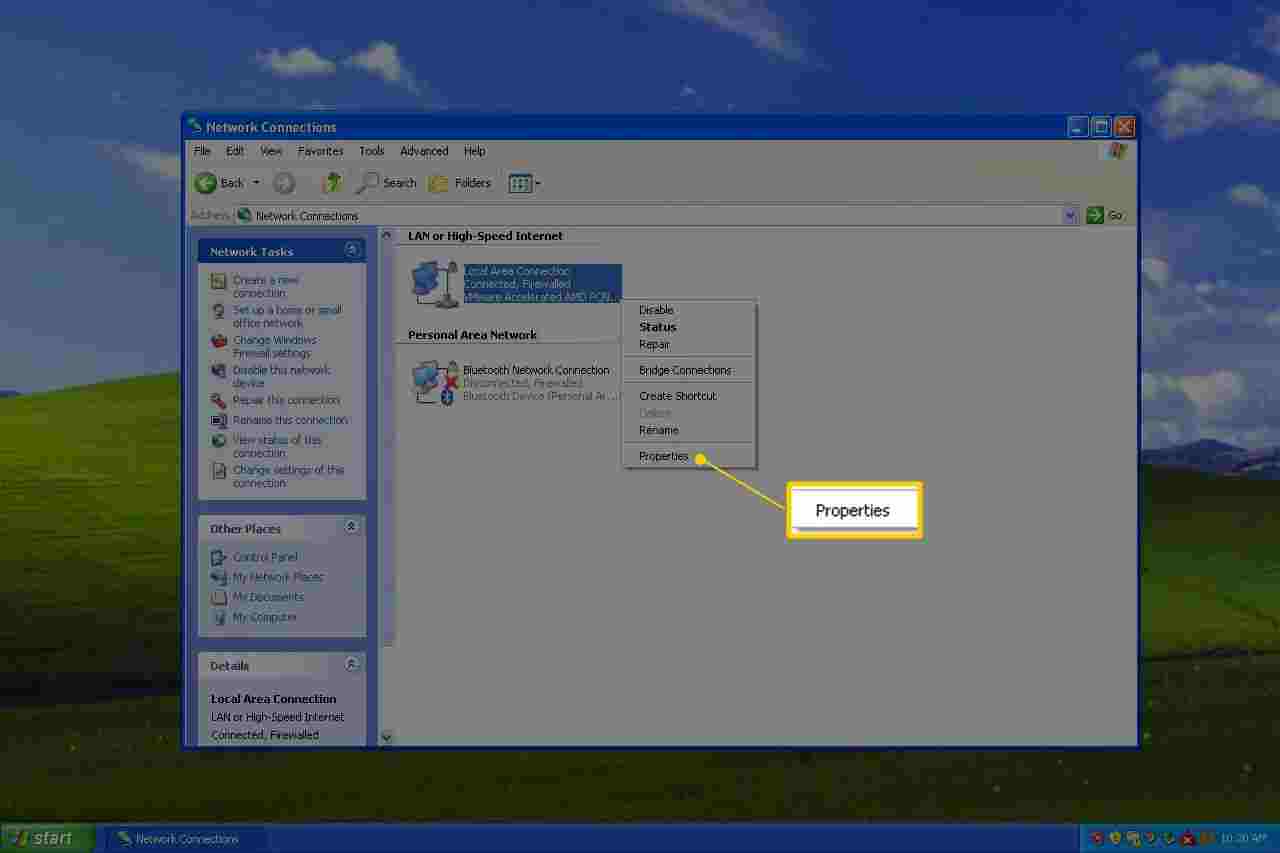
4. Right-click or tap and hold your network connection and select Properties.
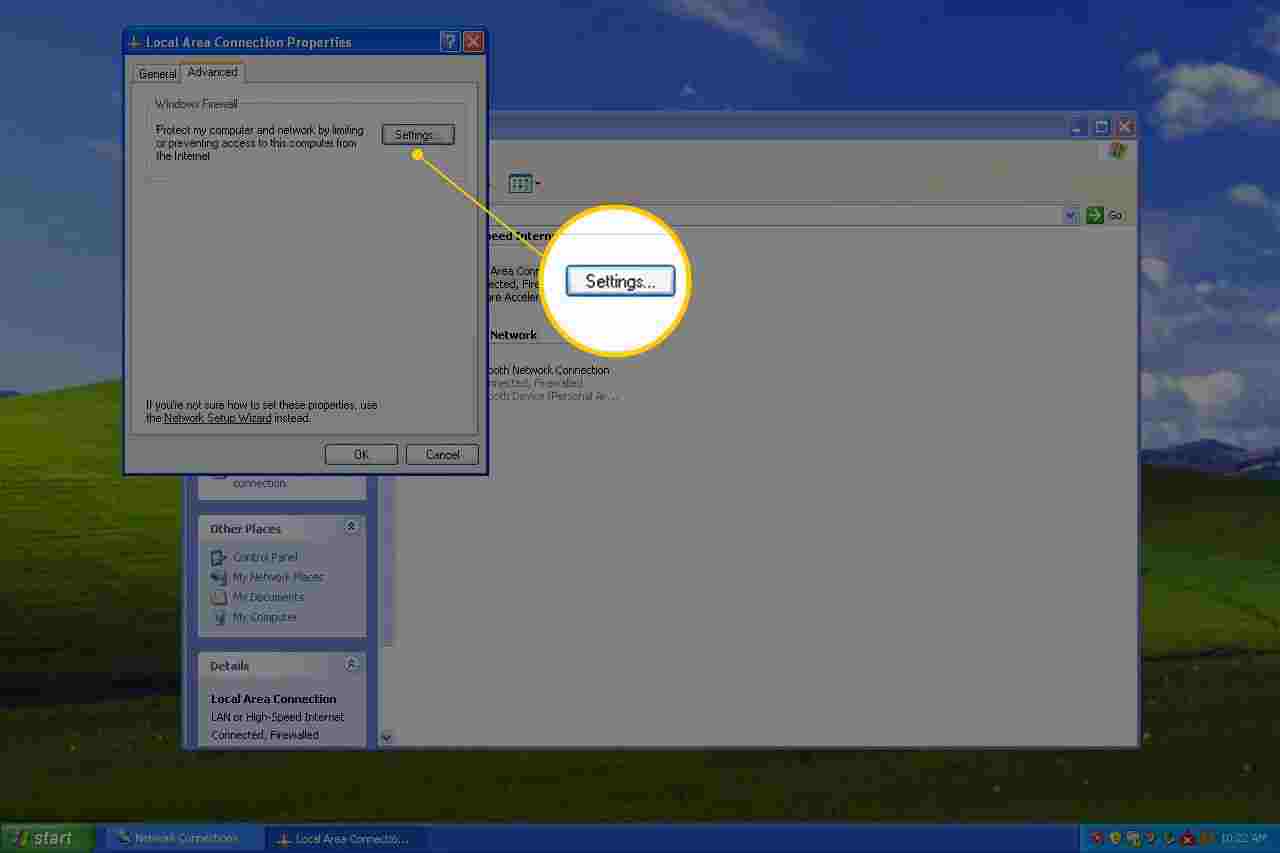
5. Open the Advanced tab and select Settings.
6. Select the radio button Off (not recommended).
7. Select OK in this window and then OK again in the Properties window of your network connection. You can also close the Network Connections window.
4 Ways to Restore Your Disable or Locked Facebook Account – Facebook is a social media with the most users and still exists today. How restoring the following Facebook account will make users get their accounts back. Because many users still do not secure their accounts, they are vulnerable to being hacked.
How to Restore Your Disable or Locked Facebook Account
How to Restore Your Disable or Locked Facebook Account 2024
Even though Facebook itself provides security features. If it’s already hacked, users can recover facebook through a few steps. Do recovery immediately if you realize that your Facebook account has been hacked/hijacked.
The way to restore a hacked Facebook account can be done through several stages of the following appropriate method.
#1. Using a Phone Number Or Email
How restore the first Facebook account can only be done if the phone or email has not been changed by the hacker. The way
Login through the browser
Then click “forgot password”
Enter the e-mail or telephone used when logging in, if you forget the e-mail, click “Search by name” and enter the user’s account name
Users can choose to get a login code via email or SMS, select the one that is still active
#2.If There Is No Access To Email / Phone But There Are Trusted Contacts
This step can be done if you have trusted contacts that have been set up before Facebook is hacked. The way
Perform the 4 steps above
If the email or password has been changed, click “I no longer have access here”
Enter a phone number or email that can be accessed
Contact trusted contacts and then ask for their access code
#3.Trusted Contacts Not Yet Setting
We recommend using the device and browser that are usually used to open Facebook. Because Facebook can record the type of browser and device and even the location when the user accesses it. If a trusted contact has not been set, the user can do the following steps
Go to www.facebook.com/hacked
Click the ” My account has been broken ” option
Enter the e-mail or telephone that you normally use to log in
Enter the old password that was used before being hacked
Then answer questions from Facebook according to the conditions experienced
Follow the next step until it’s finished and the account can be accessed again
But remember, the above method can be done if the user is logged in with the device and browser as well as the location that Facebook has recognized.
#4.Through the Help Center
This method can be used if the email used for login has not been changed by the hacker and the account name can still be found. How:
Enter the main login page
Select the help center
Then click the policy and reporting boxes
Choose hijacked and fake accounts
Press ” It looks like my account has been hacked or someone is using … “
Click the link ” Visit this page “
Then choose my account has been broken.
Enter the old email used to log in
Enter the old password, then if a warning appears, click the words ” Request a new one “
After that select ” No more access here “
Click ” I can’t access my email “
Enter an email that can be accessed, and make sure the email is not connected to another Facebook account. To be more secure, users can create new emails
Fill in the form that Facebook displays, then send it
Wait for Facebook to send a link that the user does. The waiting time can be several hours
Click the link that is sent, then create a new password
Review the other devices and exit all sessions to avoid hacking again
It was successful and the account can be accessed again.
Tips For Facebook Accounts Not Hacked
In addition to presenting a wide selection of the best methods for returning your Facebook account, we also have a few tips that you can try so that your Facebook account is not easily hacked or hacked by people who are not responsible. The tips for your FB account to be safe are as follows:
Use passwords that are difficult to guess, and must change passwords regularly.
Do not just click any link, you should see and check and ask a friend who knows very well about a suspicious link. Usually, a suspicious link may take over your FB account without you knowing.
Don’t use the same password on every account. You have to differentiate it!
Secure your Facebook account with trusted contacts.
Use two-factor authentication (two-Step verification) and turn on log-in notifications from foreign devices.
So, friends, These on above 4 ways to restore your disabled or locked Facebook account in 2023, If you are able to do security measures by making Facebook two-factor authentication and notification.
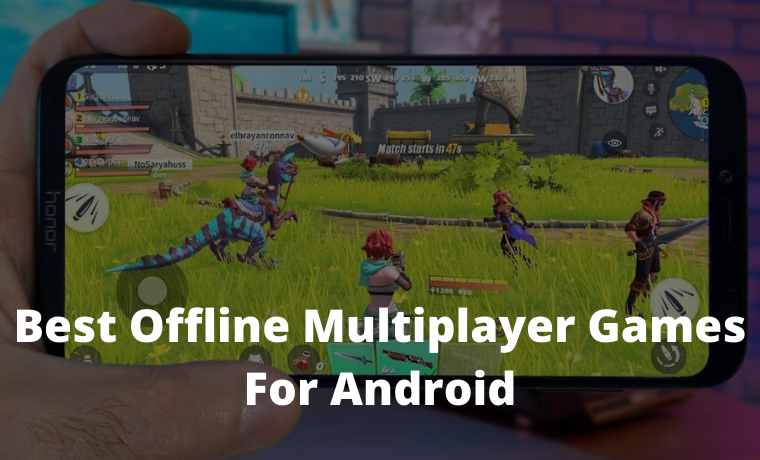
Top 65+ Best Offline Multiplayer Games For Android – Android offline games allow players to enjoy every challenge in the game without having to waste quotas. They just need to download during the first installation, and after that just gas to complete the missions that are given.
Top 50 Best Offline Multiplayer Games For Android
Top 65 Best Offline Multiplayer Games For Android 2024
The big problem is, that the Play Store does not provide a label or information that the game can be played offline. Some developers usually add a note in the description which is unfortunately often overlooked by gamers.
Therefore, Dailysocial produced a summary of 65 offline Android games that can be played without an internet data connection. Here’s the full list:
#1. Special Forces Group 2
This Android offline game has 5 types of game modes: Bomb Mode, Capture the Flag, Resurrection, Classic, and Zombie Modes. You have six characters per team, seven pistols, three rifles, four submachine guns, and many more weapons to win the war.
#2. Warhammer 40,000: Freeblade
Warhammer 40,000: Freeblade is an explosive Android offline action game wrapped in an epic story. There are more than 170 chapters in the storyline that can be encountered by players. The mission itself is to protect the kingdom from the invasion of an endless group of invaders.
#3. ICEY
ICEY presents a hack and slash challenge using a samurai who can spin and run through various obstacles. As you run and fight your way through the levels, you will be faced with all kinds of intrigues and surprises as well. The developer carefully presents a slick narrative, although it will not have much effect on gamers who are more focused on their actions.
#4. Swamp Attack
The objective of the game is simple. There is a group of vicious animals invading your house, and you must protect them at all costs. This game is very suitable to be played to pass time, for example waiting for someone somewhere.
#5. Plants vs. Zombies 2
It was one of the most popular games on PC before the high-end graphics hit. The plants vs Zombies series then visited Android and also became one of the most popular games because it can be played without using an internet connection.
#6. Zombie Killing
This game with a zombie background actually smells of the shooter genre that combines classic action games with sharp graphics. The game only needs to aim and make sure every bullet kills the zombies that attack.
#7. Critical Ops
Critical Ops can perhaps be called one of the best offline action games currently on the Google Play Store. This FPS game requires a lot of tactical and critical thinking, especially in Deathmatch mode. But there is also a Defuse Mode which is no less exciting when trying to detonate a bomb from a terrorist.
#8. Unkilled
All corners of the city have been invaded by zombies. You have to survive against all odds, go to the streets, subways, sewers, and back alleys of New York, and get out alive.
#9. Space Grunts
In the story in the game, you are in the year 2476 on a mission to travel to the lunar station to find out why it sends out distress signals.
#10. Xenowerk
Use all kinds of weapons to survive. The game is filled with mutant faces and make sure you kill them to survive the game. However, you also have to recognize the character and the secret weapon in order to avoid attacks.
Best Offline Android Runner Game
#11. Alto’s Adventure
Alto’s Adventure is arguably the most popular offline endless runner game today. In this game, you have to ski down the side of a mountain, collect the runaway Ilama, pick up coins and perform tricks on big jumps.
#12. Jetpack Joyride
Jetpack Joyride is produced by a developer who also assembles the Fruit Ninja game. The game is a lifted concept of a 2D, side-scrolling runner infinite where you play as a child riding a jetpack. Your main goal is to avoid obstacles. In addition, you will have to collect coins, upgrades, and power-ups to quickly reach the final goal.
#13. Subway Surfer
It’s hard not to include this endless runner game. Because of its popularity, Subway Surder’s download figure on the Play Store has reached more than 1 billion. Salute!
#14. Temple Run
In the Play Store, when you visit the Subway Surfer stalls, you make sure you will be advised to play the equivalent game too, otherwise, Jetpack Joyride is Temple Run. The three-game genres are the same, but all three have unique and different touches. So, there’s nothing wrong with trying this one too.
#15. Sonic Dash 2: Sonic Boom
Sonic Dash 2: Sonic Boom is a two offline endless runner from SEGA that lets you quickly switch between characters. The goal is to get the highest score. They also insert elements of boss battles and several additional characters who become Sonic’s loyal friends.
#16. Minion Rush: Despicable Me Official Game
The official game for this animated film invites players to run to collect bananas and also has an interesting special mission to increase their score. However, along the way, you will encounter various distractions. To do so, jump, dodge, roll, and knock the Minions out of your way.
#17. Rodeo Stampede: Sky Zoo Safari
This game is dominant in the endless runner genre, but there is a touch of adventure that is quite thick. So, the cowboys in this game are not riding one horse but jumping from one animal to another. Sometimes it also flies if you jump on the vulture’s back.
Application Information Will Show Up Here
#18. Cliffy Run – Endless Runner
Unique characters are not only the difference between Cliffy Run and other endless runner games. The cool graphics make every challenge feel even more bite-sized.
#19. MARVEL Spider-Man Unlimited
Gameloft blends this game nicely. Instead of carrying out the fighting or adventure genre, the developer actually made it with a runner concept where players would run and swing while getting rid of enemies.
#20. CHASERS: Endless Runner FREE
The same DNA developer also tries to give a different touch. Not only the background and character selection, but the developer also tries to embed a comedy element in it. While the overall mission is not much different from the existing endless runner games.
Best Offline Android Racing Game
#21. Racing Fever: Moto
Although Racing Fever: Moto is a relatively new title, thanks to its impressive gameplay and graphics, it has quickly become one of the most popular. This is a motorbike racing game with a first-person view of the fast-paced and adrenaline-rushed gameplay.
#22. Beach Buggy Racing
This is a mixed game of arcade racing and shooter which is blended into fun gameplay. Beach Buggy Racing offers many features to enjoy without the need for any connectivity as well as excellent graphics.
#23. Horizon Chase – World Tour
Horizon Chase – World Tour has lots of cars to choose from and lots of tracks to play with. All tracks are short and challenging but polished with different backgrounds to differentiate from one another. What’s interesting in this game, the colors, graphics, and art design are thick with 80s-era touches that must admittedly look really good.
#24. CSR Racing
CSR Racing has an improved visual appearance. The car models are carefully designed and look the same as the real thing. The graphics look very realistic and you can see how serious the developers are in designing every element in the game. This game itself is an offline racing game for Android and runs very well on smartphones and tablets.
#25. Hill Climb Racing 2
There are several epic customization options available for characters and vehicles. The controls are accessible and easy to use although the number cannot be said to be small. This game can be played offline, but not in multiplayer mode.
#26. Drift Max Pro
This game is not only about who is the fastest, but also who is the coolest. So, apart from racing, you can also modify your car as you wish, for example changing the paint color and applying vinyl, selecting the suspension, tires, rims, and so on.
#27. Cars: Lightning League
This game is not completely offline, there is also an online mode. The graphics are well-designed, with great sound effects and animations. To get the highest score and rewards, we recommend that you play more often.
#28. Asphalt Xtreme
Asphalt Xtreme doesn’t follow the rules and offers a wide variety of vehicles to drive. The tracks are also fairly unusual, from hills to canyons and even country roads. The game also offers online multiplayer races, 500 challenges, more than 400 careers, and time modes.
#29. Drag Racing
Like CSR, Drag Racing is a classic offline racing game, where users can customize and upgrade their cars as they wish. Also, there is a competitive multiplayer mode, where the user can choose from dozens of car collections to become the champion.
#30. GT Racing 2
Although not as famous as the Asphalt series, GT Racing 2 still has loyal fans around the world. In this game, you can choose various improvements to boost your car’s performance. Apart from the offline mode, this game also allows you to play online against other players. In your spare time, you can also beautify your car with new rims, paint, and vinyl that are available and do various new missions every week.
Best Offline Android Shooter Game
#31. Cover Fire
Cover Fire is one of the best offline shooter games available for Android. This game is full of explosive action with a wide variety of different characters available to play and there is a large collection of deadly weapons that you can use to slaughter your enemies. The graphics are very good with console-like gameplay.
#32. Mad Bullets Cowboy Shooter
Funny gameplay wrapped in unique and challenging elements awaits you behind the hills of the Wild West with Mad Bullets. Apart from the challenging shooting action, this game is also full of funny content both characters and gameplay that will force you to burst out laughing. The action is fairly simple, but for those who are bored with the rigid shooting action, Mad Bullets is suitable to be a friend in their spare time.
#33. LoneWolf
This game offers great sniper gameplay and a beautifully wrapped storyline through the comic strip while moving on to the next challenge.
The missions and actions are somewhat sadistic, so the developer blatantly says the game is not suitable for players under 17 years of age. But for those of you who are old enough, Lonewolf is a must-try!
#34. Dead Effects 2
Dead Effect 2 continues the legacy of its predecessor, still with a similar background story. But this time, the developers are improving everything that the first Dead Effect sequel brings.
You can enjoy excellent graphics, a fun story, and more intense challenges in it. This shooting game can be played offline without an internet connection, but at some levels, it requires a download the first time it is played.
#35. Overkill 3
Overkill 3 is a third-person shooter that requires speed. This game guides you through various levels wherein each level of the mission is not much different, finding the villain. But the level of difficulty at each level is increasing.
Especially, when you’re dealing with a boss. To win, you have to be able to take each shot quickly while dodging the occasional attacks.
#36. DEAD TRIGGER 2 – Zombie Survival Shooter
Dead Trigger 2 is the second sequel to the popular zombie hunting game on the Play Store, Dead Trigger. In this sequel, the hordes of zombies who come in different ways are getting more violent and brutal. But the developers are also bringing in some new, more powerful weapons, including flamethrowers and a Gatling gun to blast them into small pieces.
#37. Into The Dead
Unlike shooting games in general, the game Into The Dead also has endless runner elements with a mixture of the FPS genre so that the sensation feels interesting and unique.
So, in addition to running non-stop through terrain filled with zombies, you have to make your way through the crowd while aiming for ambushed targets. At the end of the path, there is a huge reward waiting for you to make it through each phase.
#38. Unkilled
Again about zombies. This time, your job is not just to survive but also to kill as many zombies as possible. Relax, the arsenal is not far from you, jump in and grab the best weapon available then pull the trigger.
There are many missions in the game and each mission requires you to use a different weapon. The modes available also offer different adrenaline triggers. Ready for battle?
#39. Elite Killer: SWAT
The FPS genre game can be played offline without the internet, but for the PvP mode, you still have to be connected to the data. For solo mode, in this game, you will be asked to form a team consisting of several trained soldiers. Its mission is to ambush the lair of terrorists and destroy everything there.
#40 Six-Guns: Gang Showdown
Back in the Wild West, in this game, you will jump as Buck Crosshaw. As a person who has a dark past, Buck is currently on the run. But when he arrived in Arizona, Buck had to face new problems. Your job is to be him and overcome every obstacle, if necessary with bullets.
Best Offline Android Simulation Game
#41. Plague Inc
The first game in the offline simulation category is slightly different from other games. In this simulation game for Android, you are tasked with controlling a deadly plague that is ready to invade the world at any moment.
But as a plague, that is your goal, to ensure that all the humans in the world are conquered, killed, or infected. The game offers four different difficulty levels to play. It’s a bit spooky, but of course, there’s a fun element tucked into it. Just try it!
#42. Neko Atsume
This simulation game of Raising Cats is somewhat different, both in terms of graphics and gameplay. Its job is to create a cat paradise on earth, for example by giving them delicious food, toys, cute items, and party items when other cats visit. It’s easy at first glance, but this cat has high demands, so don’t expect it to be easily satisfied.
#43. Seaport
The simulation that builds in this game is a dock that covers a large area, including the surrounding land. You have full authority to expand the dock, buy new ships, build mines, factories, roads, and so on. But, to make it all you also have to pay a certain price, in gold, oil, and seafood.
#44. Dragon Mania
Dragon Mania is an offline simulation game that lets you raise and breed dragons. For starters, players will start with cute and harmless little dragons, and make sure they grow up to be as strong as dragons should be. When they grew up, adopted other dragons, and then use them as a shield against the vicious Vikings.
#45. Flight Pilot Simulator 3D Free
The next simulation game invites you to fly into the sky. Yep, this is an airplane game where you will act as a live pilot. Fly several different types of aircraft, and make sure the passengers sitting pretty in the back land safely back to earth.
#46. Extreme Landing
This game from Rortos simulates an airplane flight complete with various disturbances, such as storms, faulty controls, rain, snow, and so on. The buttons and engine controls in the cockpit are made to be as close to a real plane as possible. But, the real challenge is to land the plane completely again.
#47. Townsmen
Townsmen carry an interesting concept because it comes by combining several different genres into one. For starters, this game adopts a mix of strategy and simulation. Your mission is to make sure the city develops into a city that is densely populated but balanced with a good economy so that its citizens live happily.
#48. InstLife
The lives of others may seem pleasant to us, but imitating them is impossible. Except in the virtual world. Well, the InstLife game lets you simulate the ideal life, work, make friends, build a house, party and so on that is free from suffering.
In this game, you have the control to get what you dream of. Even though it is made as closely as possible with real-life mechanics, many things make the simulation in this game feel so much fun.
#49. Hotel Story: Resort Simulation
So hoteliers seem fun too. Well, this business simulation game can be an option for friends who want to be a businessman in the travel industry. The hotel that is built can be adjusted according to the budget and wishes, including the design and number of rooms. You also have control over the type of accommodation, extra services, facilities, and so on, even the price of the stay for each hotel.
#50. Warlings
Use weapons, tactics, and dirty tricks to win this game! There are six battlefields, a collection of weapons, and battle your friends in this multiplayer Bluetooth game.
You and your friends can fight in the sky, in the sea, or in the air and there are many more exciting places to play this game.
You can play this game together using the internet or Bluetooth. But if you want to play this table tennis game in multiplayer without using a quota, just select Bluetooth.
This game is quite accurate and has a beautiful visual appearance. It’s fun, I’m happy with your friends.
DUAL is a local multiplayer game where two players use their smartphones to shoot from one screen to another. There are various interesting and exciting modes to play in this game, namely DUEL, DEFLECT, and DEFEND.
You only need to be connected to your friend’s Bluetooth to play this offline multiplayer game.
This Bluetooth multiplayer offline game is a zombie shooting game in 2D cartoon form, which can be played by two people. You and your friends can play together in this game if you have connected to a Bluetooth network.
In this game, you and your friends will play as cowboys and police trapped in the middle of a city surrounded by zombies.
In this game, you can choose characters like pirates, ninjas, barbarians, crazy chefs, and many more. To play this game, you have to grab your opponent’s flag and land by bombing them one by one.
You can play this multiplayer hotspot offline game with your friends when you are connected to the same Wifi.
This newest multiplayer offline game is really fun to play. Besides the cool 3D graphics, the gameplay is also fun to play. If you like encounter Strike or PUBG-style games, you are perfect for playing this one game.
You can, you know, play with your friends without using quotas. You and your friends only need to be connected to the same WiFi.
#56. Mini Militia 3D
This game is quite fun to play with friends because it presents good and good 3D quality.
#57. Brothers in Arms 3
With many different visual and graphic effects as well as various types of weapons, this game is very exciting to play together using the same local WiFi network.
In this offline multiplayer game, we find a lot of various kinds of missions after you connect with other devices.
Flying and survival are what make this game unique. In the game, players have to go through various obstacles and long tunnels.
This best multiplayer offline game can also be played together with friends via a local WiFi network, and even though this game is old school, it’s still fun to play today.
Modern Combat 5: eSports FPS is one of the best FPS games available on Android. This game itself has a multiplayer mode that can be played together via a local WiFi network.
Interestingly, you can lead the characters you use to occupy the top of the leaderboard defeating other players around the world.
Do you like chess games? But coincidence doesn’t have a chessboard and neither do your friends. Don’t worry because you and your friends can still play chess games together through this offline multiplayer game without quota.
By connecting your device with a friend’s device, you can play chess, a game that can play both.
Who doesn’t know the Minecraft game? Yes, this popular game has millions of players around the world. Besides being able to be played online, you can also play this game together with friends.
As we know, Minecraft has addictive gameplay where we are presented with a vast world and we can explore it at will. Adventure and building a village will be easier if done together.
#62. GT Racing 2: The Real Car Exp
GT Racing 2: The Real Car Exp is a racing game that includes many of the most prestigious cars in the world. This time the game franchise presents a free game for Android devices.
Now we can enjoy the thrill of racing that has not been offered by other games, either by playing solo or multiplayer, without an internet connection at all.
Mini Militia is a very entertaining 2D game. Besides being able to be played online multiplayer, this game can also be played offline together with friends.
In this game, the player will control a character who is equipped with various weapons to crush the approaching enemies.
In essence, you have to play this game with other people. Either with your friends or with other random people. In this multiplayer hotspot offline game, there are many mini-games that you can choose for you to play.
The app features dozens of the most beloved card games, all for free, and playable online or offline. Single and multiplayer options are available for many of the games such as Yahtzee, which you can also play on their website. Additionally, Solitaired offers a guide to all of their games, making it suitable for players of all levels.
This is a collection of the best Android offline games that we have summarized from the Play Store. We have separated the games into several categories to make it easier for you to select and sort the games you want. Have a nice play!
21+ Android iOS and PC Logo Maker Apps – Logo maker applications are often used for those who want to be creative in creating their logo, so, without the need to rely on logo creation services, you can make your own. Whether it’s for personal or professional purposes.
21+ Android iOS and PC Logo Maker Apps
Android iOS and PC Logo Maker Apps for Windows 2024
Especially now, there are logo creation applications that can be installed on Android or iOS devices. So only armed with a smartphone, you can create your logo automatically. Easier and more practical right?
Indeed, in this sophisticated era, creating your logo is not difficult. Because many developers have developed an automatic logo maker application, it can even be used easily by ordinary users.
For this reason, in this discussion, Kuotabro will share information about some of the best logo creation applications on Android, iOS, and also PC/laptops. For those of you who are looking for an application to create a logo, immediately see the following article.
Logo Maker App for Android Devices
Creating a logo is easier with the logo maker applications on Android. You don’t even have to have graphic design skills to create a cool logo. Because the logo maker application is equipped with powerful features.
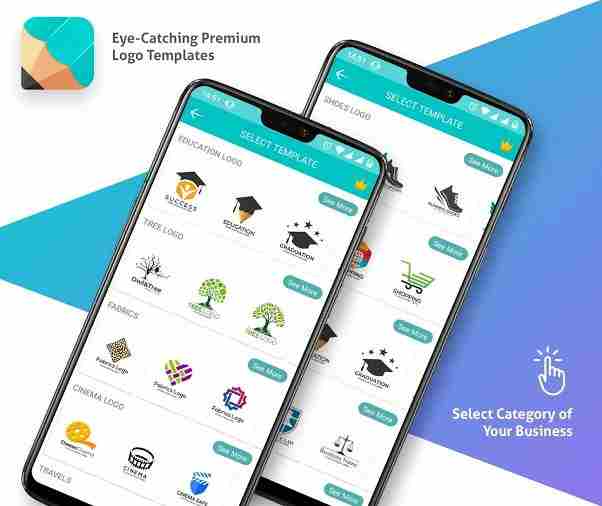
These features and tools in logo maker applications will usually work automatically including providing many logo templates. So, right away, here are some logo maker applications on Android phones that you can use.
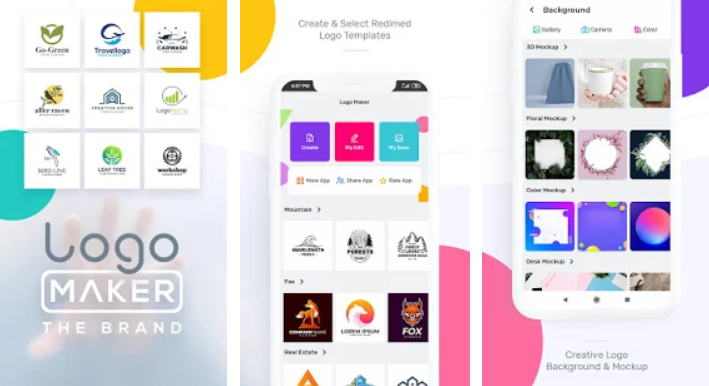
#1. Logo Maker – Free Graphic Design & Logo Templates
Logo Maker – Free Graphic Design & Logo Templates
The first application that Kuotabro recommends is Logo Maker – Free Graphic Design & Logo Templates from Mobi App & Thumbnails Maker Inc.
This application can be used to create digital logos. Whether to make a business or personal logo. So you no longer need a graphic designer to create a logo.
In just a matter of minutes, you can get the logo you want easily and quickly. Even if you haven’t thought about what kind of logo to create, Logo Maker has templates that you can use.
No need to worry if you have mediocre editing capacity because the application has many interesting features. Such as backgrounds, stickers, fonts, multiple layers, crop images, and more. For you to save or share on social media.
As the name implies, this application can be used to create a logo for free and easily. The application form Intro Media is able to help you create a logo in seconds.
Even without knowing graphic design, you can use this application to create the logo you want.
There are many logo templates, images, and cool font choices. One of the advantages offered by the application is that it provides 10,000 logo designs that you can choose according to your taste. So, do not be confused to determine the design.
However, there are some templates in the application that are still of low quality. So it becomes one of the shortcomings of the Logo Maker application. However, you can customize the logo to your liking to make it look the way you want.
Featured Features of Logo Maker Pro Free
Logo design up to more than 10,000 choices
Logotype Maker to edit logo design
100 fonts and supports typographic
Professional layer management
Export in digital format
Download on Play Store
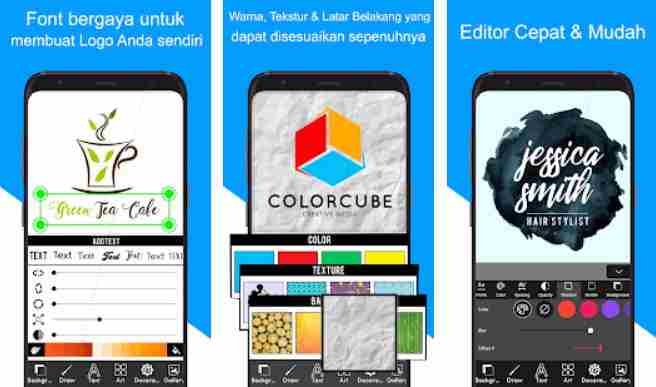
#3. Logo Maker – Create Logo Designs And Icon Graphics
Logo Maker – Create Logo Designs And Icon Graphics
The application made by TTT TEAM is one of the best logo-maker applications for Android users.
Not much different from previous applications, this application can also be used to create logos easily. This Logo Maker application is useful in business, personal, and more.
The application has various tools that will make it easier for you to create a logo as expected. One of the advantages offered by the application is being able to modify the text in the logo to suit your wishes.
In addition, the application is also compatible with various image formats. But unfortunately this application also still has shortcomings where it sometimes crashes in some cases. However, the application is still reliable.
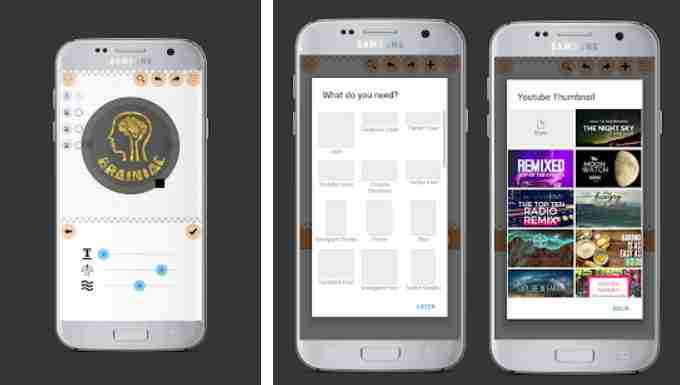
#4. Logo Maker Plus – Graphic Design & Logo Creator
Logo Maker Plus – Graphic Design & Logo Creator
Creating your own logo can be one solution to save budget funds rather than using logo creation services.
One of them is with an application from Logopit called Logo Maker Plus. The application is equipped with thousands of graphic elements and editing options, to produce original logo designs.
The Logo Maker Plus application provides a variety of collections for logo creation, ranging from images, text, and effects. In addition, the Logo Maker Plus application is equipped with 700 new font types, supports many languages, and of course, can provide 3D effects.
So, you can use the Logo Maker Plus application for various standard needs. For example when you use it to create a business logo, including creating a Facebook cover, YouTube thumbnail, or Twitter header. Interesting right?
Featured Features of Logo Maker Plus
Logo templates by category
Logo editor, colors, textures, borders, shadows, and 3D effects
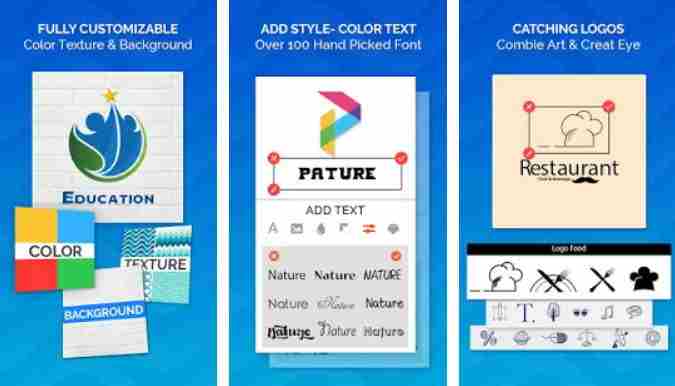
#5. Logo Maker – Logo Creator, Generator & Designer
Logo Maker – Logo Creator, Generator & Designer
For loyal users of the Adobe Photoshop software, this logo maker application may be suitable.
Logo Maker – Logo Creator, Generator & Designer is one of the applications on Android with an intuitive menu like Photoshop. Such as creating a 3D logo, adjusting curves, fonts, colors, and so on.
Even so, the application from the AR Tech developer is quite easy to use because it has a user-friendly interface. In addition, the application also has a light size. So it is suitable to be chosen as a logo maker platform.
For those of you who like professional logo designs, you can use this one application. Moreover, the application is equipped with a large collection of graphic elements, backgrounds, textures, and more. However, there is a watermark in the free version.
Top Features of Logo Maker – Logo Creator, Generator & Designer
Choice of logo categories by type of style
Various graphic elements and stickers
Customize background, texture, and color
Photo and text editor
Save in digital format
Download on Play Store
#6. Logo Maker: Design & Create
Logo Maker Design & Create
The next logo creation application is Logo Maker: Design & Create. Similar to previous logo maker apps, you can easily create your logo in just a few steps.
Applications made by Shopify Inc. This makes it very easy for those of you who want to plan to create business branding.
For those of you who want a simple logo design but have a selling point and still be elegant, then it is very suitable to use the Logo Maker: Design & Create application. Moreover, the application comes with many free templates to choose from.
This application also provides all image formats such as PNG, JPG, and others. Logo Maker: Design & Create is also very light to use and supports high-resolution images. However, the features that are owned are practically standard.
Top Features of Logo Maker: Design & Create
Wide selection of logo design templates
Colors, styles, icons, and branding elements
Various fonts
Text and graphic editor
Save in high-resolution graphics
Download on Play Store
#7. 3D Logo Maker: Create 3D Logos and 3D Designs for Free
3D Logo Maker Create 3D Logos and 3D Designs for Free
For those of you who want to create a logo with a three-dimensional effect, it is mandatory to try a logo design application called 3D Logo Maker.
The application created by Cute Wallpaper Studio can create a professional 3D logo in just minutes. Simply select a template and then edit as desired.
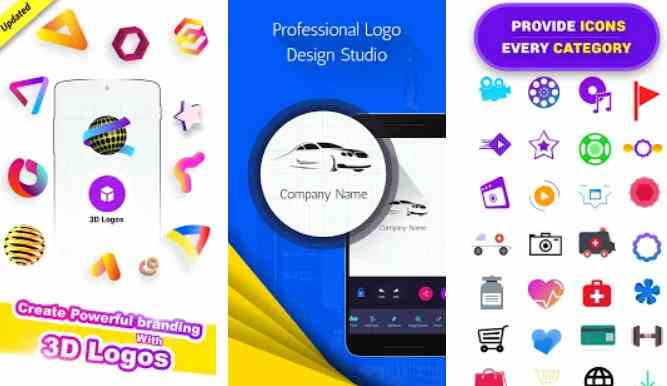
True to its name, 3D Logo Maker allows you to easily create three-dimensional logos. You can create a logo design using text or images with a choice of interesting backgrounds and textures.
However, to use the application, your Android specifications should be quite capable. Because if not it will often crash. Even so, the 3D Logo Maker application is light to run and is packed with various features.
Not to be outdone by the previous logo maker application, an application made by LIGHT CREATIVE LAB called Logo Generator & Logo Maker also offers convenience in designing logo designs.
Having built-in tools, the application makes it easy for people who are not design experts to create their professional logos.
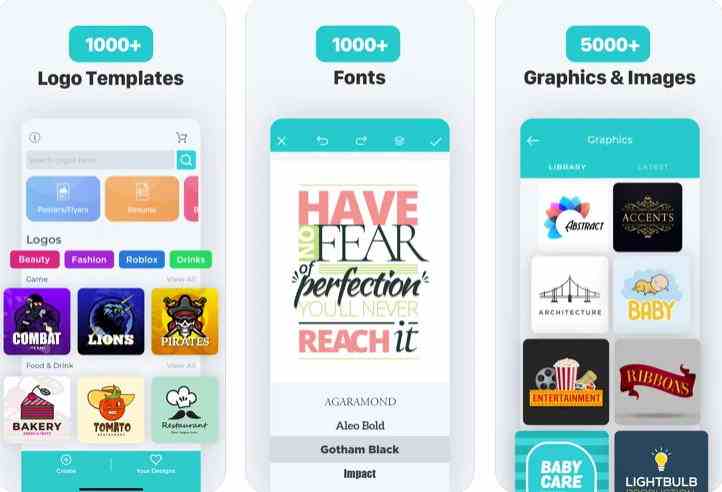
Logo Generator & Logo Maker has a large collection of logo templates that can be customized to your liking. There are at least about 2,000 templates available. In addition, the application also has more than 100 fonts for logo design.
You can also set colors and add stickers or labels to the logo design. Another advantage offered by this application is that it can convert the finished logo to digital form. Quite complete and easy, right?
#9. Logo Maker – Free Graphic Design & Logo Templates
Logo Maker – Free Graphic Design & Logo Templates
If the previous logo maker application is still lacking, then you can try an application from the stylish app world called Logo Maker – Free Graphic Design & Logo Templates.
The application can be used to create various logos. Starting from a beauty business logo, a real estate logo, or creating a startup logo.
The application will help you to create a unique and attractive logo, with professional results. Moreover, the application is equipped with a 3D logo and 3D icons. Besides being fast, the logo maker application is equipped with many templates and designs.
Although not as popular as the previous logo maker application, this application can be relied on to make logo designs practically. This includes setting the logo font, editing the background, adding layers, and other features.
Featured Features of Logo Maker – Free Graphic Design & Logo Templates
Design template collection
Diverse graphic elements
Backgrounds, textures, and colors
Photo editor and text or font
Image cropper
Grouping
Multiple layers
Autosave and on SD Card
Download on Play Store
#10. Logo Maker & Logo Design Generator
Logo Maker & Logo Design Generator
Still, with the application to create the best logo on Android, you can also choose a logo creation application from Bhima Apps, namely Logo Maker & Logo Design Generator.
Not much different from other logo maker applications, this application offers many unique features that help you practically create a logo.
You can choose from a variety of available fonts to get the logo design that you want. The method is also easy, you just need to choose the desired logo design template, specify the font, and then give a touch of color, symbols, and more.
The interesting features of Logo Maker & Logo Design Generator are not only that. Because, the application is equipped with other editing tools such as Magic Brush, Paint Brush, or Opacity. Even so, the features that are carried are still fairly simple.
Featured Features of Logo Maker & Logo Design Generator
Logo maker applications are indeed more popular and widely available for Android users. However, iOS users don’t need to worry. Moreover, now there are many logo maker applications available for the operating system from Apple, and iOS.
Moreover, the application is not only on the iPhone but also on the iPad.
Well, here Kuotabro will provide recommendations for the best logo maker application on iOS that you can use. Just take a look at the brief review as follows:
#1. LogoScopic Studio – Logo Maker
LogoScopic Studio – Logo Maker
LogoScopic Studio is one of the best logo-creating applications that can be used by iOS users, both iPhone and especially iPad.
The application launched by RoadRocks has more than 850 logo templates that can be edited as desired. Especially for those of you who do not have design skills.
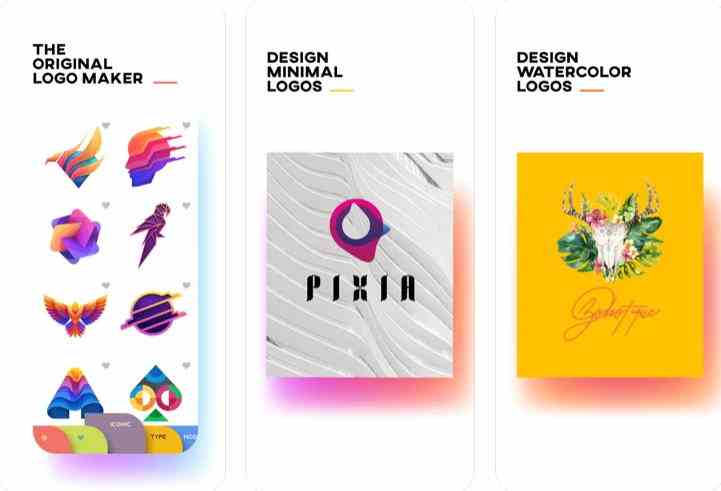
The LogoScopic Studio application makes it easy for you to design a quality logo and edit it with the various tools provided. There are 9 logo categories, Iconic, Modern, Watercolor, Lettermark, Sports, Geometric, Wordmark, and others.
There are also more than 200 selected font types that are supported through modern typography features. So you don’t need to hesitate if you want to use LogoScpic Studio. Especially if you pay for the Premium features, then you can edit more freely.
Logo Maker – A Design Creator! logo maker application is made by Bizthug Pte Ltd.
Targeting iOS users, the app helps those of you who want to create a logo for a business brand, without any prior design experience. Because with Logo Maker, you can create a logo in just a few clicks.
Many features can be tailored to your needs to design a specific logo. There are at least 100 more customizable logo templates. In addition, it is also supported by more than 100 attractive font choices.
The app also provides custom filters, overlays, and various stock backgrounds. Logo Maker – A Design Creator! also offers subscriptions with several cost options. However, the free features are also very helpful.
Currently, there are many best logo maker applications available for use on smartphones, including for iOS users.
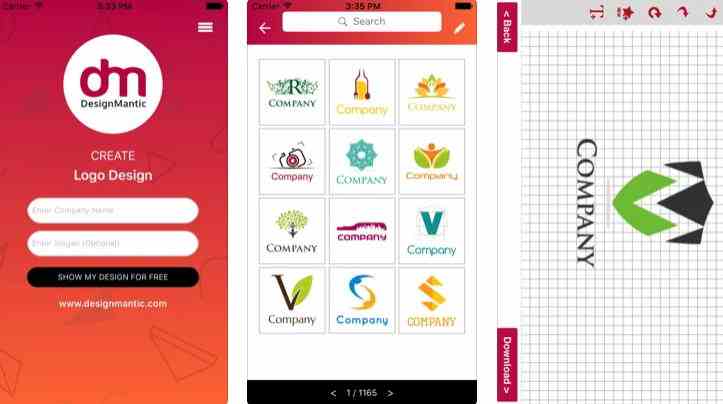
One of them is DesignMantic from developer Right Solution. DesignMantic offers many attractive logo designs for you to choose from. So, no need to worry anymore about creating a professional logo.
You can choose a logo design that is available in the application and choose which one suits your needs. After that, you can change and customize it according to the expected design. Then if you have, you can directly download the logo.
DesignMantic also allows you to download logos in various formats. The application also provides a free or paid version. For those of you who want to create a logo for commercial purposes, the fees offered are quite cheap.
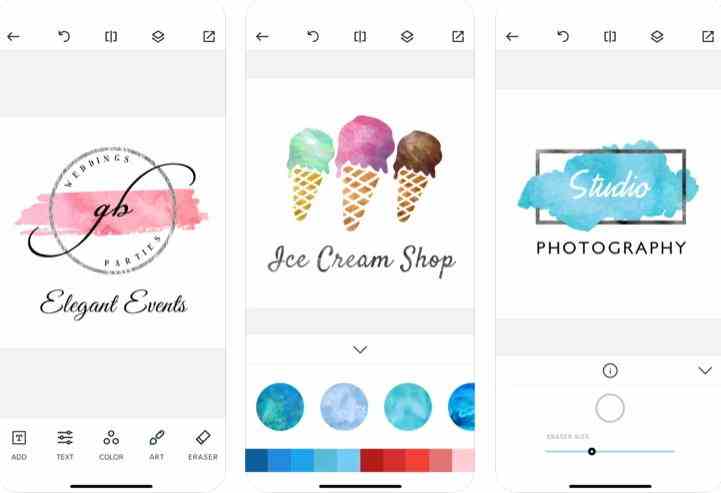
For those of you who want a professional-style logo design application, maybe you can consider the iOS application, namely Watercolor Logo Maker from Tap Flat Apps, LLC.
The application is very easy to use so it can be the right choice. Whether it’s for those of you who pursue the field of design, art, photography, and so on.
There are hundreds of cool logo design templates that you can use. The method is also easy, select the desired logo category, edit the selected logo, and then save it with high resolution. Watercolor Logo Maker is also equipped with a 3D logo feature.
There are many editing options such as textures, fonts, artwork, and more to customize the design you want. So, now there is no need to bother anymore to create a logo. Whether it’s for business purposes, professional affairs, or as a personal logo project.
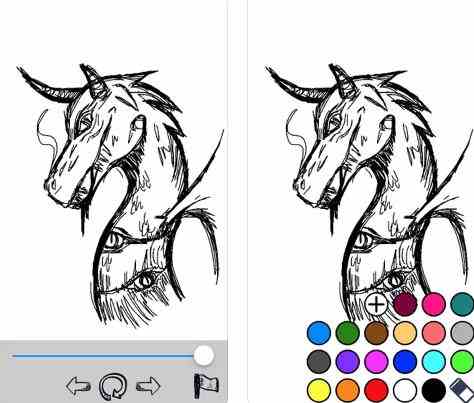
Sketch is the next application for making logos practically on iOS Smartphones.
Applications made by Orgajja Co Ltd. allow you to put creative ideas in the form of a logo. Especially for iPad users, Sketch is one of the best apps that will help you in designing a unique logo.
Because the app supports Apple Pencil to further visualize your ideas. The simple interface and functionality of Sketch also make it easy for users to create logos according to unlimited creativity.
With Sketch, you who already have basic design and art skills can use them to create logos. Many color choices along with tools allow you to draw like on a blank white paper.
The logo maker application on a PC is certainly different from the logo maker application on a smartphone. Usually, logo maker applications on PCs have more advanced features and are more suitable for those who already understand the basics of design.
In addition, it is rare for them to provide an auto feature in creating a logo. So like it or not, you have to make your design from scratch.
However, it never hurts to try some of the following logo-maker applications on your PC.
#1. Adobe Illustrator
Adobe Illustrator
The first application or software that we recommend to create a logo on a PC is Adobe Illustrator.
The application form Adobe can be said to be a graphic and vector design software that is widely used by designers around the world. Such as to create logos, illustrations, product packaging, and so on.
The Adobe Illustrator application is equipped with complete and complex tools. So for those who are not used to it, it’s a good idea to watch the tutorial videos first. Especially to hone skills and the ability to use the software.
Because it takes expertise in using Adobe Illustrator. So when you want to create a logo with the maximum and the results are satisfactory, Adobe Illustrator is one of the most reliable and capable PC/laptop software.
For those of you graphic designers, you may already be familiar with a logo maker software or application called CorelDRAW.
The application made by Corel Corporation is one of the most popular graphics-related software and bitmap image editors. Even CorelDRAW has its output format, namely CDR.
However, it seems that the CorelDRAW application will be more suitable for those of you who already understand a little about the design. But for those who are still beginners, CorelDRAW also includes several tutorials to understand the tools in the application.
CorelDRAW does come with many of the features you need to create a good and professional logo. Moreover, many features are not available in automatic logo maker applications such as those on Android and iOS smartphone devices.
Adobe Photoshop software is more popularly used by photographers. One of them is to edit photos to make them more artistic and have more visual effects.
But it turns out that Adobe Photoshop can also be used to create logos. Moreover, the application from Adobe is also equipped with powerful logo-maker tools.
From editing and composting to combining graphic elements, everything can be done with Adobe Photoshop. But like other PC software, you need special skills to use the Adobe Photoshop application to create a logo.
Adobe Photoshop also provides the ability to collaboratively edit. So if you have trouble, you can invite a friend who is already good at guiding. Moreover, you can do this online using Cloud technology.
Featured Features of Adobe Photoshop
Layers, layers of images, or photos on the design
Eyedropper, takes the color from the existing layer
Fill or Paint Bucket, pour color in one of the layers
Canva is a graphics platform that first appeared on PC as one of the favorite logo maker alternatives.
The great thing about Canva is that it’s web-based, where you can find sample designs, elements, fonts, backgrounds, and more to help you create your logo. So only with an internet connection.
The platform created by Canva Pty Ltd can be run directly from the Canva.com site, moreover, it is free to use. But Canva also offers paid subscriptions like Canva Pro and Canva for Company for added functionality.
Creating a logo in Canva is very easy. You just have to look for logo references in online searches. After that, select the logo template that you are interested in. Then modify the logo, whether it’s colored, effects, fonts, or adding vector designs.
Top Features of Canva
Over 8000 templates for visual content including logos
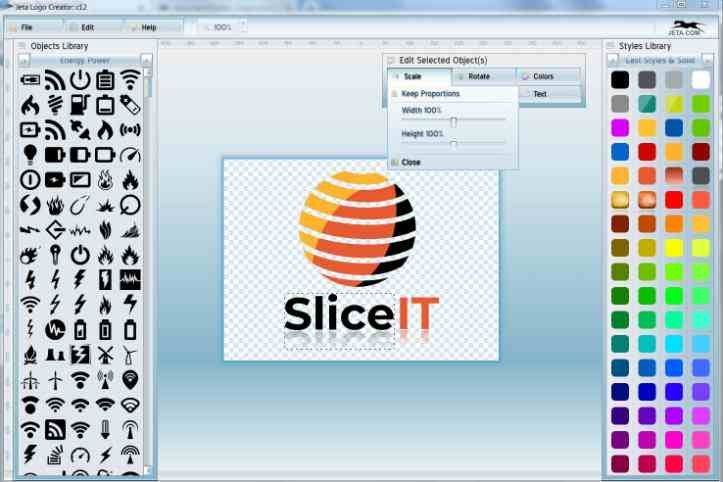
If the previous software or application might be difficult for beginners when they want to create a logo. Then you can try the Logo Creator app from Jeta.
The software is not only simple, but it is also easy to design business logos and web graphics. There are thousands of vectors and templates and logo styles for you to choose from and edit.
How to use it is very simple, you just need to choose a logo design from the desired template. After that, modify the logo by adding symbols or vectors, changing or changing colors, adding fonts, and so on.
Moreover, there are various logo styles in the application. Starting from business themes, entertainment, colorful, minimalist, emblems, and others. So with just a few clicks, you can create your dream logo with the Jeta Logo Creator application.
Not all logo design applications on PC are complicated to use. Of them, you can also use an application program called Summitsoft Logo Design Studio.
Moreover, the software launched by Summitsoft has been known for almost two decades. So don’t worry about creating a professional logo.
Summitsoft Logo Design provides features for stable and complete logo design. The program is light enough to run. Moreover, there are more than 1500 logo design templates that can be used and are perfect for beginners
You are also given full control over logo templates, objects, and fonts. Modify the logo can be run more easily. When you’re done, you can save the logo in vector format (SVG) or download it in PNG format.
As the name implies, the logo design application from Semworx Software offers a fast and practical logo creation program.
This logo maker application is suitable for beginners. Quick Logo Designer has 2200 logo templates and has access to more than 5000 symbols and fonts.
You can save the logo that has been created in various formats. Such as PNG, JPEG, GIF, BMP, PDF, transparent PNG, and others. As one of the easy-to-use logo maker applications, the application has won various awards.
Because indeed creating a logo with the Quick Logo Design application is very easy. You only need to choose the logo template you want, then customize the logo template, be it text, graphics, or images, then save it.
A logo maker application is an application or program created to make it easier for users to design logos. Some logo-maker applications can even be used automatically. Some applications provide a full range of features or tools to assist users in designing logos.
What is the Function of a Logo Maker App?
Can be used to create a logo for business or professional purposes
There are many logo templates available so they are more practical to use
Cheaper than using a logo creation service
Can make a logo design according to your wishes
Are Logo Maker Apps Free?
Some are free, some are paid. Logo maker applications on PCs are usually paid. But the logo maker app also offers a free trial for a few days.
How Much Does it Cost to Use a Premium Logo Maker App?
The price cannot be determined with certainty because it depends on the logo maker application developer. But usually, it ranges from $10/logo to $50, depending on the complexity of the logo or it could be for a subscription fee of around $20/month.
So, those are some logo maker applications that can be used both through Android, iOS, and PC devices.
When choosing a logo maker application, you should consider your graphic skills and the ease of using the application. So which one is your favorite logo maker app?